Module 1: Reasoning Prompting
Reasoning models like kimi-k2-6 support extended thinking — an internal chain-of-thought that runs before the model produces visible output. When served via vLLM, you can toggle thinking on or off using the chat_template_kwargs parameter.
In this module, you’ll experiment with thinking mode against live MaaS endpoints to see how reasoning affects response quality, latency, and token consumption.
Learning objectives
By the end of this module, you’ll be able to:
-
Explain the difference between thinking-enabled and thinking-disabled inference
-
Toggle reasoning on/off via
chat_template_kwargsin the API request -
Observe how reasoning affects latency and token usage
-
Decide when to enable or disable reasoning for your use case
How does reasoning work?
When thinking is enabled (the default for kimi-k2-6), the model performs internal chain-of-thought reasoning before producing its final answer. The reasoning tokens appear in the reasoning field of the response message.
-
Thinking ON (default) — The model reasons step-by-step internally. Higher quality but more tokens and latency.
-
Thinking OFF — Pass
"chat_template_kwargs": {"thinking": false}to skip reasoning. Faster and cheaper, but may miss nuance.
The reasoning tokens are returned in the .choices[0].message.reasoning field.
Exercise 1: Set up your environment
-
Export your MaaS API token:
export TOKEN=$(oc get secret maas-secret -o jsonpath='{.data.token}' | base64 -d) echo "Token obtained: ${TOKEN:0:20}..." -
Verify connectivity to the MaaS API:
curl -s -H "Authorization: Bearer $TOKEN" \
  https://maas.apps.ocp.cloud.rhai-tmm.dev/prelude-maas/kimi-k2-6/v1/models | jq .
You should see model metadata confirming the endpoint is live.
Exercise 2: Compare thinking ON vs OFF
Let’s send the same question with and without reasoning enabled.
-
Thinking OFF — ask the model a word puzzle question with reasoning disabled:
curl -s https://maas.apps.ocp.cloud.rhai-tmm.dev/prelude-maas/kimi-k2-6/v1/chat/completions \
  -H "Authorization: Bearer $TOKEN" \
  -H "Content-Type: application/json" \
  -d '{
    "model": "kimi-k2-6",
    "messages": [
      {"role": "user", "content": "The letters S, H, O, P are on adjacent hexagonal cells. The hint is S___ (4 letters). What word could this be? List all possibilities."}
    ],
    "max_tokens": 512,
    "chat_template_kwargs": {"thinking": false}
  }' | jq '{content: .choices[0].message.content, reasoning: .choices[0].message.reasoning, usage: .usage}'
Note: the
reasoningfield should benulland token usage should be low. -
Thinking ON (default) — same question, reasoning enabled:
curl -s https://maas.apps.ocp.cloud.rhai-tmm.dev/prelude-maas/kimi-k2-6/v1/chat/completions \
  -H "Authorization: Bearer $TOKEN" \
  -H "Content-Type: application/json" \
  -d '{
    "model": "kimi-k2-6",
    "messages": [
      {"role": "user", "content": "The letters S, H, O, P are on adjacent hexagonal cells. The hint is S___ (4 letters). What word could this be? List all possibilities."}
    ],
    "max_tokens": 512
  }' | jq '{content: .choices[0].message.content, reasoning: .choices[0].message.reasoning, usage: .usage}'
Observe: the
reasoningfield shows the model’s chain-of-thought, butcontentis null because the 512-token cap was used entirely by reasoning. Withoutmax_tokens, the response would include both reasoning and content, consuming far more tokens.
Exercise 3: Measure the latency difference
Let’s time both approaches to quantify the reasoning overhead.
-
Time the thinking OFF response:
time curl -s https://maas.apps.ocp.cloud.rhai-tmm.dev/prelude-maas/kimi-k2-6/v1/chat/completions \ -H "Authorization: Bearer $TOKEN" \ -H "Content-Type: application/json" \ -d '{ "model": "kimi-k2-6", "messages": [ {"role": "user", "content": "Given the words SHOP, SONG, SING, SPIN — which one is most commonly used in everyday English? Answer in one word."} ], "max_tokens": 512, "chat_template_kwargs": {"thinking": false} }' > /dev/null -
Time the thinking ON response:
time curl -s https://maas.apps.ocp.cloud.rhai-tmm.dev/prelude-maas/kimi-k2-6/v1/chat/completions \
  -H "Authorization: Bearer $TOKEN" \
  -H "Content-Type: application/json" \
  -d '{
    "model": "kimi-k2-6",
    "messages": [
      {"role": "user", "content": "Given the words SHOP, SONG, SING, SPIN — which one is most commonly used in everyday English? Answer in one word."}
    ],
    "max_tokens": 512
  }' > /dev/null
Exercise 4: Try with a non-reasoning model
Not all models support thinking mode. Let’s compare with a dense model that doesn’t reason.
-
Send the same question to llama-3.2-3b:
curl -s http://maas.apps.ocp.cloud.rhai-tmm.dev/prelude-maas/llama-32-3b/v1/chat/completions \
  -H "Authorization: Bearer $TOKEN" \
  -H "Content-Type: application/json" \
  -d '{
    "model": "llama-32-3b",
    "messages": [
      {"role": "user", "content": "The letters S, H, O, P are on adjacent hexagonal cells. The hint is S___ (4 letters). What word could this be? List all possibilities."}
    ],
    "max_tokens": 512
  }' | jq '{content: .choices[0].message.content, reasoning: .choices[0].message.reasoning, usage: .usage}'
Compare the response quality with kimi-k2-6’s reasoning-enabled response. Notice there is no
reasoningfield.
Exercise 5: Watch reasoning in action on WordSwarm
-
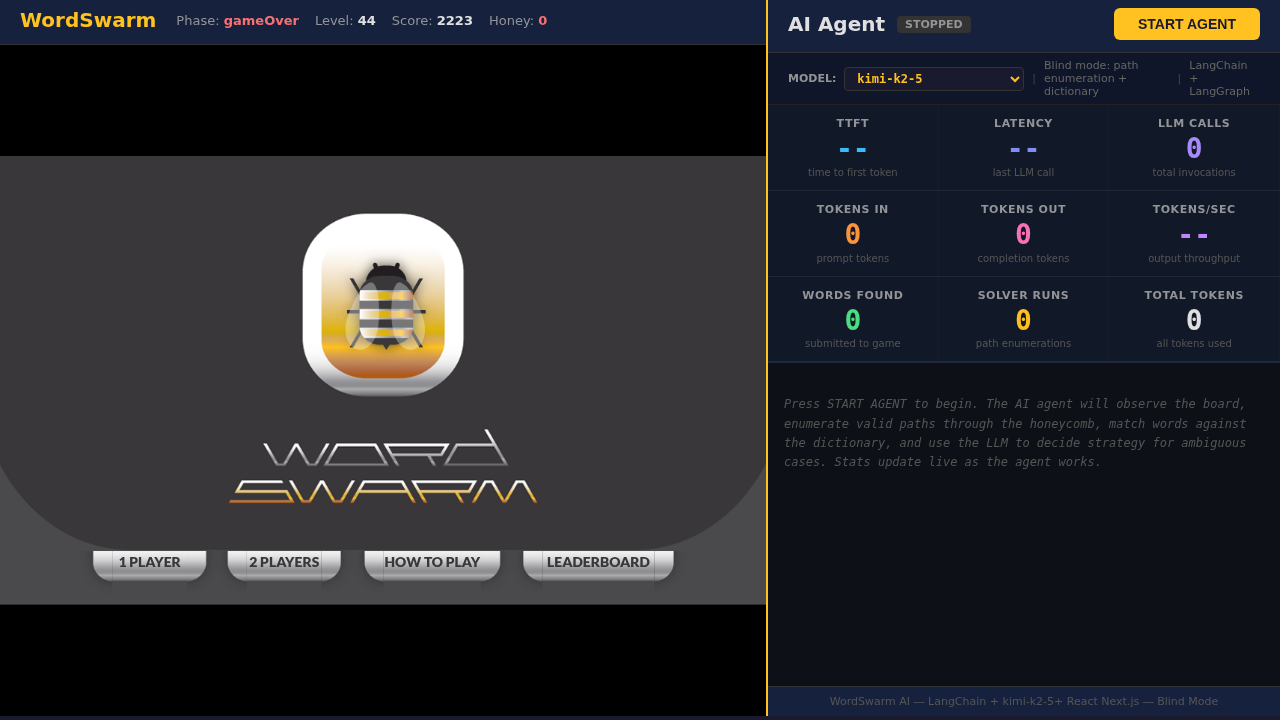
Open the WordSwarm dashboard in your browser (keep these instructions visible by splitting your screen):
-
Click the one 1 player game option
-
Click on the
Agenttab. -
Select kimi-k2-6 from the model dropdown (it’s a reasoning model)
-
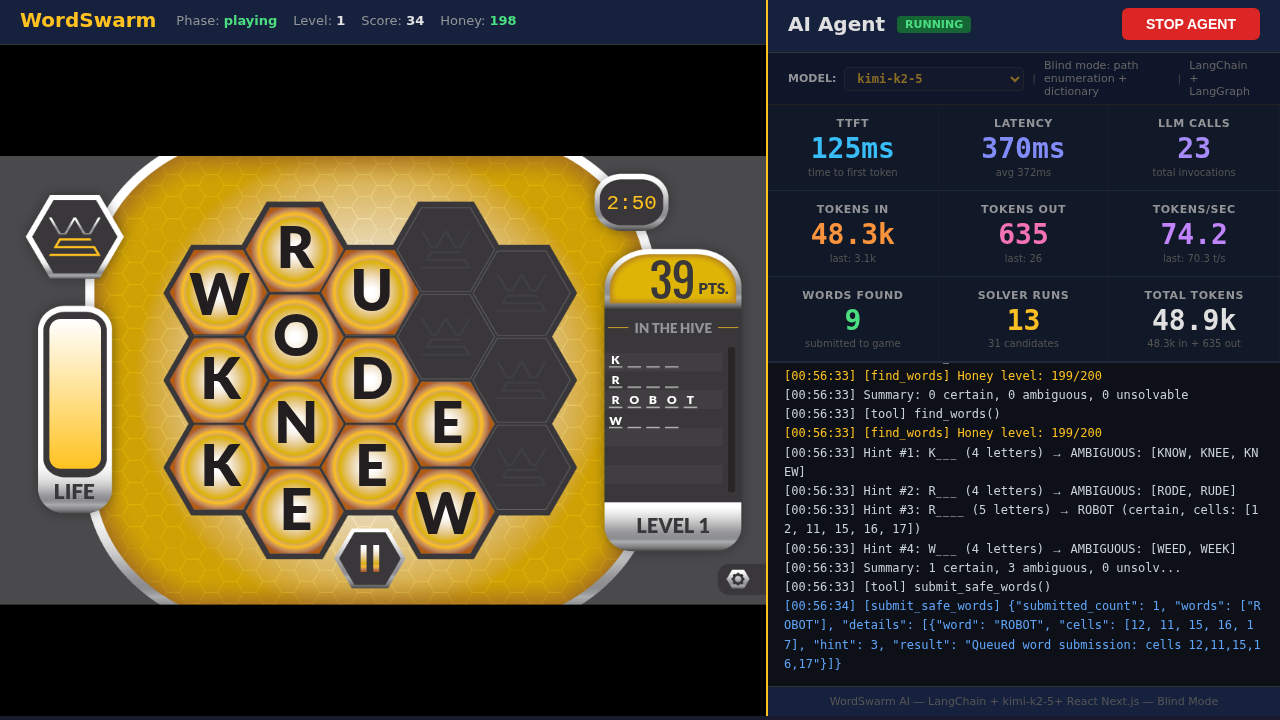
Click START AGENT and watch the agent play
-
Observe the stats panel while kimi-k2-6 plays:
-
TTFT (Time to First Token) — higher for reasoning models due to thinking time
-
Tokens In/Out — reasoning models consume more tokens per call
-
Latency — includes both thinking and generation time
-
-
Now switch to Llama 3.2 3B Instruct (a small non-reasoning model) and run another game
-
Compare the two models as they play:
-
Which model feels faster to respond?
-
Which model finds better words?
-
Which model scores higher overall?
-
How do the metrics (TTFT, tokens, latency) differ?
-
Module summary
What you accomplished:
-
Toggled reasoning on/off using
chat_template_kwargson a live MaaS endpoint -
Measured latency and token overhead of reasoning
-
Compared reasoning vs. non-reasoning model responses
-
Observed reasoning in action on a live AI agent
Key takeaways:
-
kimi-k2-6 uses
"chat_template_kwargs": {"thinking": false}to disable reasoning (not prompt tags) -
Reasoning tokens appear in the
.choices[0].message.reasoningfield -
Thinking ON improves response quality at the cost of latency and tokens
-
Thinking OFF is faster but may miss nuance on complex tasks
-
For real-time tasks like WordSwarm, reasoning overhead directly impacts gameplay speed
Next: Module 2 will benchmark these models using GuideLLM to measure raw throughput and concurrency.