Lab Guide: Managing Active Directory and Domain Membership
A guide to using Ansible Automation Platform to create Active Directory objects and join both Windows and RHEL servers to a domain.
1. Scenario: Standardized Consistency
Great job on the initial server setup. A ticket update has just arrived!
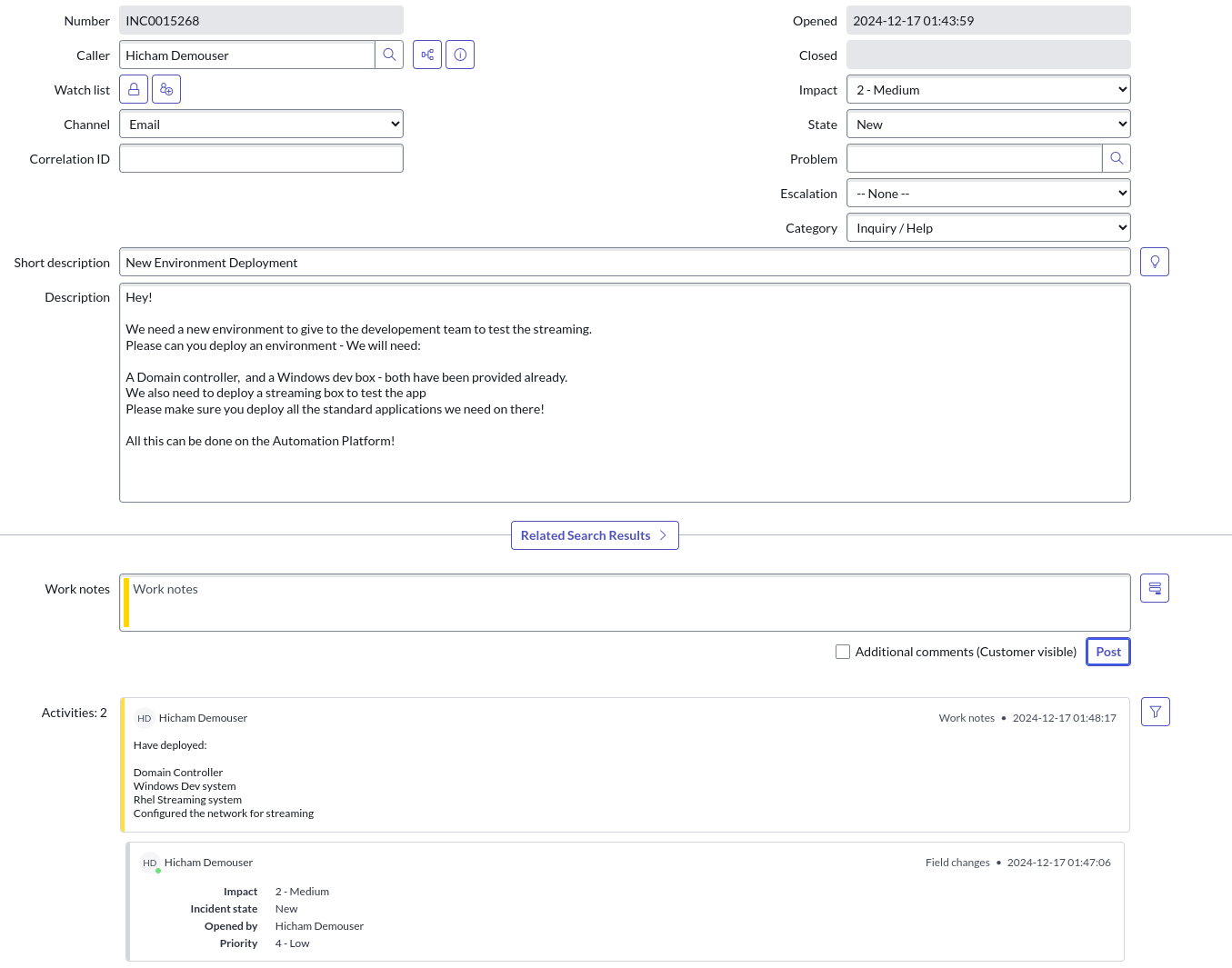
Now that you have a domain, some Windows systems, and a new RHEL system, you’re ready for the next set of automation tasks. Let’s get to it!
2. Creating Active Directory Users and OUs
First, you’ll create an Organizational Unit (OU) and a group for the developers, then populate it with user accounts.
-
Launch the "Windows Users and OU" template.
Navigate to Automation Execution → Templates. Find and launch the Windows Users and OU template by clicking the launch icon (🚀).
Depending on your screen resolution, this template may be on the second page of the templates list. -
Provide the survey details.
During the launch process, you’ll be prompted with a survey. Use the following details for this task:
-
OU:
Testing -
Group:
TMM-DevClick Next, then Finish to start the job.
-
-
Verify the new AD objects.
Once the job is complete, navigate to the
windowstab in your lab environment. From the Start Menu, select Windows Administrative Tools, then choose Active Directory Users and Computers. Expand your domain to confirm that theTestingOU, theTMM-Devgroup, and the new developer accounts have all been successfully created.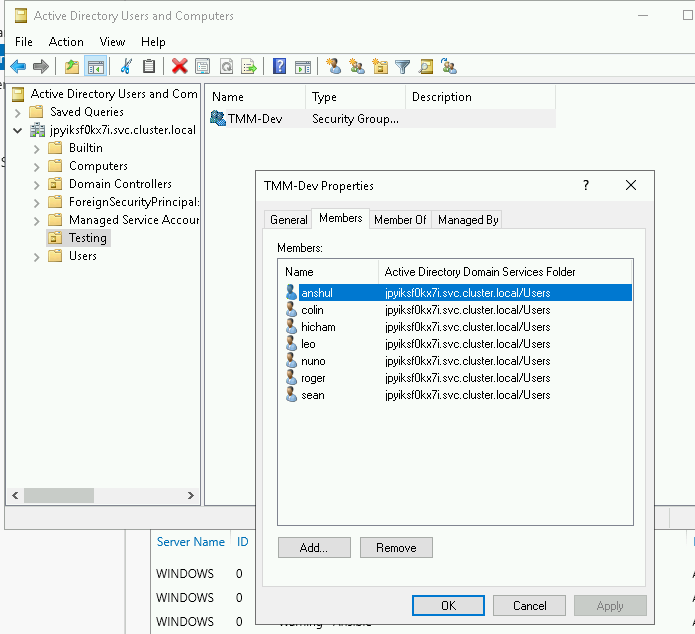
3. Joining Servers to the Domain (Optional)
With the servers configured and AD objects in place, the final step is to join the servers to the domain.
-
Join the Windows server to the domain.
Navigate back to your
aaptab. Go to Automation Execution → Templates and launch the Windows Join Domain job template. Once the job is complete, you can verify its success in Active Directory Users and Computers on the Windows server.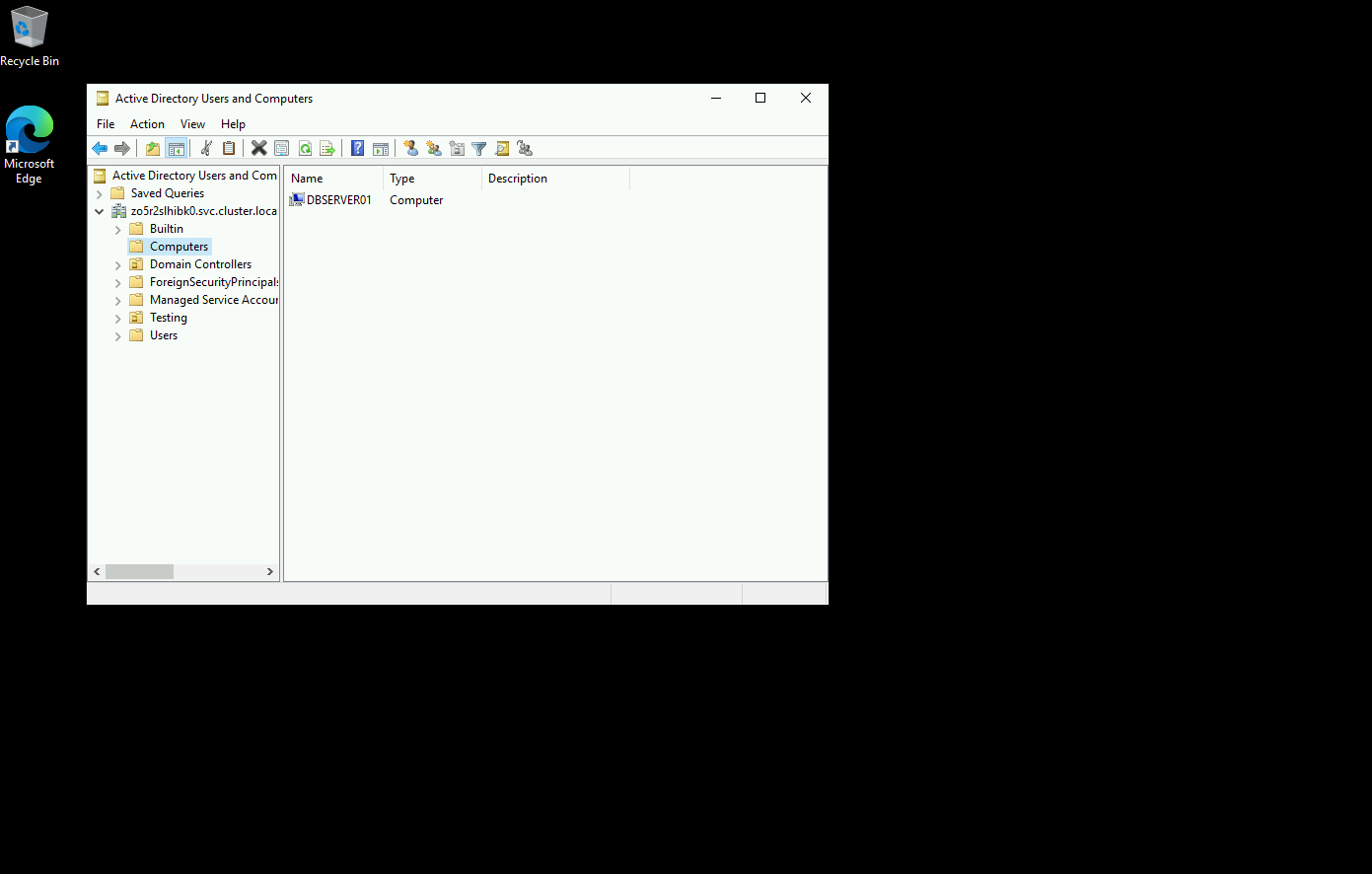
-
Add a survey to the RHEL domain join template.
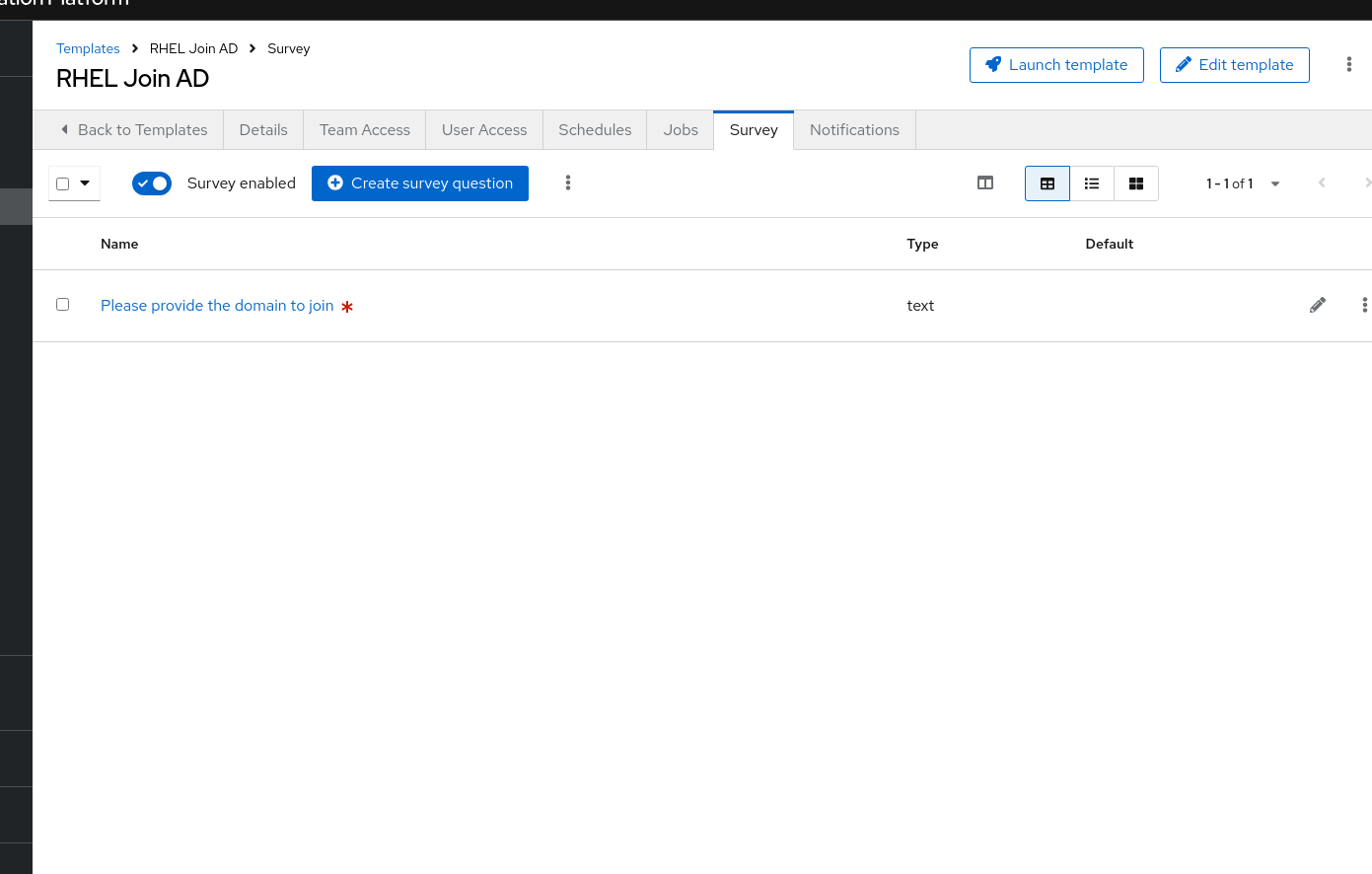
To make the RHEL process more flexible, let’s add a survey. Navigate to Automation Execution → Templates, click on the name of the RHEL Join AD template, and go to the Survey tab.
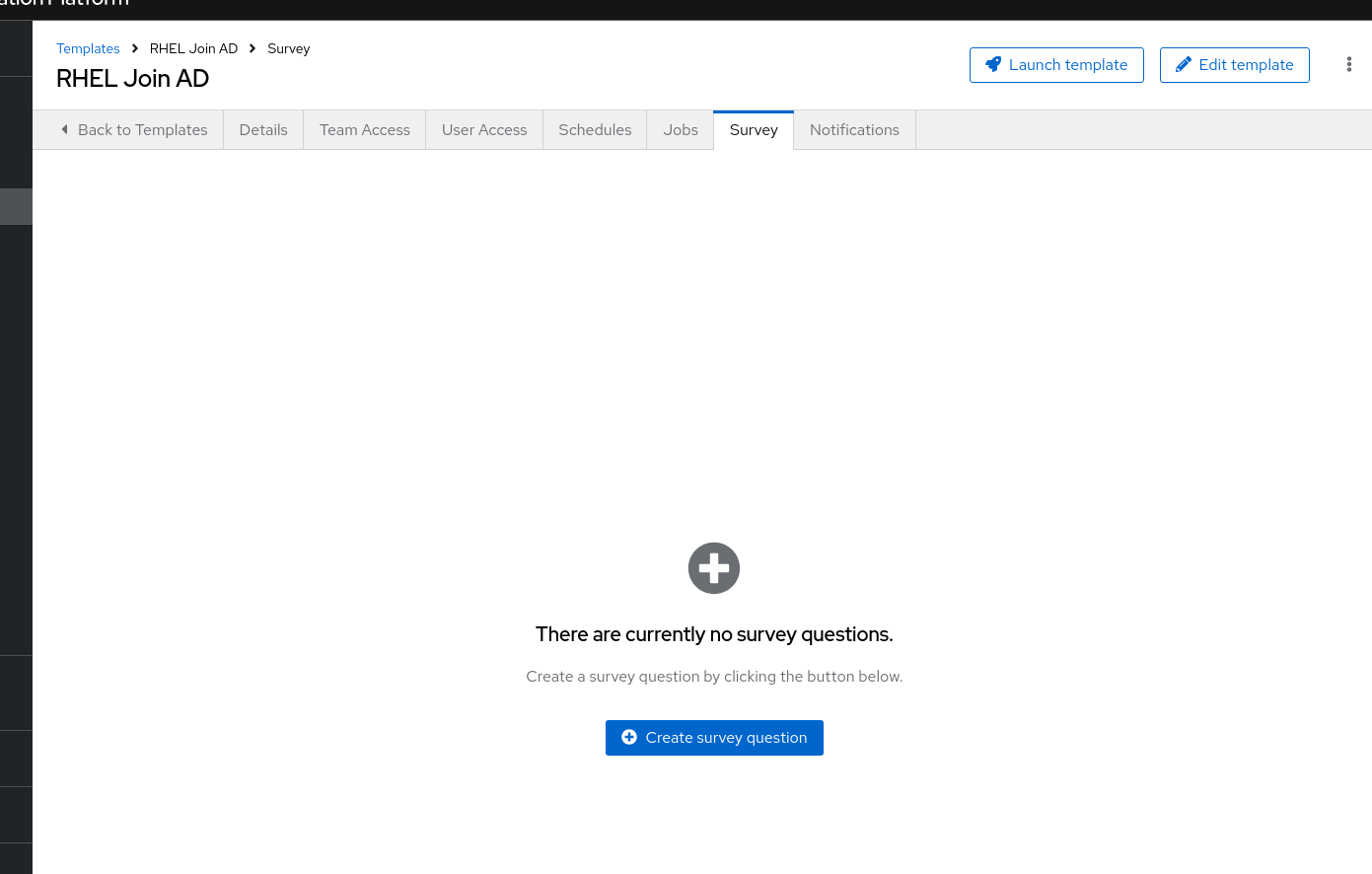
Click Create survey question and configure it with the following details:
-
Question:
Please provide the domain to join -
Description:
Domain/Forest information -
Answer variable name:
domainAfter creating the question, be sure to enable the survey using the toggle switch at the top of the page.
-
-
Join the RHEL server to the domain.
Navigate back to the main Templates list and launch the RHEL Join AD template. When prompted by the survey, provide your unique lab domain:
lab.{dns_domain}
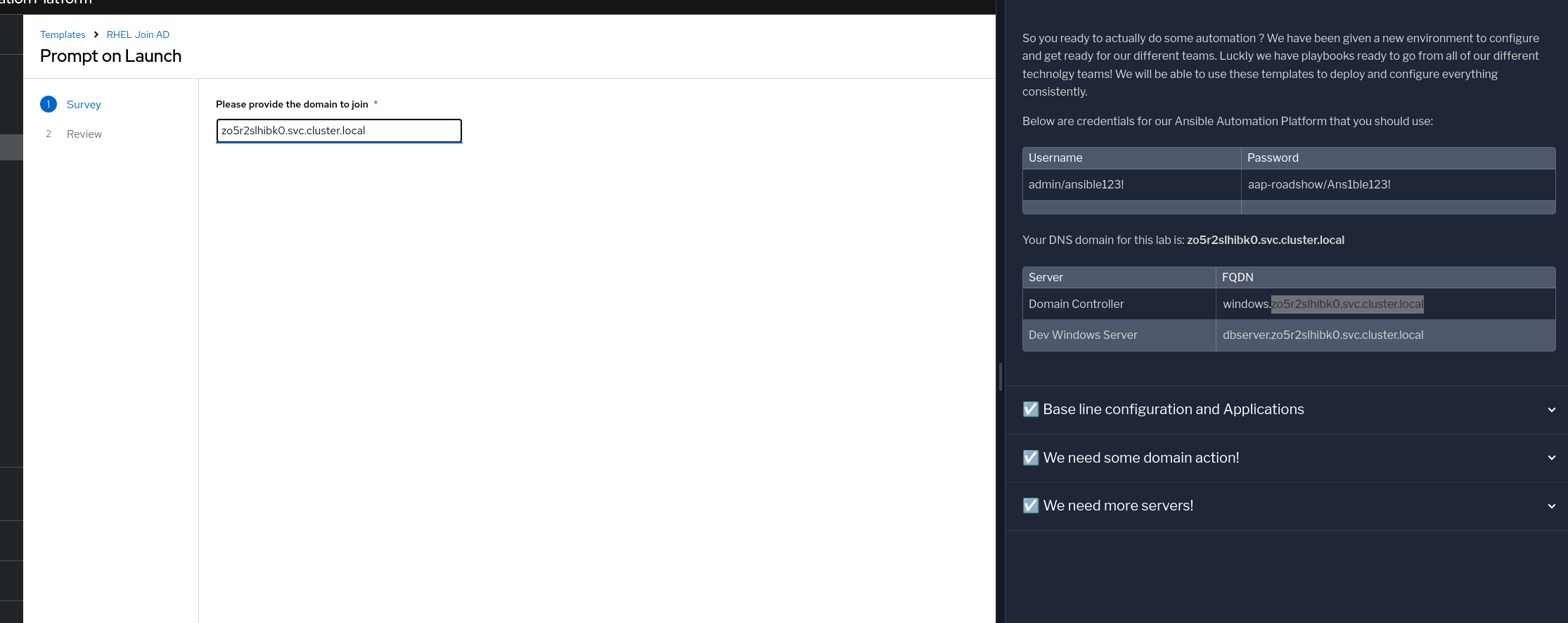
Click Next to launch the job.
-
Verify both systems are in the domain.
Once complete, return to the
windowstab and refresh the Active Directory Users and Computers view. You should now see both the Windows and RHEL systems listed in the domain’s Computers container.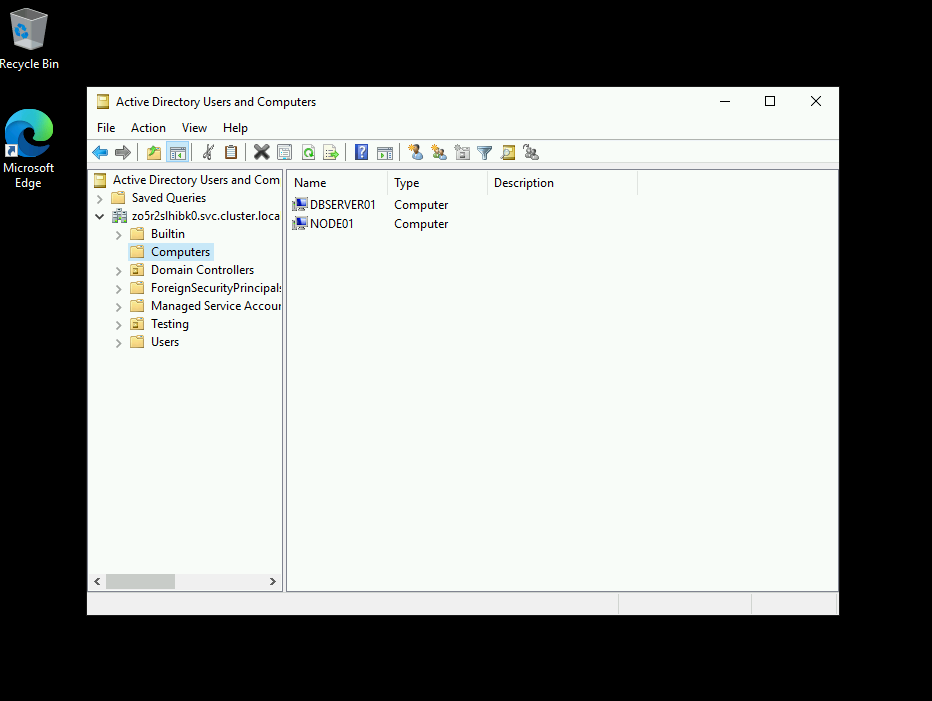
4. Appendix: Code Snippets
If you’re interested, here are some key code snippets from the playbooks used in this lab.
4.1. Creating Users, Groups, and OUs in Active Directory
- name: Create a group in an OU
  microsoft.ad.group:
    identity: "{{ group_name }}"
    scope: global
    path: "{{ ou_path }}"
    state: present

- name: Create users for lab
  microsoft.ad.user:
    identity: "{{ item.key }}"
    password: "{{ user_password }}"
    firstname: "{{ item.value.firstname }}"
    surname: "{{ item.value.surname }}"
    state: present
    groups:
      set:
      - "{{ group_name }}"
      - Domain Users
  loop: "{{ users_list | dict2items }}"

- name: Create Ansible Admin
  microsoft.ad.user:
    identity: "{{ admin_user }}"
    password: "{{ admin_password }}"
    firstname: "Ansible AD"
    surname: "Administrator"
    state: present
    groups:
      set:
      - Domain Admins
      - Domain Users
4.2. Joining Servers to the Domain
- name: Join host to Domain
  microsoft.ad.membership:
    dns_domain_name: "{{ wins_domain }}"
    hostname: "{{ inventory_hostname }}"
    domain_admin_user: Administrator
    domain_admin_password: "{{ safe_password }}"
    domain_server: "{{ hostname_cleaned }}"
    state: domain
    reboot: true
5. Troubleshooting
If you have encountered an issue or have noticed something not quite right, please open an issue on GitHub.