Module 1: Assessing the Landscape
The digital transformation initiative at ACME Corp is officially underway. As a lead developer, you’ve been tasked with moving the aging siloed services—starting with the Customers application—off legacy virtual machines and into a cloud-native architecture. Your team knows that moving blindly is a recipe for project delays, and "guessing" the effort required won’t satisfy the stakeholders.
To succeed, you need a holistic view of the application portfolio. You’ve turned to the Migration Toolkit for Applications (MTA) to provide the data-driven insights necessary to identify risks, estimate migration effort, and map out a clear modernization path.
In this module, you will step into the role of a migration architect to evaluate the existing infrastructure, classify applications at scale using archetypes, and perform a deep-dive analysis of the source code to uncover hidden technical debt.
Learning objectives
By the end of this module, you’ll be able to:
-
Navigate the MTA Web Console to manage application inventories and business services.
-
Utilize Archetypes and Tagging to automatically classify and manage large portfolios of similar applications.
-
Perform a Containerization Assessment to identify high-level architectural risks and migration strategies.
-
Execute Static Code Analysis against legacy Java source code to find specific technical issues.
-
Interpret Analysis Reports to understand story points, effort estimates, and required code modifications.
1. Introduction to Migration Toolkit for Applications
To work on the migration of the existing applications in our portfolio we will use the Migration Toolkit for Applications (MTA). MTA will be used to assess, analyze and finally migrate the Customers application, currently running on a Tomcat server on a VM.
Switch to Red Hat OpenShift MTA Console by clicking the MTA Web Console tab in the workshop interface.
| For this lab the MTA Web Console is readily available at that URL. In a production-ready environment the console would be secured by Red Hat Single Sign On and require you to log in with valid credentials. |
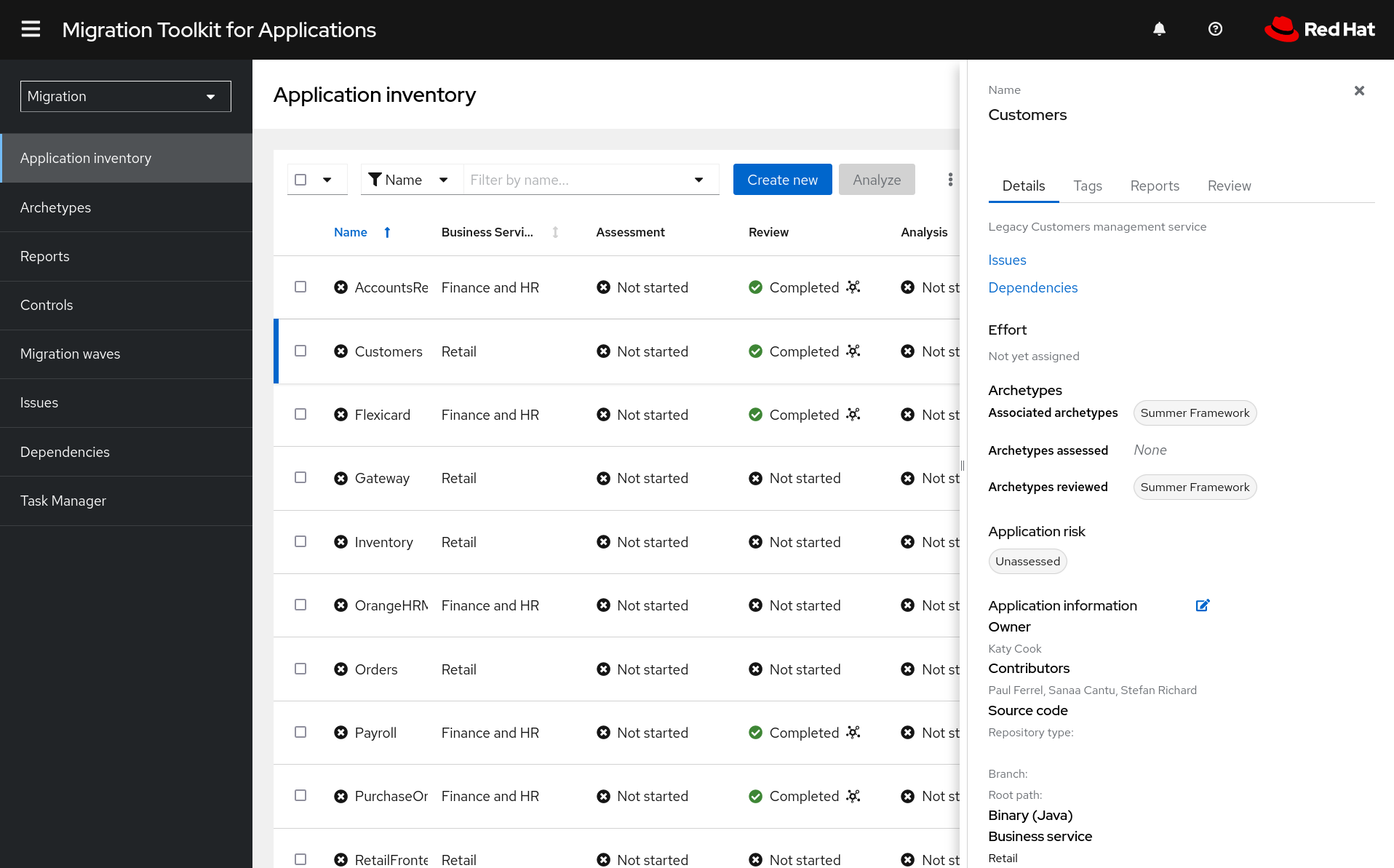
You will see existing application in the inventory such as Customers, Orders, Inventory, and more.
2. Environment Setup
-
Access the Console: Open the MTA Web Console.
-
Enable Questionnaires:
-
Switch the top-left perspective selector to Administration.
-
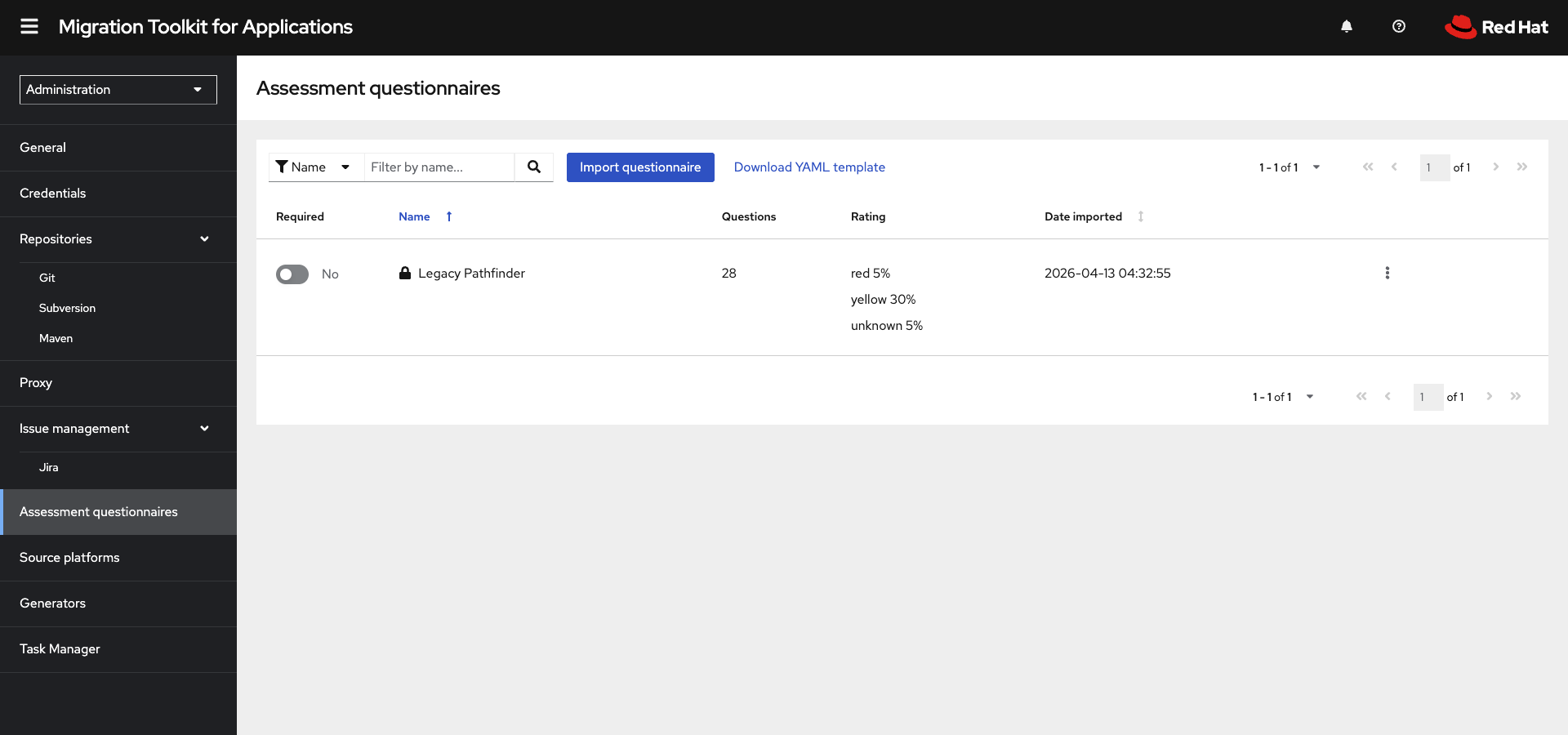
Select Assessment Questionnaires.
-
Toggle the Required switch for Legacy Pathfinder to ON.
-
-
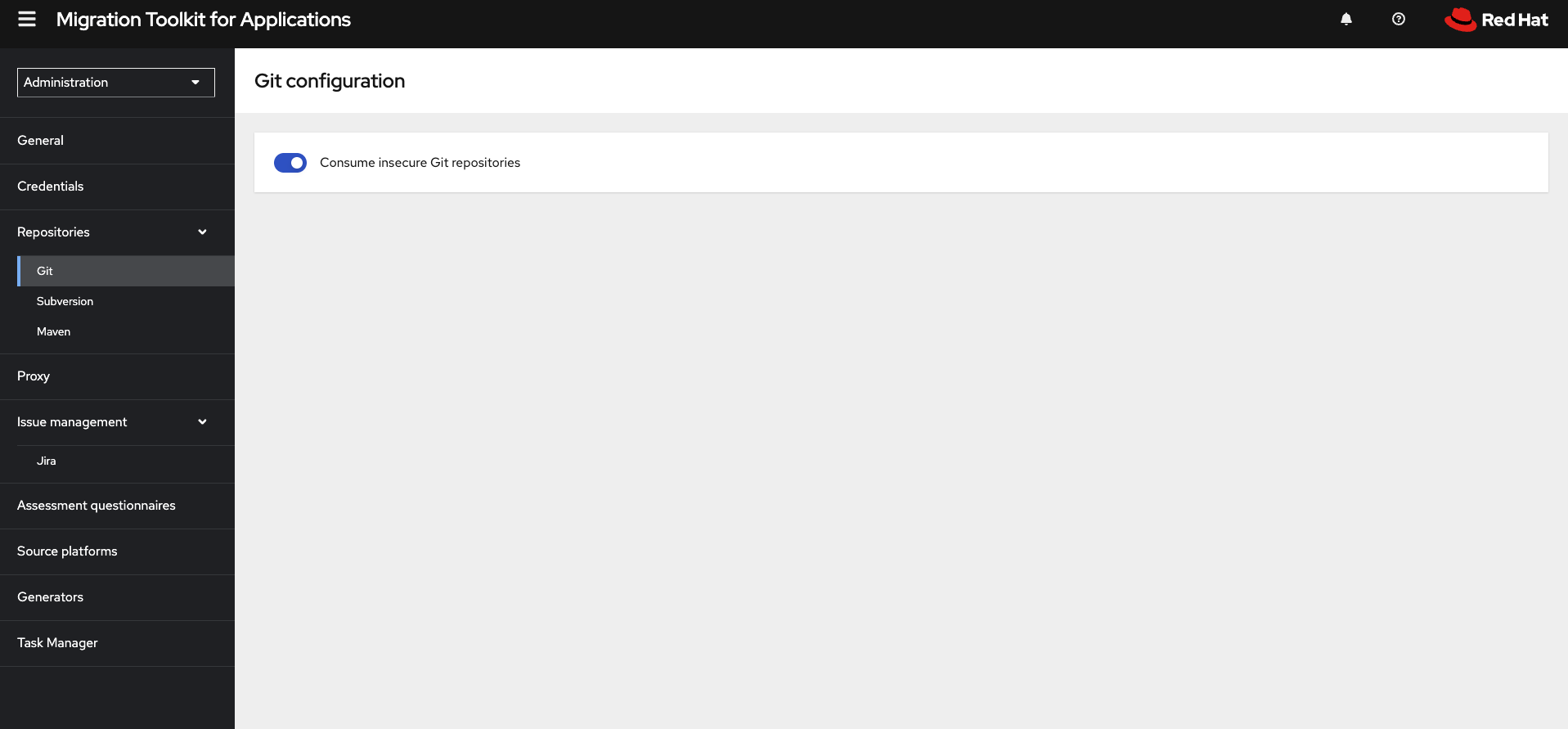
Enable Insecure Repositories: In the Administration perspective, go to Repositories > Git and toggle Consume insecure Git repositories to the right.
3. Archetype Assessment
-
Switch the top-left perspective selector to Migration.
-
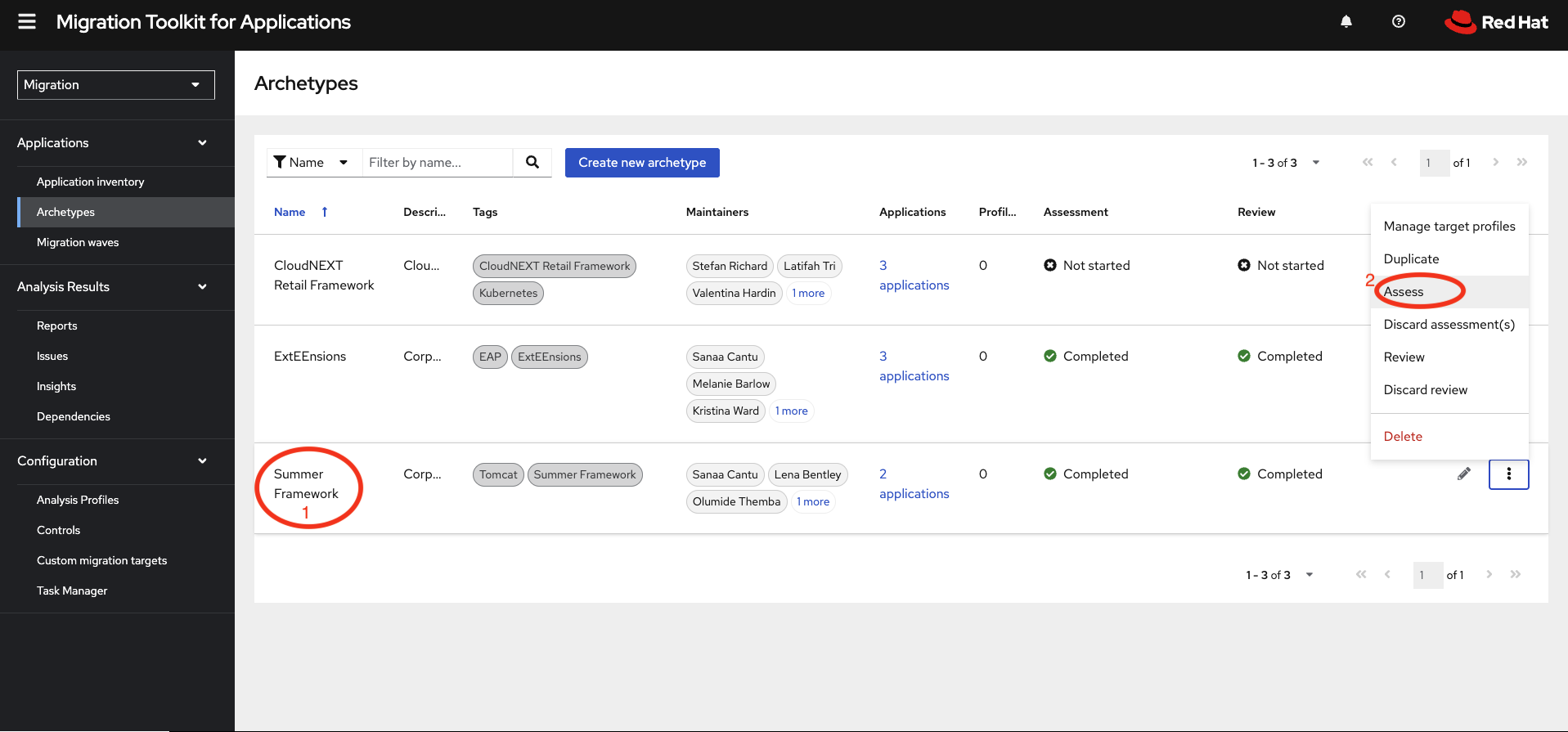
Start Assessment: Navigate to Archetypes on the left menu, click the three-dot menu for the Summer Framework archetype, and select Assess.
-
Retake & Navigate: Click Retake, then click Next through the Stakeholders and initial sections (Details, Dependencies, Observability).
-
Update Configuration: In the Application cross-cutting concerns section, find "How is the application configured?" and select: Multiple configuration files in multiple file system locations.
-
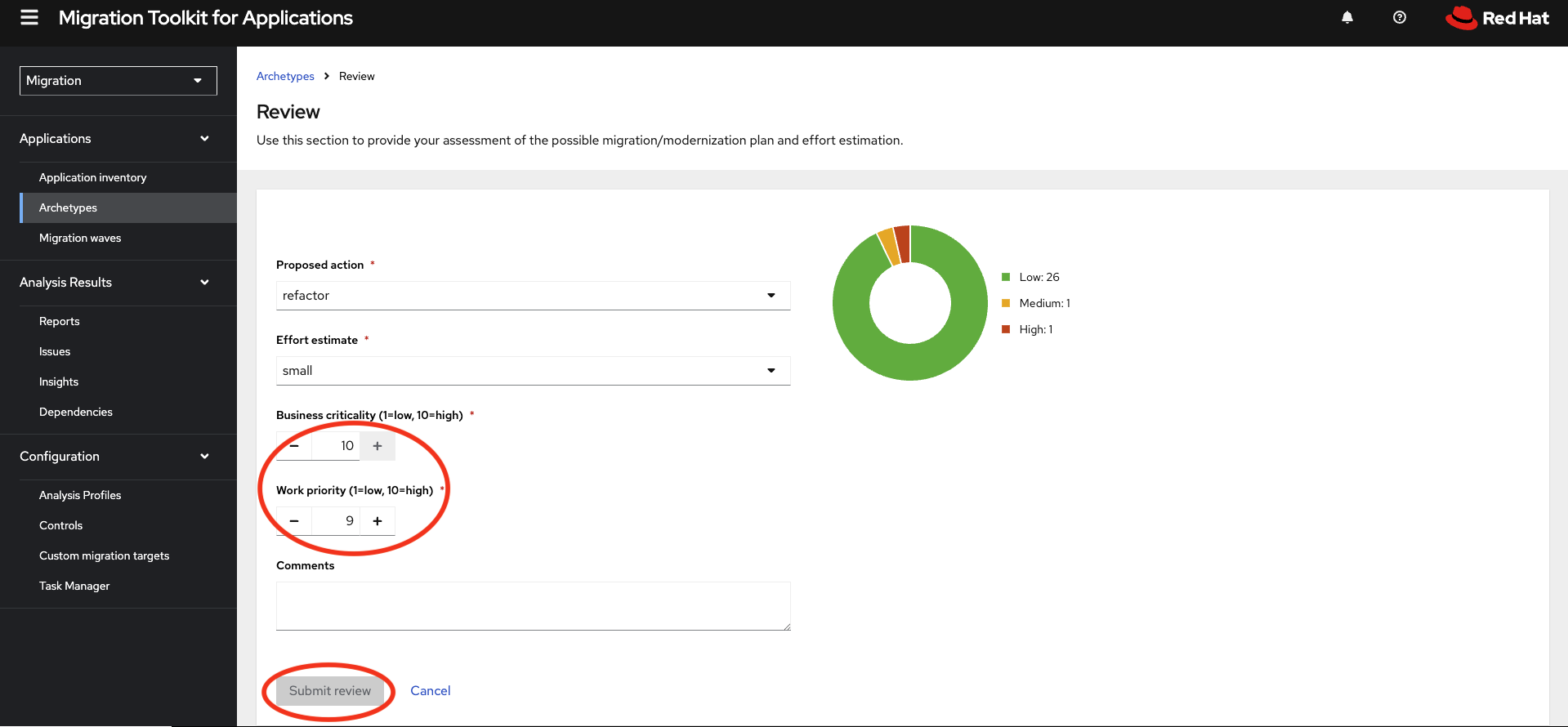
Submit Review:
-
Click Save and review.
-
Set Proposed action to Refactor.
-
Set Effort estimate to Small.
-
Set Business criticality to 10 and Work priority to 9.
-
Click Submit Review.
-
4. Application Analysis
-
Configure Customers App:
-
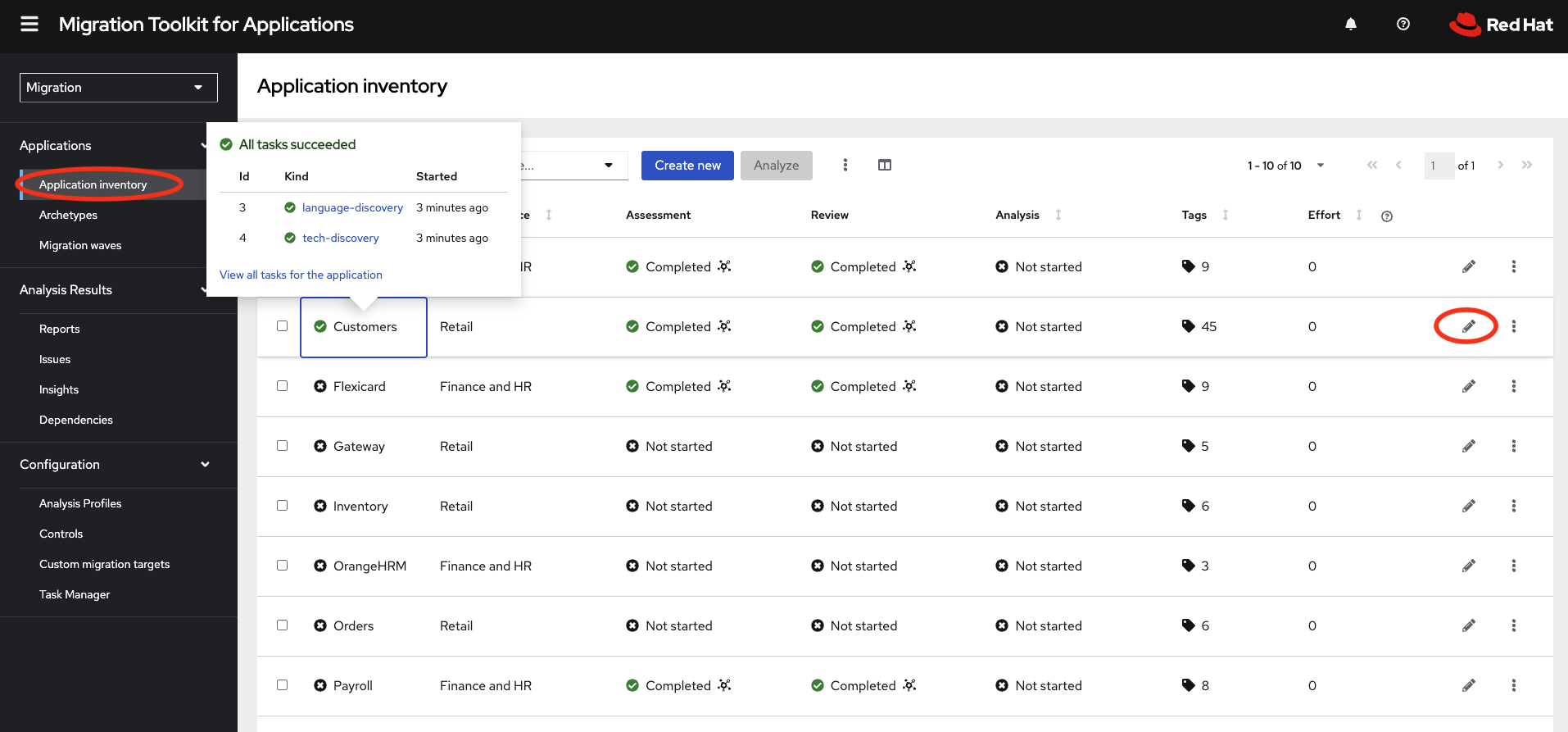
In Application inventory, click the pencil (edit) icon for the Customers application.
-
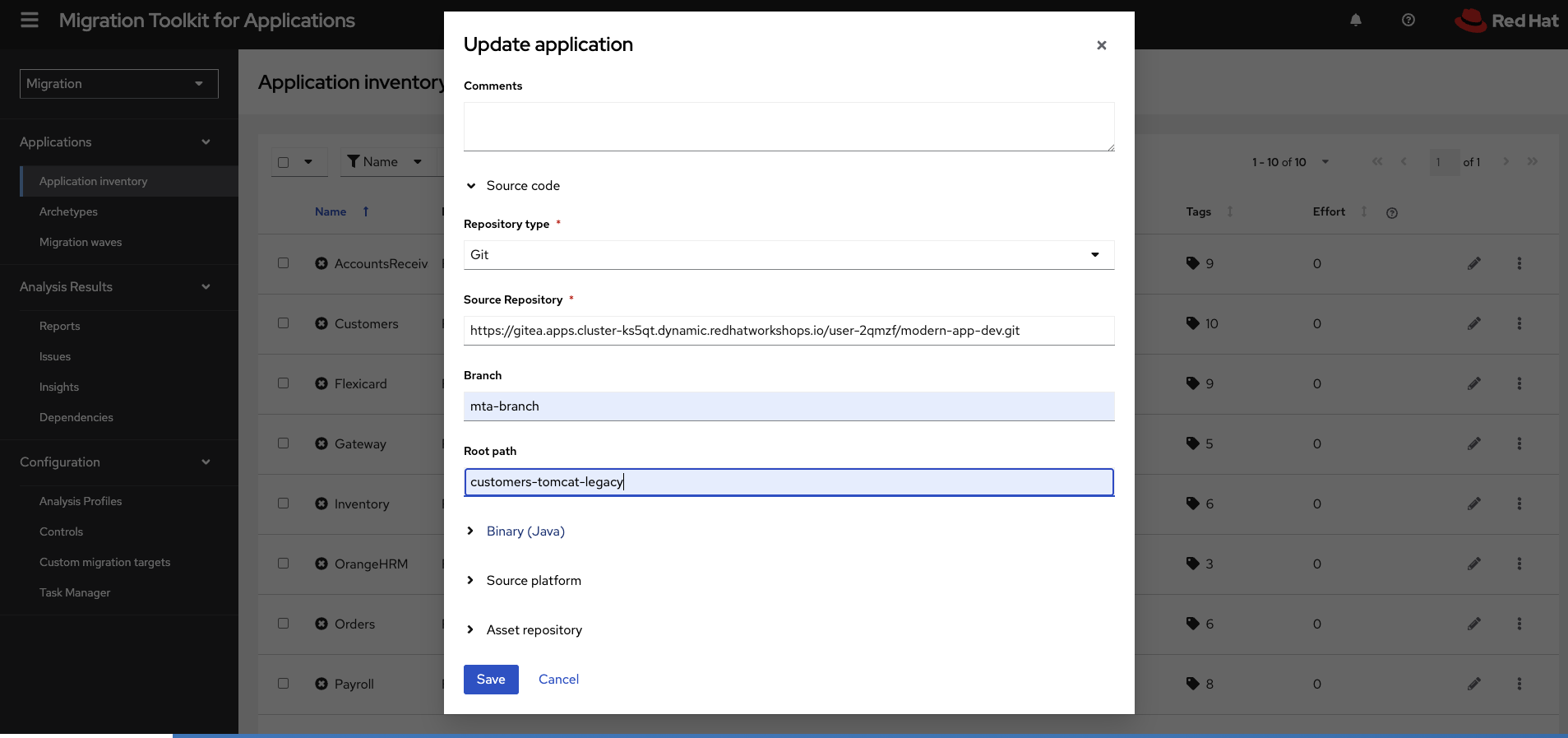
Set Repository type to Git.
-
Enter the Source Repository URL, set Branch to
mta-lab, and Root path tocustomers-tomcat-legacy.image:module-01/mta-moderniza-gitrepo.png[git repo to modernize app dev]
-
Click Save.
-
-
Run Analysis:
-
Select the Customers checkbox and click Analyze.
-
Mode: Select Source code.
-
Targets: Select Containerization, Linux, and OracleJDK to OpenJDK.
-
Scope: Select Application and internal dependencies only.
-
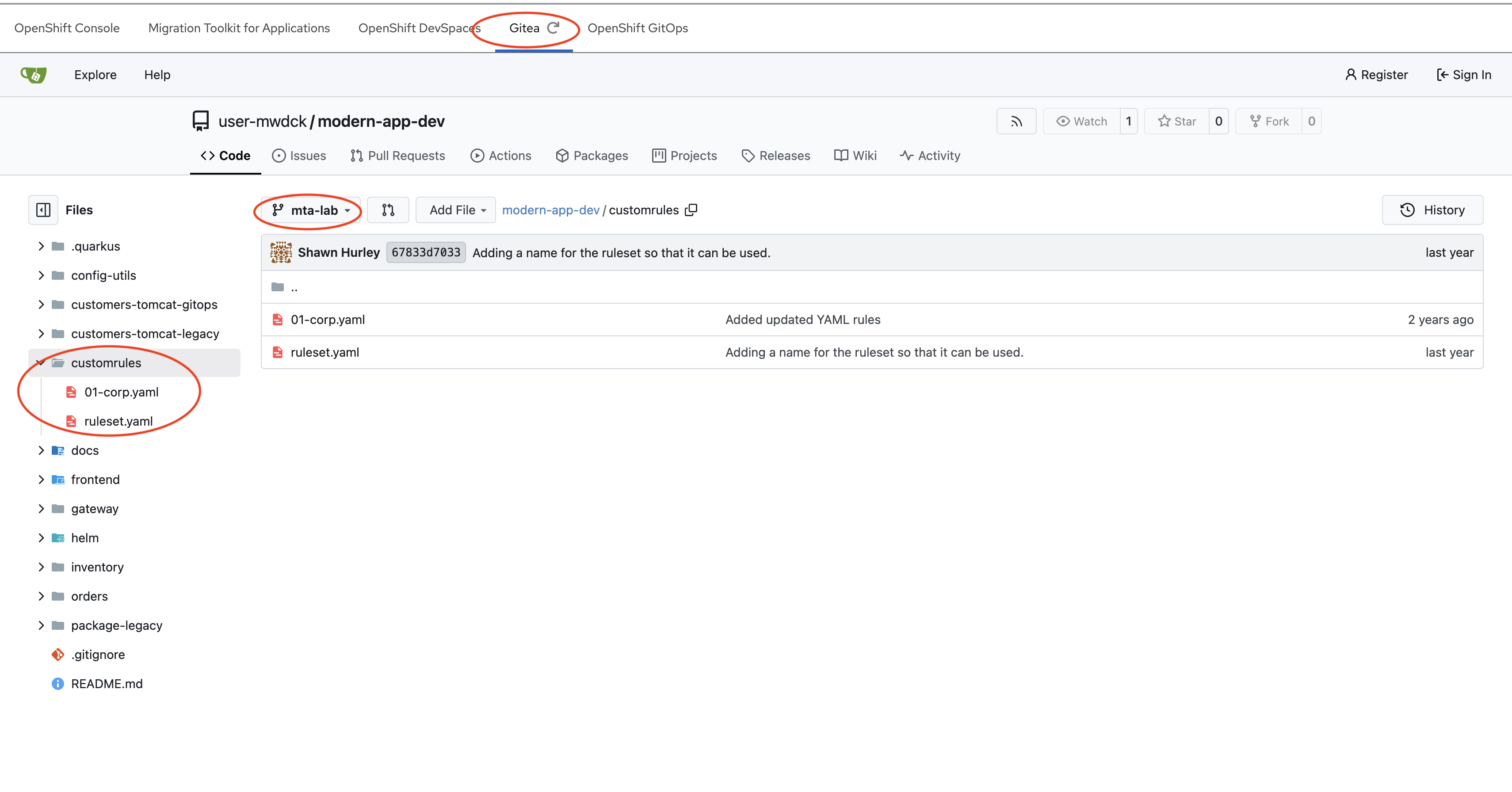
Custom Rules: Select the Repository tab and enter the Gitea URL, Branch
mta-lab, and Root pathcustomrules.
-
-
Execute: Click Next through advanced options and click Run.
5. Results Review
-
Status: Wait for the analysis status to change from Scheduled to Completed.
-
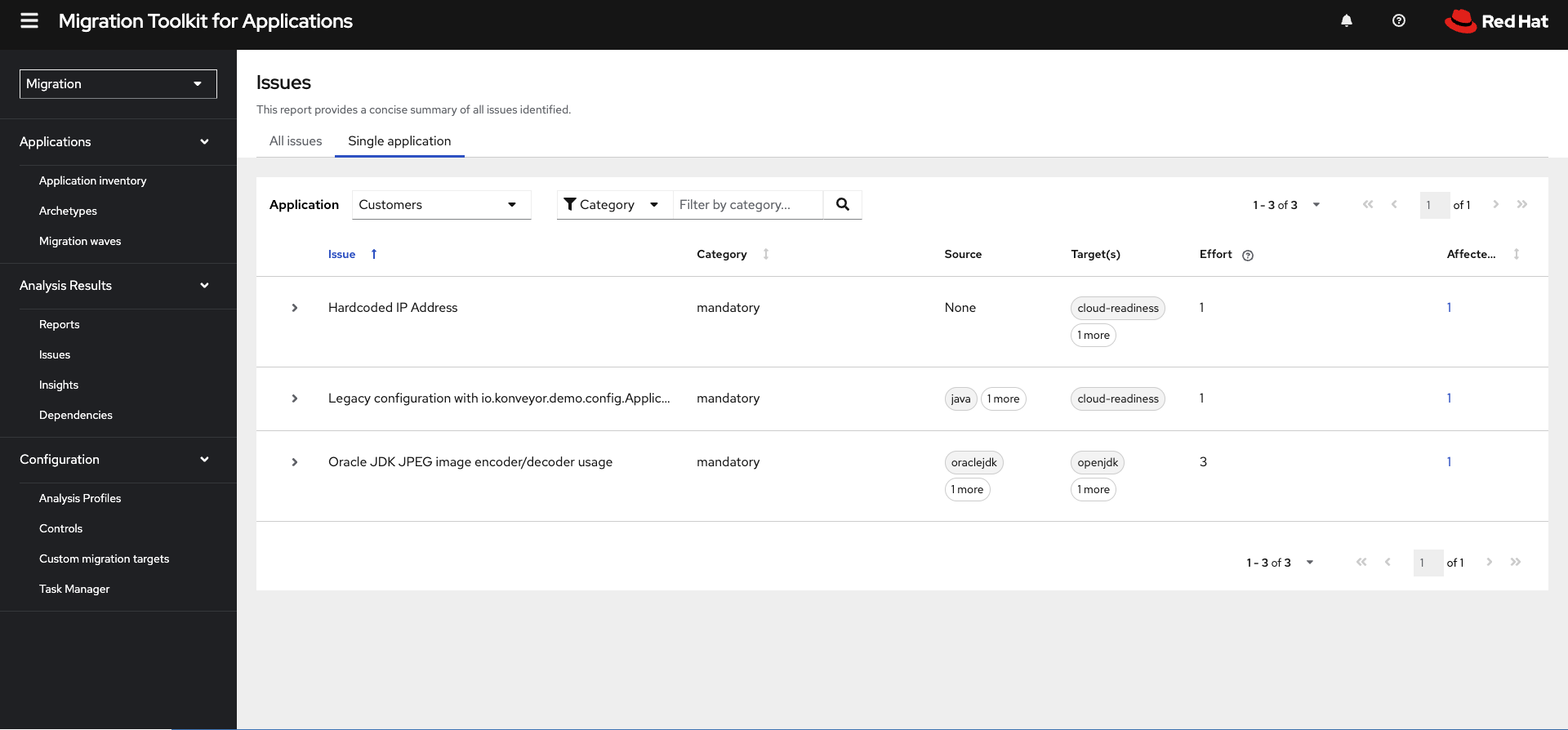
View Issues: Click on the Customers application row to open the Application Profile and select the Issues link.
-
Identify Risks: Review the findings for Hardcoded IP Address and Legacy configuration triggers.