Prerequisites
-
You have an active browser window with a window pane that has access to the workshop material and a pane with the application tabs
Steps
-
Verify the Developer Lightspeed extension, which is named Migration toolkit for applications, is installed:
-
Look for the Developer Lightspeed MTA icon in the left sidebar (it is the bottom icon)
-
If not visible, check Extensions view and search for "Migration toolkit for applications"
-
-
Open the Developer Lightspeed MTA extension panels
-
Click on the MTA Extension icon on the left side of the screen
-
If you see an Install Extension Pack message just reload the page
-
Click Open Analysis Panel
 Figure 1. Open Analysis Panel
If you ever accidently close the MTA Analysis View panel, just click on the MTA Extension icon and click on the book icon in the pane just to the right, at the top. 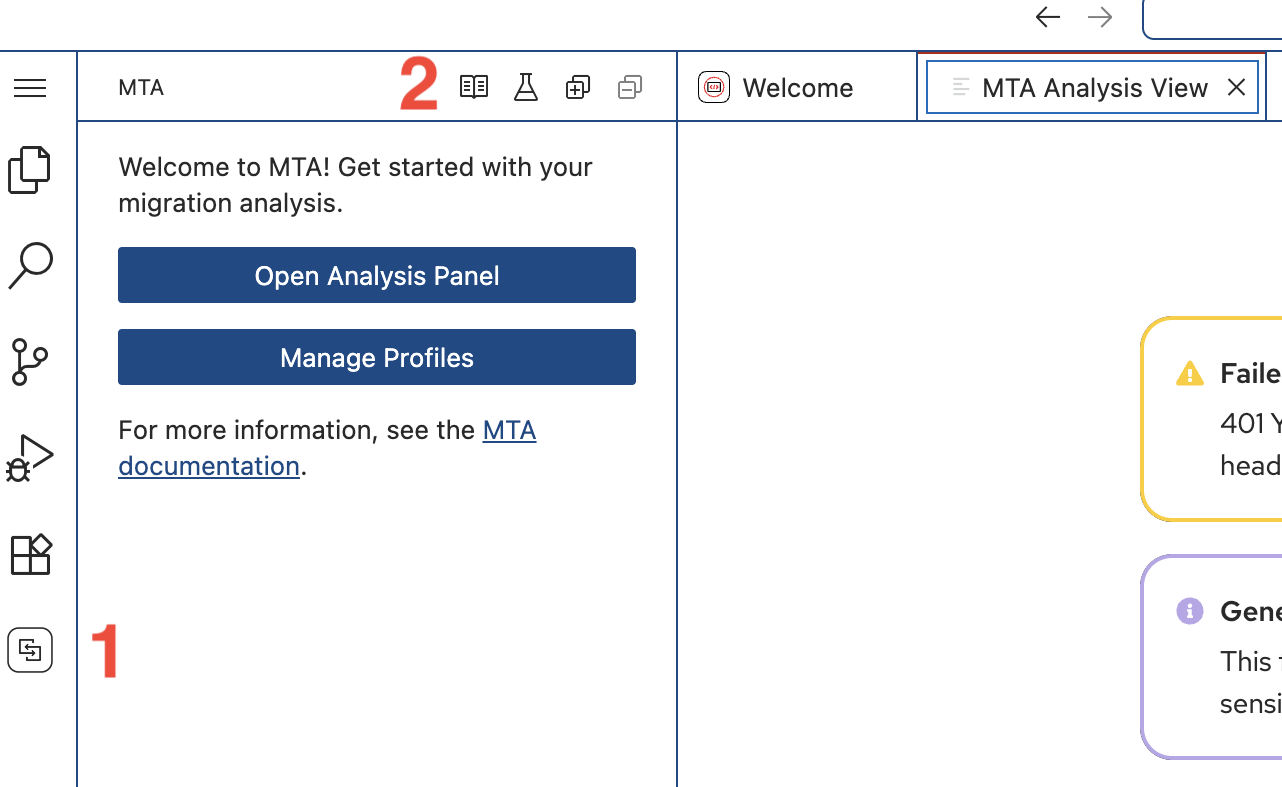
-
| When finished, close this browser tab and return to the Module Instructions Tab. |