Workload Review
You should look into the health of the various workloads we use at Infinicorp.
Our postgresql database runs most of the business, and some teams are raising concerns about the database being slow.
This module will have you querying Goose to check on this business critical workload and see if there is anything that can be done to identify and resolve any performance issues.
Start Goose
You should already have the MCP Server Terminal open from the previous module.
If it isn’t already running, in the MCP terminal window, start a Goose session by running:
goose sessionThis will start the Goose session
| Be sure you ended the session from the previous module before starting this new module, otherwise commands may fail due to insufficient context space. If Goose is still running use ctrl+c or /quit to end the session and start a new session as instructed above. |
Report on general environment status
First, what do you have to work with?
You’ve just sat down in an unfamiliar environment and you don’t really know what you have to work with.
Why don’t you ask Goose to summarize it?
This environment is new to me - can you summarize the number of hosts, both connected to Lightspeed AND connected to Satellite, look at the installed packages, and summarize the versions of RHEL, key workloads, and other pertinent information I need to get familiar with this environment?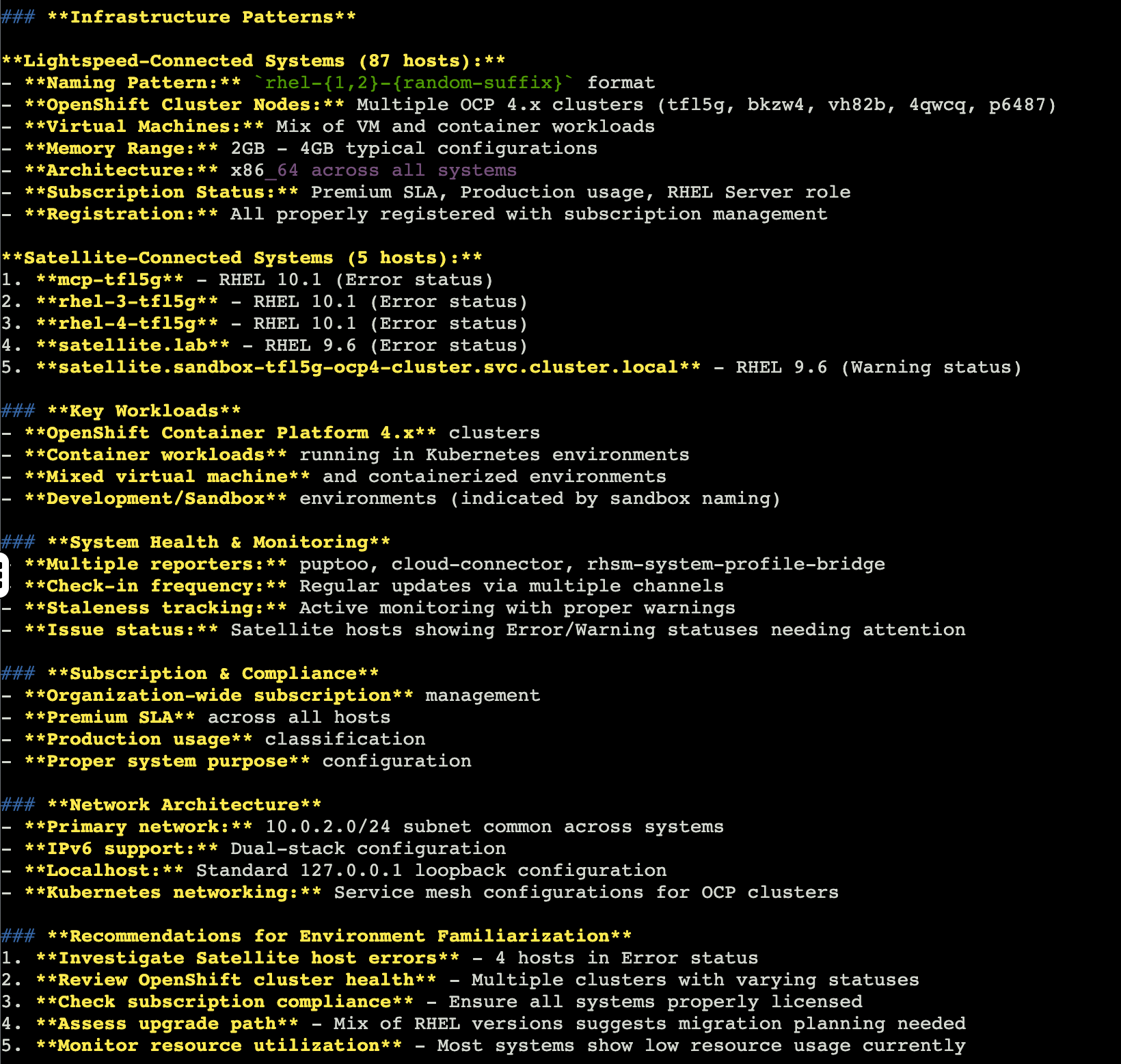
Looking through the generated on screen report, you should see basics on the number of systems in the environment, host distribution by operating system, key workloads, and perhaps even key action items and next steps.
Check for Satellite specific overview
In the previous prompt, you asked for information from Lightspeed AND Satellite connected systems.
What if you just wanted to focus on the Satellite connected systems which are not reporting out to the Hybrid Cloud Console?
You could specifically ask the Satellite MCP server for this information.
In this prompt you’ll ask for a specific tool to give a response, helping you control the results that are returned.
Ask the Satellitemcp, For all hosts that are registered into our company Satellite setup, provide details about subscriptions and installed content, combined with a compact report of the system status (disk usage, memory, cpu)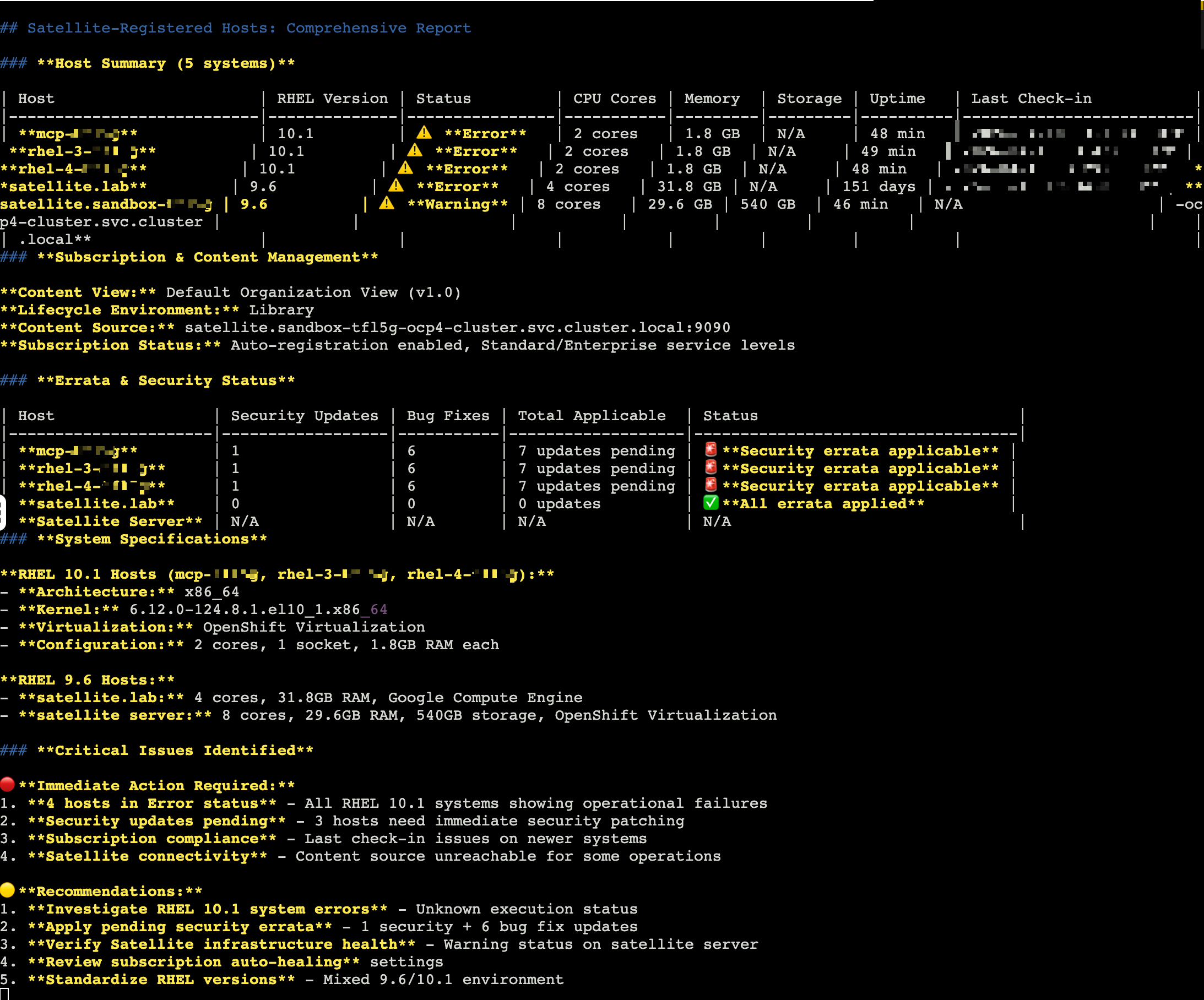
The output may include a summary of each host as well as key observations and recommendations.
Check for PostgreSQL optimizations
Since Infinicorp’s business heavily depends on the PostgreSQL database, you should focus on enhancements that would improve the performance and reliability of PostgreSQL.
We have two main environments at Infinicorp - The front end systems which are internet accessible and the back end systems which are disconnected from the internet, but reachable via Red Hat Satellite.
Since the attack surfaces are different in these environments, you should customize the prompts a bit to make sure you are using the best MCP server for your needs.
For the front end systems which are rhel-1-{guid} and rhel-2-{guid}, run this prompt:
Use both the Lightspeed MCP and the RHEL MCP servers to evaluate the postgresql database on rhel-1-{guid} and rhel-2-{guid} for optimizations and best practices that I can use to improve performance.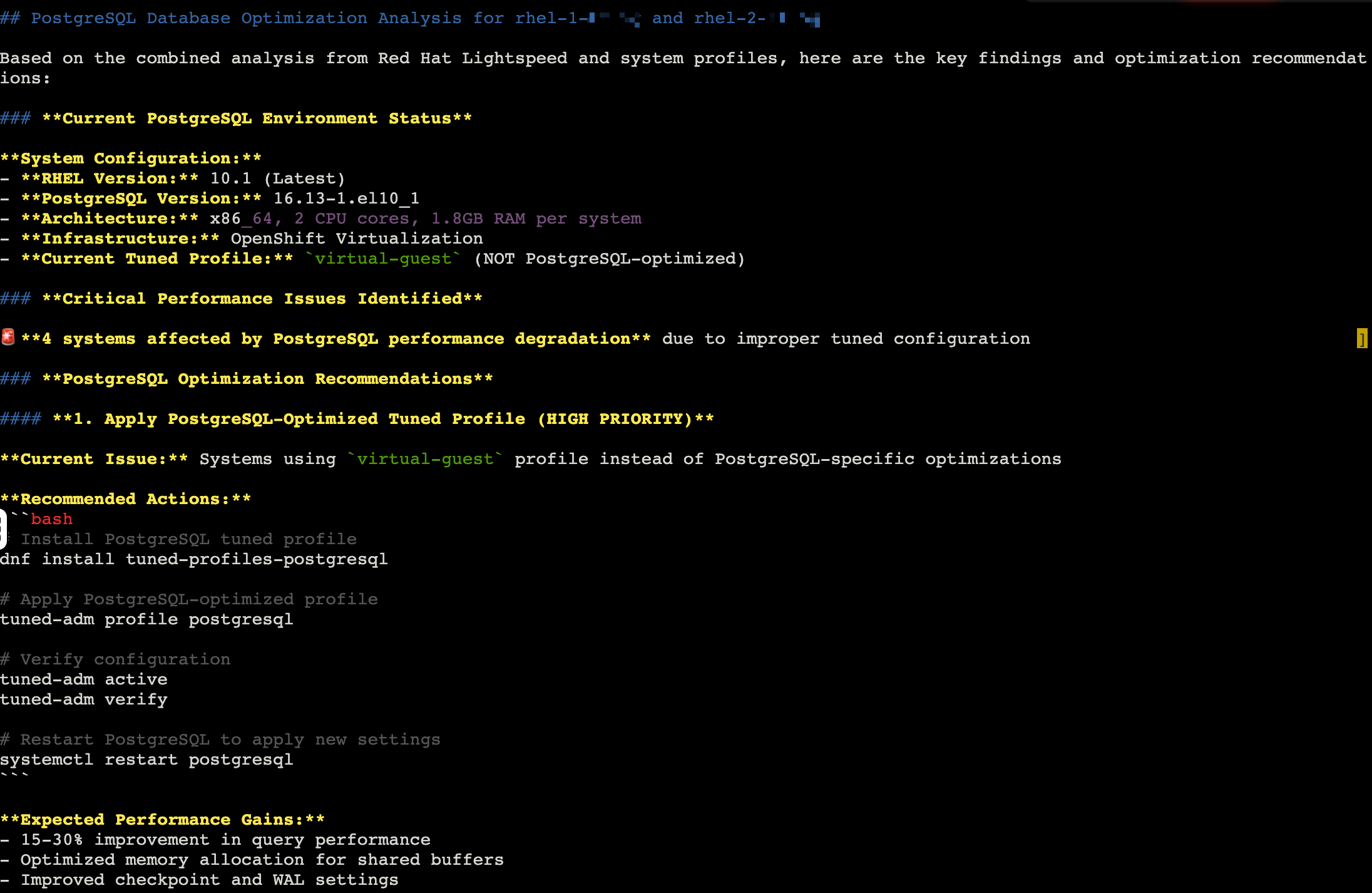
From the output you should see a number of suggestions including applying the tuned profile, updating system packages, and upgrading the postgresql version.
Let’s try a variation of that prompt for the backend systems which are rhel-3-{guid} and rhel-4-{guid}:
Use both the Satellite MCP and the RHEL MCP servers to evaluate the postgresql database on rhel-3-{guid} and rhel-4-{guid} for optimizations and best practices that I can use to improve performance.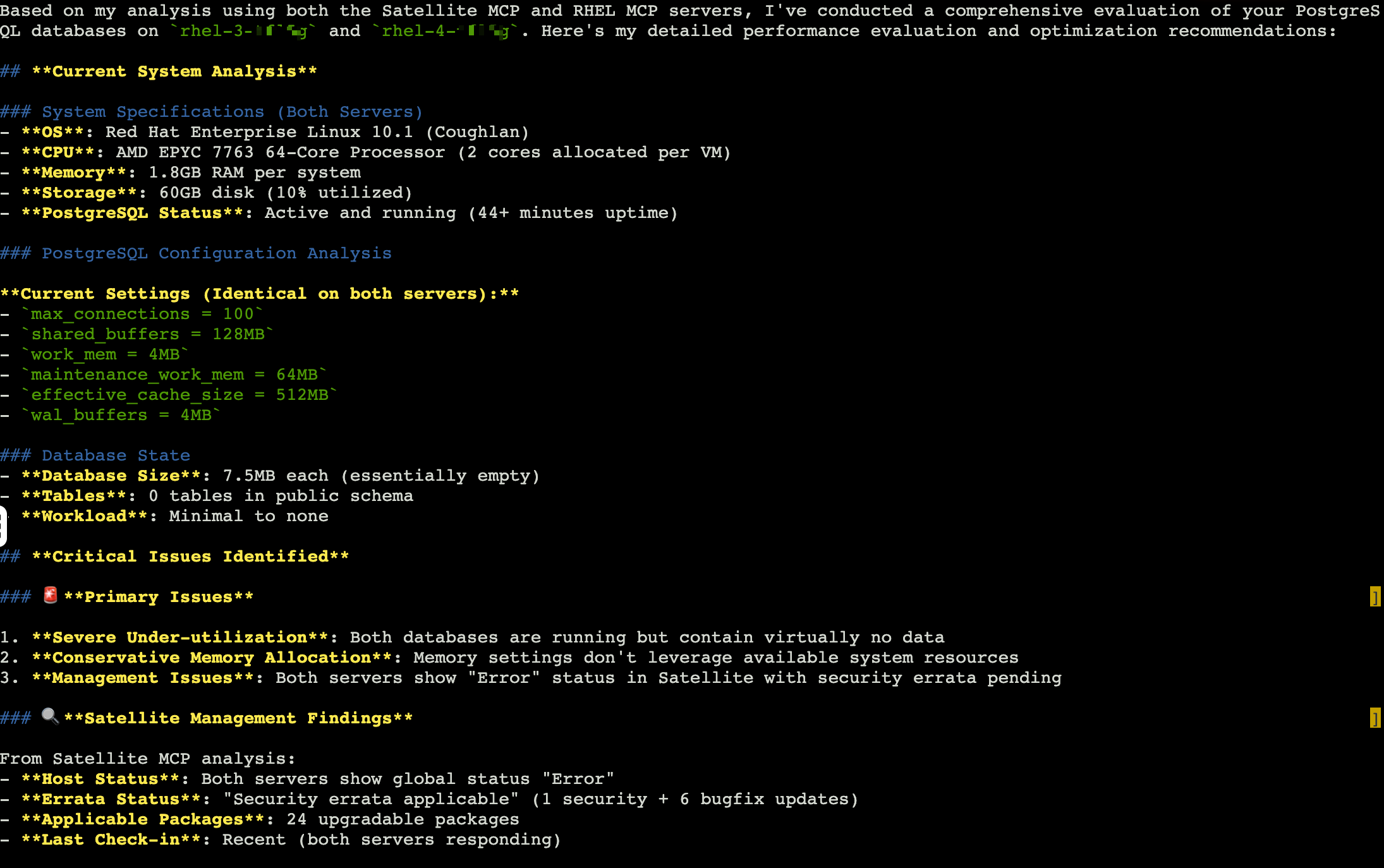
From the output you should see a similar list of suggestions including applying the tuned profile, updating system packages, and upgrading the postgresql version.
Let’s combine these into a more complicated prompt and ask for the top 5 things that need to be done on all hosts.
Are there other changes on rhel-1-{guid}, rhel-2-{guid}, rhel-3-{guid}, or rhel-4-{guid} servers that can be done to improve system or database performance? Use Lightspeed, Satellite, and RHEL mcp servers to give a full evaluation and then give me ONLY the top 5 things that I should do on all of these hosts.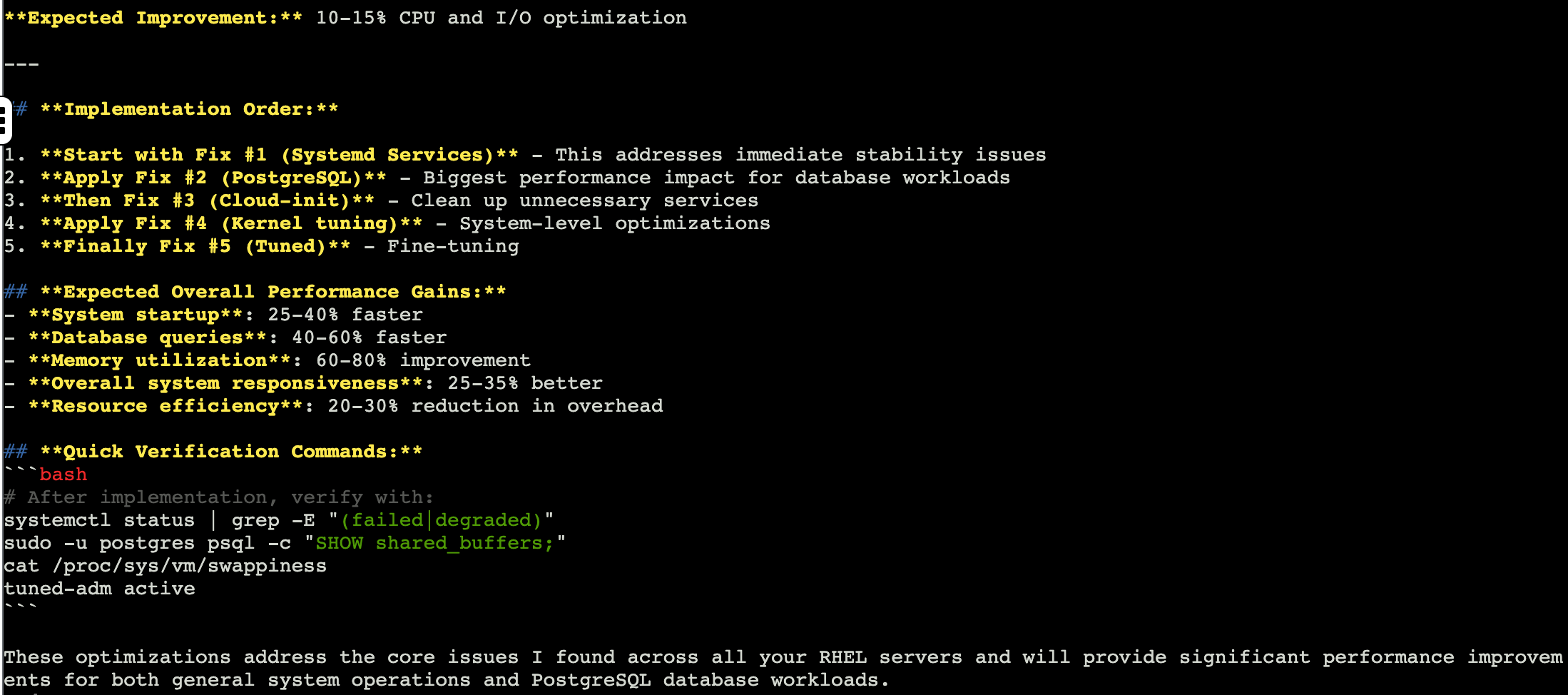
This looks like some great information - why don’t you repackage this into an executive report that you can use to request the outage window that you’ll need to resolve this?
Give me a report of these issues that I can include in an executive report to my management team to request an outage window for necessary improvements and include estimated benefits from the changes.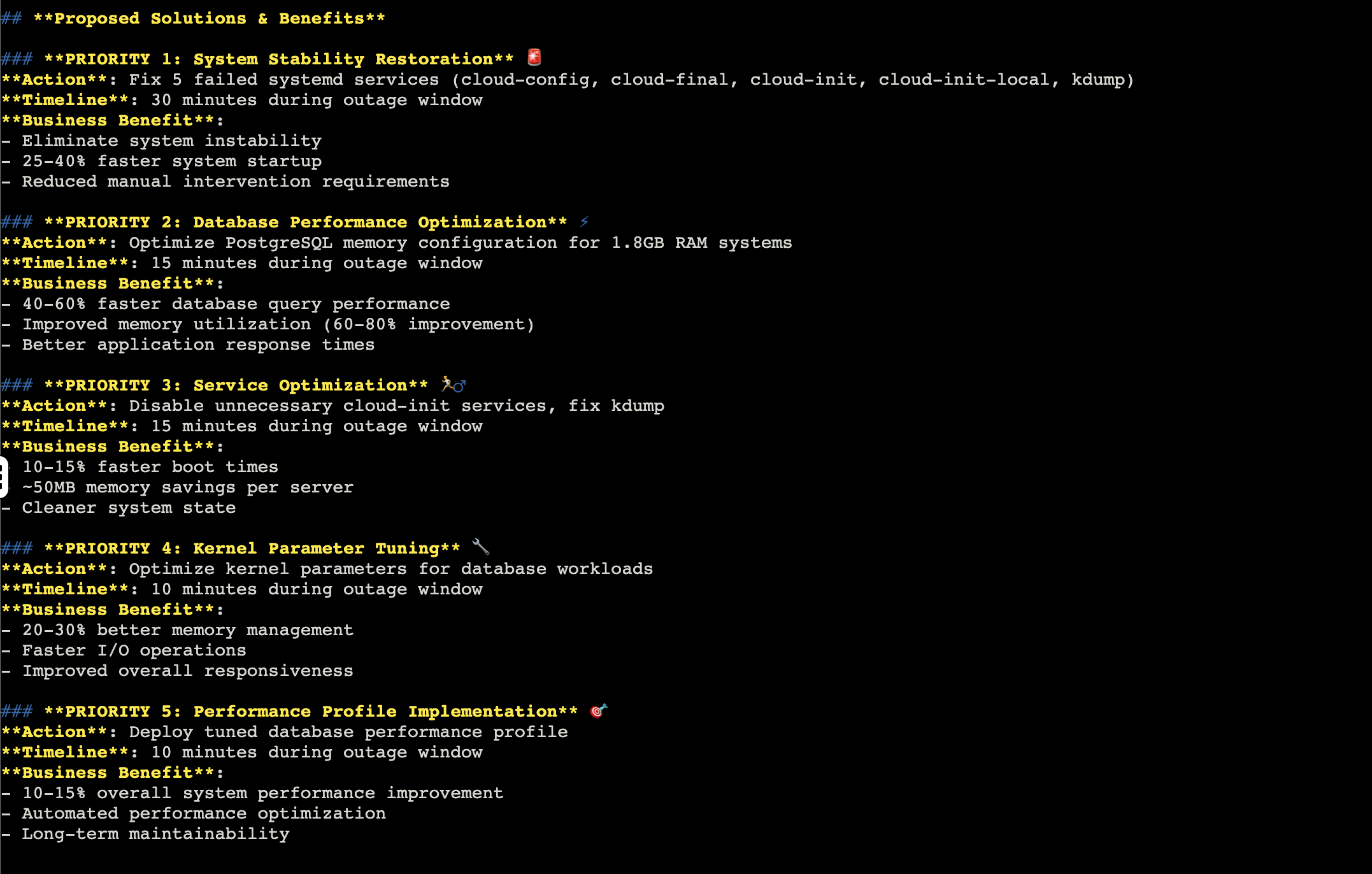
You can take this output and use it to formulate a ticket or an email to request the outage window that you would need to resolve these issues.
Exit Goose
The lab environment has limited context available.
To help make sure that you have as consistent of a lab experience as possible, you will exit Goose at the end of each module and restart it in the next module.
In the Goose session enter:
/quitAnd hit enter.
This will end the Goose session and return you to the terminal prompt.
Now you should have a good understanding of the workloads in the environment and what you can do to improve them for improved performance and stability.
Continue to the next module.