Security Review
Security is always a top concern at Infinicorp.
While you got a feel for the PostgreSQL workload in the last module, you didn’t really focus on the security aspect in that module.
In this module, let’s dig into security.
This module will have you querying Goose to check on overall security status and identifying potential problem areas that need to be addressed.
Start Goose
You should already have the MCP Server Terminal open from the previous module.
If it isn’t already running, in the MCP terminal window, start a Goose session by running:
goose sessionThis will start the Goose session
| Be sure you ended the session from the previous module before starting this new module, otherwise commands may fail due to insufficient context space. If Goose is still running use ctrl+c or /quit to end the session and start a new session as instructed above. |
Check for General Security Concerns
Start with asking Goose to give you a report on the security posture.
In this prompt you’ll ask all three MCP servers to contribute to the report to help you understand at a high level where things stand at this moment.
I need a report to share with my security operations team to assess the current security posture of our installed servers. Can you provide all the relevant information of my install base (security advisories, vulnerabilities, compliance data, and malware) with the available data from the Lightspeed, Satellite, and RHEL tools?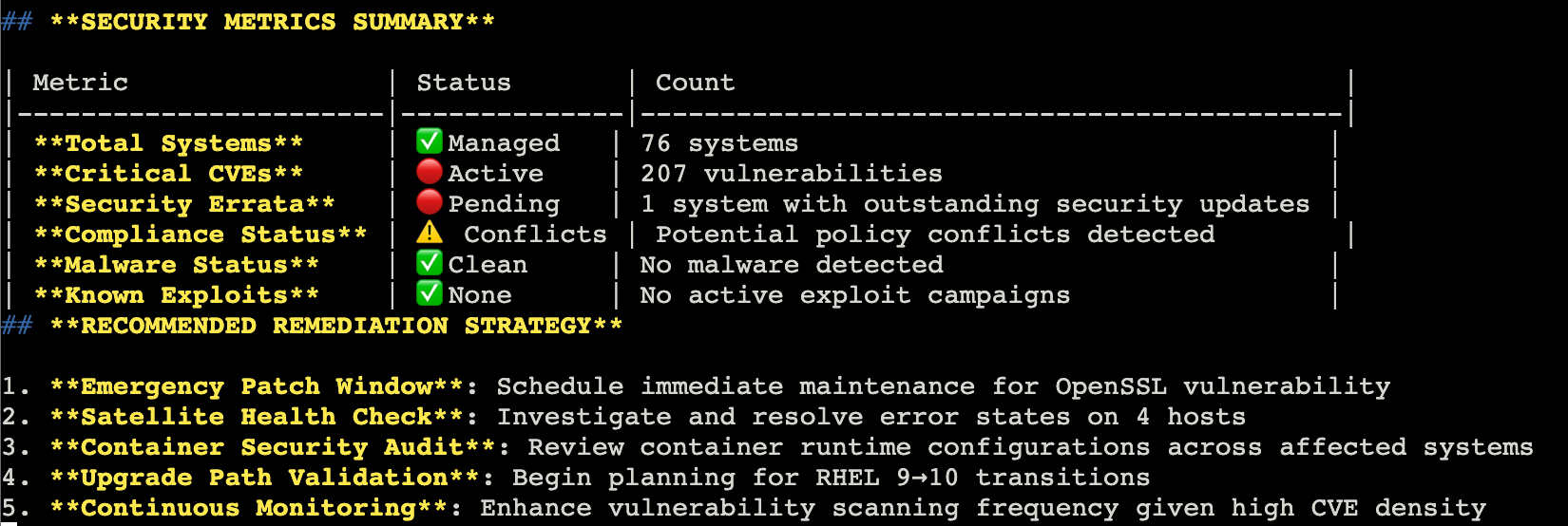
|
The more complex the prompt the less likely it is that you will see the same result in the screenshot. You may not have a table at all. |
The output should show you key findings including the number of systems, a summary of operating system versions, any high risk Common Vulnerabilities and Exposures (CVEs), any advisor recommendations.
It should also include top actions that you should take immediately to help address these issues.
Since you specified a report in your prompt, it should be in a format that you could copy and paste into an email or ticketing system to help you justify any maintenance windows that you might need to schedule for this work.
Create a security focused remediation plan
Now you should really delve into Vulnerabilities.
Lets get a high level overview of CVEs first, then work on a remediation plan.
Give me a count of all CVEs that affect my environment AND list the top 5 most important to fix based on the criticality of the vulnerability.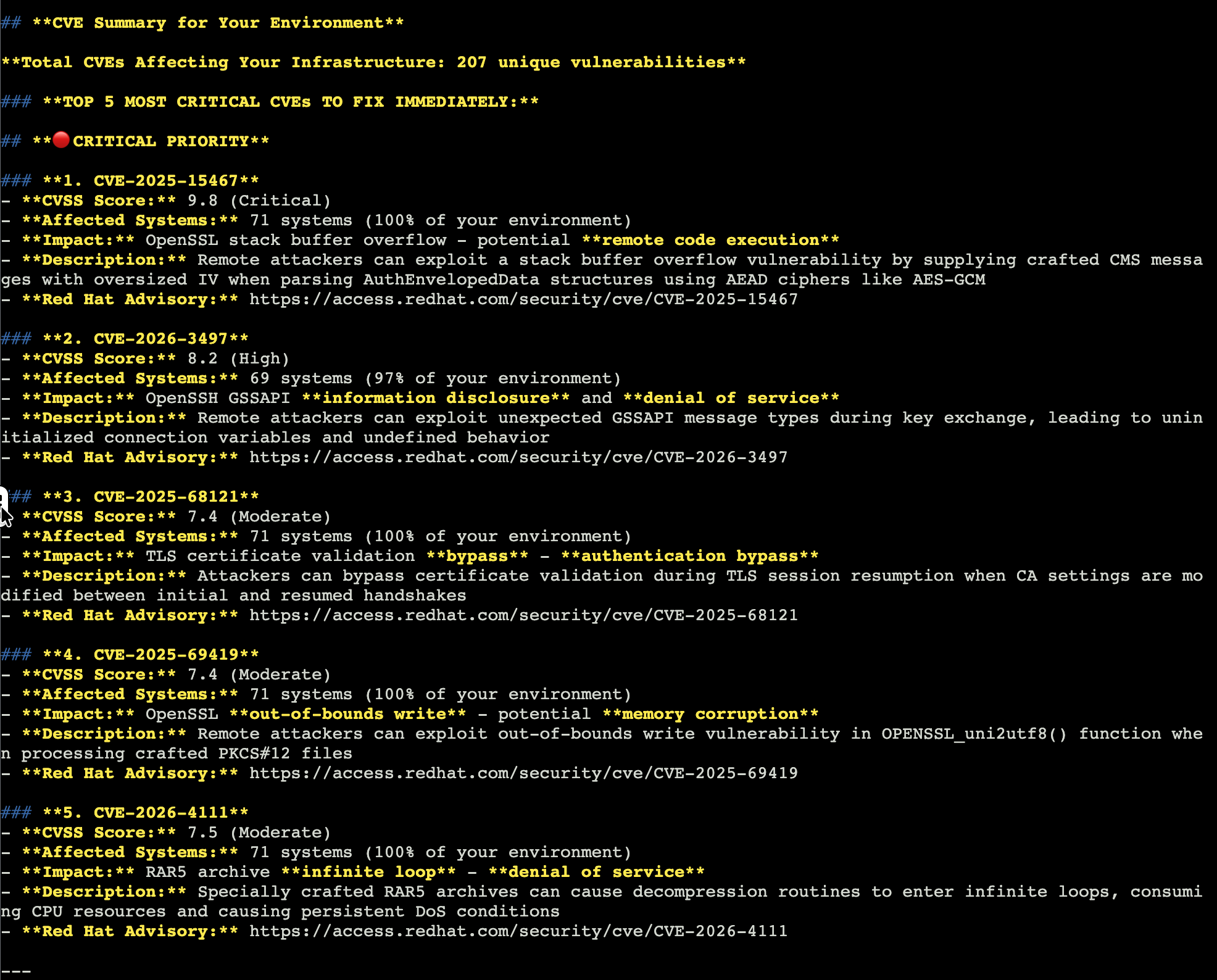
|
The information that you see in the response will be different from the image above. This is expected. |
This will give you a total count of CVEs to address across all of your systems.
Then it should give you the top 5 most important with a summary of each. It may even recommend a timeline for fixes.
If it can create a timeline to fix the top 5 CVEs, maybe it can help create a plan to get the whole environment into shape.
Some of these systems aren’t in your environment, so you should do like you did in the last module and focus on frontend and backend systems separately while calling your guid - {guid}.
Start with the frontend systems:
Use both the Lightspeed MCP and the RHEL MCP servers to help me create a plan to address important and critical CVEs for rhel-1-{guid} and rhel-2-{guid}.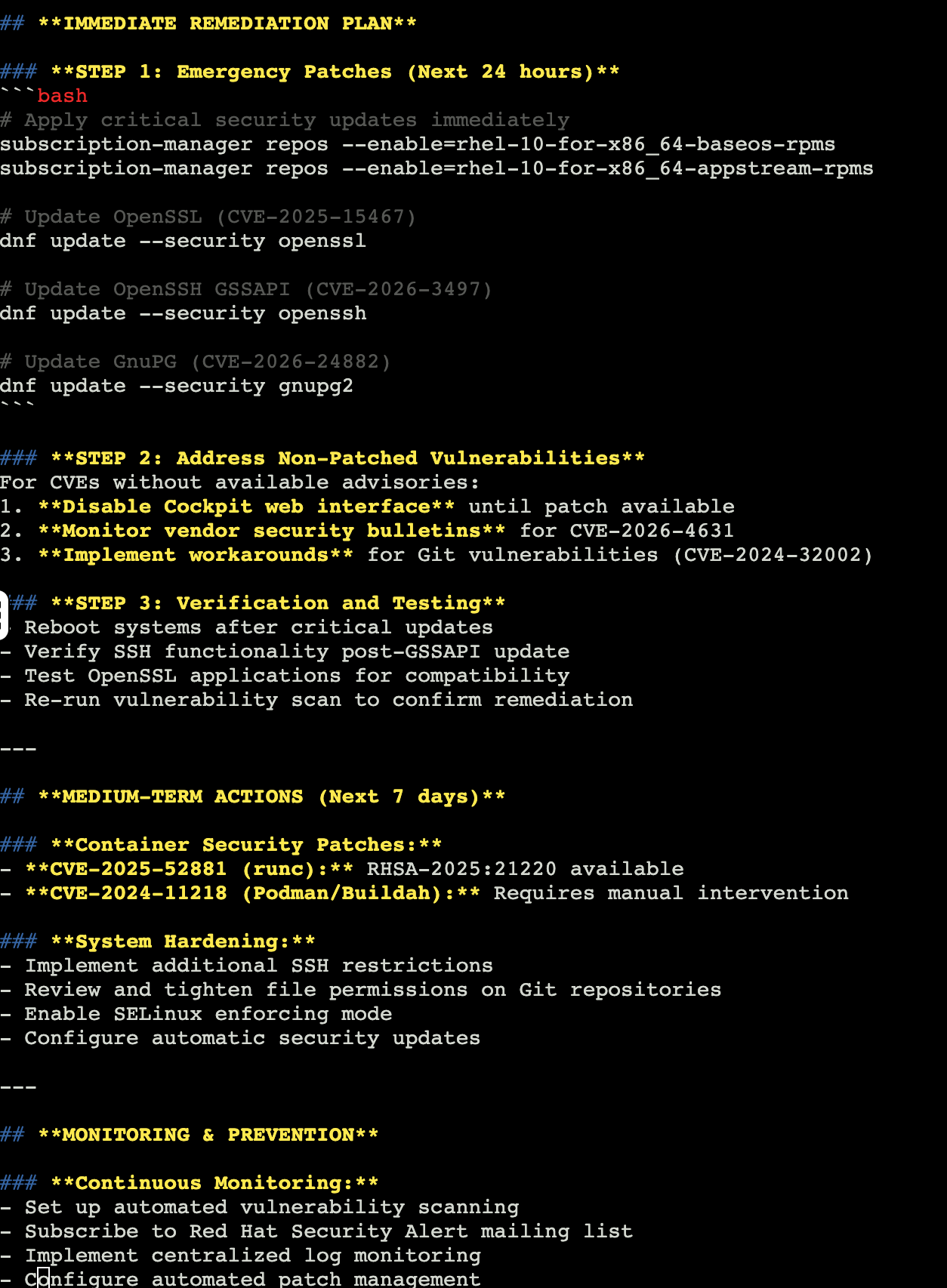
After you finish reviewing the results, repeat with the backend systems.
Use ONLY the Satellite MCP AND the RHEL MCP servers to help me create a plan to address important and critical CVEs for rhel-3-{guid} and rhel-4-{guid}.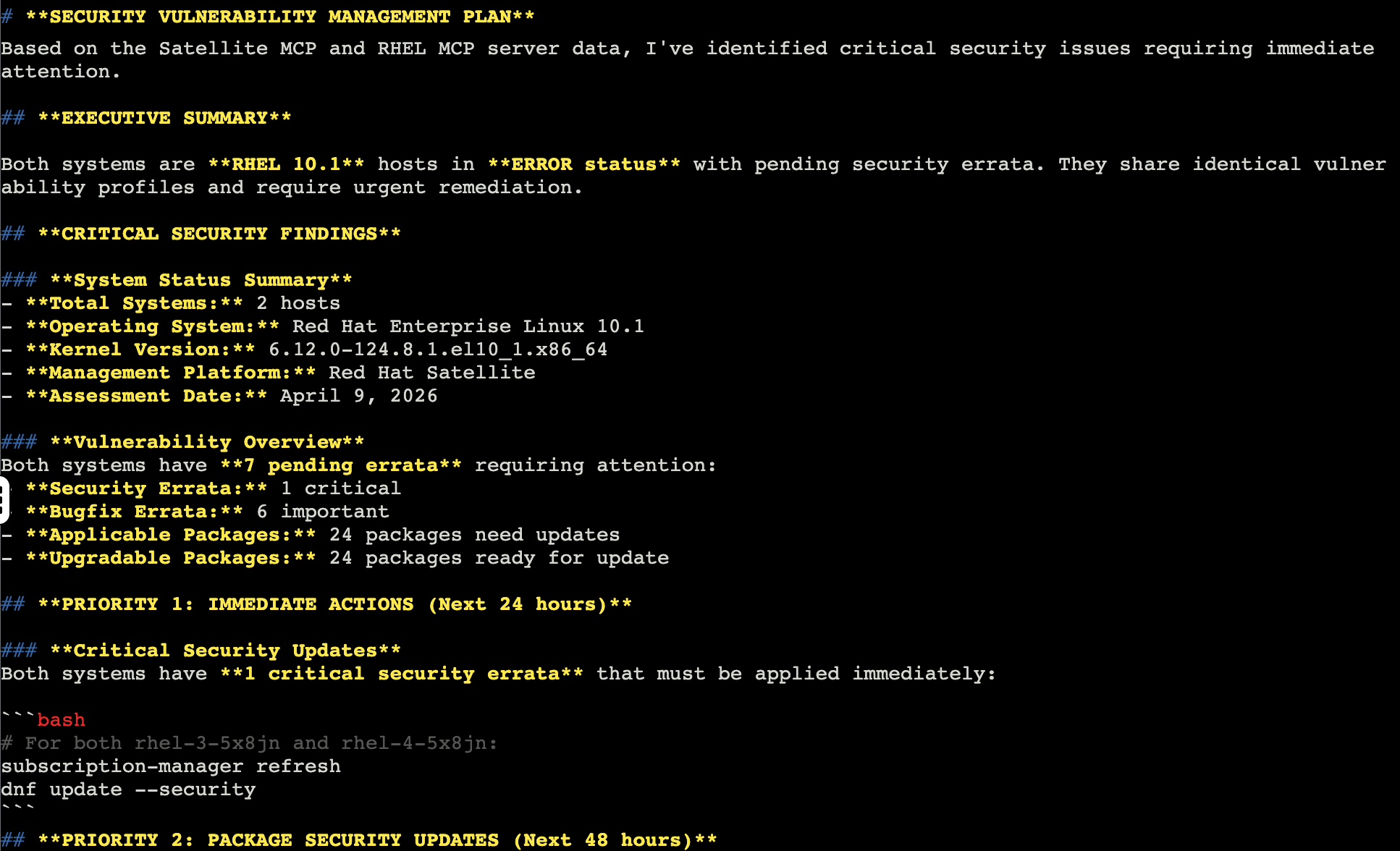
This helps you see target output from the backend servers connected to your Satellite.
Since they were made from the same base image, the information should be similar, but it may be affected by the Satellite content views as to what fixes are available.
CIS Level 1 Server Compliance
Infinicorp is NOT currently scanning these systems for regulatory compliance policies like CIS Level 1 Server.
We have a goal to get there by the end of next year for all systems managed by Infinicorp, but we are just starting to figure out how to make that happen.
These MCP servers might be able to help.
Start by asking the MCP servers what you already know - are they being scanned for CIS Level 1 Server?
Are my systems being evaluated for CIS Level 1 Server compliance? Provide a simple response in the key findings format.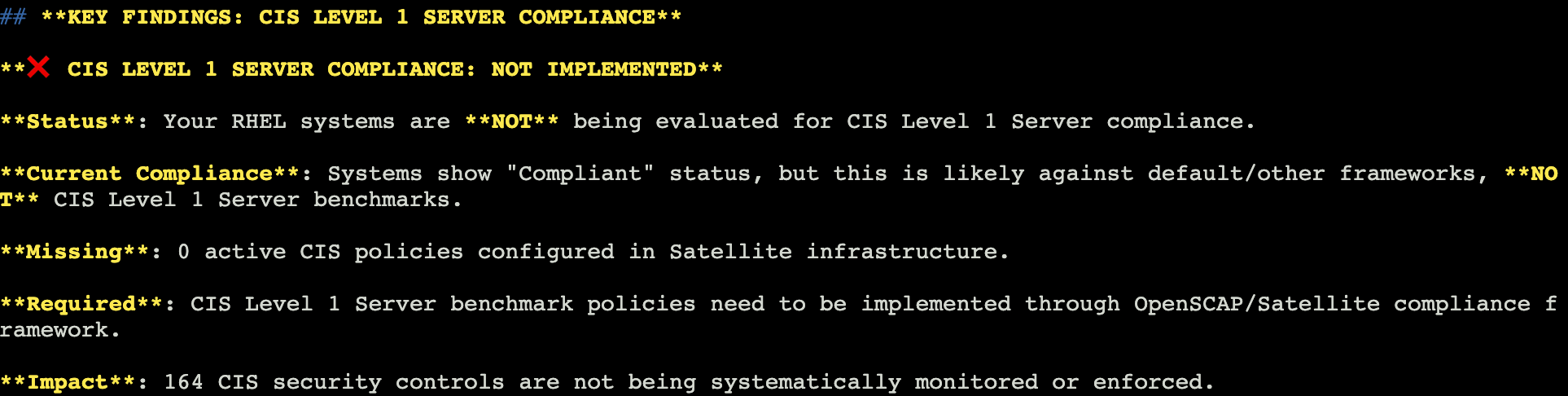
Reviewing the output you should see that the MCP servers conclude that your systems are not currently CIS Level 1 Server compliant.
It may share a couple ideas on how you can get there, but let’s ask for a specific plan.
Let’s separate this out by your tools again, using Red Hat Lightspeed for the front end and Red Hat Satellite for the backend.
Let’s start with the front end systems:
Help me figure out how to enable CIS Level 1 Server compliance for rhel-1-{guid} and rhel-2-{guid}. Specifically I’d like to use Red Hat Lightspeed’s compliance service to create a policy and scan for CIS Level 1 Server policy compliance using either MCP or the Lightspeed UI.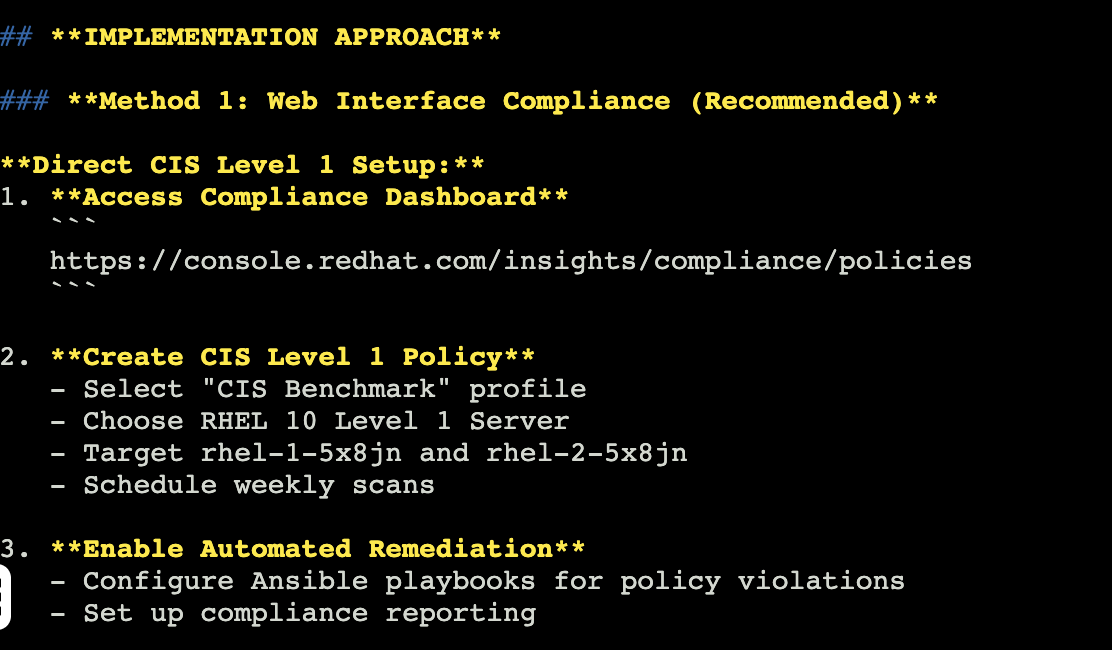
The output will inform you as to steps to use the compliance service on the Hybrid Cloud Console to create a compliance policy, tailor it, and then scan the system.
Once scanned, there are steps you’ll need to take to remediate any issues that the compliance service finds.
Since the tools are different for the backend, let’s run a prompt on how to use Satellite for compliance scanning:
Help me figure out how to enable CIS Level 1 Server compliance for rhel-3-{guid} and rhel-4-{guid}. Specifically I’d like to use Red Hat Satellite to scan for compliance.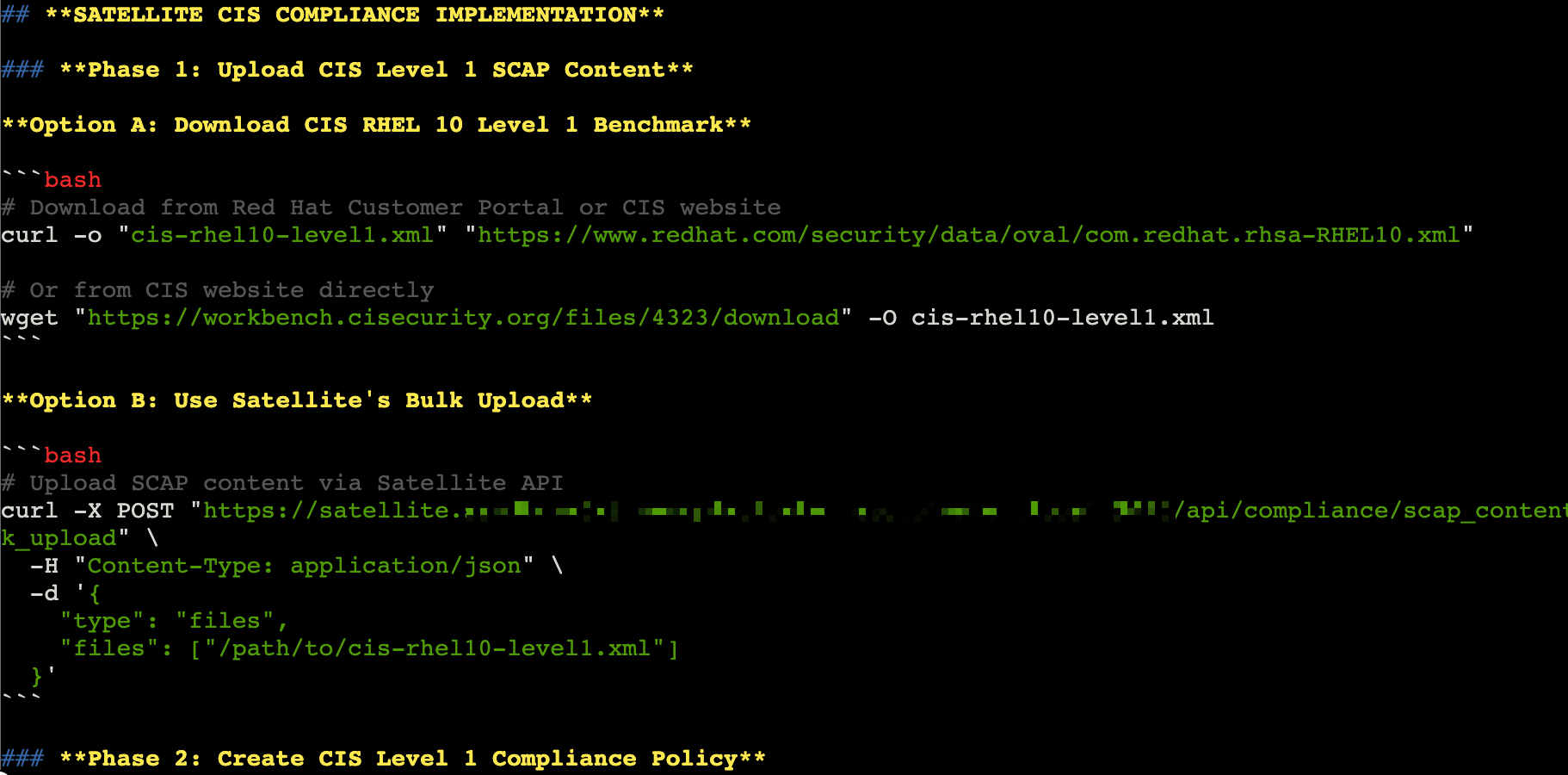
Much like the previous prompt, the results will tell you how to use Satellite to perform a scan.
Exit Goose
The lab environment has limited context available.
To help make sure that you have as consistent of a lab experience as possible, you will exit Goose at the end of each module and restart it in the next module.
In the Goose session enter:
/quitAnd hit enter.
This will end the Goose session and return you to the terminal prompt.
This completes your review of the security posture of your Infinicorp systems.
Let’s look more at planning and reporting in the next module.