Supplementary modules
|
This page is optional reference and extra hands-on material. For the main lab path, complete Modules 1 through 4 in the order listed on the intro page; use Module 5 when you want additional exercises. |
Deploying MORE Policies to the EMEA Cluster
Let’s apply another policy to the EMEA Cluster. This policy implements network-level data sovereignty by creating a NetworkPolicy in the data-residency-emea namespace that blocks all egress traffic to external IP addresses. Only cluster-internal communication (RFC 1918 addresses) and DNS resolution are permitted. This ensures that:
-
Workloads in the GDPR-restricted namespace cannot send data to external endpoints — whether intentionally (API calls to non-EU services) or accidentally (misconfigured logging, telemetry, or dependency resolution).
-
The only allowed communication is within the cluster boundary, which is presumed to be within the EU/EEA geographic region.
-
DNS resolution is permitted so that internal service discovery continues to function.
-
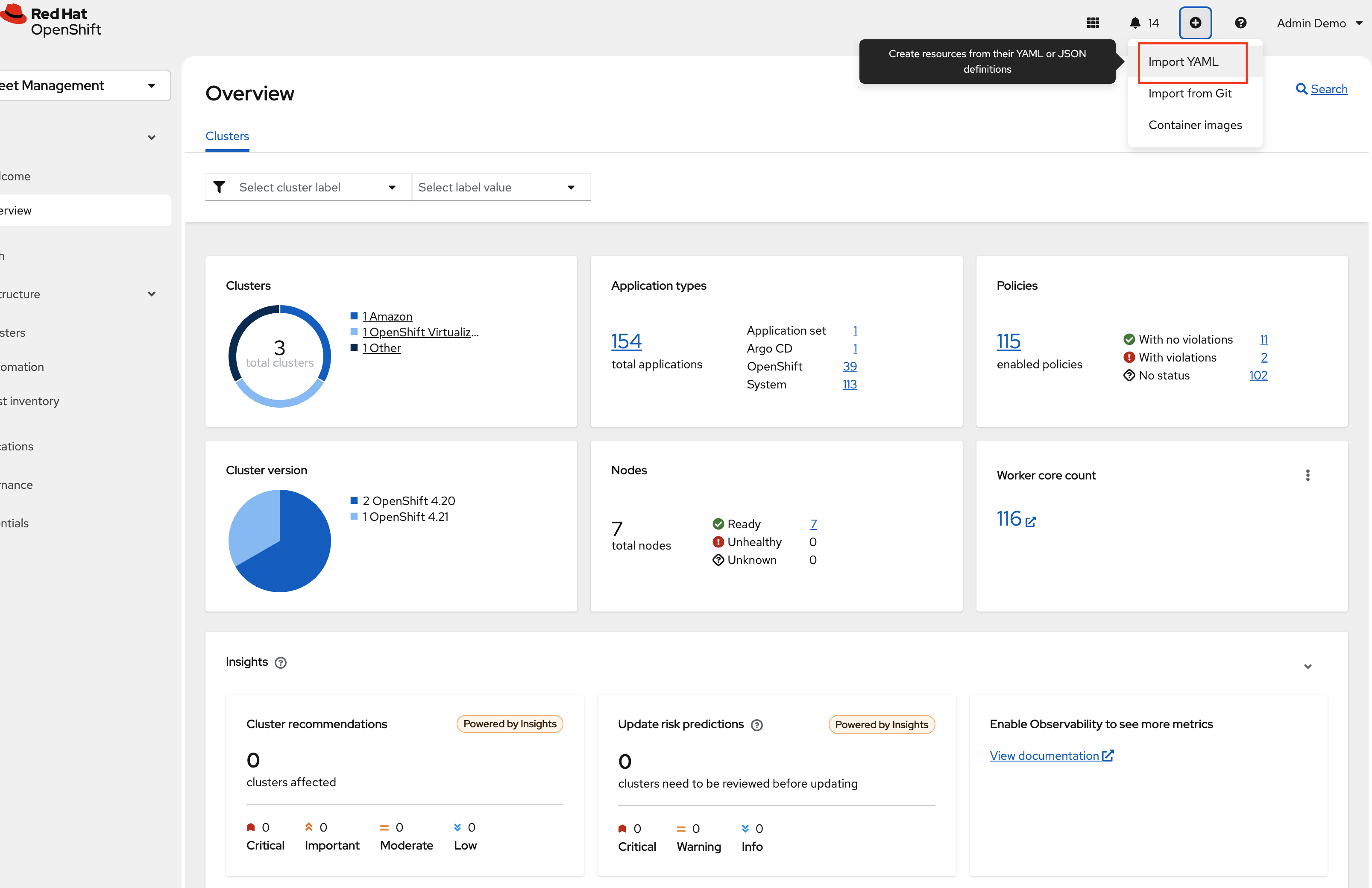
Navigate to the RHACM Console Click on the + sign → Import YAML tab.
-
Next, paste the following YAML Click Create
apiVersion: policy.open-cluster-management.io/v1
kind: Policy
metadata:
  name: policy-emea-network-sovereignty
  namespace: policies
  annotations:
    policy.open-cluster-management.io/standards: GDPR
    policy.open-cluster-management.io/categories: Network Security
    policy.open-cluster-management.io/controls: Egress Restriction
spec:
  remediationAction: inform
  disabled: false
  policy-templates:
    - objectDefinition:
        apiVersion: policy.open-cluster-management.io/v1
        kind: ConfigurationPolicy
        metadata:
          name: emea-deny-external-egress
        spec:
          remediationAction: inform
          severity: critical
          object-templates:
            - complianceType: musthave
              objectDefinition:
                apiVersion: networking.k8s.io/v1
                kind: NetworkPolicy
                metadata:
                  name: deny-external-egress
                  namespace: data-residency-emea
                spec:
                  podSelector: {}
                  policyTypes:
                    - Egress
                  egress:
                    - to: []
                      ports:
                        - protocol: UDP
                          port: 53
                        - protocol: TCP
                          port: 53
                    - to:
                        - ipBlock:
                            cidr: 10.0.0.0/8
                        - ipBlock:
                            cidr: 172.16.0.0/12
---
apiVersion: cluster.open-cluster-management.io/v1beta1
kind: Placement
metadata:
  name: placement-policy-emea-network-sovereignty
  namespace: policies
spec:
  clusterSets:
    - managed
  predicates:
    - requiredClusterSelector:
        labelSelector:
          matchExpressions:
            - key: location
              operator: In
              values:
                - emea
---
apiVersion: policy.open-cluster-management.io/v1
kind: PlacementBinding
metadata:
  name: binding-emea-network-sovereignty
  namespace: policies
placementRef:
  name: placement-policy-emea-network-sovereignty
  kind: Placement
  apiGroup: cluster.open-cluster-management.io
subjects:
  - name: policy-emea-network-sovereignty
    kind: Policy
    apiGroup: policy.open-cluster-management.io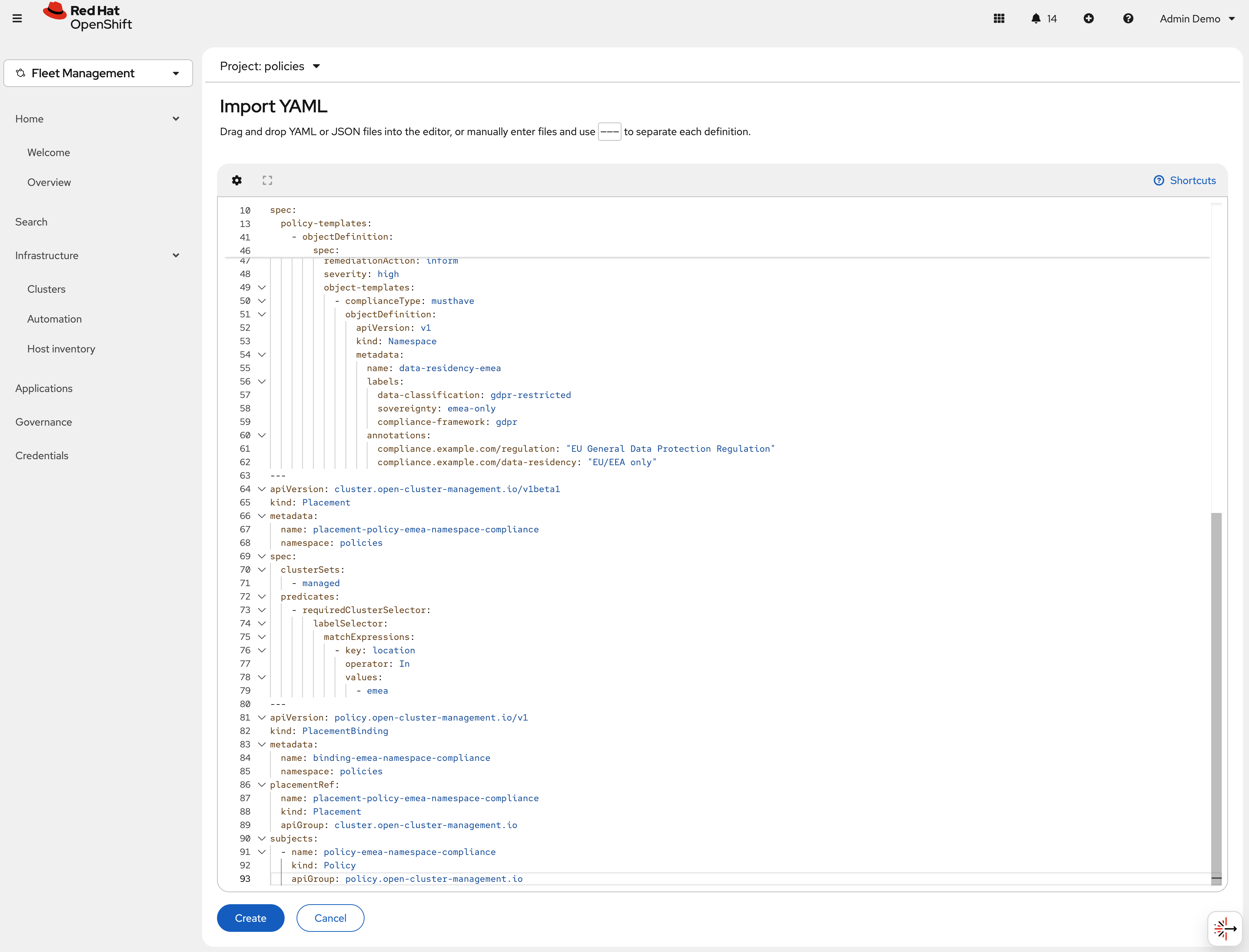
-
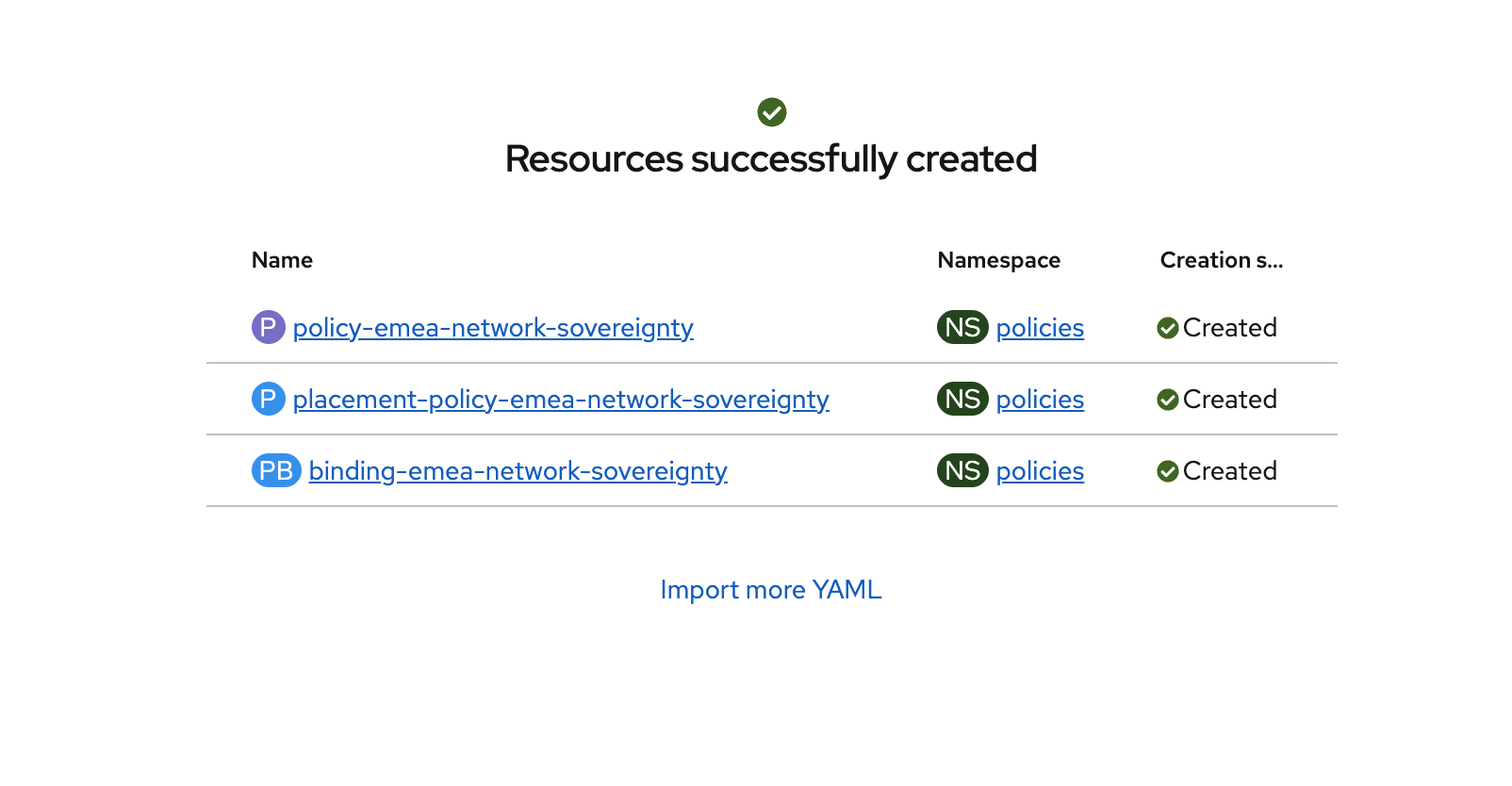
Verify that the YAML was added properly and there are no errors.
-
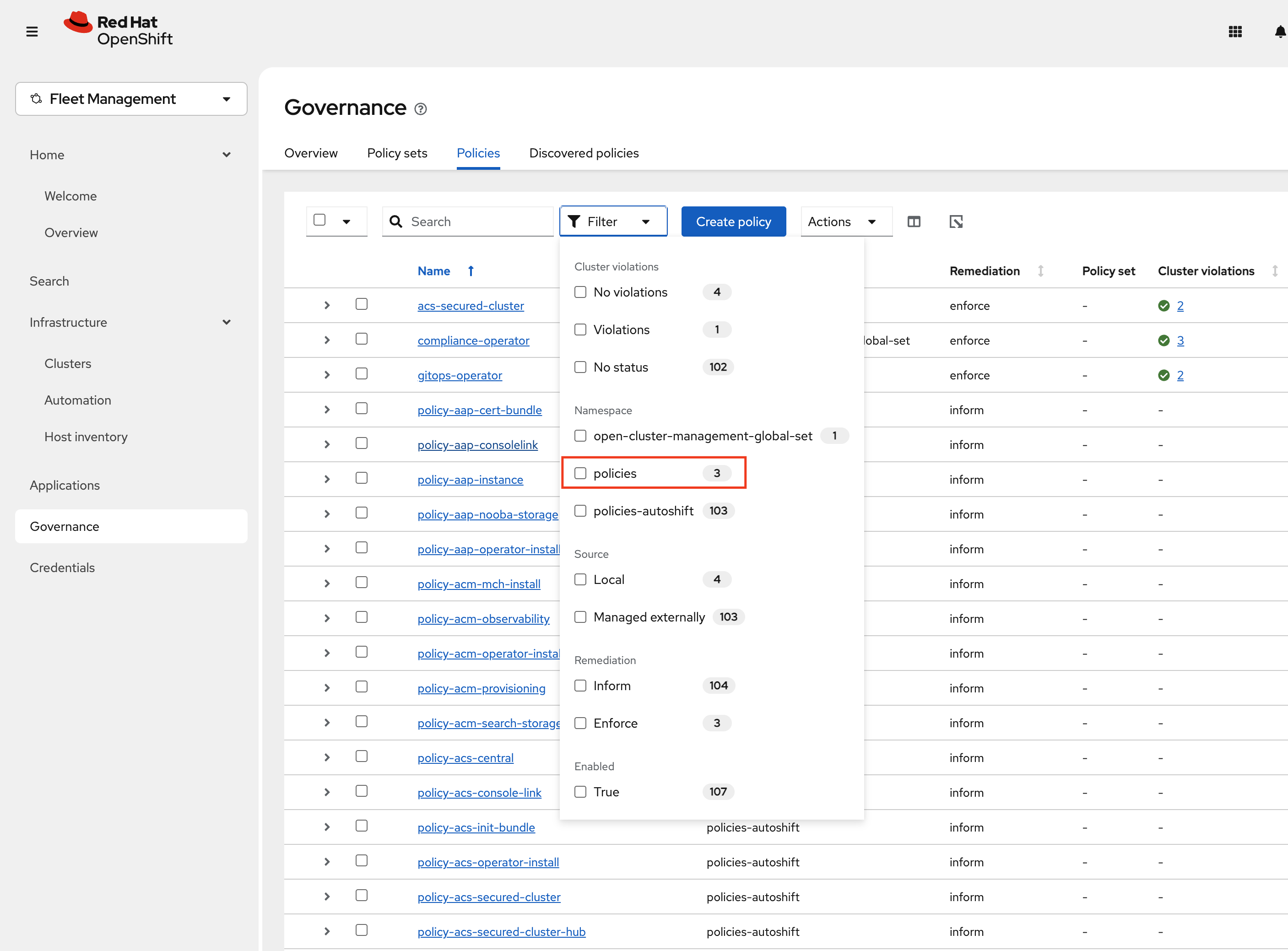
Next, click Governance Screen and Navigate to the Policies tab. Select Filter and check the policies namespace, this will show only the policies on this namespace.
-
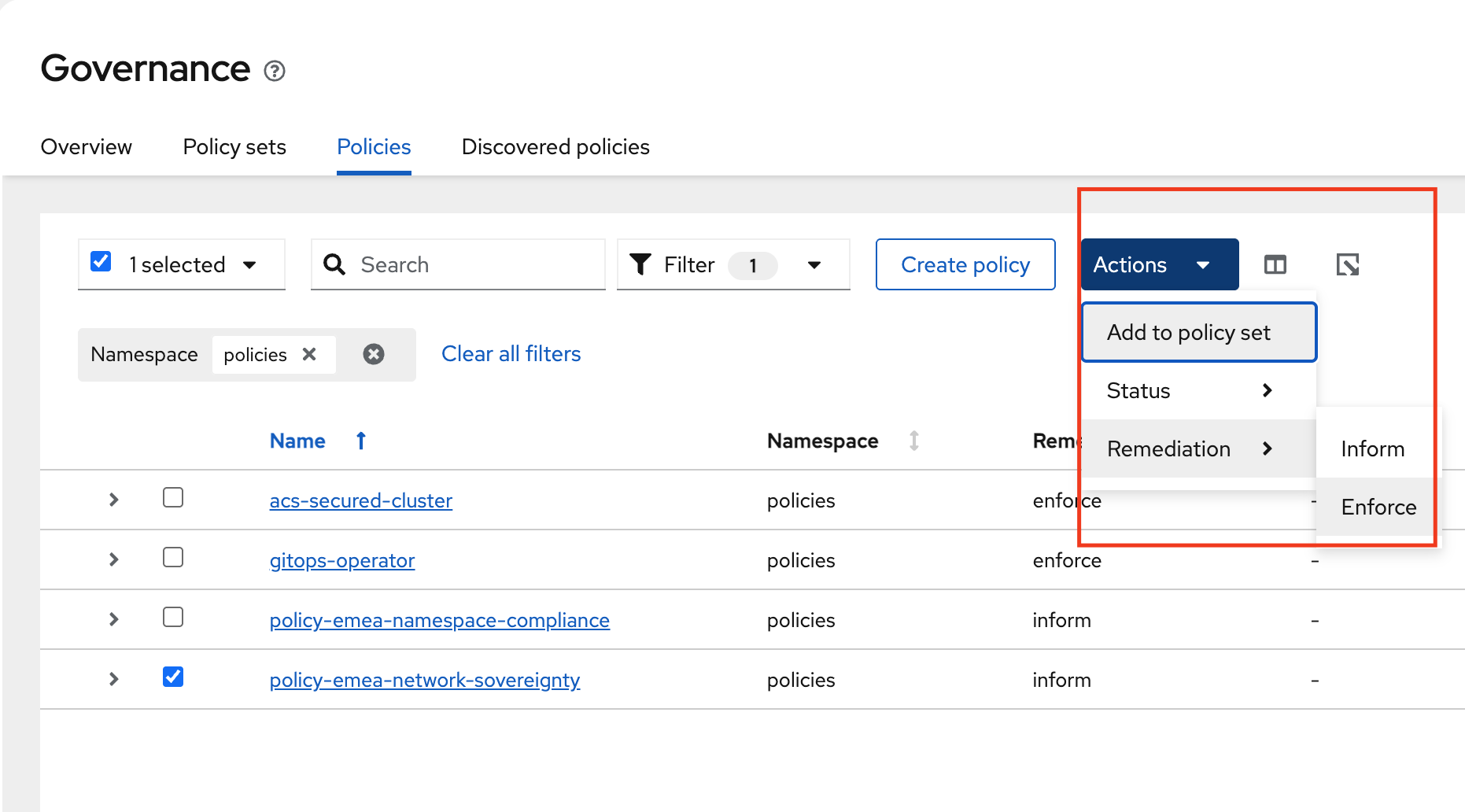
Verify that the policy-emea-network-sovereignty was created. Notice the Remediation is set to Inform. We will change this to Enforce by selecting the policy -→ Actions -→ Remediation -→ Enforce
-
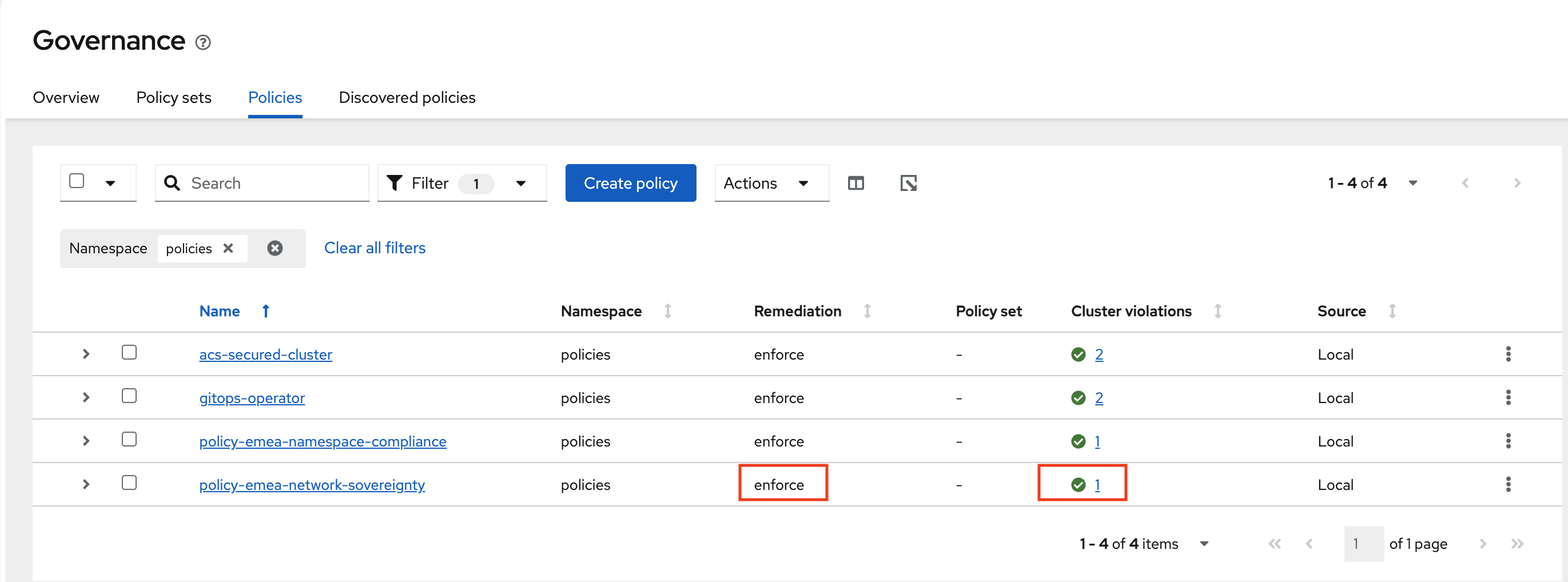
It will Take a few seconds to execute but you should see the Cluster Violations go from Red to Green, indicating that your cluster is now in compliance.
-
Deploying Policies to the US Cluster
Now that we have locked down the hcp-emea cluster, let’s work on locking down the aws-us cluster with two Policies.
The National Institute of Standards and Technology (NIST) Special Publication 800-53 is the primary security and privacy controls framework used by US federal agencies and many private sector organizations. Unlike GDPR, which focuses heavily on data residency and individual privacy rights, NIST 800-53 takes a broader systems-security approach — emphasizing access control, audit accountability, boundary protection, and continuous monitoring.
While GDPR asks "where is the data and can it leave?", NIST 800-53 asks "who can access the system, is access being logged, and are the boundaries controlled?" This difference in philosophy results in policies that address similar sovereignty concepts but with different technical implementations.
The two US policies in this module address: namespace compliance labeling (SC-16) and audit accountability (AU-2).
-
Navigate to the RHACM Console Click on the + sign → Import YAML tab.
-
Next, paste the following YAML Click Create
apiVersion: policy.open-cluster-management.io/v1
kind: Policy
metadata:
  name: policy-us-namespace-compliance
  namespace: policies
  annotations:
    policy.open-cluster-management.io/standards: NIST SP 800-53
    policy.open-cluster-management.io/categories: System and Communications Protection
    policy.open-cluster-management.io/controls: SC-16 Transmission of Security Attributes
spec:
  remediationAction: inform
  disabled: false
  policy-templates:
    - objectDefinition:
        apiVersion: policy.open-cluster-management.io/v1
        kind: ConfigurationPolicy
        metadata:
          name: us-sovereignty-namespace
        spec:
          remediationAction: inform
          severity: high
          object-templates:
            - complianceType: musthave
              objectDefinition:
                apiVersion: v1
                kind: Namespace
                metadata:
                  name: nist-workloads
                  labels:
                    data-classification: nist-controlled
                    sovereignty: us-only
                    compliance-framework: nist-800-53
                    pod-security.kubernetes.io/enforce: restricted
                    pod-security.kubernetes.io/audit: restricted
                    pod-security.kubernetes.io/warn: restricted
                  annotations:
                    compliance.example.com/framework: "NIST SP 800-53 Rev. 5"
                    compliance.example.com/controls: "AC-6, AU-2, SC-7, SC-16"
                    compliance.example.com/data-handling: "US jurisdiction only"
                    compliance.example.com/contact: "security-team@example.com"
    - objectDefinition:
        apiVersion: policy.open-cluster-management.io/v1
        kind: ConfigurationPolicy
        metadata:
          name: us-data-classification-namespace
        spec:
          remediationAction: inform
          severity: high
          object-templates:
            - complianceType: musthave
              objectDefinition:
                apiVersion: v1
                kind: Namespace
                metadata:
                  name: data-classification-us
                  labels:
                    data-classification: nist-controlled
                    sovereignty: us-only
                    compliance-framework: nist-800-53
                  annotations:
                    compliance.example.com/framework: "NIST SP 800-53 Rev. 5"
                    compliance.example.com/data-handling: "US jurisdiction only"
---
apiVersion: cluster.open-cluster-management.io/v1beta1
kind: Placement
metadata:
  name: placement-policy-us-namespace-compliance
  namespace: policies
spec:
  clusterSets:
    - managed
  predicates:
    - requiredClusterSelector:
        labelSelector:
          matchExpressions:
            - key: location
              operator: In
              values:
                - us
---
apiVersion: policy.open-cluster-management.io/v1
kind: PlacementBinding
metadata:
  name: binding-us-namespace-compliance
  namespace: policies
placementRef:
  name: placement-policy-us-namespace-compliance
  kind: Placement
  apiGroup: cluster.open-cluster-management.io
subjects:
  - name: policy-us-namespace-compliance
    kind: Policy
    apiGroup: policy.open-cluster-management.io
-
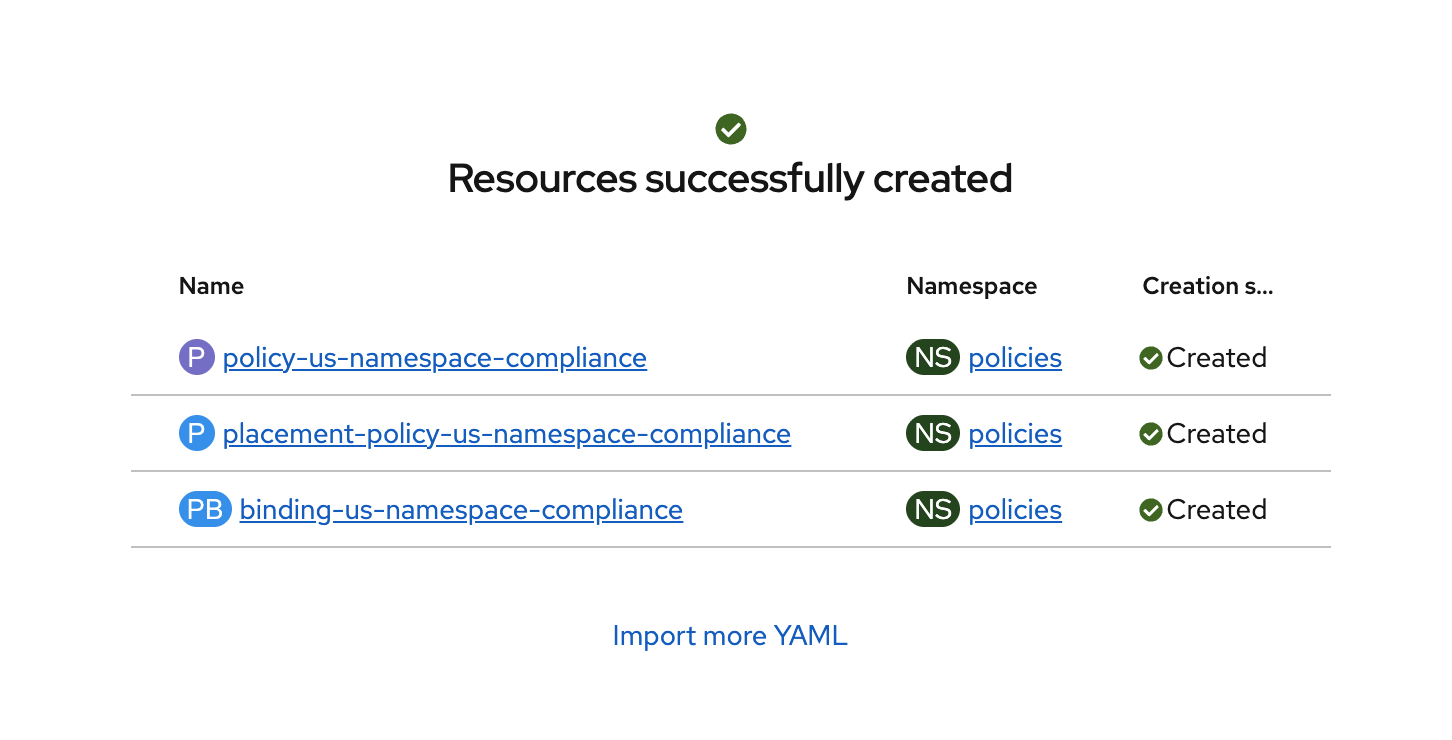
Verify that the YAML was added properly and there are no errors.
-
Next, click Governance Screen and Navigate to the Policies tab. Select Filter and check the policies namespace, this will show only the policies on this namespace.
-
Verify that the policy-us-namespace-compliance was created. Notice the Remediation is set to Inform. We will change this to Enforce by selecting the policy -→ Actions -→ Remediation -→ Enforce
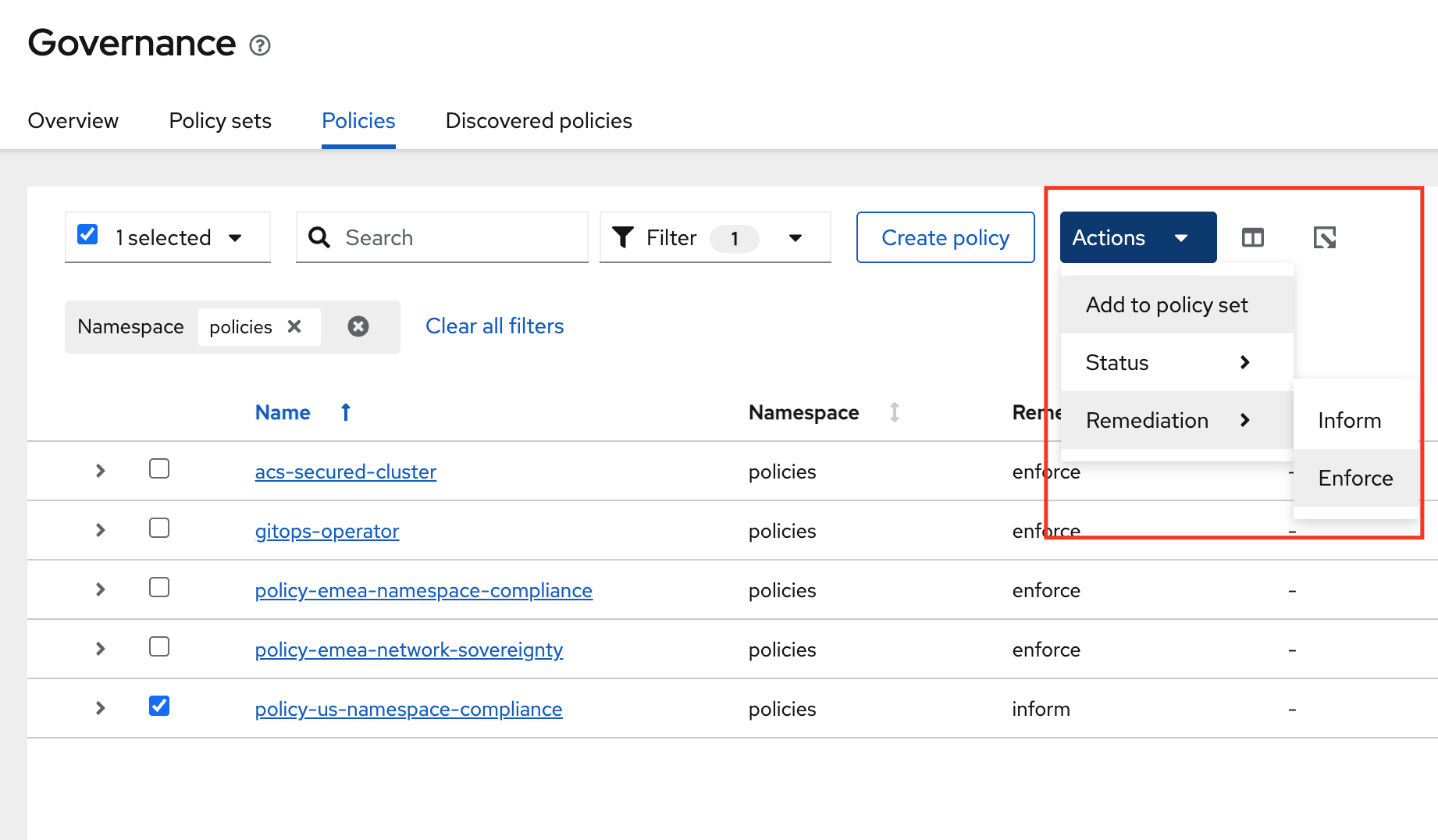
-
It will Take a few seconds to execute but you should see the Cluster Violations go from Red to Green, indicating that your cluster is now in compliance.
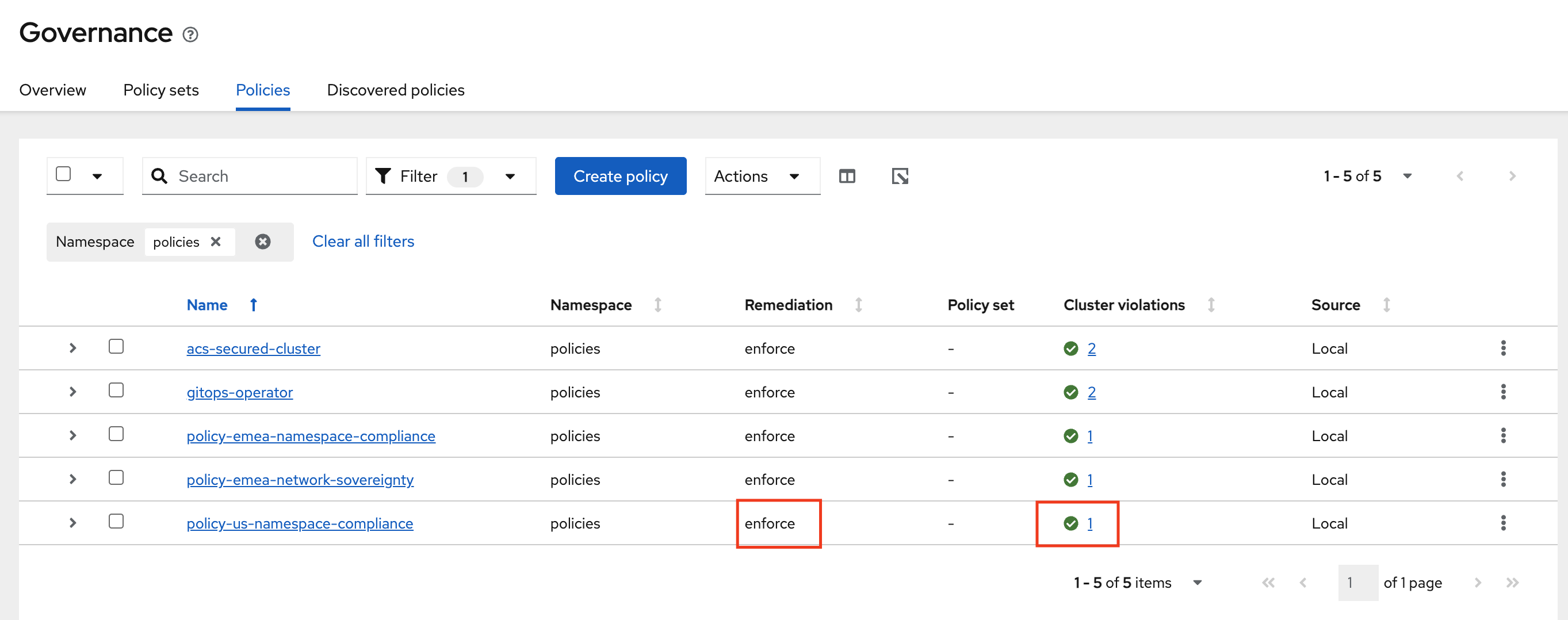
Audit logging is the cornerstone of the NIST compliance model. Where GDPR relies on technical prevention (blocking data from leaving), NIST relies on detection and accountability — the assumption that if all actions are logged and monitored, unauthorized activity will be identified and responded to. This is why the US network boundary policy (Step 5) allows outbound HTTPS while this audit policy ensures that all API server activity is captured.
This policy ensures two things:
-
The OpenShift API Server audit profile is set to
WriteRequestBodies, which captures the full content of all write requests (creates, updates, patches, deletes) to the API server. This provides a complete audit trail of who changed what and when — essential for incident response, forensic analysis, and regulatory compliance reporting. -
A dedicated
audit-loggingnamespace exists for centralized log collection infrastructure, labeled withcompliance-framework: nist-800-53to indicate its purpose.-
Navigate to the RHACM Console Click on the + sign → Import YAML tab.
-
Next, paste the following YAML Click Create
apiVersion: policy.open-cluster-management.io/v1
kind: Policy
metadata:
  name: policy-us-audit-logging
  namespace: policies
  annotations:
    policy.open-cluster-management.io/standards: NIST SP 800-53
    policy.open-cluster-management.io/categories: Audit and Accountability
    policy.open-cluster-management.io/controls: AU-2 Audit Events
spec:
  remediationAction: inform
  disabled: false
  policy-templates:
    - objectDefinition:
        apiVersion: policy.open-cluster-management.io/v1
        kind: ConfigurationPolicy
        metadata:
          name: us-audit-profile
        spec:
          remediationAction: inform
          severity: high
          object-templates:
            - complianceType: musthave
              objectDefinition:
                apiVersion: config.openshift.io/v1
                kind: APIServer
                metadata:
                  name: cluster
                spec:
                  audit:
                    profile: WriteRequestBodies
    - objectDefinition:
        apiVersion: policy.open-cluster-management.io/v1
        kind: ConfigurationPolicy
        metadata:
          name: us-audit-namespace
        spec:
          remediationAction: inform
          severity: medium
          object-templates:
            - complianceType: musthave
              objectDefinition:
                apiVersion: v1
                kind: Namespace
                metadata:
                  name: audit-logging
                  labels:
                    compliance-framework: nist-800-53
                    purpose: centralized-audit
---
apiVersion: cluster.open-cluster-management.io/v1beta1
kind: Placement
metadata:
  name: placement-policy-us-audit-logging
  namespace: policies
spec:
  clusterSets:
    - managed
  predicates:
    - requiredClusterSelector:
        labelSelector:
          matchExpressions:
            - key: location
              operator: In
              values:
                - us
---
apiVersion: policy.open-cluster-management.io/v1
kind: PlacementBinding
metadata:
  name: binding-us-audit-logging
  namespace: policies
placementRef:
  name: placement-policy-us-audit-logging
  kind: Placement
  apiGroup: cluster.open-cluster-management.io
subjects:
  - name: policy-us-audit-logging
    kind: Policy
    apiGroup: policy.open-cluster-management.io
-
Verify that the YAML was added properly and there are no errors.
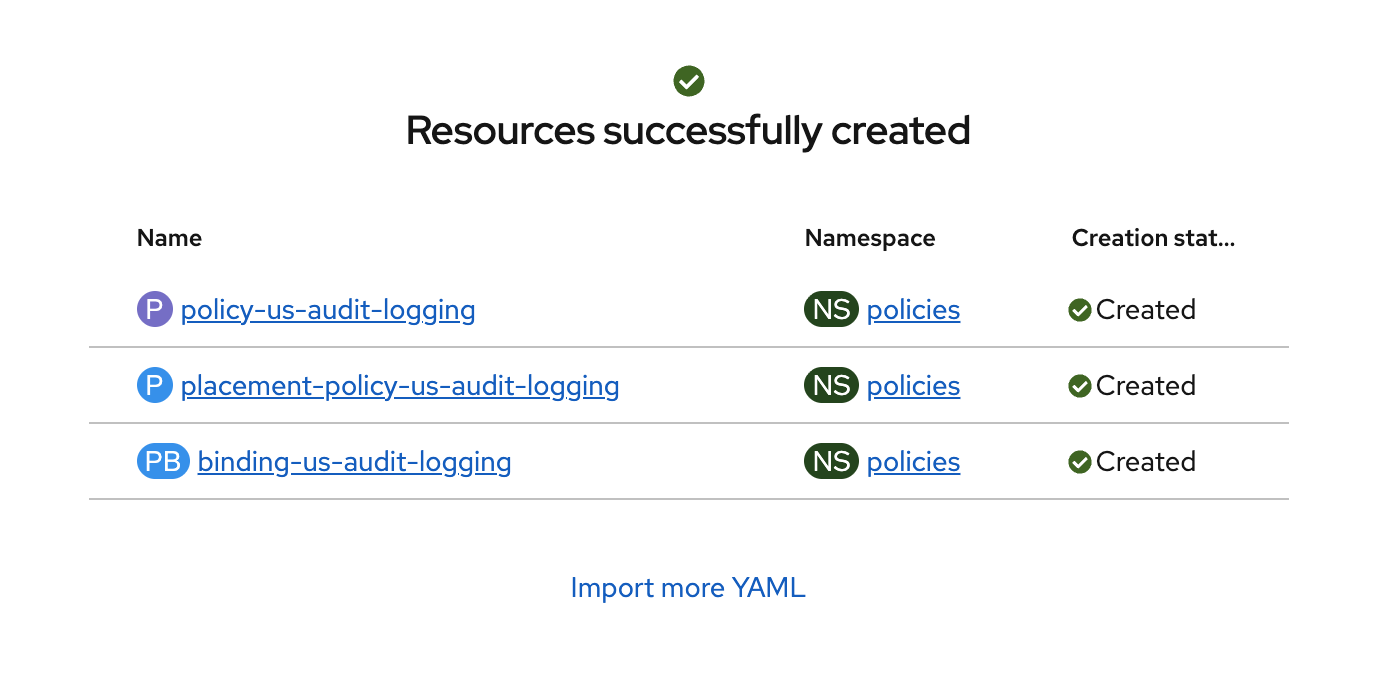
-
Next, click Governance Screen and Navigate to the Policies tab. Select Filter and check the policies namespace, this will show only the policies on this namespace.
-
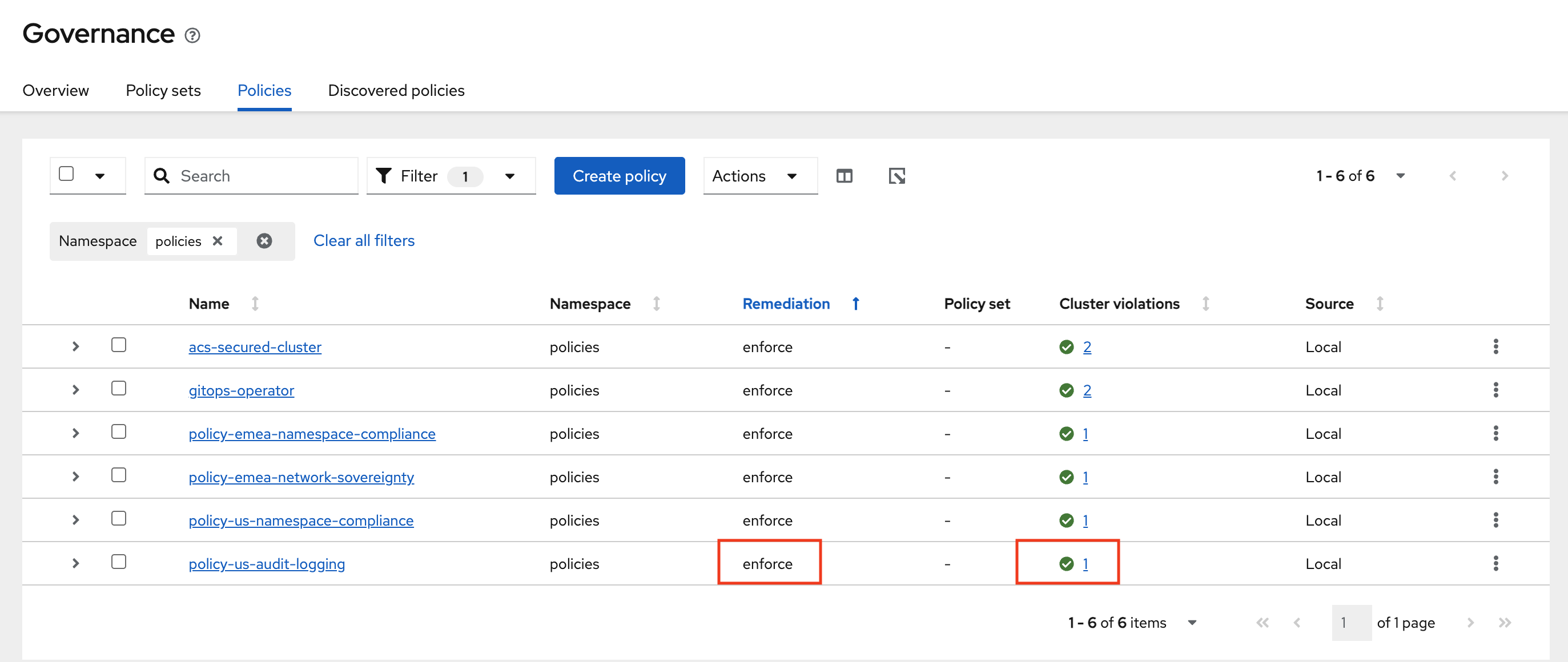
Verify that the policy-us-audit-logging was created. Notice the Remediation is set to Inform. We will change this to Enforce by selecting the policy -→ Actions -→ Remediation -→ Enforce
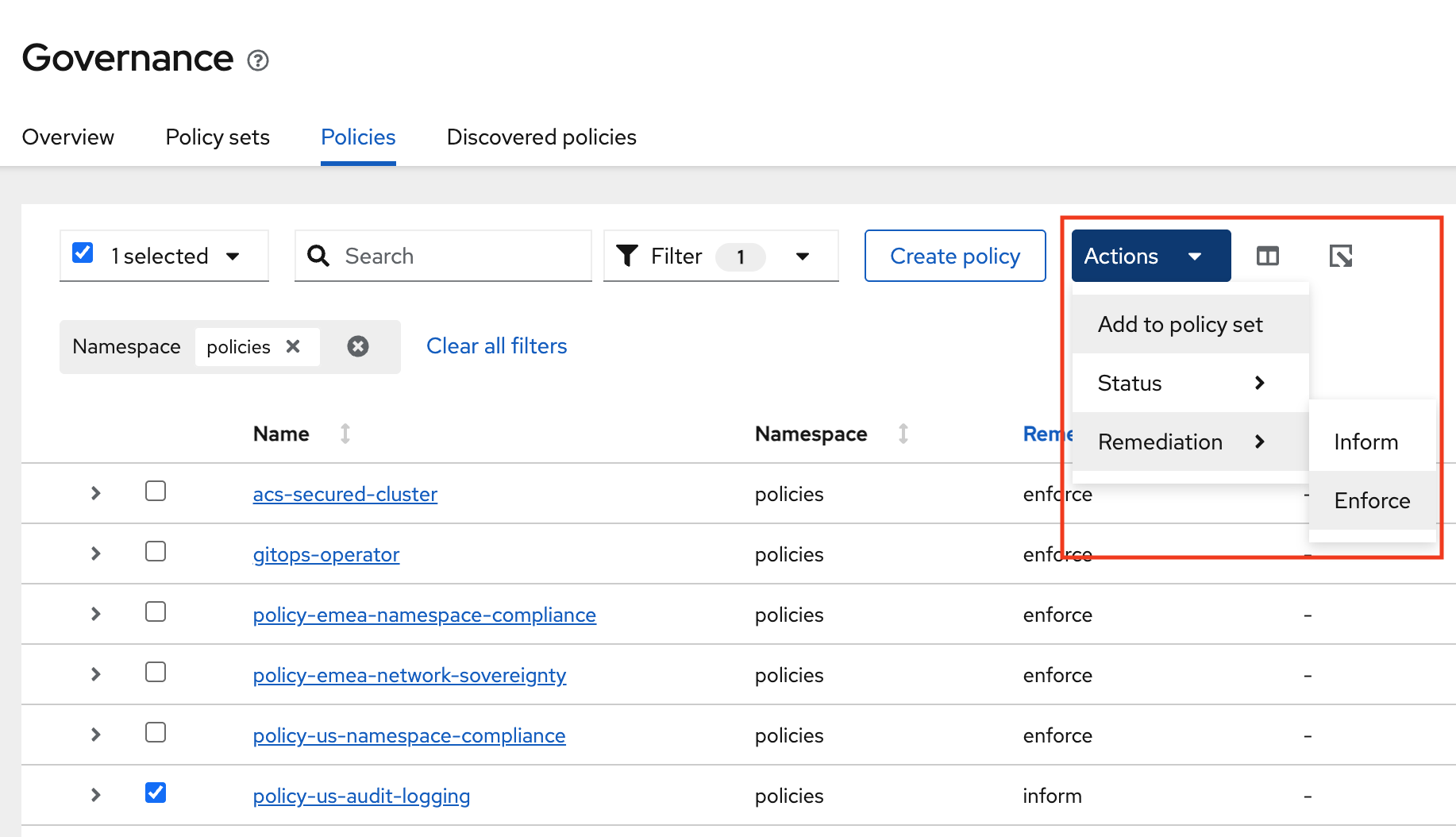
-
It will Take a few seconds to execute but you should see the Cluster Violations go from Red to Green, indicating that your cluster is now in compliance.
-
You have now successfully applied policies to your clusters with YAML. Please note that all of these policies can be used via Red Hat GitOps making the process even easier.
Organizing Policies by Geography
Policy Sets allow you to group related policies together for cleaner governance views in the RHACM console. This step is optional but recommended for production environments.
-
Navigate to the RHACM Console Click on the + sign → Import YAML tab.
apiVersion: policy.open-cluster-management.io/v1beta1
kind: PolicySet
metadata:
  name: emea-gdpr-policyset
  namespace: policies
spec:
  description: GDPR sovereignty controls for EMEA clusters
  policies:
    - policy-emea-namespace-compliance
    - policy-emea-network-sovereignty
---
apiVersion: policy.open-cluster-management.io/v1beta1
kind: PolicySet
metadata:
  name: us-nist-policyset
  namespace: policies
spec:
  description: NIST 800-53 controls for US clusters
  policies:
    - policy-us-namespace-compliance
    - policy-us-audit-logging
-
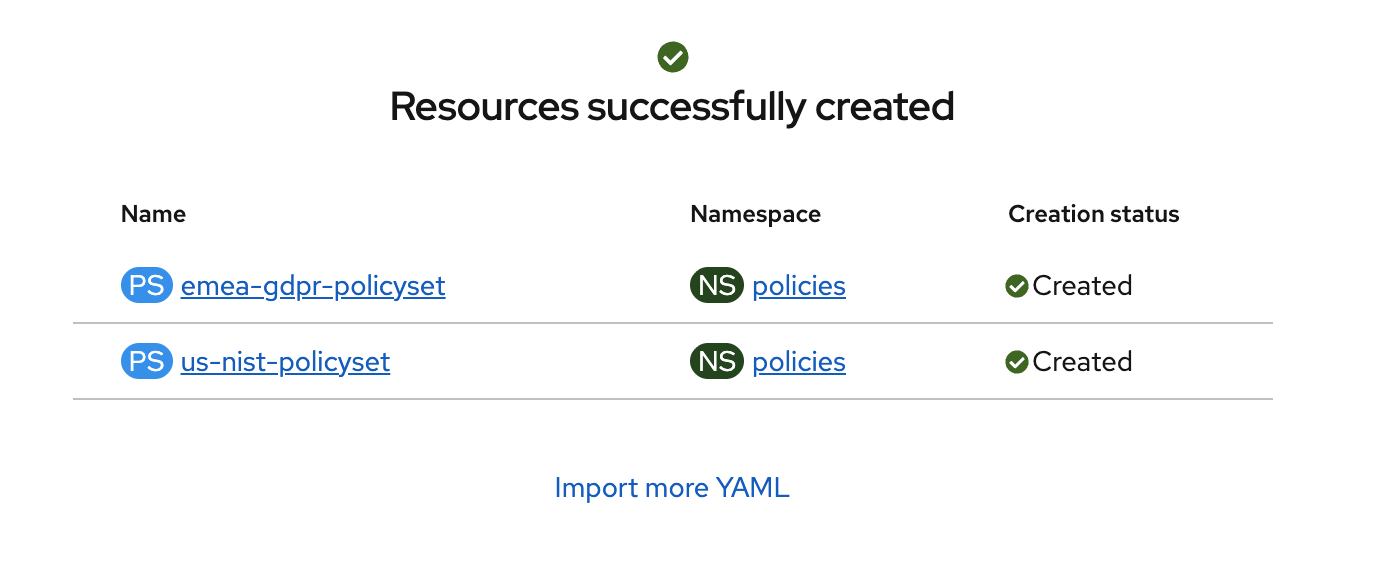
Verify that the YAML was added properly and there are no errors.
-
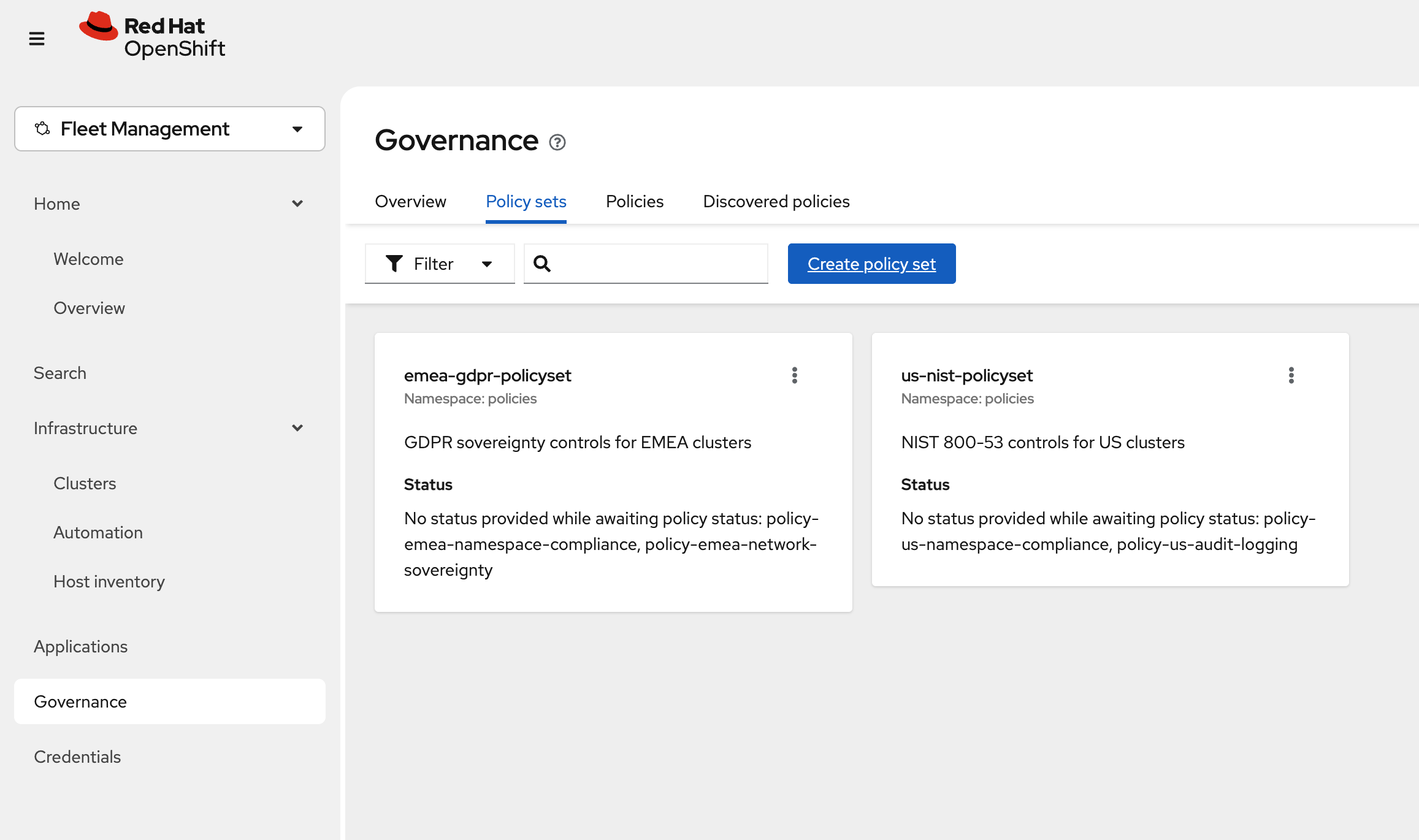
Next, click Governance Screen and Navigate to the Policy Sets tab. In here you will see two policy sets emea-gdpr-policyset and us-nist-policyset This helps organize the multiple policies into sets for easier distribution feel free to click on them to see the policies