Introducing Llama Stack
In order to build and run our CI/CD agent, we’ll need a number of components. Here is what is needed and what we’ll use in our lab:
-
An LLM for analyzing the CI/CD pipeline logs and generating recommendations for troubleshooting. We’ll leverage a Llama model that is hosted in a remote environment and that we’re accessing through a Models-as-a-Service interface.
-
A Guardian Model to provide a safety shield against harmful content for our model and agent interactions. We will leverage another Llama model that will also be hosted in the same remote environment via a MaaS infrastructure setup.
-
A graphical user interface for interactively querying the LLM and experimenting with user prompts and agentic capabilities. We’ll use Llama Stack Playground, an open source, frontend application designed for Llama Stack (see below).
-
An agentic framework for building out the agent as an application component. There’s a wide variety of established frameworks. In our lab, we’ll rely on the Llama Stack agents API.
-
Access to third-party systems depending on the use case:
-
The CI/CD runtime, which contains the logs of the failed pipelines. In our lab, we’ll leverage OpenShift Pipelines as the CI/CD engine. We can access the pipeline logs simply via the OpenShift interface.
-
The internet for searching potential resolutions of the encountered pipelines failures.
-
The destination of the generated failure report. In our case, the agent will create issues within a forked Github repository, that you manage, and upload its reports there.
-
-
In order to orchestrate the various interactions between the agent, the model, and the third-party systems, we’ll rely on a central API server that is tailored for agentic use cases. This is where Llama Stack comes into play.
In this chapter we will cover agent prototyping with Llama Stack. Specifically, we will
-
Use Llama Stack Playground for basic prompting against our model through Llama Stack,
-
Configure the built-in websearch tool in Llama Stack,
-
Set up integration with OpenShift and Github through MCP,
-
Build a prompt that covers the end-to-end use case.
Llama Stack
Llama Stack is an open-source framework and API layer for building and running generative AI applications. It provides a unified set of APIs for inference, RAG, agents, tools, safety, evals, and telemetry. Llama Stack is one of the components included in Red Hat AI.
There’s a Llama Stack instance that’s running in your lab environment. We will use this instance:
-
From this showroom through the Llama Stack CLI client
-
Interactively from the Llama Stack Playground frontend, running as a container on the cluster
-
And programmatically from the agent service through the Llama Stack Python SDK. Note that since Llama Stack implements the OpenAI API, any library that consumes the OpenAI API can be used as a client.
A note about Red Hat AI 3.x
This lab environment is built on Red Hat OpenShift AI 2.25.
In the 3.x release of Red Hat AI, we have a few key deployment differences:
-
Llama Stack is a tech preview feature configured as part of your DataScienceCluster resource and deployed with OpenShift AI.
-
The "playground" where you can test your various asset integrations is integrated into the OpenShift AI dashboard. We do not ship nor support the Llama Stack upstream playground image.
-
3.x has deprecated the inclusion and support of Llama Stack agents api in favor of the responses API. This is the biggest difference. See links for more information:
Why have we chosen to use the older Red Hat AI deployment and not 3.x for this lab experience?
-
We wanted to showcase implementing safety guardian models, which is not currently supported in 3.x, but was supported with 2.25.
-
The responses api has current limitations, and we do not have clean paths from product to follow for other agent framework integrations with Llama Stack. Therefore, it made more sense to showcase the Llama Stack Agents API implementation so that we could accomplish the complete workflow of an agentic deployment.
-
It is not challenging to move to 3.x and to be able to apply the skills you will learn in this workshop with ease.
Using the Llama Stack CLI
-
Configure the llama-stack-client in your showroom terminal.
llama-stack-client configureFor the endpoint of the Llama Stack distribution server enter:
http://userX-llama-stack-service.userX-llama-stack.svc.cluster.local:8321When prompted for the API key, leave the value empty and hit enter.
-
Check the connection by listing the version—ideally we match client and server versions
llama-stack-client inspect versionINFO:httpx:HTTP Request: GET http://localhost:8321/v1/version "HTTP/1.1 200 OK" VersionInfo(version='0.2.22') -
If you need help with the client commands, take a look at
llama-stack-client --help -
Now list the providers—this should match what we have configured so far i.e. Tavily Web Search, inference and agents
llama-stack-client providers listINFO:httpx:HTTP Request: GET http://localhost:8321/v1/providers "HTTP/1.1 200 OK" ┏━━━━━━━━━━━━━━┳━━━━━━━━━━━━━━━━┳━━━━━━━━━━━━━━━━━━━━━━━━┓ ┃ API ┃ Provider ID ┃ Provider Type ┃ ┡━━━━━━━━━━━━━━╇━━━━━━━━━━━━━━━━╇━━━━━━━━━━━━━━━━━━━━━━━━┩ │ inference │ vllm │ remote::vllm │ │ tool_runtime │ tavily-search │ remote::tavily-search │ │ agents │ meta-reference │ inline::meta-reference │ └──────────────┴────────────────┴────────────────────────┘ -
Now list the models
llama-stack-client models listINFO:httpx:HTTP Request: GET http://localhost:8321/v1/models "HTTP/1.1 200 OK" Available Models ┏━━━━━━━━━━━━━━━━━━━━━━━━━━━━━━┳━━━━━━━━━━━━━━━━━━━━━━━━━━━━━━━━━━━━━━━━━━━━━━━━━━━━━━━━━━┳━━━━━━━━━━━━━━━━━━━━━━━━━━━━━━━━━━━━━━━━━━━━━━━━━━━━━━━━━━┳━━━━━━━━━━━━━━━━━━━━━━━━┳━━━━━━━━━━━━━━━━━━━━━━━━━━━━━━━┓ ┃ model_type ┃ identifier ┃ provider_resource_id ┃ metadata ┃ provider_id ┃ ┡━━━━━━━━━━━━━━━━━━━━━━━━━━━━━━╇━━━━━━━━━━━━━━━━━━━━━━━━━━━━━━━━━━━━━━━━━━━━━━━━━━━━━━━━━━╇━━━━━━━━━━━━━━━━━━━━━━━━━━━━━━━━━━━━━━━━━━━━━━━━━━━━━━━━━━╇━━━━━━━━━━━━━━━━━━━━━━━━╇━━━━━━━━━━━━━━━━━━━━━━━━━━━━━━━┩ │ llm │ granite-3-2-8b-instruct │ granite-3-2-8b-instruct │ │ vllm │ └──────────────────────────────┴──────────────────────────────────────────────────────────┴──────────────────────────────────────────────────────────┴────────────────────────┴───────────────────────────────┘ Total models: 1 -
Done ✅
Playground: Llama Stack User Interface
Llama Stack comes with a simple UI called Playground. For this lab, a Playground instance is already deployed for each user within the userX-llama-stack namespace.
Select the userX-llama-stack namespace.
-
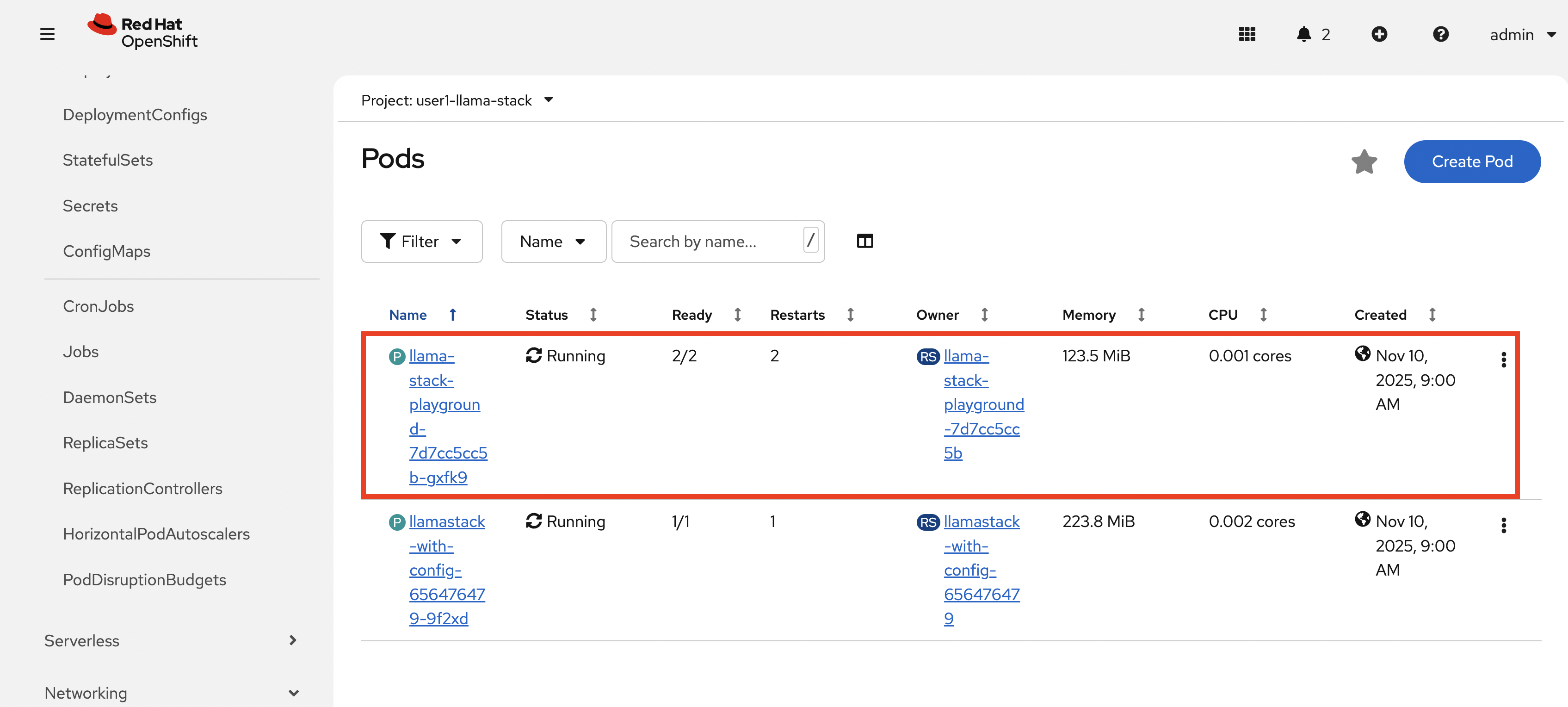
Checkout the Playground pod.
-
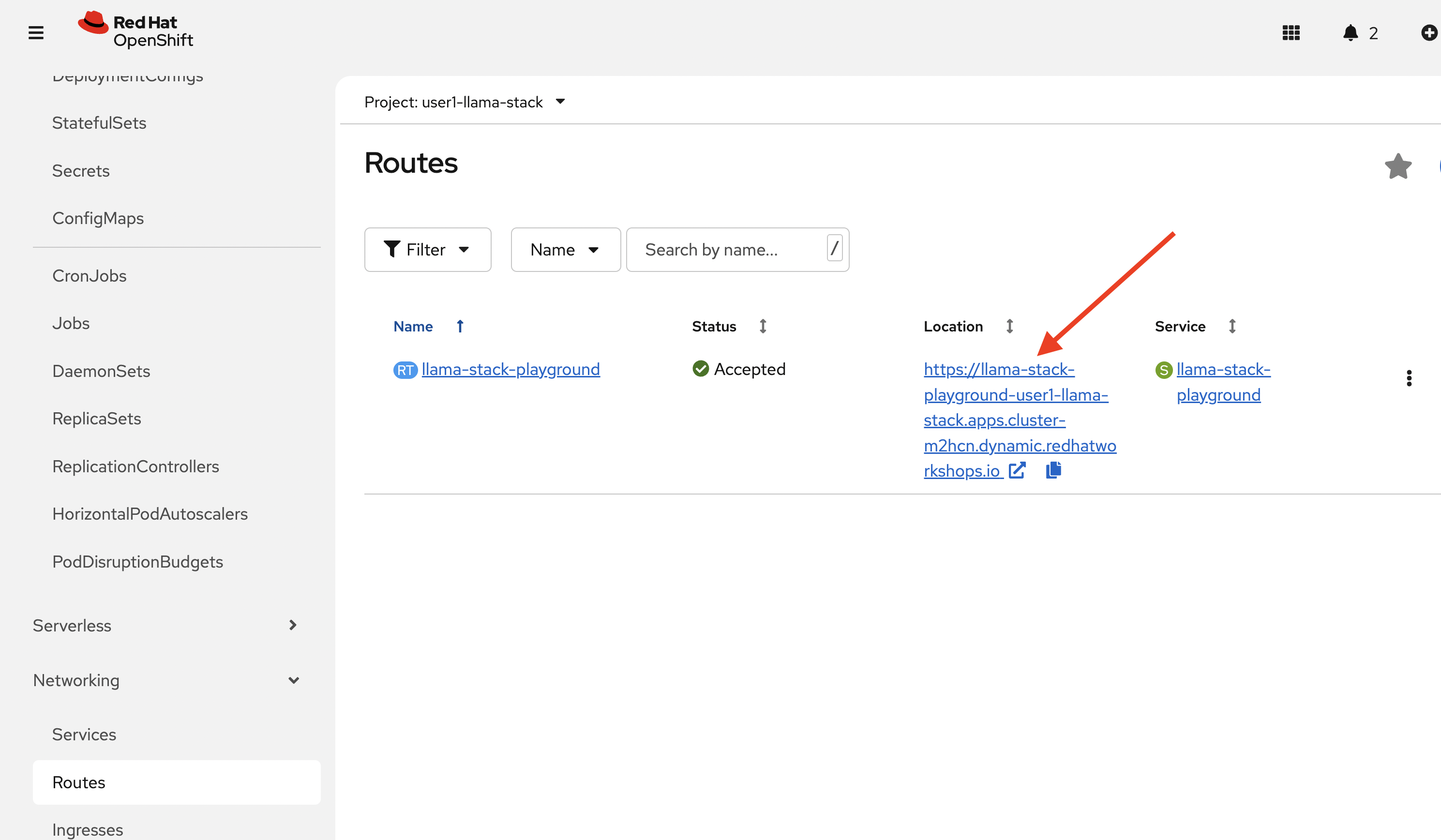
Click on the route for this pod to access the Playground.
-
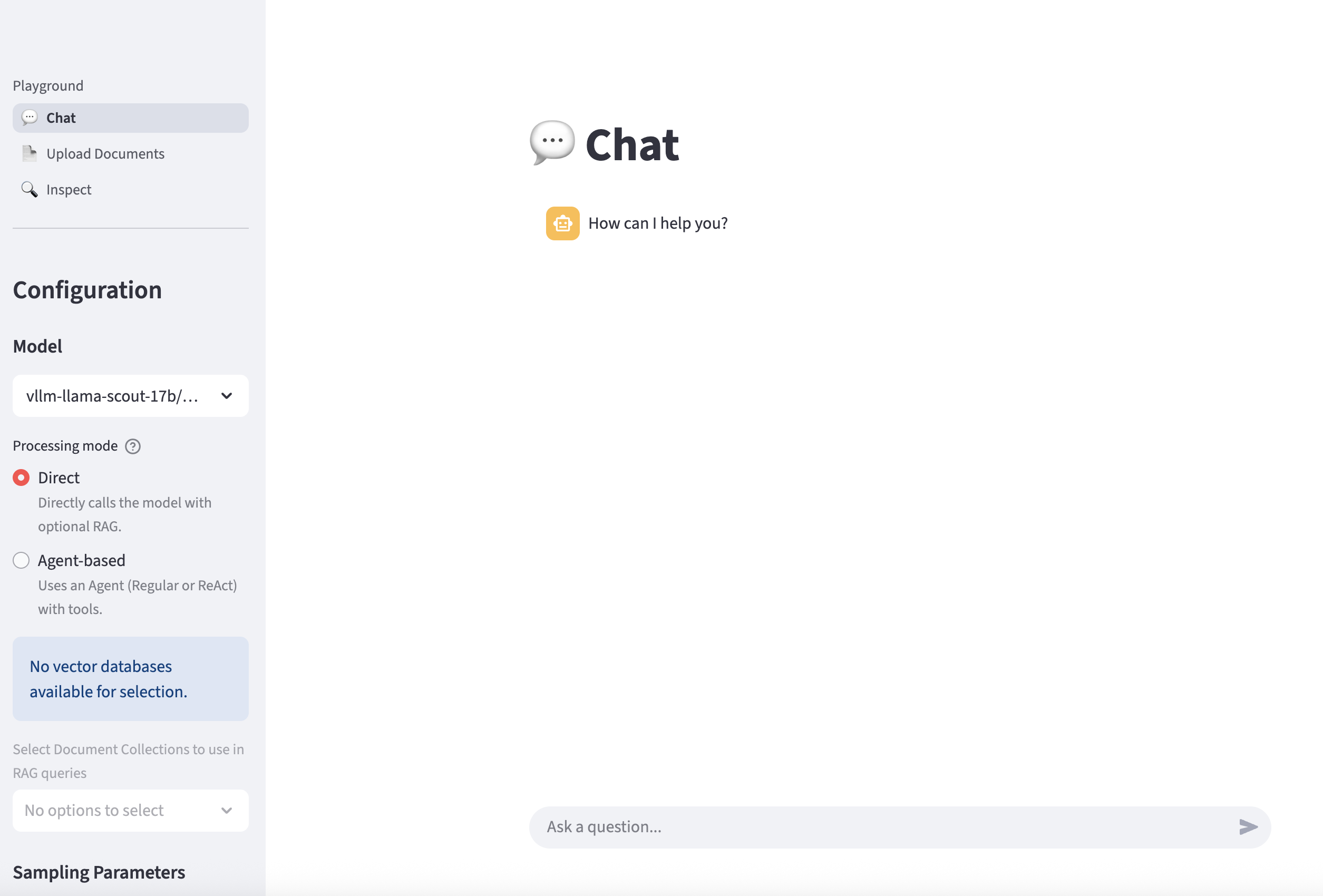
Here is the Playground GUI for interacting with Llama Stack services.
-
Let’s first chat with the LLM by asking a question such as:
What is AI?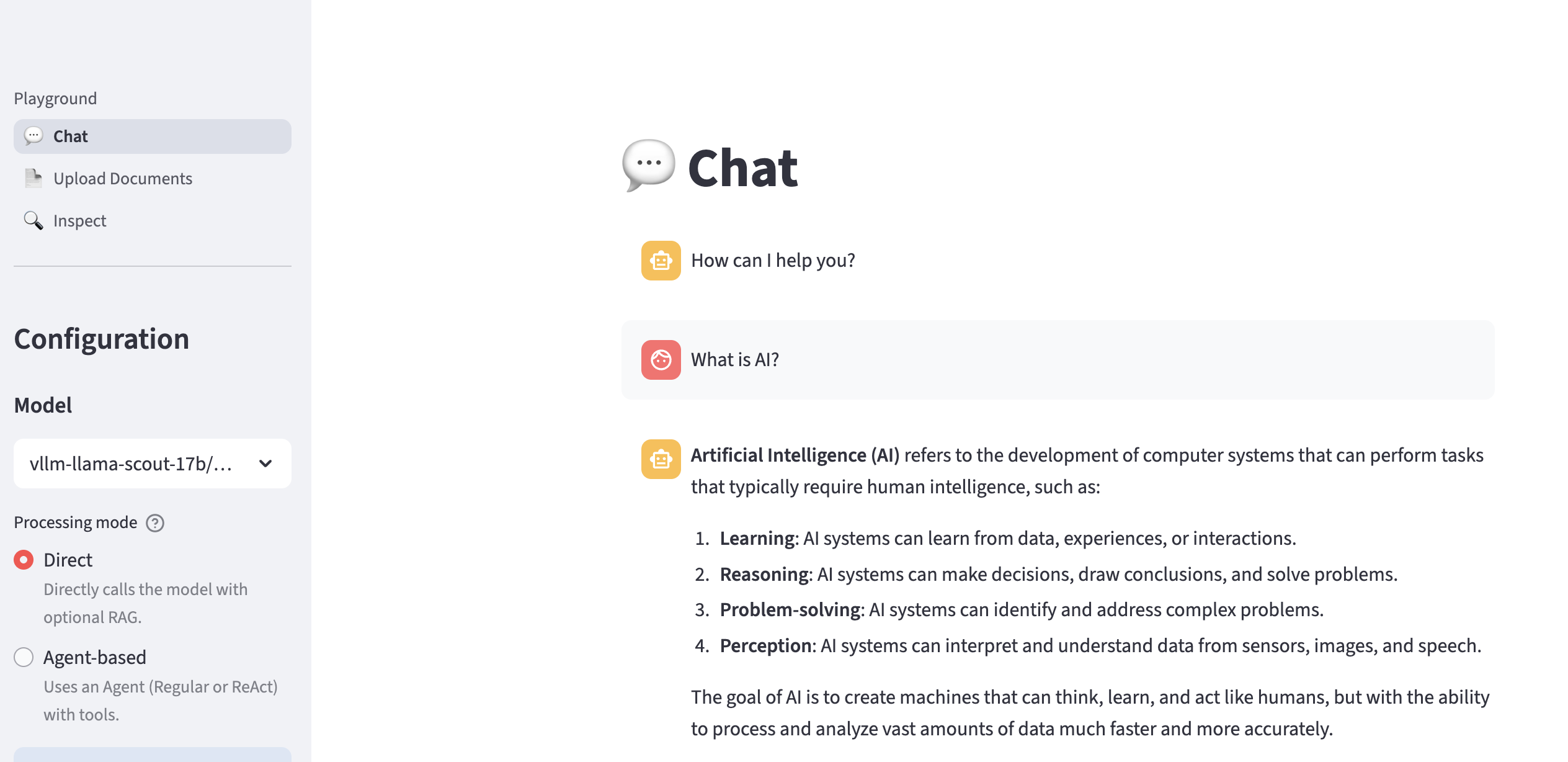
-
Now let’s ask the LLM a question for which it lacks information (e.g. real-time data):
What is the weather today in Brisbane?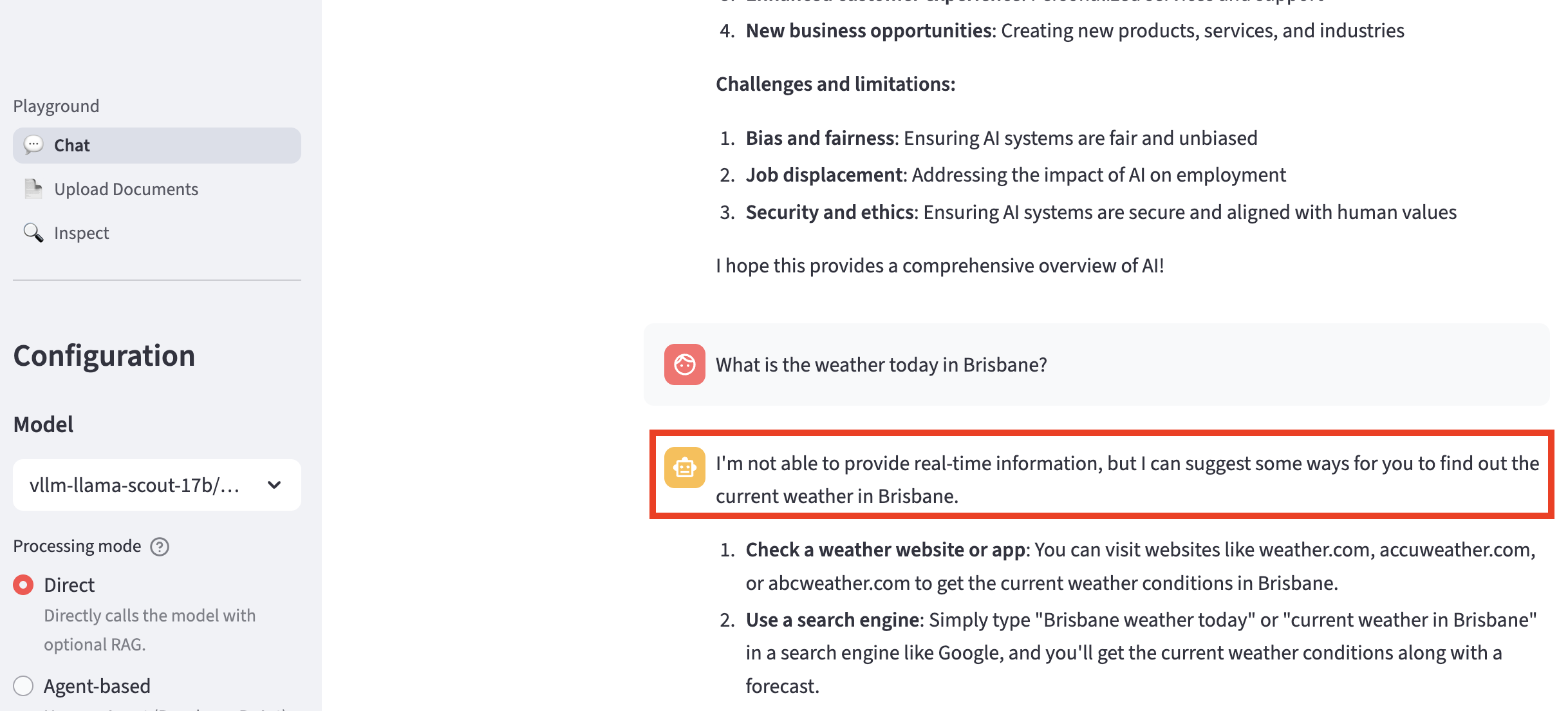
-
In order to find this type of real-time information, the LLM needs to call a tool like websearch. Let’s dive into how to configure Llama Stack and set up access for the websearch tool.