Adding Guardrails
In the context of AI, "Guardrails" come in many forms. Guardrails are safety mechanisms that ensure your AI agents behave responsibly, securely, and within acceptable boundaries. They act as protective barriers against unintended behaviors, security vulnerabilities, and misuse.
Some common examples include:
Input Guardrails
-
Prompt Injection Prevention: Detect and block attempts to manipulate the agent through malicious prompts that try to override system instructions or extract sensitive information
-
Content Filtering: Screen user inputs for inappropriate content, profanity, hate speech, or personally identifiable information (PII) before processing
-
Input Validation: Ensure user queries conform to expected formats and don’t contain malicious payloads (SQL injection, command injection, etc.)
-
Rate Limiting: Prevent abuse by limiting the number of requests per user or session within a time window
Output Guardrails
-
Content Moderation: Filter agent responses to prevent generating harmful, biased, or inappropriate content
-
PII Redaction: Automatically detect and remove sensitive information (social security numbers, credit cards, passwords) from responses
-
Hallucination Detection: Identify when the model generates false or ungrounded information, especially for factual queries
-
Toxicity Filtering: Prevent the agent from generating offensive, discriminatory, or harmful language
Behavioral Guardrails
-
Tool Usage Restrictions: Limit which tools the agent can invoke and under what conditions (e.g., prevent destructive operations without confirmation)
-
Action Approval Workflows: Require human-in-the-loop approval for high-risk actions like deleting resources, modifying production systems, or accessing sensitive data
-
Scope Boundaries: Restrict the agent to operate only within designated namespaces, repositories, or resource boundaries
-
Cost Controls: Monitor and limit token usage, API calls, or computational resources to prevent runaway costs
Compliance and Safety Guardrails
-
Regulatory Compliance: Ensure responses comply with regulations like GDPR, HIPAA, or industry-specific standards
-
Brand Safety: Prevent the agent from making commitments, promises, or statements that could create legal or reputational risks
-
Audit Logging: Record all agent interactions, decisions, and tool invocations for compliance and incident investigation
-
Jailbreak Detection: Identify and block sophisticated attempts to circumvent safety measures through multi-turn conversations or encoded instructions
Implementing Guardrails in Llama Stack
When you are handling many different Guardrails, you need to consider orchestration. This is where the Trusty AI Guardrails Orchestrator comes into play.
Today, we will only implement one type of Guardrail: the Llama Guard model. This model is specifically targeted to prevent harmful content.
Llama Stack provides built-in support for safety guardrails through its safety API. These can be configured at different layers of your agent system to provide defense-in-depth protection.
-
Edit the ConfigMap
The model is already set up within the deployment, we just need to add in the safety and shields sections.
-
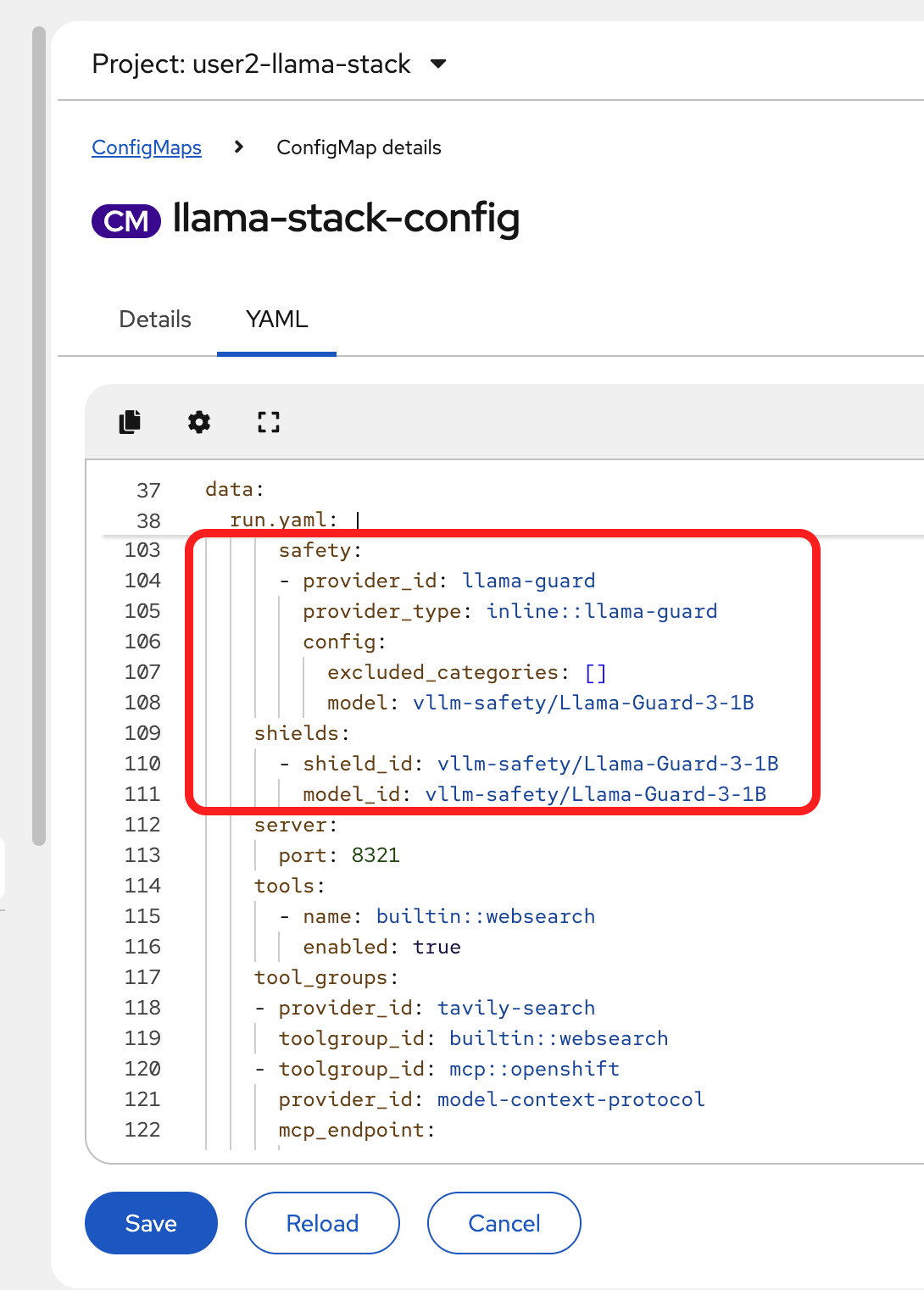
Add the following code block in the run.yaml section of the ConfigMap, in the
providerssection:safety: - provider_id: llama-guard provider_type: inline::llama-guard config: excluded_categories: [] model: vllm/Llama-Guard-3-1B -
Then, below the providers section, add in the shields:
shields:
 - shield_id: vllm/Llama-Guard-3-1B
   model_id: vllm/Llama-Guard-3-1B
The section you’ve just added should match the following:
-
As the last step, we need to register the shields in our showroom terminal (you may also use your own local terminal if you’ve installed the llama-stack-client there and are authenticated appropriately):
llama-stack-client shields register --shield-id vllm/Llama-Guard-3-1B -
Now, list the available shields to confirm it was registered appropriately:
llama-stack-client shields list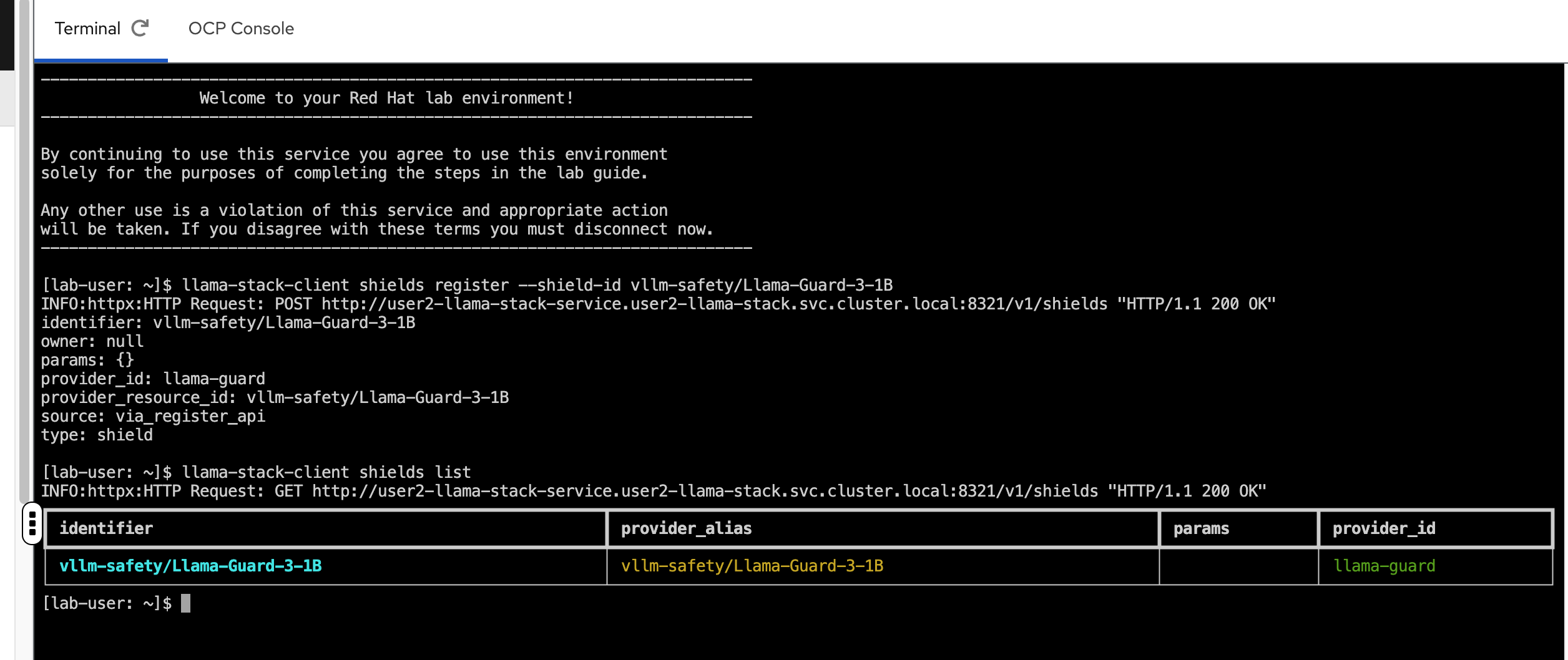
Test Guardrail functionality in the Llama Stack playground.
-
Go back to the playground interface
-
Select
vllm/graniteas your chat model. -
Select
Agent-based -
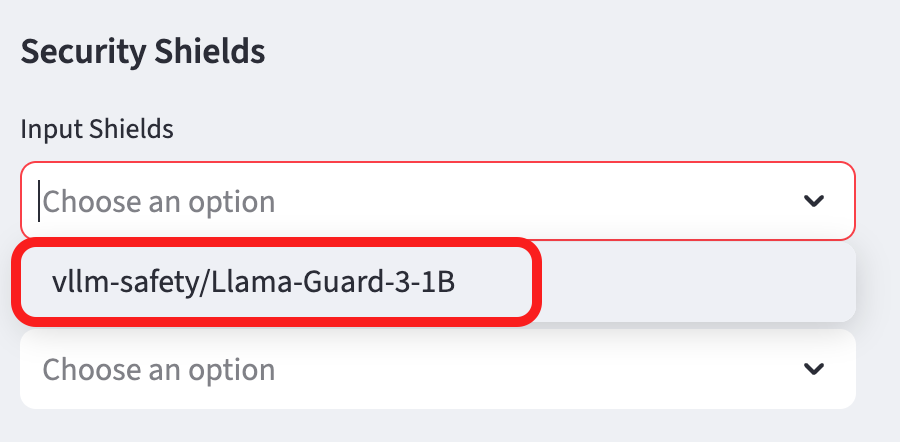
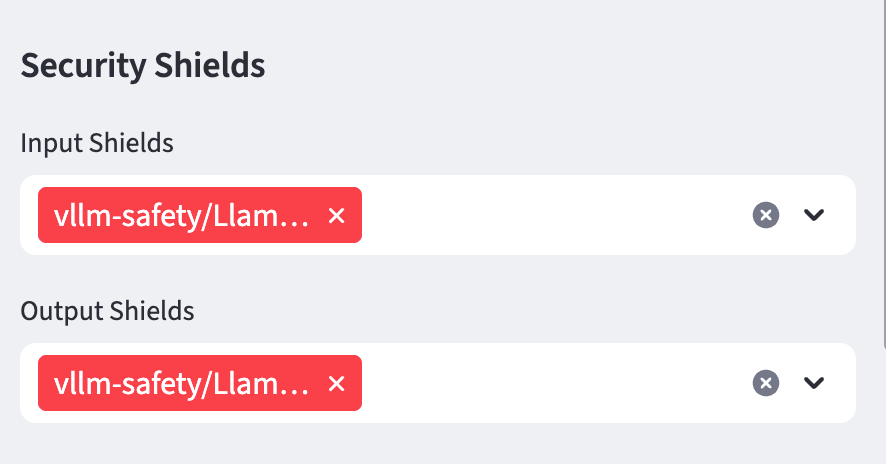
Add the Llama Guard model to the Input and Output sheild form sections:
Input Shields
Input shields protect your AI system by screening incoming user requests before they reach the model. They act as gatekeepers that detect and block:
-
Malicious prompts trying to manipulate the agent
-
Inappropriate or harmful content in user queries
-
Attempts to extract sensitive information or override system instructions
Output Shields
Output shields protect users (and your organization) by filtering the model’s responses before they’re delivered. They prevent the AI from:
-
Generating harmful, toxic, or biased content
-
Leaking sensitive information (PII, credentials, etc.)
-
Making inappropriate commitments or statements
Why Use Both?
Defense-in-depth. Input shields alone can’t catch everything because:
-
The model might still generate harmful content from seemingly innocent prompts
-
Training data could contain biases that lead to problematic outputs
-
Complex multi-turn conversations might bypass input filtering
Output shields alone are insufficient because:
-
Malicious inputs could compromise the model’s internal state
-
You want to block attacks early rather than waste compute resources
-
Some prompt injections could expose system prompts or configurations
Together, input and output shields create a safety envelope around your AI agent, ensuring both requests and responses meet your security and safety standards.
Summary
Implementing guardrails is essential for production AI deployments. They provide defense-in-depth protection, ensuring your agents:
-
Cannot be manipulated through malicious prompts
-
Do not generate harmful, inappropriate, or legally risky content
-
Operate only within authorized boundaries
-
Comply with regulatory and organizational policies
-
Maintain audit trails for accountability
With guardrails in place, you can confidently deploy AI agents knowing they have protective barriers against common security and safety risks.