Orientation
Estimated time: 10 minutes
This module sets the context for everything that follows. You learn what a software supply chain attack looks like, why building an image is not enough to trust it, and what each tool in this lab does to close that gap. You then tour your pre-provisioned environment and confirm that every service is reachable before hands-on work begins in Module 2.
Learning Objectives
By the end of this module, you will be able to:
-
Locate your personal GitLab repository, Quay organization, and Konflux workspace in the pre-provisioned lab environment.
-
Explain the gap between "image is built" and "image is trusted" and why that gap matters for production deployments.
-
Identify the role each tool plays in the end-to-end supply chain: Konflux, GitLab, Red Hat Quay, and Red Hat Trusted Artifact Signer with Rekor.
1. The Supply Chain Security Problem
Building a container image is not the same as trusting it.
In a typical CI/CD pipeline, a developer pushes code, a pipeline builds an image, and that image is deployed. Fast, repeatable, and completely blind to anything that may have happened between the source commit and the running container.
Supply chain attacks exploit that blindness. An attacker who can alter the build system, inject a malicious dependency, or swap an image in a registry can deliver harmful software that passes all functional tests. The artifact looks valid — it just is not what the developer wrote.
This lab addresses that problem directly. By the end, every artifact you produce will carry three independently verifiable guarantees:
-
Provenance — the image was built from a known, specific source commit on a trusted build system.
-
Integrity — no unauthorized party altered the image after the build completed.
-
Policy compliance — the image passed a defined set of security checks before it was allowed into production.
The End-to-End Pipeline
The following stages make up the supply chain you will build and observe throughout this lab:
Policy Check #1 — Conforma") D --> E("Release Triggered
(Manual)") E --> F("Tenant Pipeline
(User Checks)") F --> G("Managed Pipeline
Policy Check #2 — Conforma") G --> H("Production Quay")
| Stage | What happens |
|---|---|
Source commit |
You push code to GitLab. A merge request triggers Pipelines-as-Code. |
Build |
Konflux runs a Tekton pipeline that produces four artifacts: the container image, an SBOM in SPDX 2.3 format, a cryptographic signature from Trusted Artifact Signer, and a SLSA Level 3 provenance attestation. All are pushed to Quay together. |
Snapshot created |
Konflux creates an immutable Snapshot object — a record of the exact set of images built, referenced by digest. |
Integration test / Policy check #1 |
Conforma automatically evaluates the Snapshot against the policy bundle. If any image fails any rule, the entire Snapshot is blocked. Only passing Snapshots become eligible for release. |
Release triggered |
You manually select a passing Snapshot and create a Release. This is a deliberate, auditable action — releases do not happen automatically. |
Tenant pipeline |
A user-defined validation pipeline runs first in your tenant namespace. This allows application teams to add custom checks before enterprise validation. |
Managed pipeline / Policy check #2 |
The platform-controlled pipeline re-evaluates the Conforma policy (in case the policy changed since integration), then tags the verified image as production. The image digest is identical to what was built — no rebuild occurs. |
Production Quay |
The signed, attested, policy-verified image is now tagged |
You will build, observe, and stress-test this pipeline across the next seven modules.
2. Tour the Lab Environment
You have four browser-accessible services in this lab. Open each one now and confirm you can log in before moving to the terminal verification in the next section.
Your lab card (provided by the instructor or shown in the lab portal) lists the URL and credentials for each service.
2.1 Konflux
Konflux is the build and release orchestration platform. It manages your application onboarding, pipeline runs, and the release pipeline that gates promotion to production.
-
Click the Konflux tab in the lab interface.
-
Log in with username
{openshift_username}and password{openshift_password}. -
If prompted to authorize access, review the requested permissions and click Allow selected permissions.
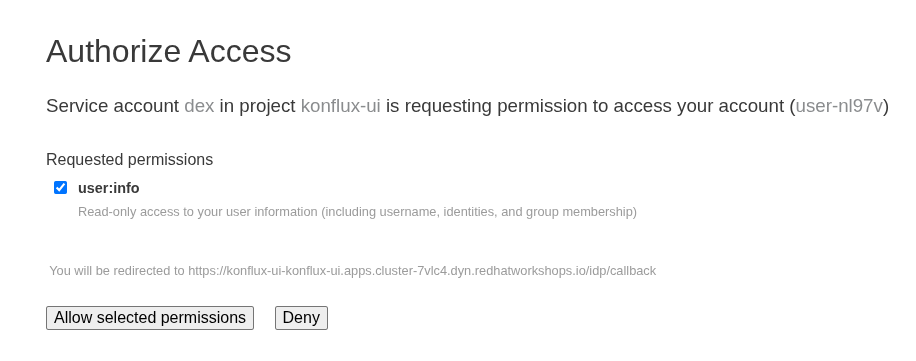 Figure 1. Konflux OAuth authorization prompt
 -
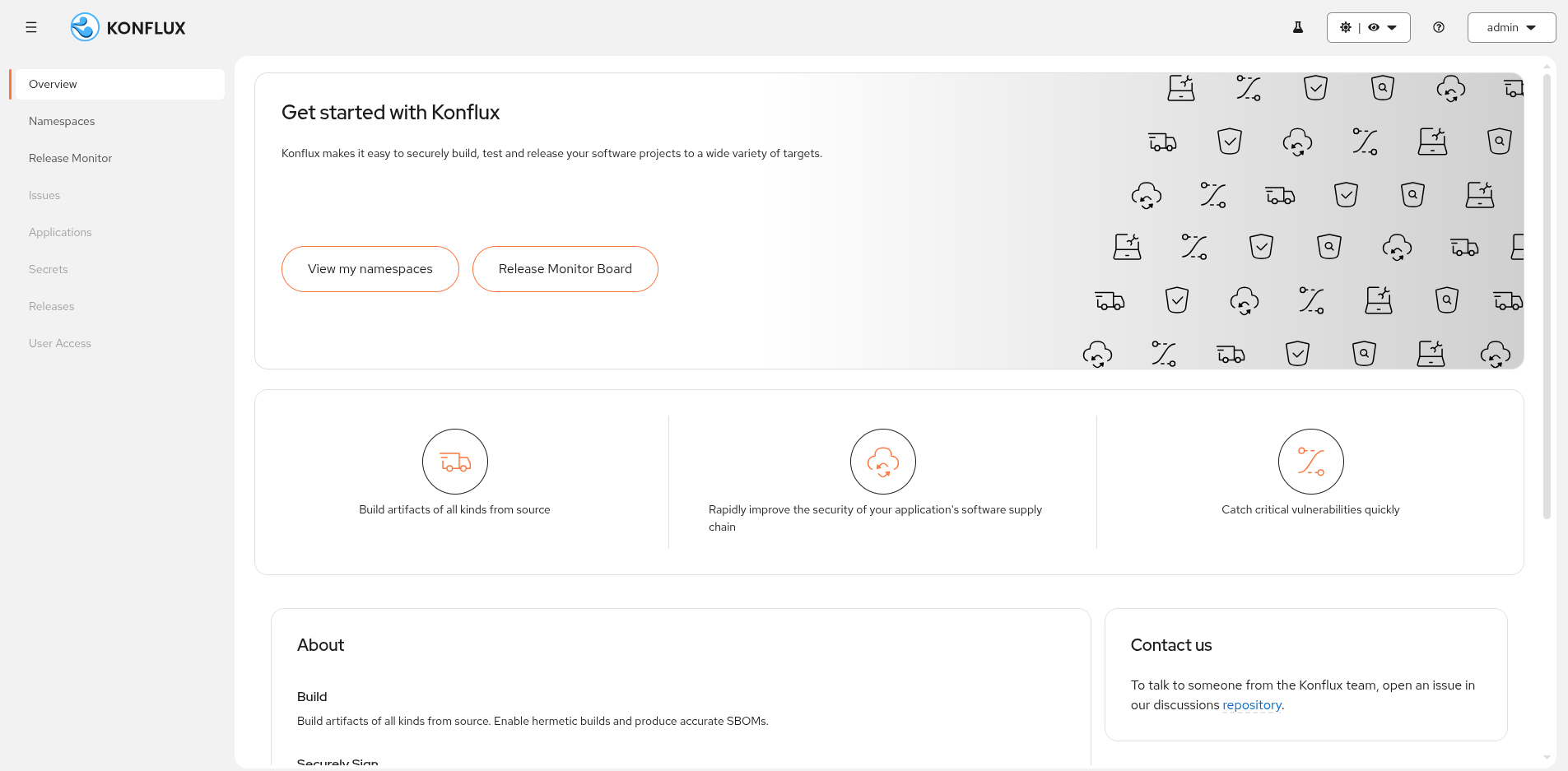
Confirm the Konflux overview page loads.
2.2 GitLab
GitLab hosts the sample application repository. Merge requests to this repository trigger Pipelines-as-Code builds in Konflux.
-
Click the GitLab tab in the lab interface.
-
Log in with username
{gitlab_username}and password{gitlab_password}. -
Navigate to Projects → Personal and locate the
{gitlab_username}/sample-component-golangrepository.Note the repository URL (
{gitlab_url}/{gitlab_username}/sample-component-golang) — you will use it when you onboard the application in Module 2.
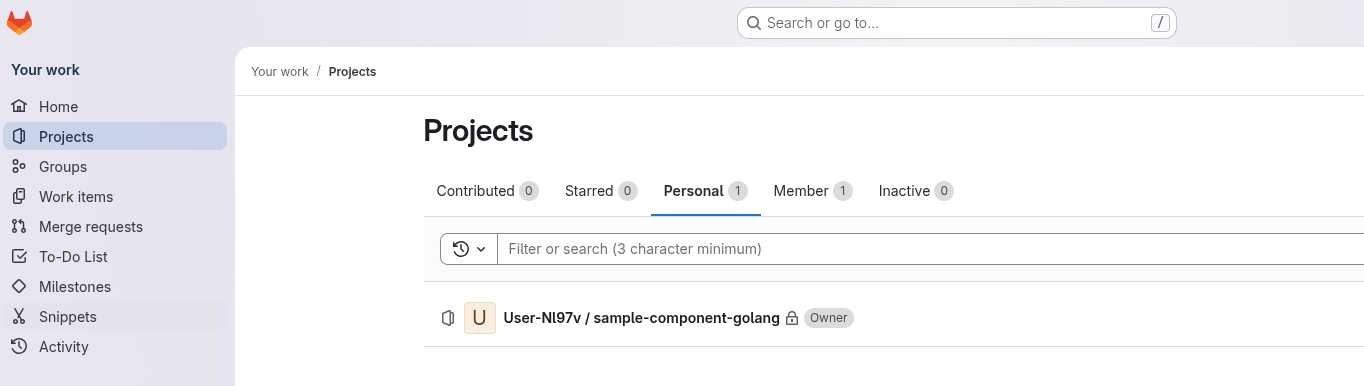
| Your username appears in place of the one shown in the screenshot above. |
2.3 Red Hat Quay
Red Hat Quay is the image registry for this lab.
All images — development builds and production releases — are stored in the shared tsf organization.
-
Click the Quay tab in the lab interface.
-
Log in with username
{quay_user}and password{quay_password}. -
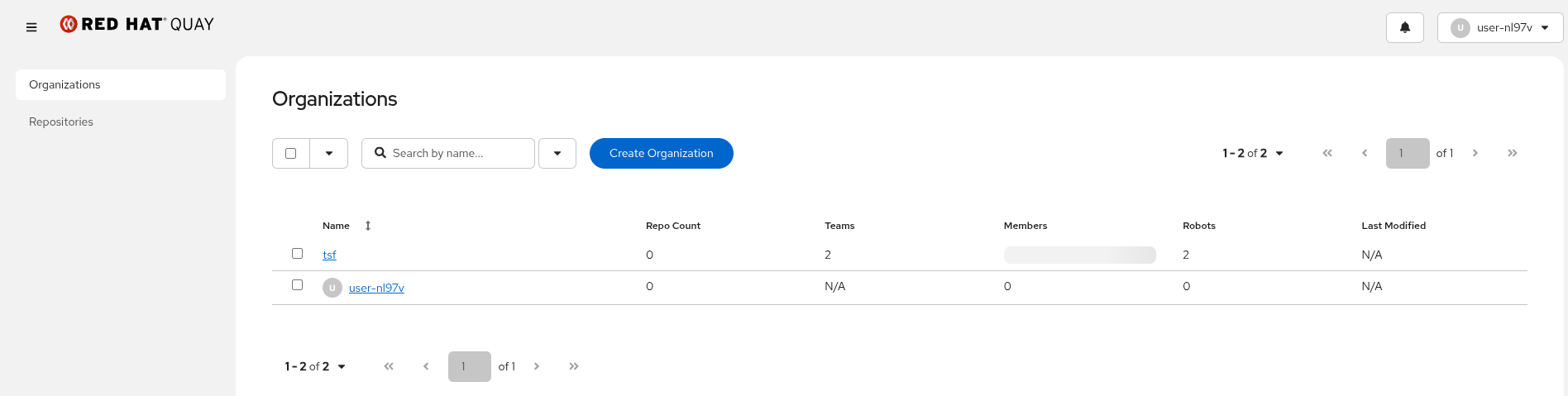
Confirm the Organizations page lists the
tsforganization. -
Click the
tsforganization name to open it. -
Confirm you see the Create New Repository button at the top right.
You have push access to this shared organization. All participants push to
tsf, but images are namespaced by your tenant namespace name ({openshift_username}-tenant) to keep them isolated.
2.4 Red Hat Trusted Artifact Signer
Red Hat Trusted Artifact Signer provides the cryptographic signing infrastructure for this lab. Rekor is its transparency log: every signature event is recorded there in a tamper-evident, append-only structure.
-
Click the Rekor tab in the lab interface.
-
Confirm the search interface loads.
In Module 4, you will use this UI to look up the transparency log entry for your signed image by digest. For now, just confirm it is reachable.

Verify
All four services should now be reachable. Before moving on, confirm each item:
-
Konflux is accessible and your workspace is visible.
-
GitLab is accessible and your sample application repository is listed.
-
Red Hat Quay is accessible and your organization appears on the dashboard.
-
Red Hat Trusted Artifact Signer is accessible (UI or noted as CLI-only for this lab).
If any service is unreachable, notify the instructor now. All four services are required to complete subsequent modules.
3. Verify Your Personal Resources
With browser access confirmed, you now verify your OpenShift CLI access and confirm that the pre-provisioned resources in your tenant namespace are present.
-
In the right-hand panel, click the >_ Terminal tab to open a terminal session.
-
Log in to the OpenShift cluster:
oc login {openshift_api_url} -u {openshift_username} -p {openshift_password} --insecure-skip-tls-verify=true -
Confirm your identity:
oc whoamiExpected output:
{openshift_username} -
Switch to your pre-provisioned tenant namespace:
oc project {openshift_username}-tenantExpected output:
Now using project "{openshift_username}-tenant" on server … -
Verify that the supply chain CLIs are available in your terminal. The lab environment pre-installs
cosign,ec(Enterprise Contract), andrekor-cliin the terminal:cosign versionExpected output: a version line beginning with
GitVersion:.
Verify
Before moving to Module 2, confirm all of the following:
-
oc whoamireturns your assigned user ID. -
oc project {openshift_username}-tenantswitches to your tenant namespace. -
cosign versiondisplays the installed version.
If any check fails, do not proceed. Unresolved environment issues will block all subsequent modules.
Learning Outcomes Checkpoint
Before moving on, check that you can answer the following:
What is the difference between building an image and trusting it?
An image produced by a build pipeline carries no inherent proof of where it came from, whether it was altered after the build, or whether it meets your organization’s security policy. Trust requires provenance, integrity, and policy compliance — all of which the pipeline you are building in this lab provides.
What does each tool in this lab do?
| Tool | Role in the supply chain |
|---|---|
Konflux |
Orchestrates the full build-sign-attest-release pipeline. Provides the application model, pipeline runs, and release gating. |
GitLab |
Hosts source code and triggers Pipelines-as-Code builds via merge requests. |
Red Hat Quay |
Image registry. Receives signed, policy-verified images after a successful release. |
Red Hat Trusted Artifact Signer / Rekor |
Signs images with short-lived certificates and records every signature in a tamper-evident transparency log. |
Conforma |
Policy engine. Evaluates images against a policy bundle and blocks promotion of non-compliant artifacts. |
Are your personal resources ready?
You confirmed your tenant namespace and access to all four services. If any check failed, resolve it before continuing.
Key Takeaways
-
A container image built without signing and attestation cannot be trusted at deploy time — there is no proof of where it came from or whether it was altered.
-
SLSA Level 3 provenance proves that an image was built from a specific source commit on a trusted, isolated build system.
-
SBOMs enumerate every dependency inside an image, enabling vulnerability tracking and compliance reporting.
-
Red Hat Trusted Artifact Signer and Rekor provide the cryptographic infrastructure for signing and a tamper-evident log of every signature event.
-
Konflux orchestrates the full pipeline and enforces Conforma policy checks before any artifact reaches production.
-
Your tenant namespace is isolated — actions in one namespace do not affect other participants.