Agent - LangGraph
You should have completed the modules called Backend Setup and MCP before attempting this module.
This module focuses on the deployment of a backend and frontend - a web-based chat user interface frontend based on Node and a Python-based backend.
There is a helm chart to deploy both the frontend and backend to keep things simple.
|
What are you deploying? The Helm chart deploys two pods: a LangGraph FastAPI backend (Python agent that handles reasoning, tool calling, and MCP communication) and a Chat UI (Node.js web interface that provides a conversational front-end). Together they form a complete agent application that users can interact with through a browser. |
Agent with Chat UI
Make sure you are in the correct directory
cd $HOME/fantaco-redhat-one-2026/
pwd/home/lab-user/fantaco-redhat-one-2026helm install fantaco-agent ./helm/fantaco-agentNAME: fantaco-agent
LAST DEPLOYED: Sun Dec 14 20:30:29 2025
NAMESPACE: agentic-user1
STATUS: deployed
REVISION: 1
TEST SUITE: NoneThis will deploy two new pods and a new route for the frontend UI.
oc get podsNAME READY STATUS RESTARTS AGE
fantaco-customer-main-7fd4ddb666-8nsx4 1/1 Running 0 74m
fantaco-finance-main-75ffddb44b-trf6p 1/1 Running 0 74m
langgraph-fastapi-596cfc9b57-bkzv4 1/1 Running 0 72s
llamastack-distribution-vllm-7d788bf4c-hbnbd 1/1 Running 0 152m
mcp-customer-6bd8bcfc7b-m8pdh 1/1 Running 0 72m
mcp-finance-75bd497cfd-pvblv 1/1 Running 0 72m
postgresql-customer-ff78dffdf-72w9l 1/1 Running 0 74m
postgresql-finance-689d97894f-5xz8d 1/1 Running 0 74m
simple-agent-chat-ui-6d7794dc6b-zk95v 1/1 Running 0 72sA LangGraph Fast API backend as well as a chat UI as the two new pods.
Get the URL to the Chat UI
export CHAT_URL=http://$(oc get routes -l app=simple-agent-chat-ui -o jsonpath="{range .items[*]}{.status.ingress[0].host}{end}")
echo $CHAT_URLhttp://simple-agent-chat-ui-showroom-nn2ct-1-user1.apps.cluster-nn2ct.dynamic.redhatworkshops.ioAnd open in a new browser tab.
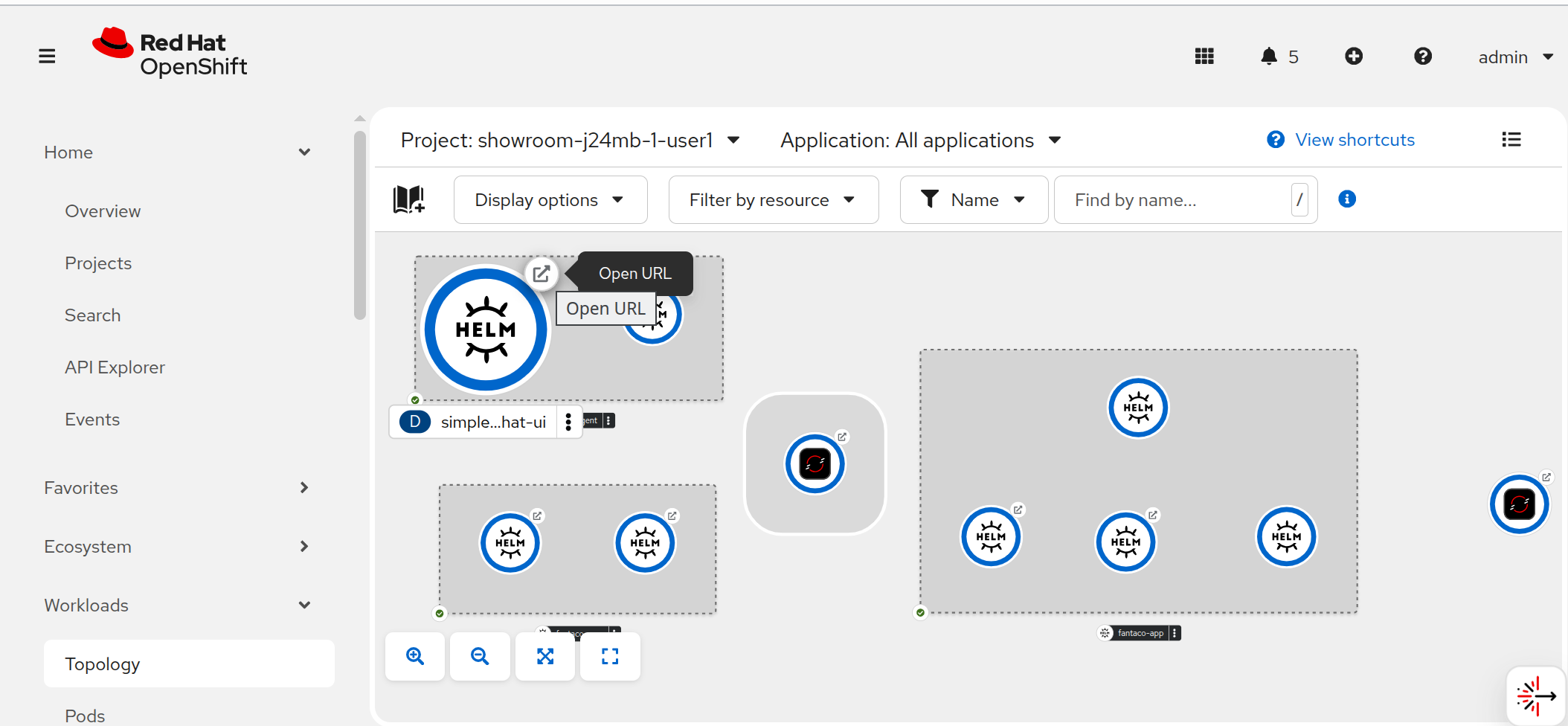
You can also view the whole architecture deployed in your namespace via the OpenShift Developer Console Topology view
Now you can ask it questions interactively such as:
What is the capital of Italy?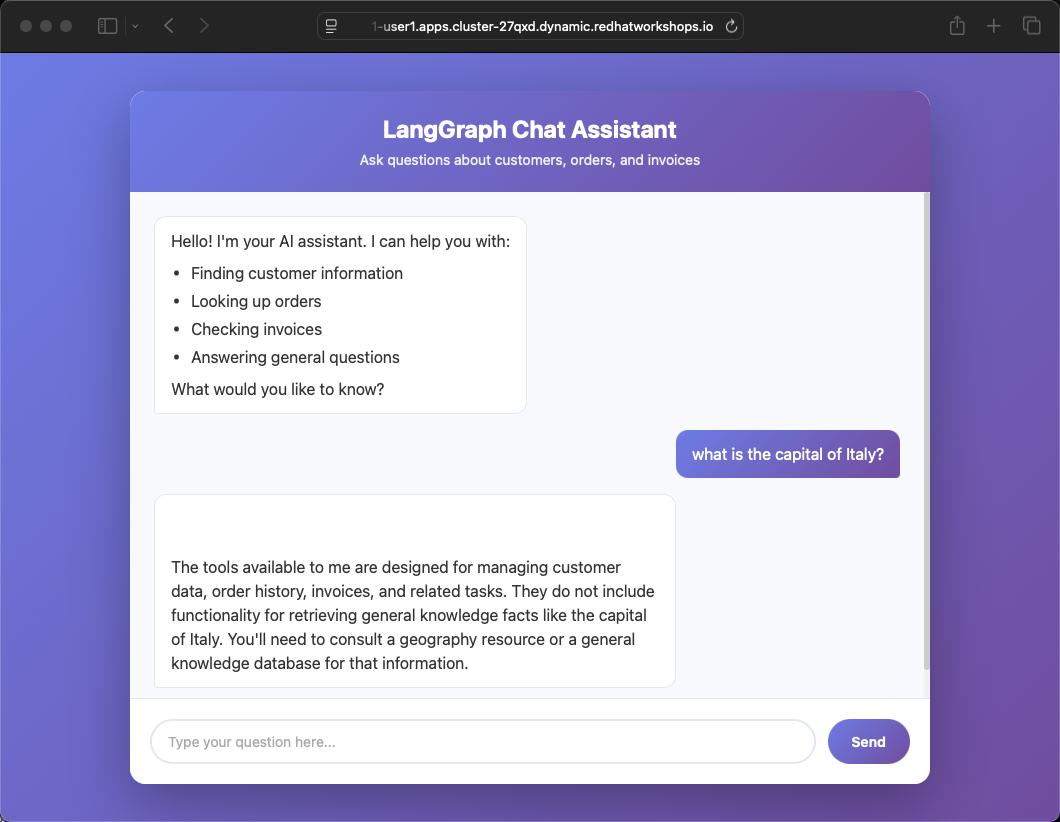
The tools available to me are designed for managing customer data, order history, invoices, and related tasks. They do not include functionality for retrieving general knowledge facts like the capital of Italy. You'll need to consult a geography resource or a general knowledge database for that information.|
Why did the agent refuse? The LangGraph backend is configured with a system prompt that restricts it to customer and finance operations only. When asked general knowledge questions, the agent correctly identifies that none of its registered tools can help and declines to guess. This is intentional — in production, you want agents to stay within their defined scope. |
Try questions specific to the domain of the Agent thanks to the previously deployed and registered Customer and Finance MCP servers
Who are the customers?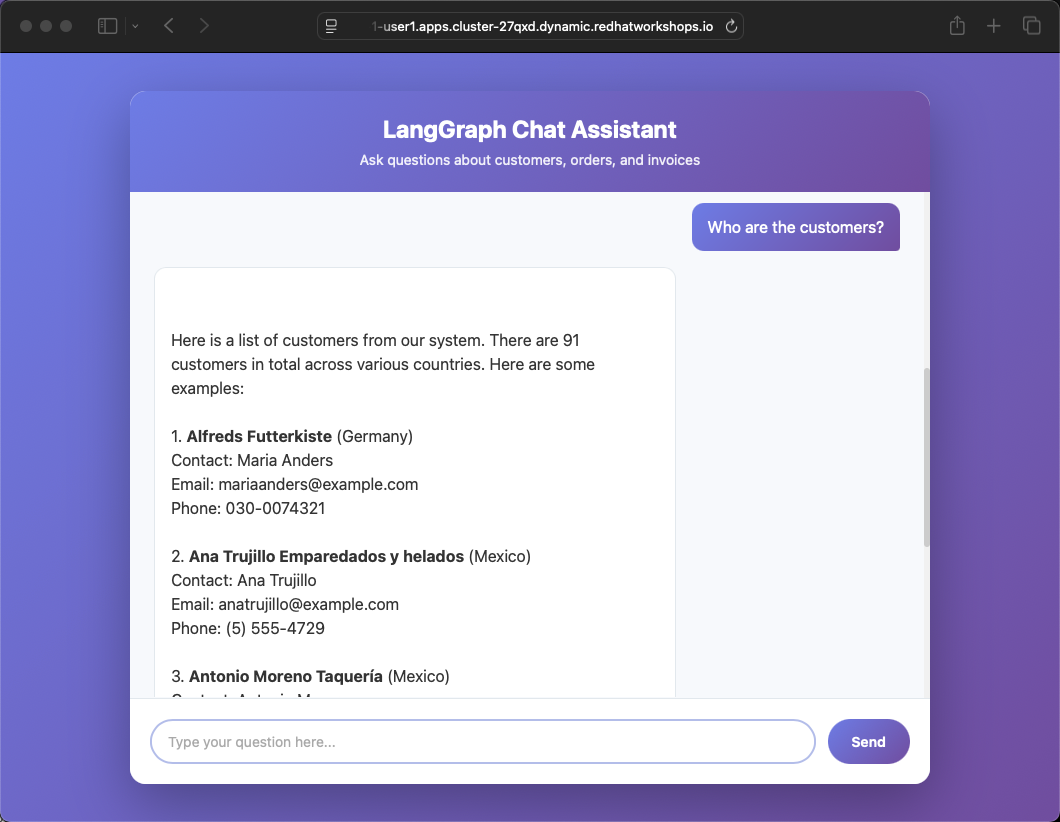
In Terminal 1, check the logs of your Llama Stack instance to see what’s going on under the hood:
oc logs -f deploy/llamastack-distribution-vllmExecute several other queries that combine customer and order data.
What invoices does customer LONEP have?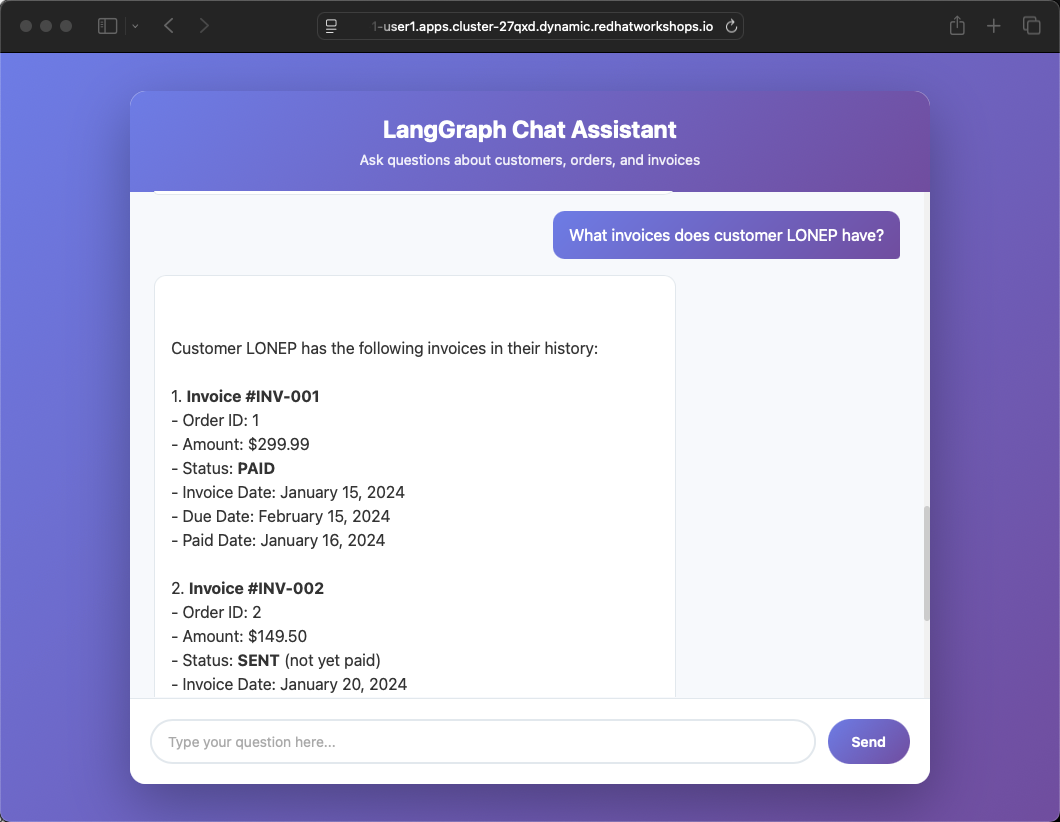
What is the status of order 6 for Fran Wilson?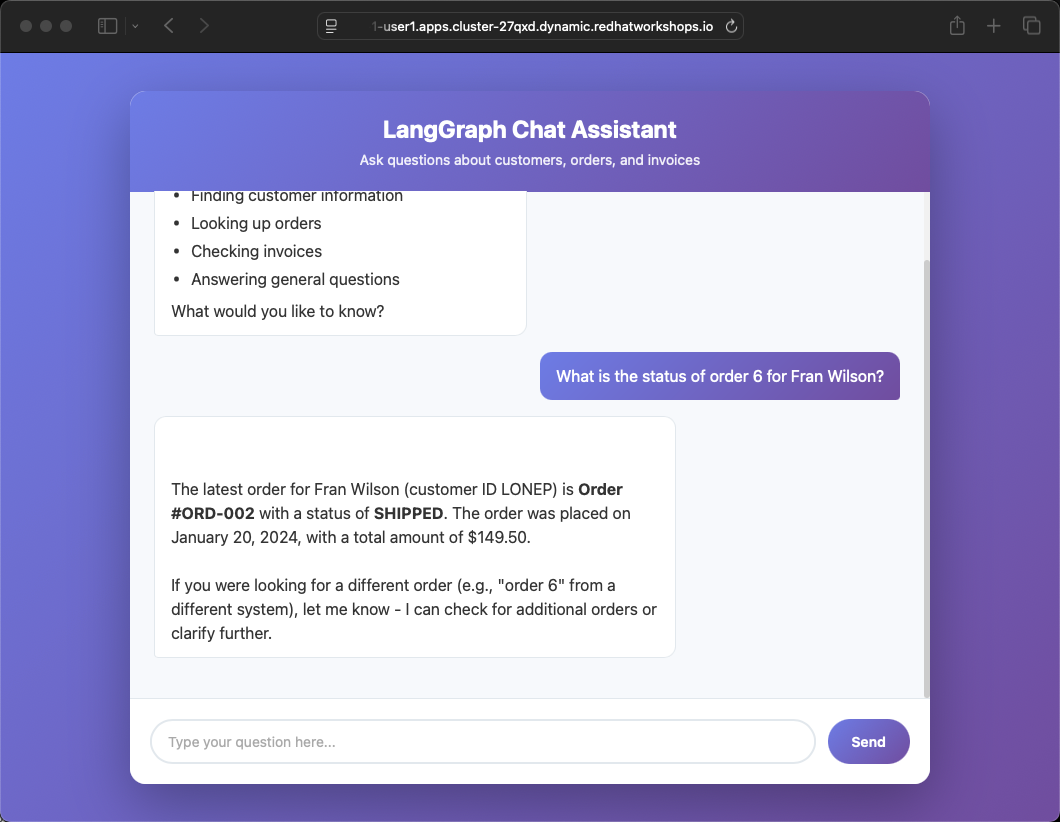
Summary
In this module you deployed a complete agent application stack — a LangGraph FastAPI backend connected to MCP servers for customer and finance data, fronted by a web-based Chat UI. You saw how the agent stays within its domain (refusing general knowledge questions), how it leverages MCP tools to answer business questions, and how you can monitor agent behavior through Llama Stack logs. This architecture — chat UI, agent backend, MCP servers, business microservices — is a reference pattern for production enterprise AI applications.