Langflow
Langflow is an open-source, visual workflow builder designed to make it easy to design, prototype, and run LLM-powered applications without losing architectural rigor. Instead of wiring prompts, models, tools, retrievers, and agents together purely in code, Langflow lets you compose these building blocks as a graph—making complex AI systems easier to reason about, debug, and evolve.
Langflow dramatically shortens the path from idea to working AI application while still producing production-ready artifacts: flows can be versioned, exported as JSON, executed via APIs, and integrated into real systems. For teams experimenting with RAG, agentic workflows, tool calling, or MCP servers, Langflow provides a shared visual language that aligns developers, architects, and product stakeholders
|
How does Langflow relate to what you’ve built so far? In previous modules you wrote Python scripts to create agents, configure tools, and invoke MCP servers. Langflow provides the same capabilities through a visual drag-and-drop interface. The flow you’ll build here is functionally equivalent to your Python agents — it connects to the same vLLM models and MCP servers — but makes the architecture visible and easier to iterate on. |
Note: This is a fairly advanced exercise as it involves the building of the agent from scratch.
Prerequites
You have the FantaCo Backend and MCP Servers up and running.
export CUSTOMER_MCP_SERVER_URL=https://$(oc get routes -l app=mcp-customer -o jsonpath="{range .items[*]}{.status.ingress[0].host}{end}")/mcp
echo $CUSTOMER_MCP_SERVER_URL

export FINANCE_MCP_SERVER_URL=https://$(oc get routes -l app=mcp-finance -o jsonpath="{range .items[*]}{.status.ingress[0].host}{end}")/mcp
echo $FINANCE_MCP_SERVER_URL
https://mcp-customer-route-agentic-user1.apps.ocp.zr7nb.sandbox2823.opentlc.com/mcp
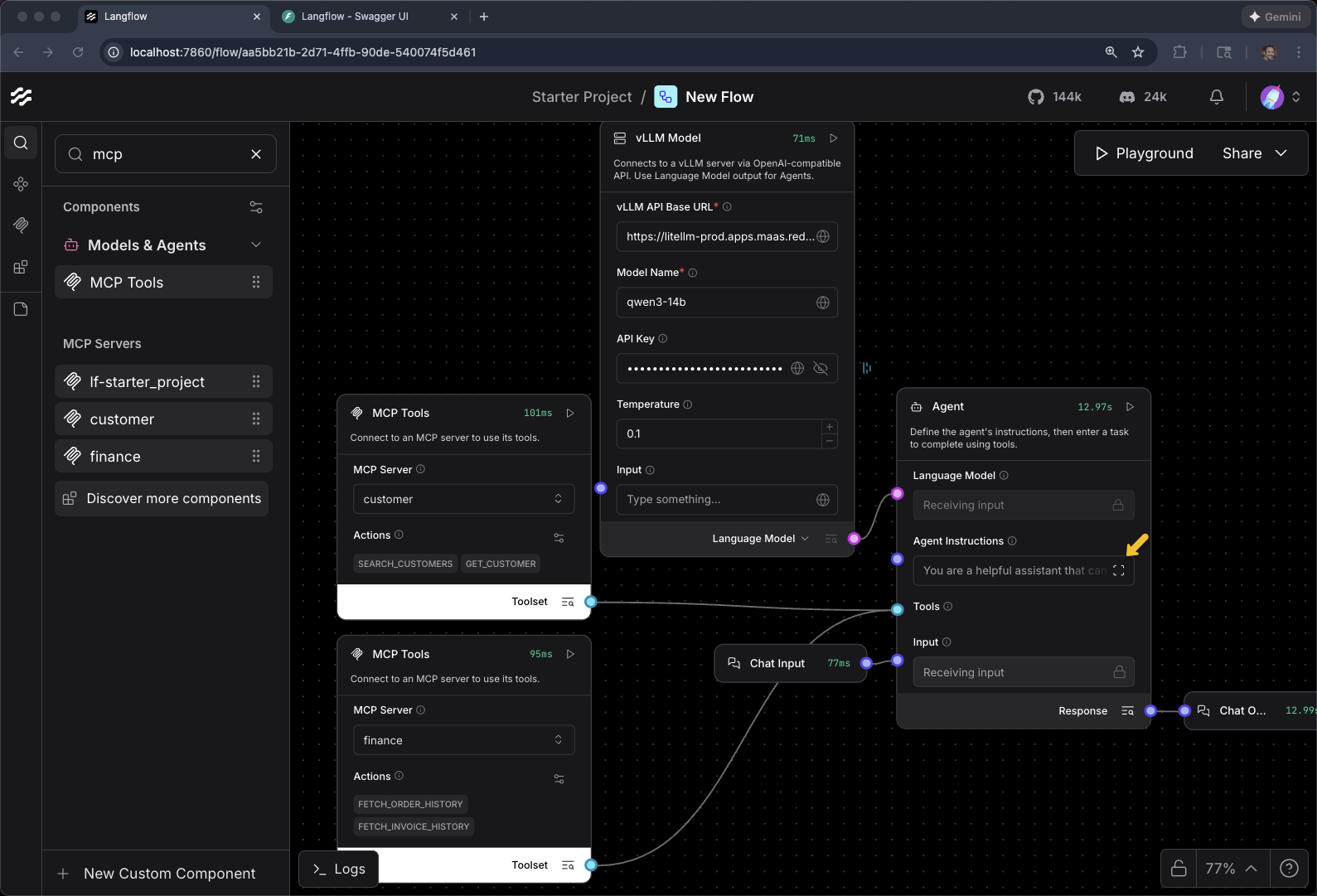
https://mcp-finance-route-agentic-user1.apps.ocp.zr7nb.sandbox2823.opentlc.com/mcpAt this end of this module, you should have something that looks similiar to the following:
Setup
cd $HOME/fantaco-redhat-one-2026/langflow-setup/oc apply -f langflow-openshift.yamlpersistentvolumeclaim/langflow-data created
deployment.apps/langflow created
service/langflow created
route.route.openshift.io/langflow createdoc get pods -wNAME READY STATUS RESTARTS AGE
fantaco-customer-main-7fd4ddb666-pfm82 1/1 Running 0 29m
fantaco-finance-main-75ffddb44b-v487g 1/1 Running 0 29m
langflow-57c45bb775-pvghq 0/1 ContainerCreating 0 26s
langfuse-clickhouse-shard0-0 1/1 Running 0 7m32s
langfuse-postgresql-0 1/1 Running 0 7m32s
langfuse-redis-primary-0 1/1 Running 0 7m32s
langfuse-s3-5fb6c8f845-mxlhh 1/1 Running 0 7m32s
langfuse-web-6474bb4b98-shjtm 1/1 Running 3 (7m6s ago) 7m32s
langfuse-worker-55f7bd48c4-jmwj5 1/1 Running 0 7m32s
langfuse-zookeeper-0 1/1 Running 0 7m32s
langgraph-fastapi-569d6d554-97vtv 1/1 Running 0 29m
llamastack-distribution-vllm-67b6cb888-zj72c 1/1 Running 0 31m
mcp-customer-6bd8bcfc7b-25w7r 1/1 Running 0 29m
mcp-finance-8cc684b8d-st274 1/1 Running 0 29m
my-workbench-0 2/2 Running 0 13m
postgresql-customer-ff78dffdf-d478q 1/1 Running 0 29m
postgresql-finance-689d97894f-qrch2 1/1 Running 0 29m
simple-agent-chat-ui-6d7794dc6b-4kngc 1/1 Running 0 29mIt can take several minutes to bring up the langflow pod
Wait for 1/1 and Running
export LANGFLOW_URL="https://$(oc get route langflow -o jsonpath='{.spec.host}')"
echo $LANGFLOW_URL
Hello World
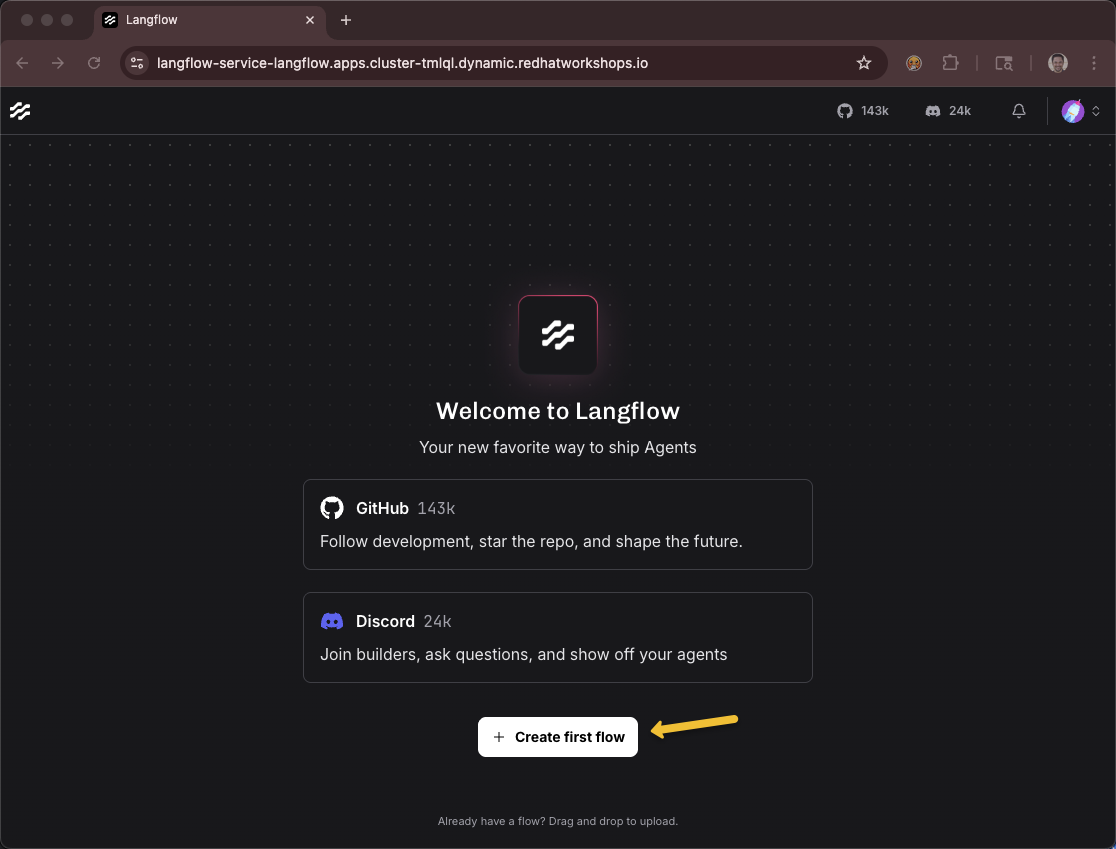
Create a new flow - Click Create first flow
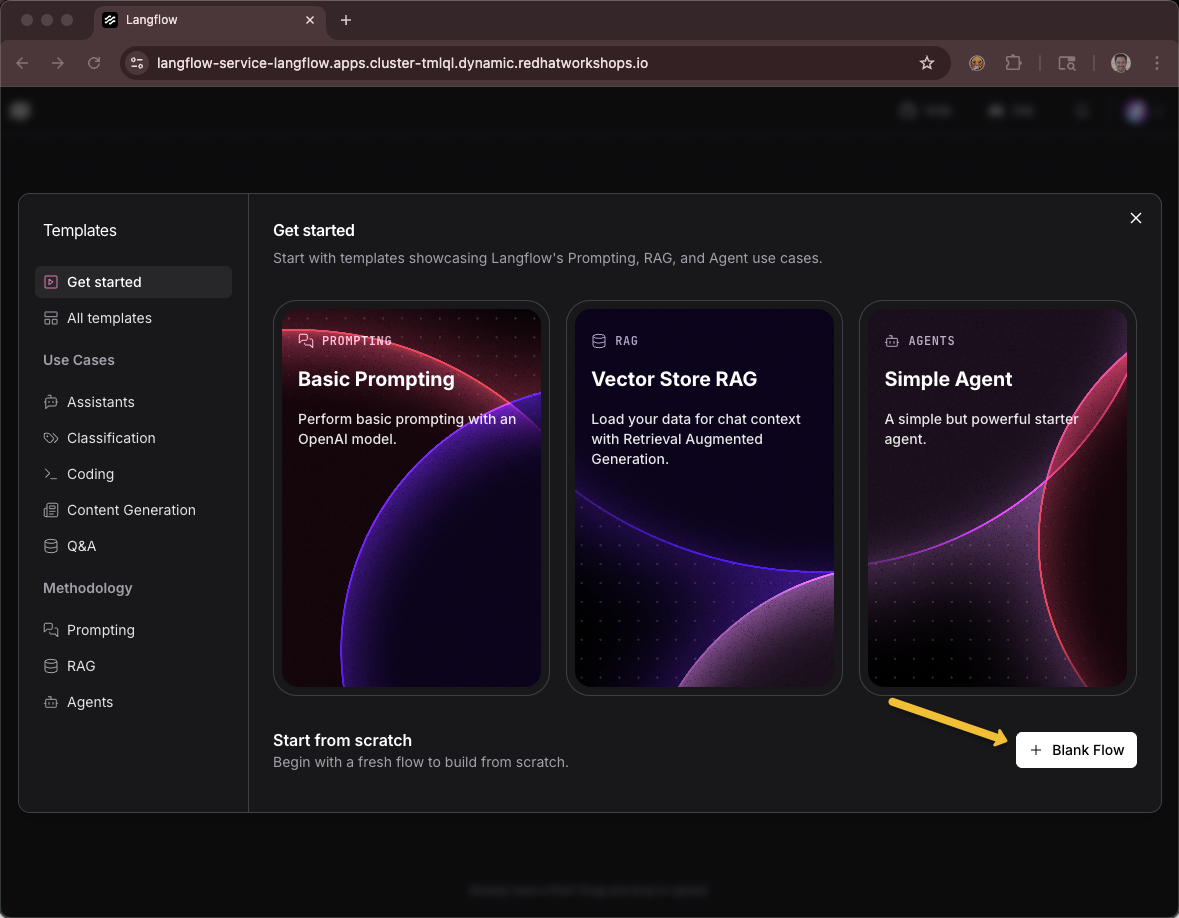
Click Blank Flow
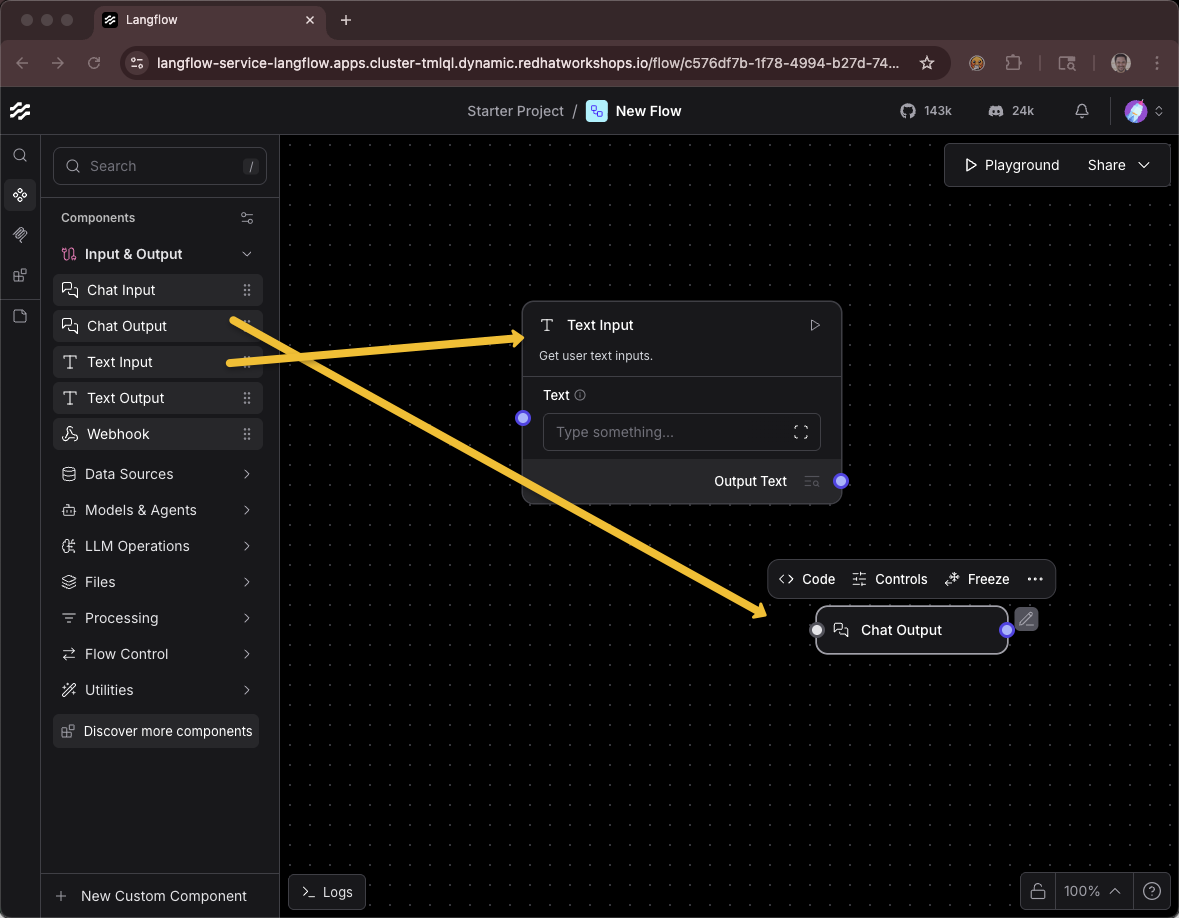
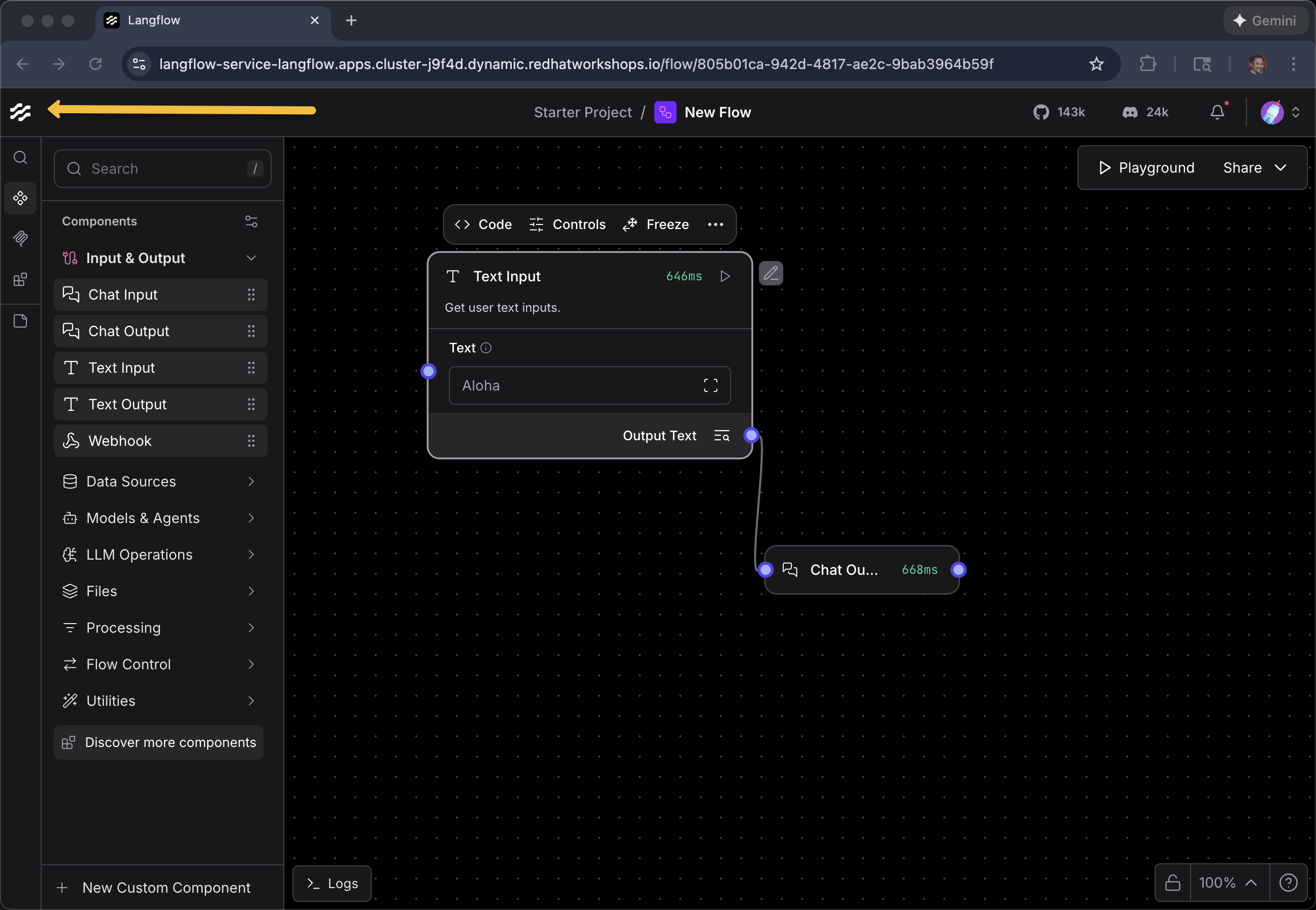
Drag a Text Input component onto the canvas
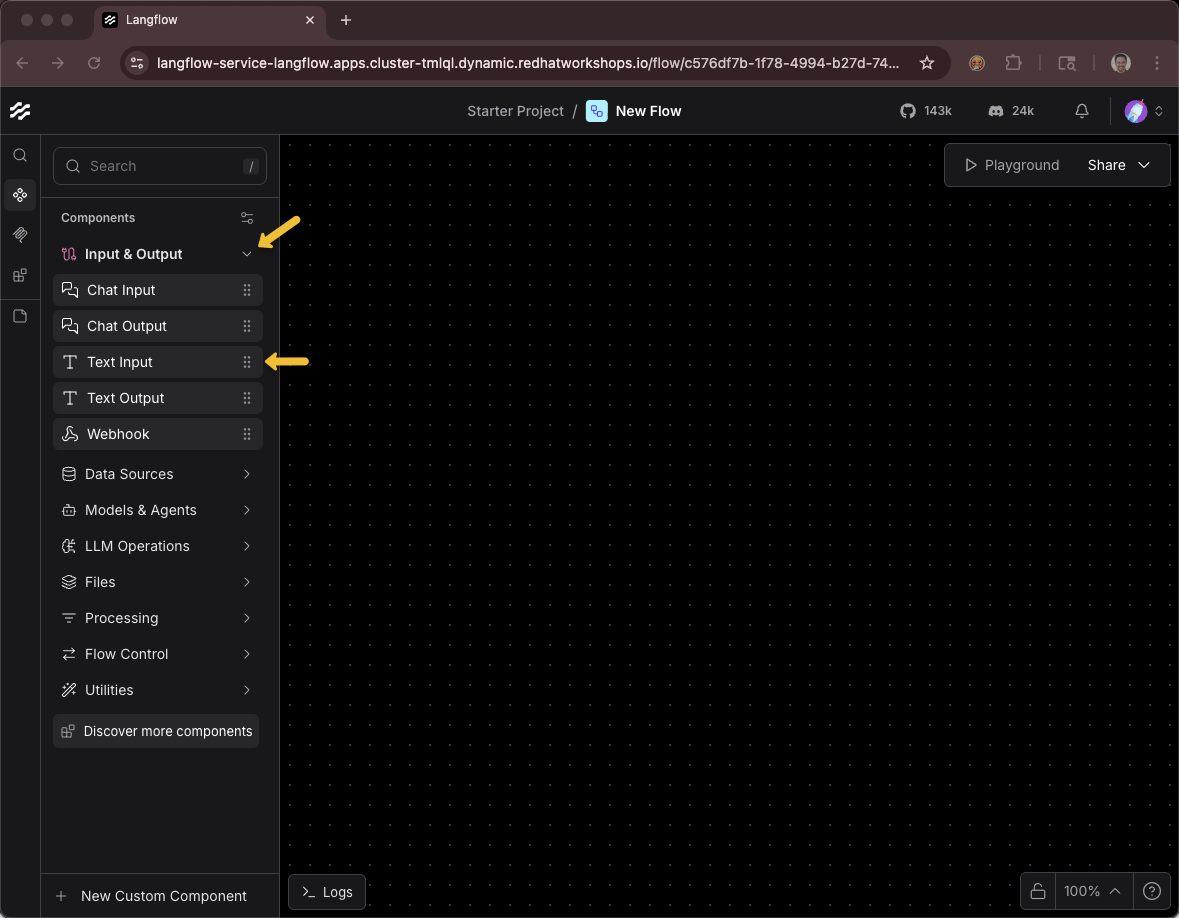
Drag a Chat Output component onto the canvas
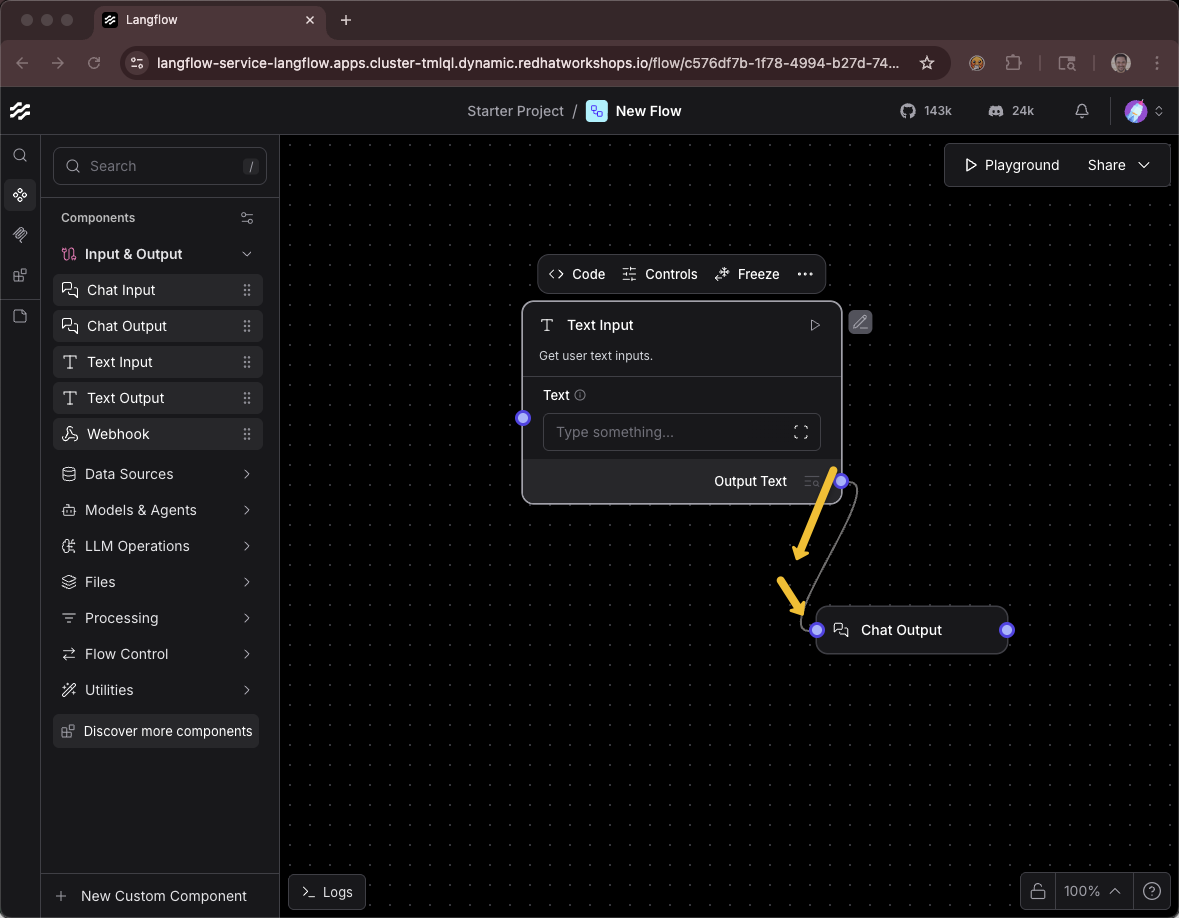
Connect them together (drag from the output node to the input node)
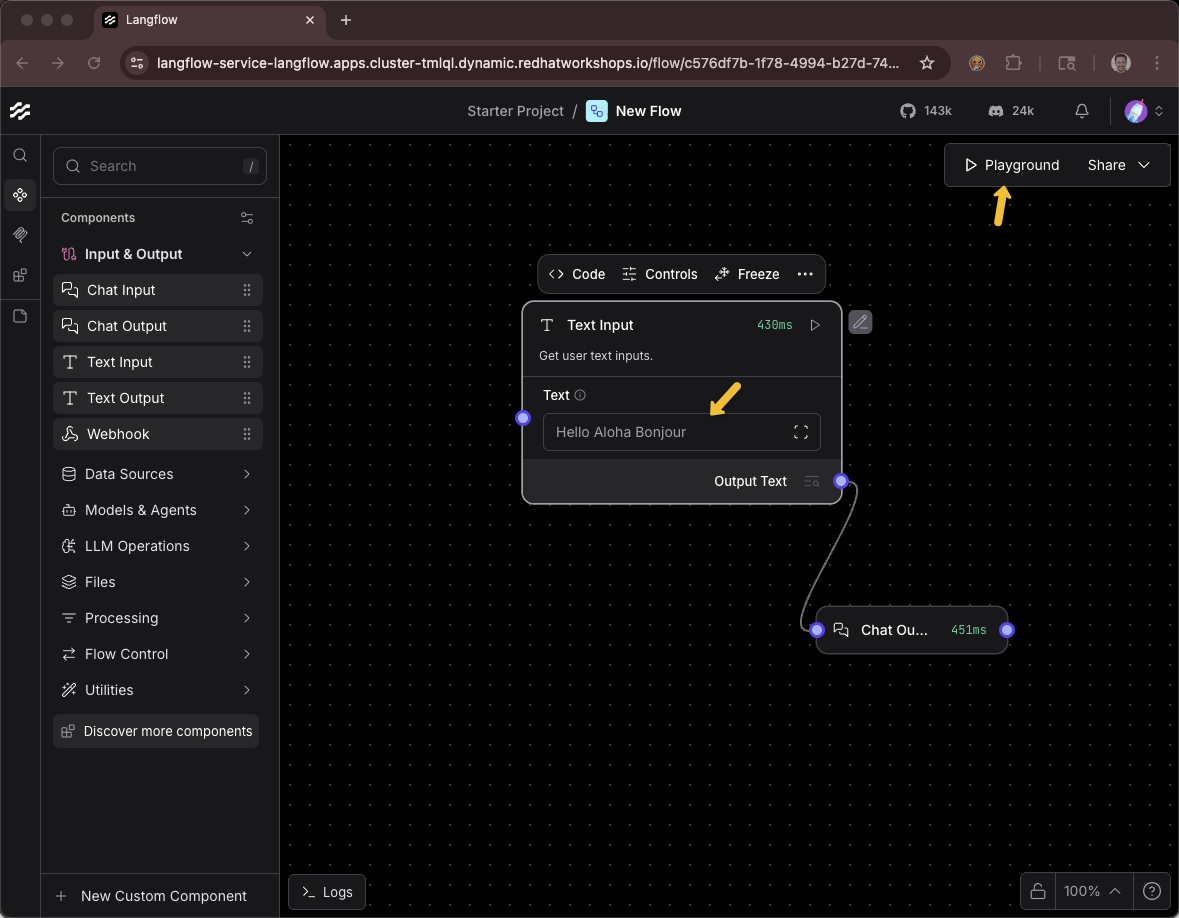
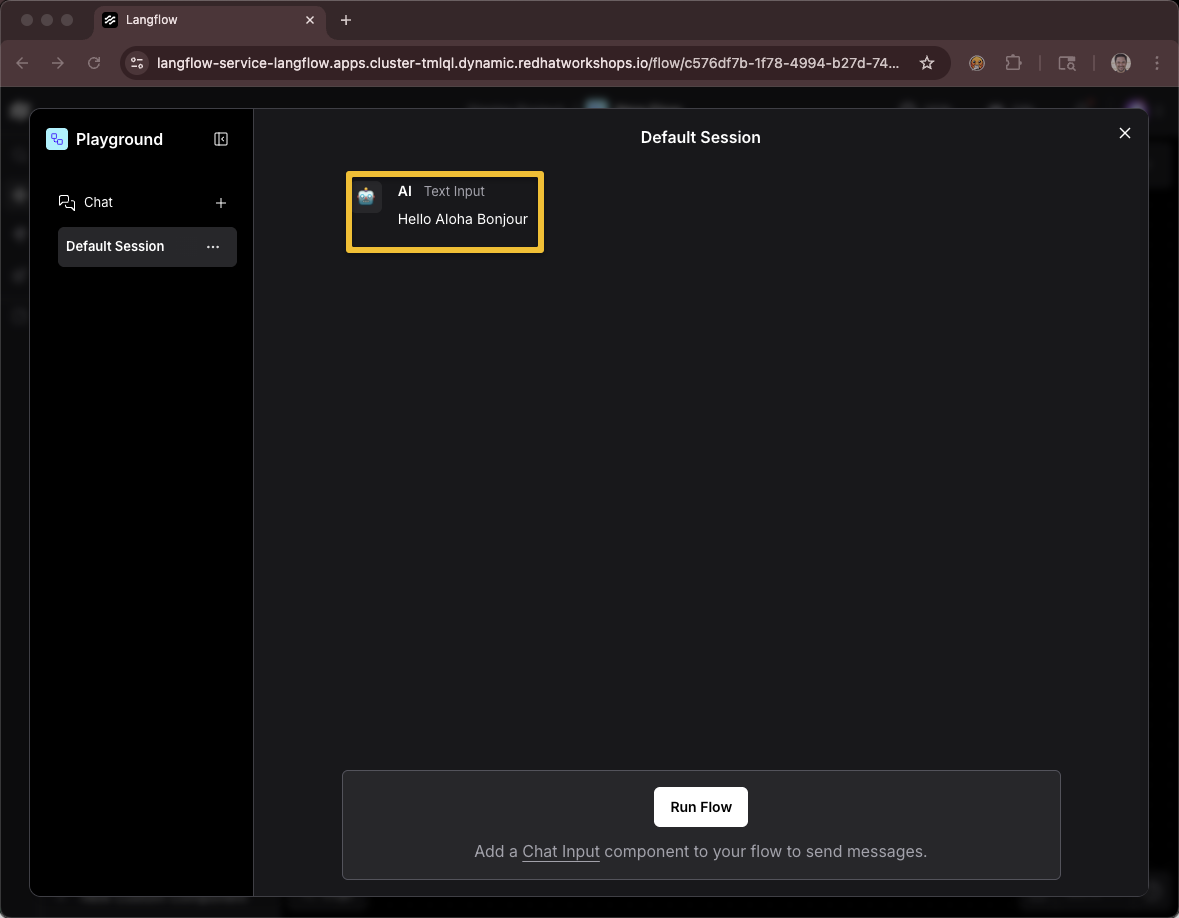
Provide a message Hello Aloha Bonjour
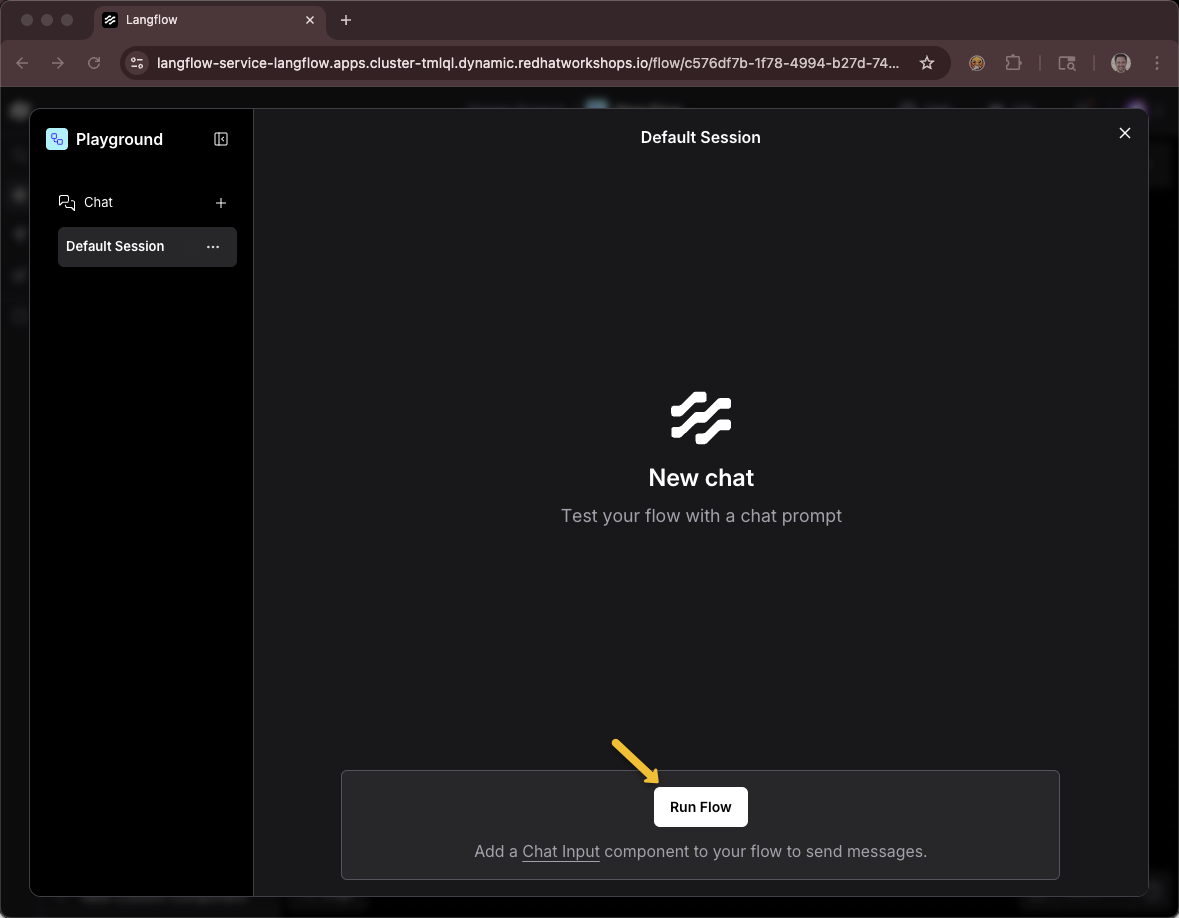
Click the Playground button
Using this icon to get back to the list of all projects and flows
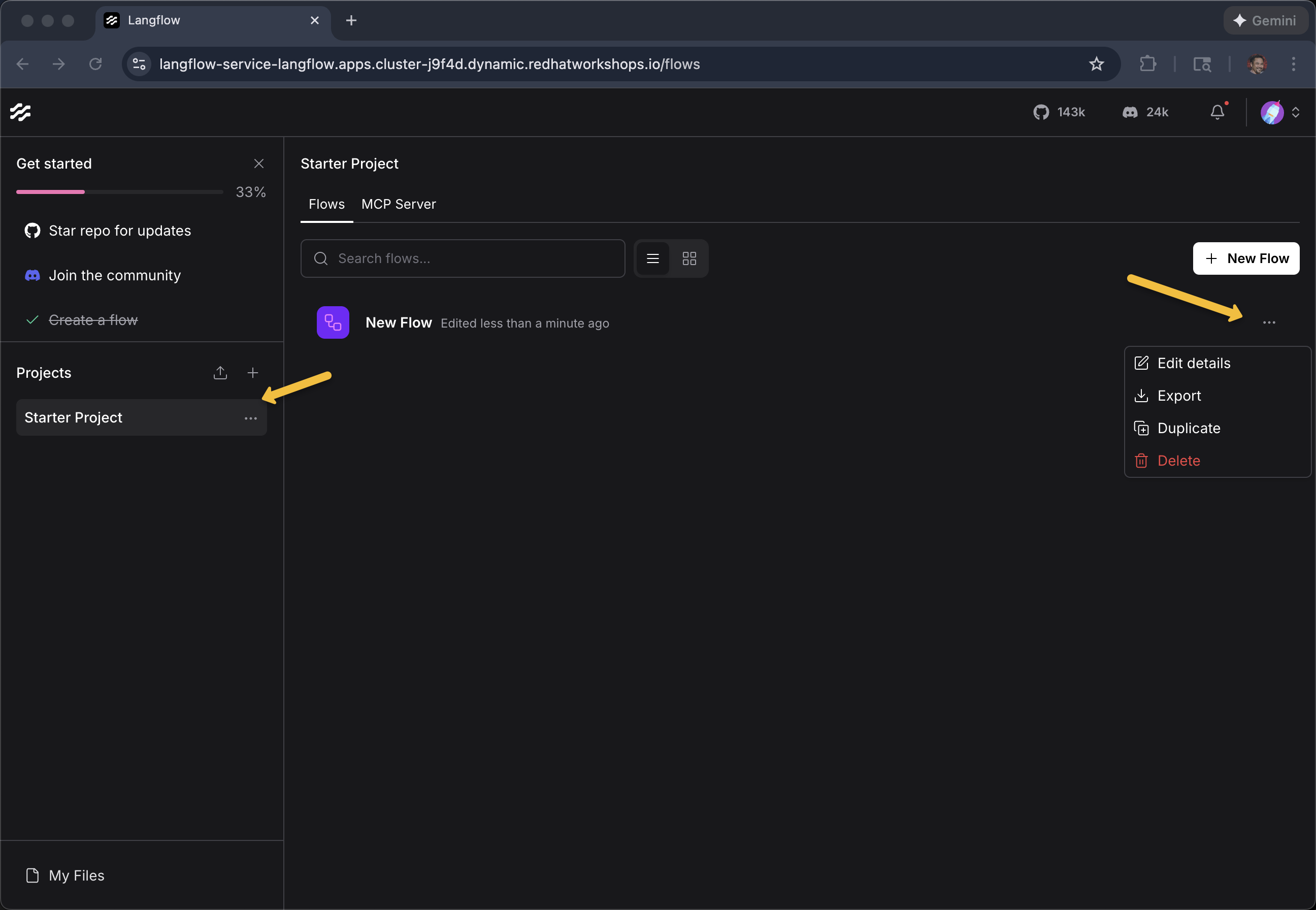
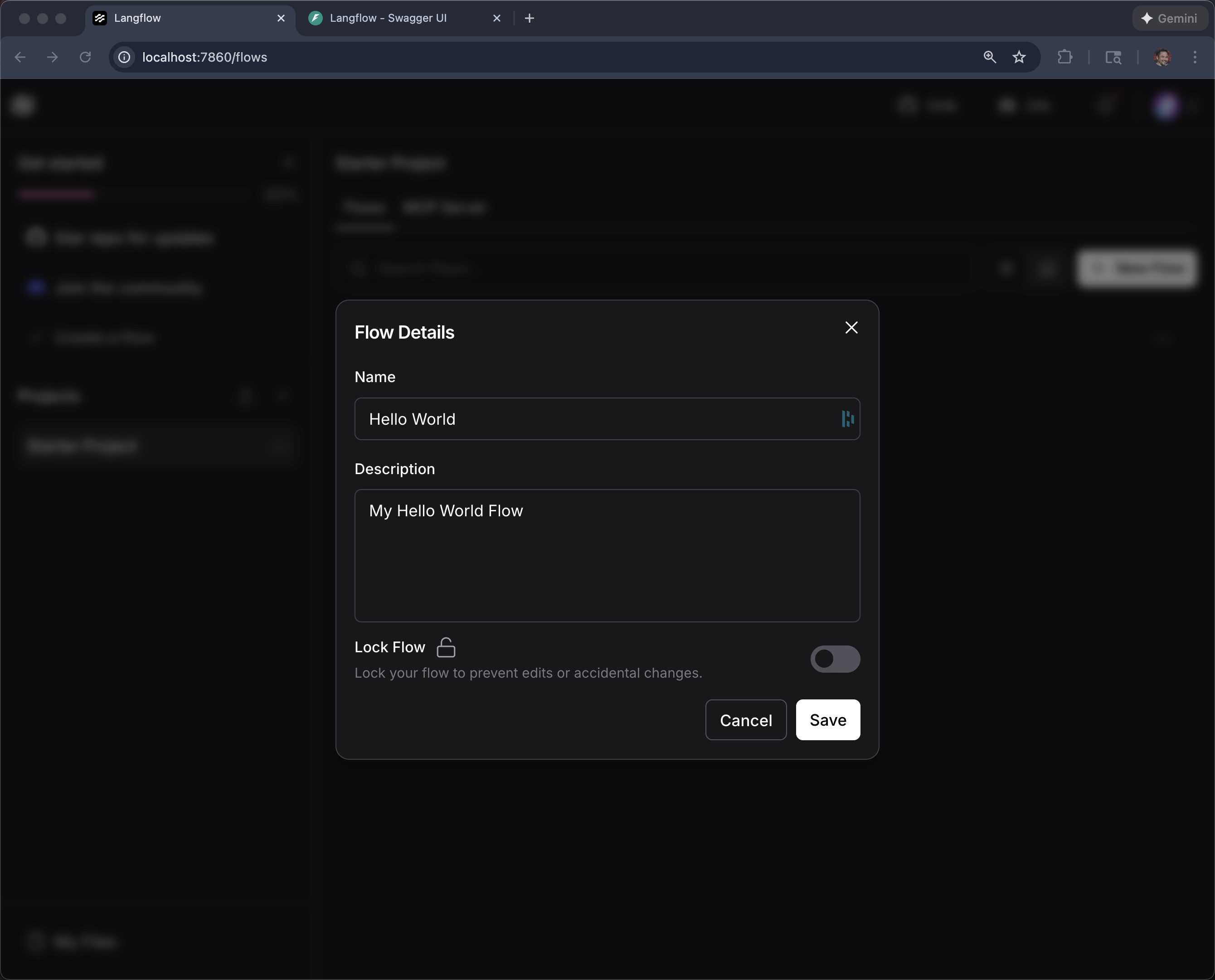
You can use the ellipses … on the Project or Flow to make changes such as its name
vLLM chatbot
+ New Flow
+ Blank Flow
Langflow does NOT have an out-of-the-box (OOTB) Component that works with vLLM via MaaS where you need to override:
-
API URL
-
API Key
-
Model Name
We have a custom component. Click +New Custom Component
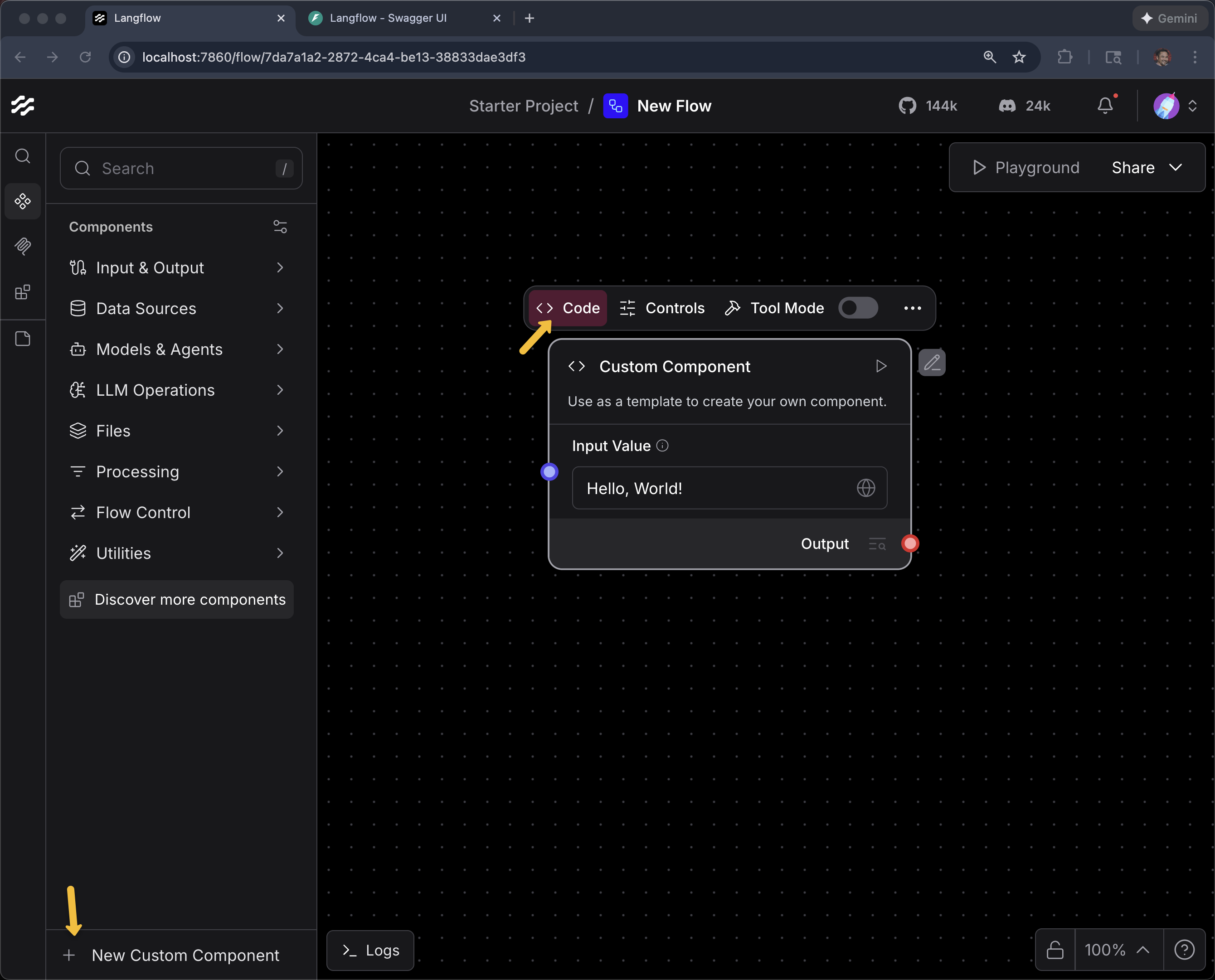
Click Code
Delete the current code
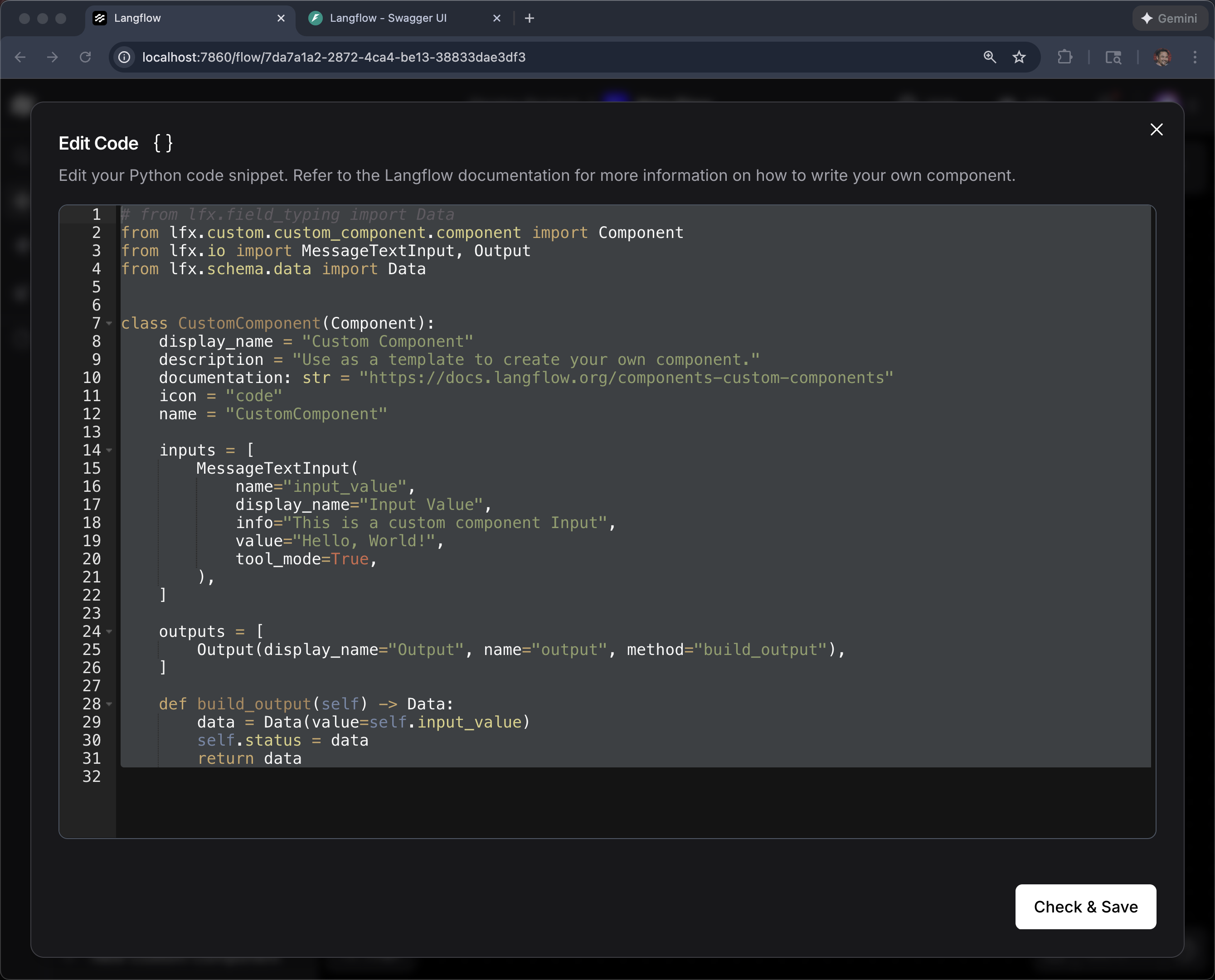
Copy the code from this link
Paste and then click Check & Save
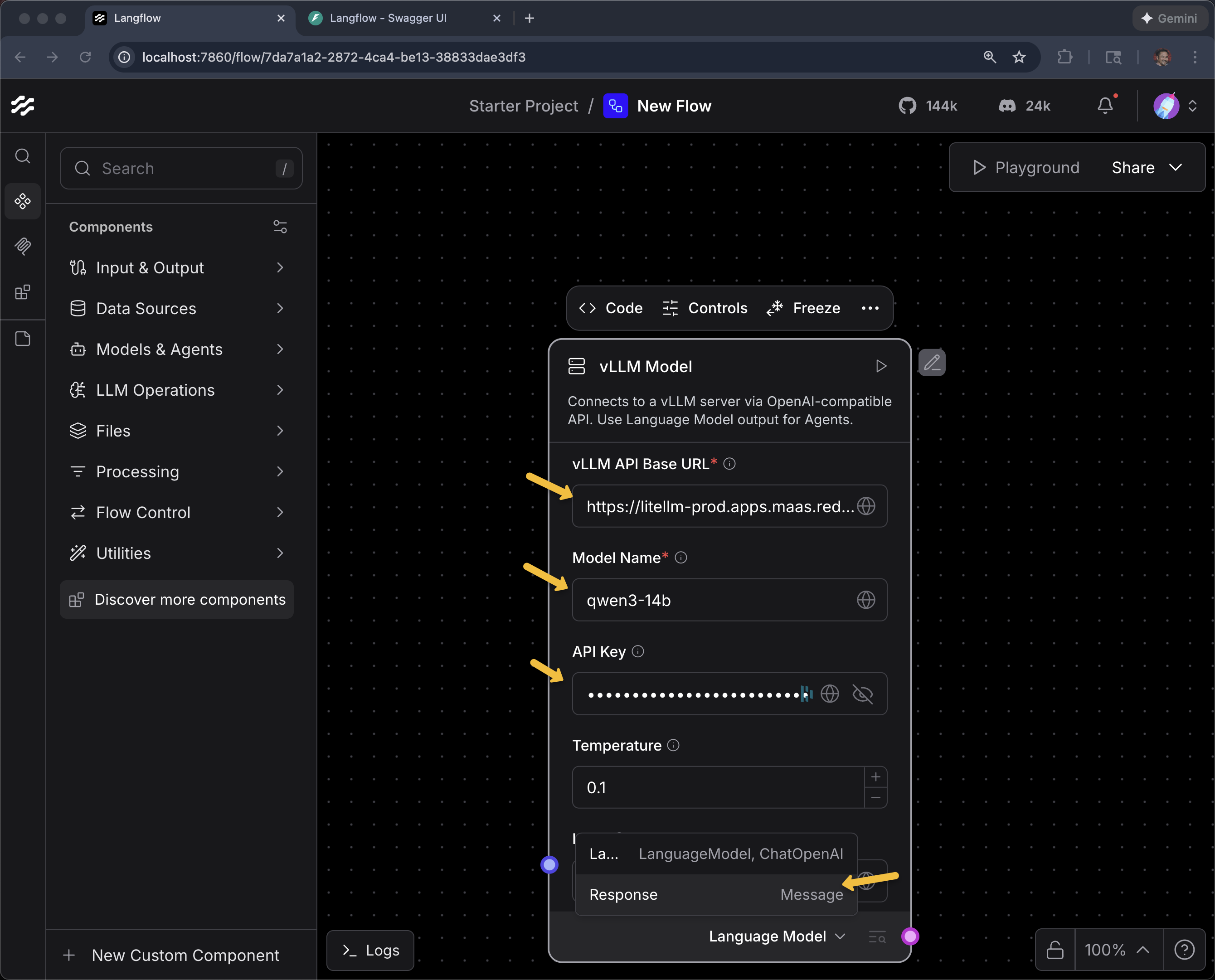
Enter the URL, Model Name and API Key
Here are your vLLM MaaS endpoint, API key.
vLLM MaaS URL
{litellm_api_base_url}vLLM MaaS API Key
{litellm_virtual_key}Model Name
qwen3-14bAnd change Language Model to Response (we will use Language Model later)
Add a Chat Input and Chat Output and connect the dots
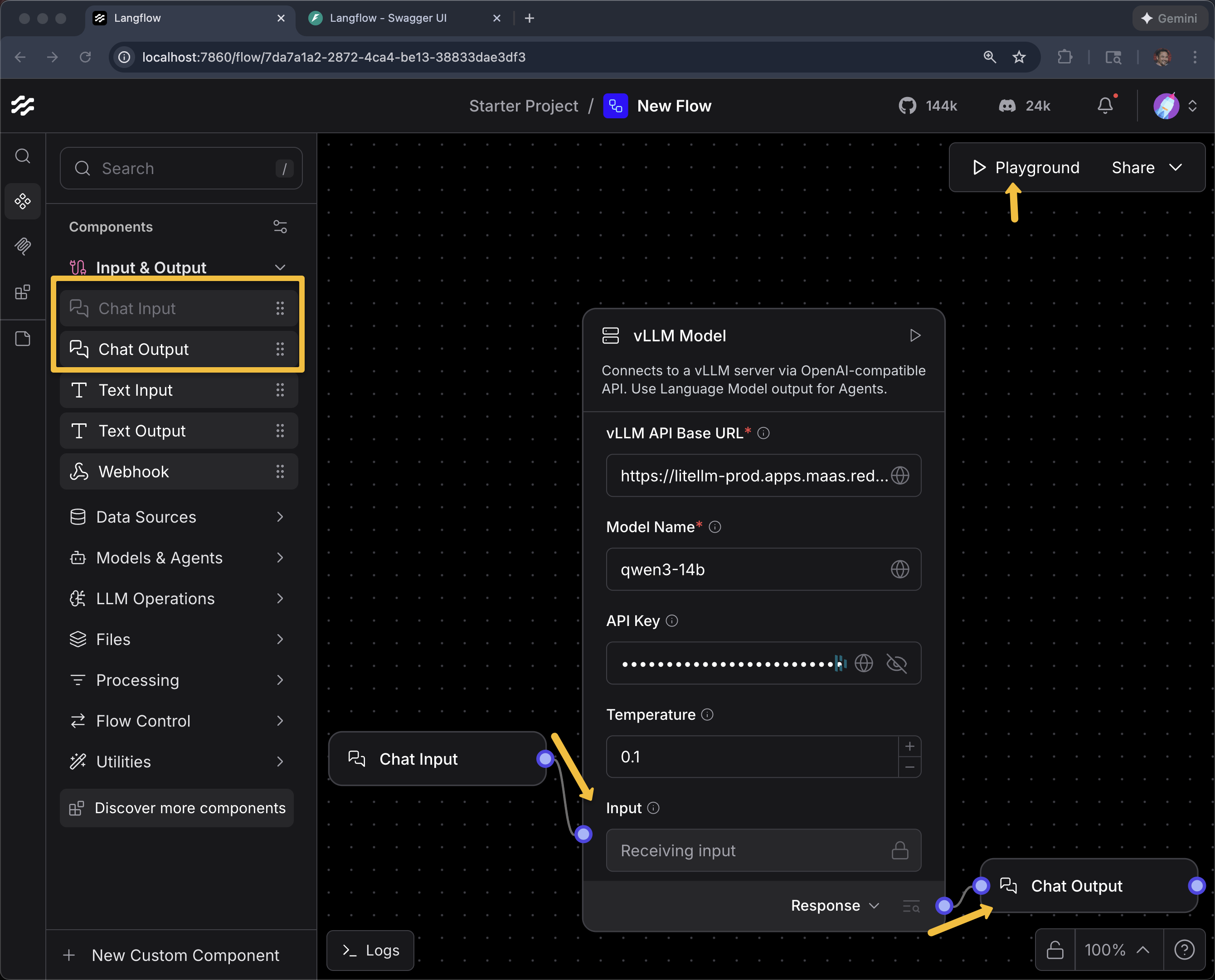
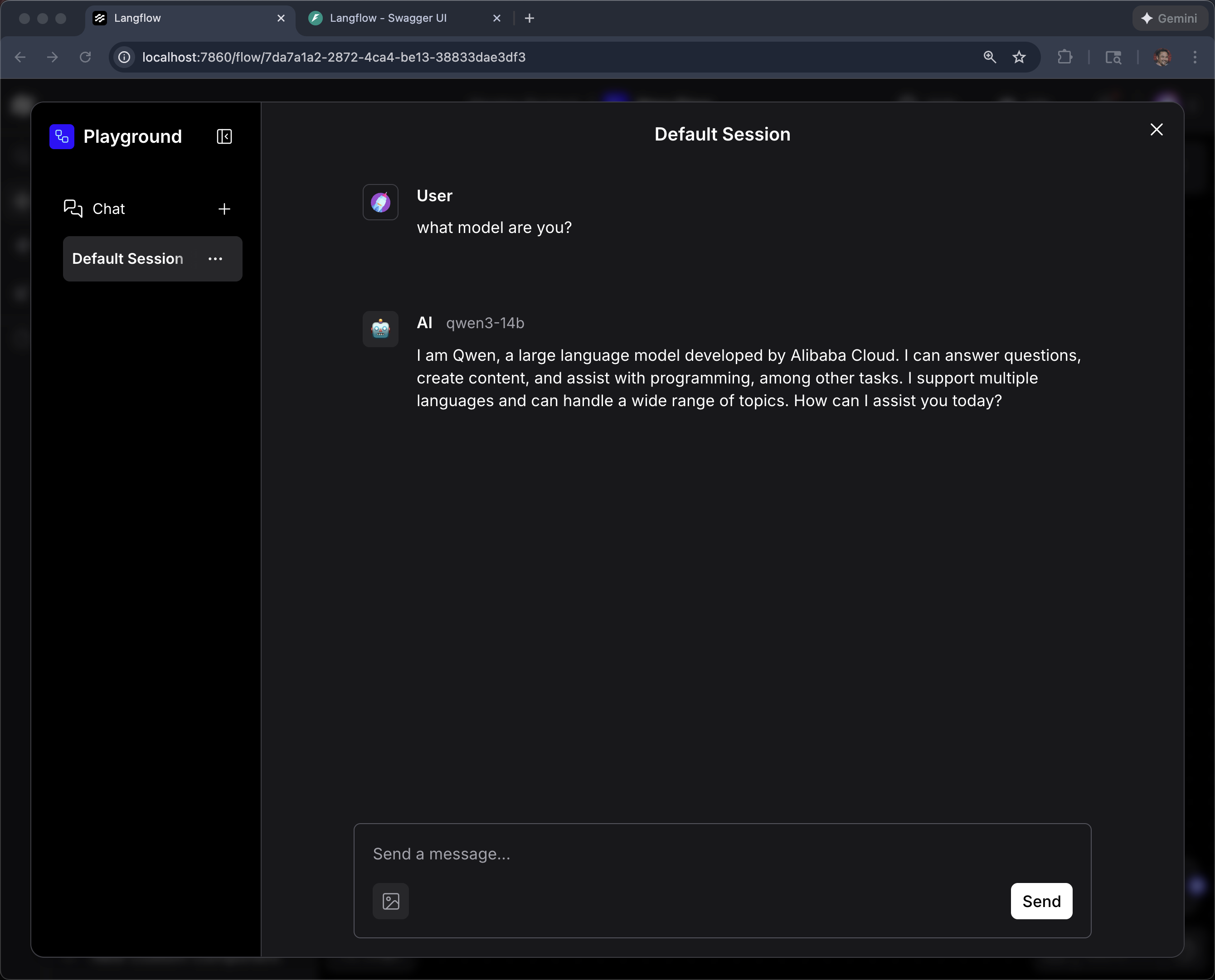
Click Playground
what model are you?
|
Why a custom component? Langflow includes built-in components for OpenAI and other hosted providers, but vLLM served via MaaS requires a custom API URL, API key, and model name. The custom component wraps these configuration details so that vLLM appears as a native Langflow building block. Once created, it can be reused across any number of flows. |
Agent
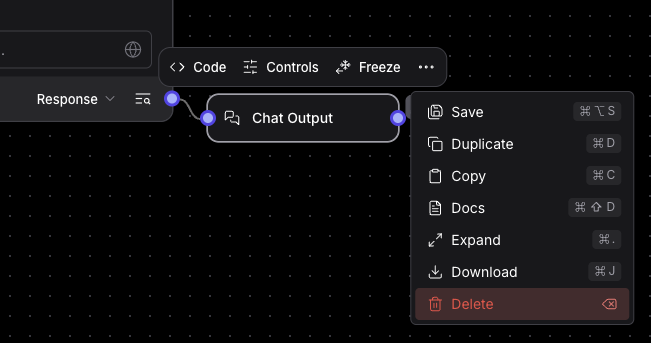
Remove Chat Input and Chat Output (for now) by single-clicking them and hitting the delete key on the keyboard. Or selecting "Delete" from the ellipsis menu.
Find "Agent" in the list of Components
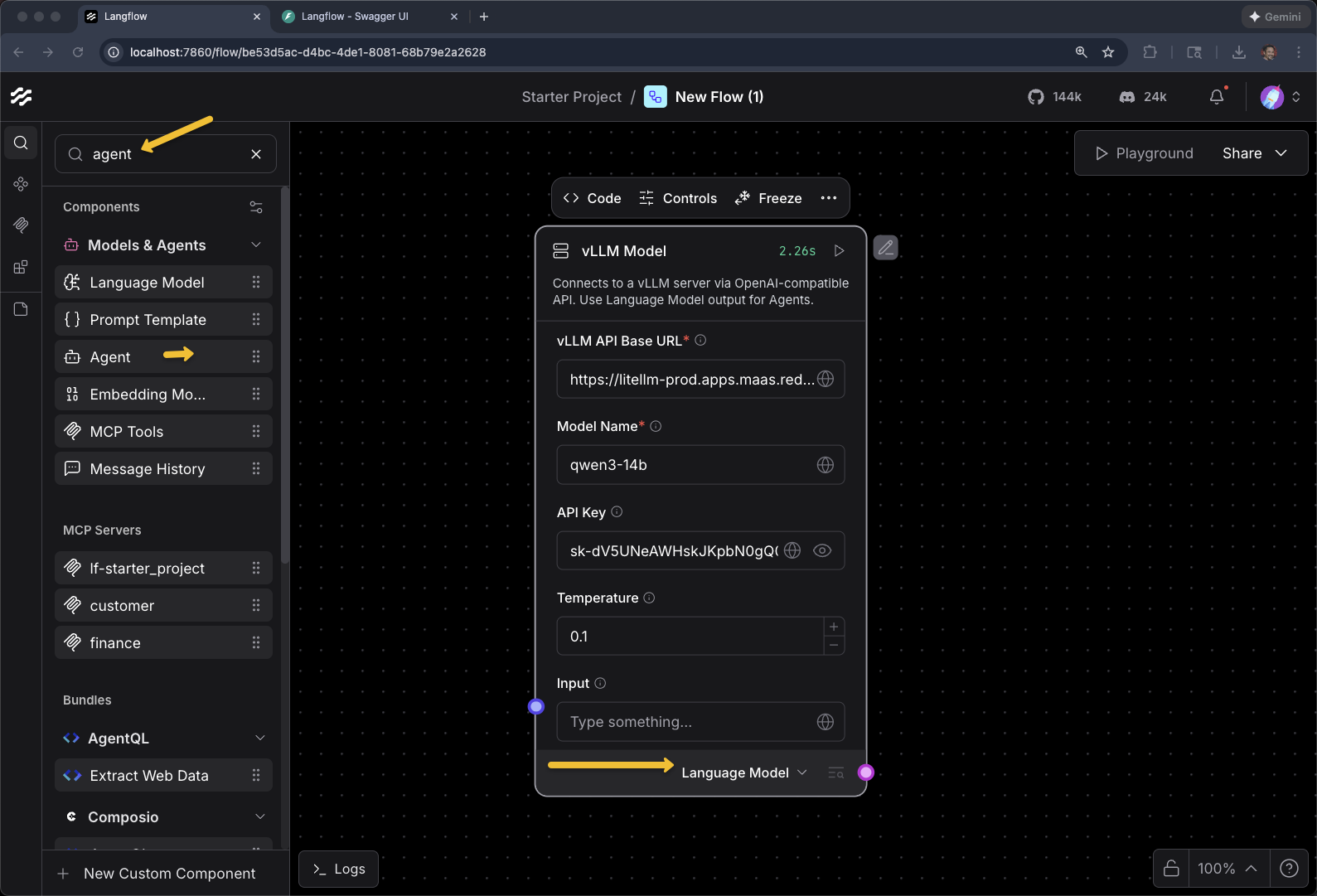
Change the output of the vLLM Model Component to be Language Model
Add an Agent
And
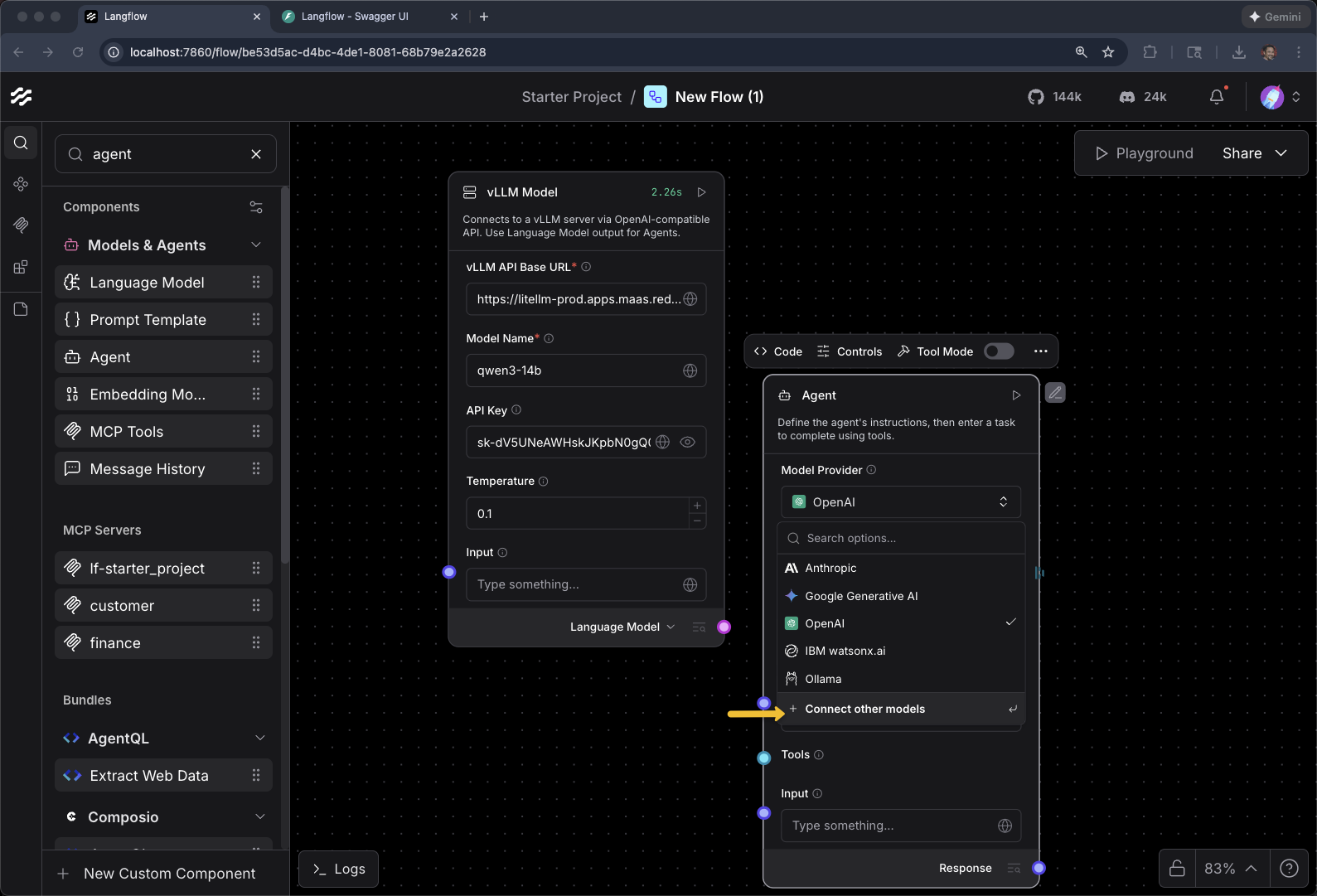
Click on Model Provider
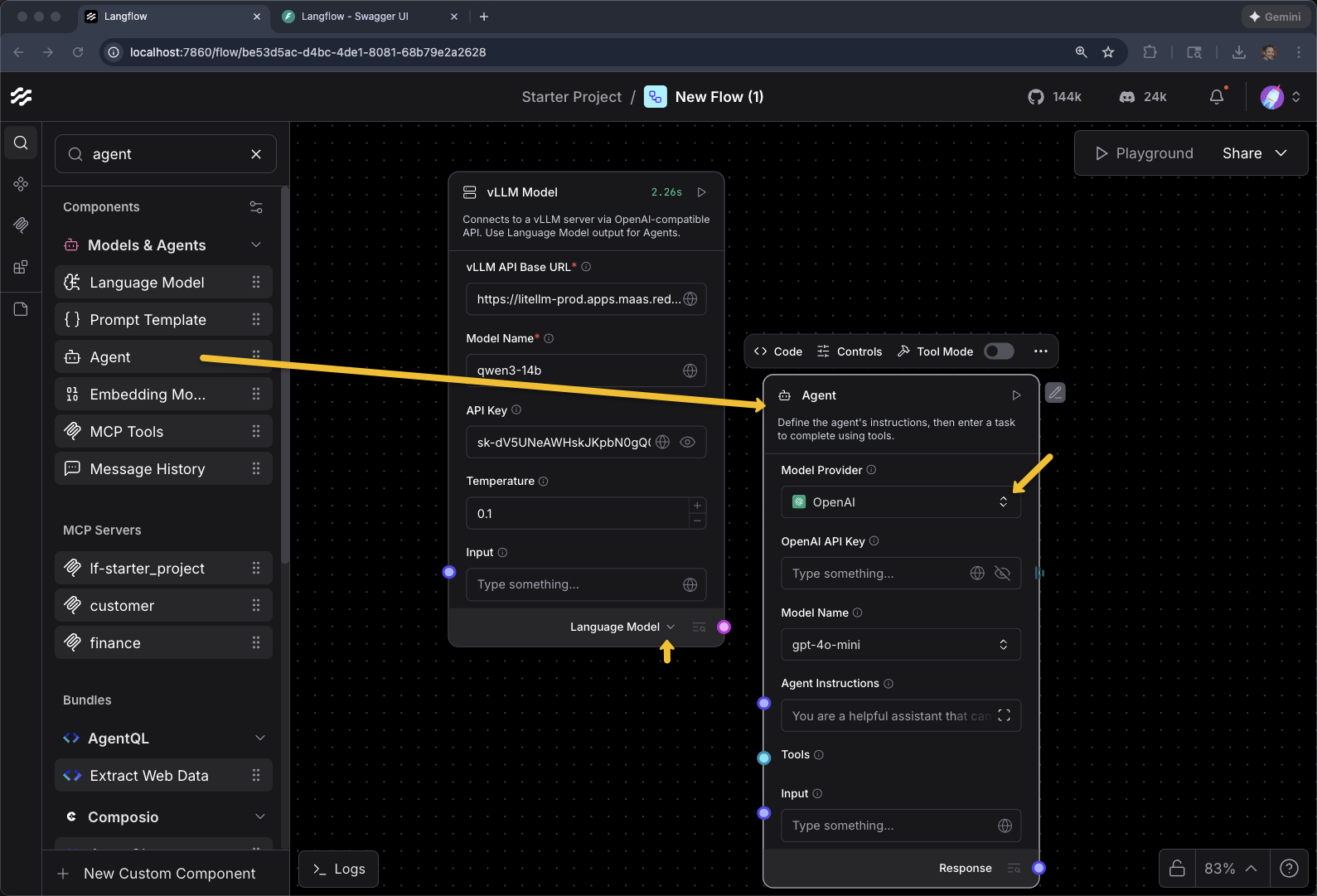
+ Connect other models
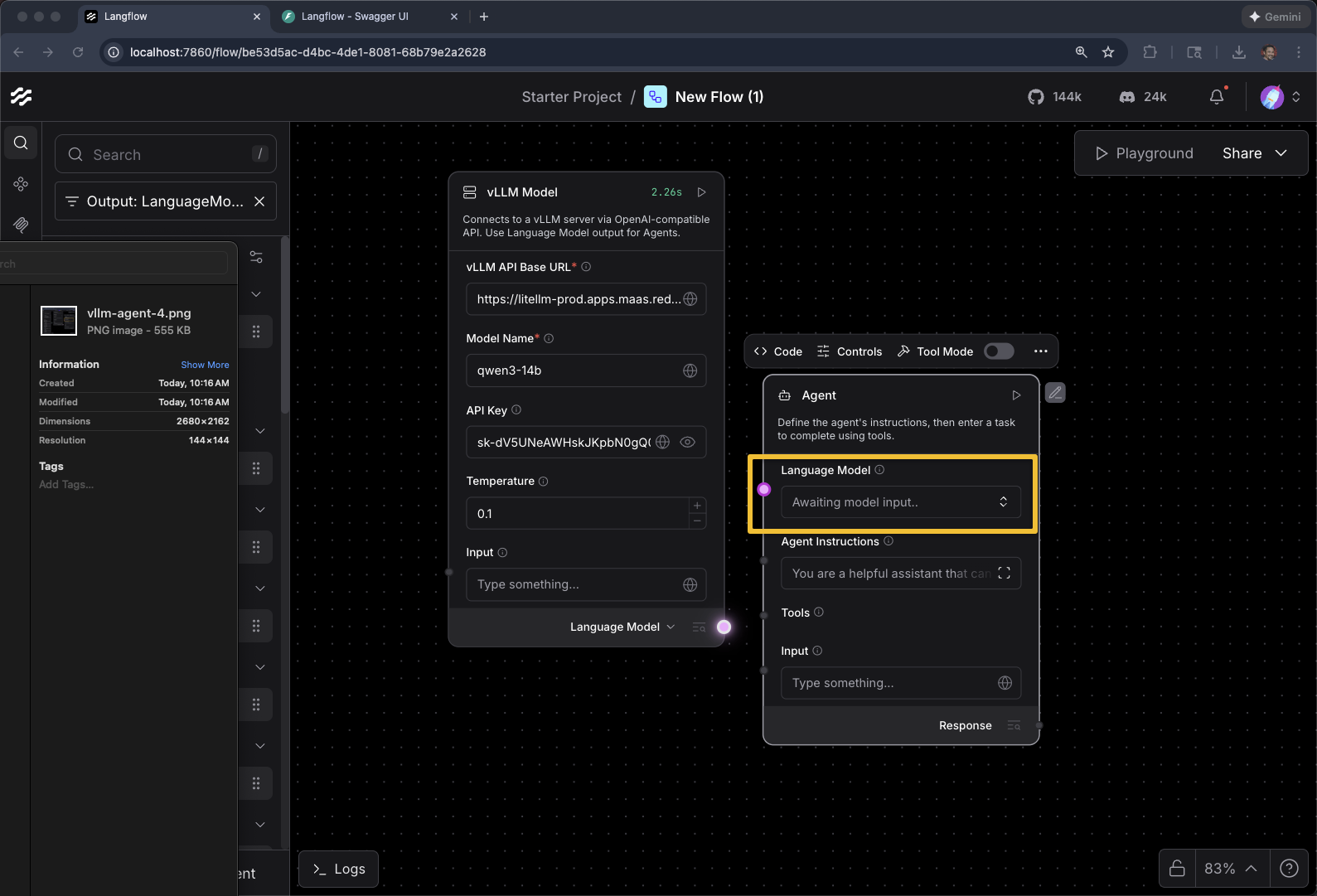
Awaiting model input…
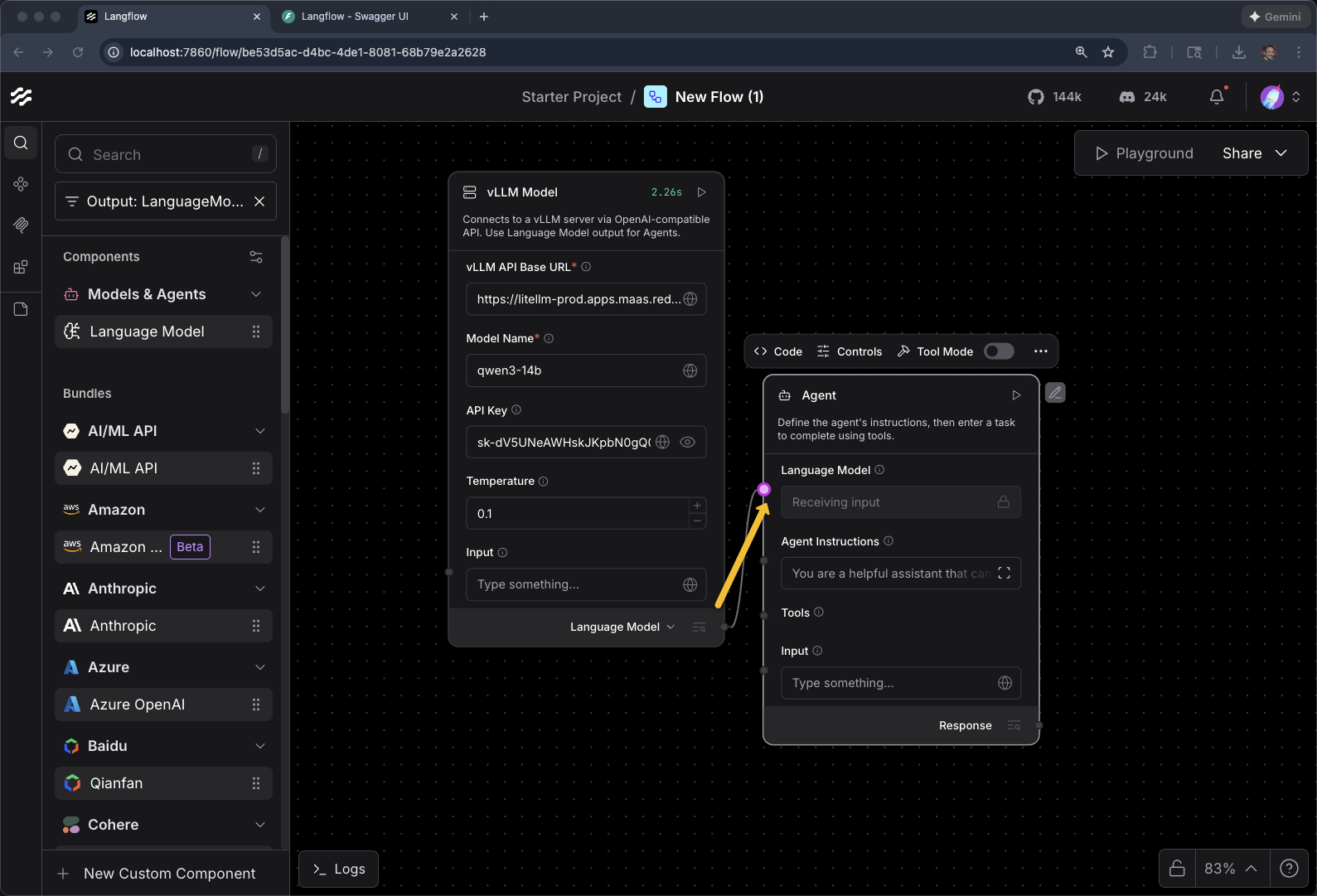
Connect the vLLM Model to Agent
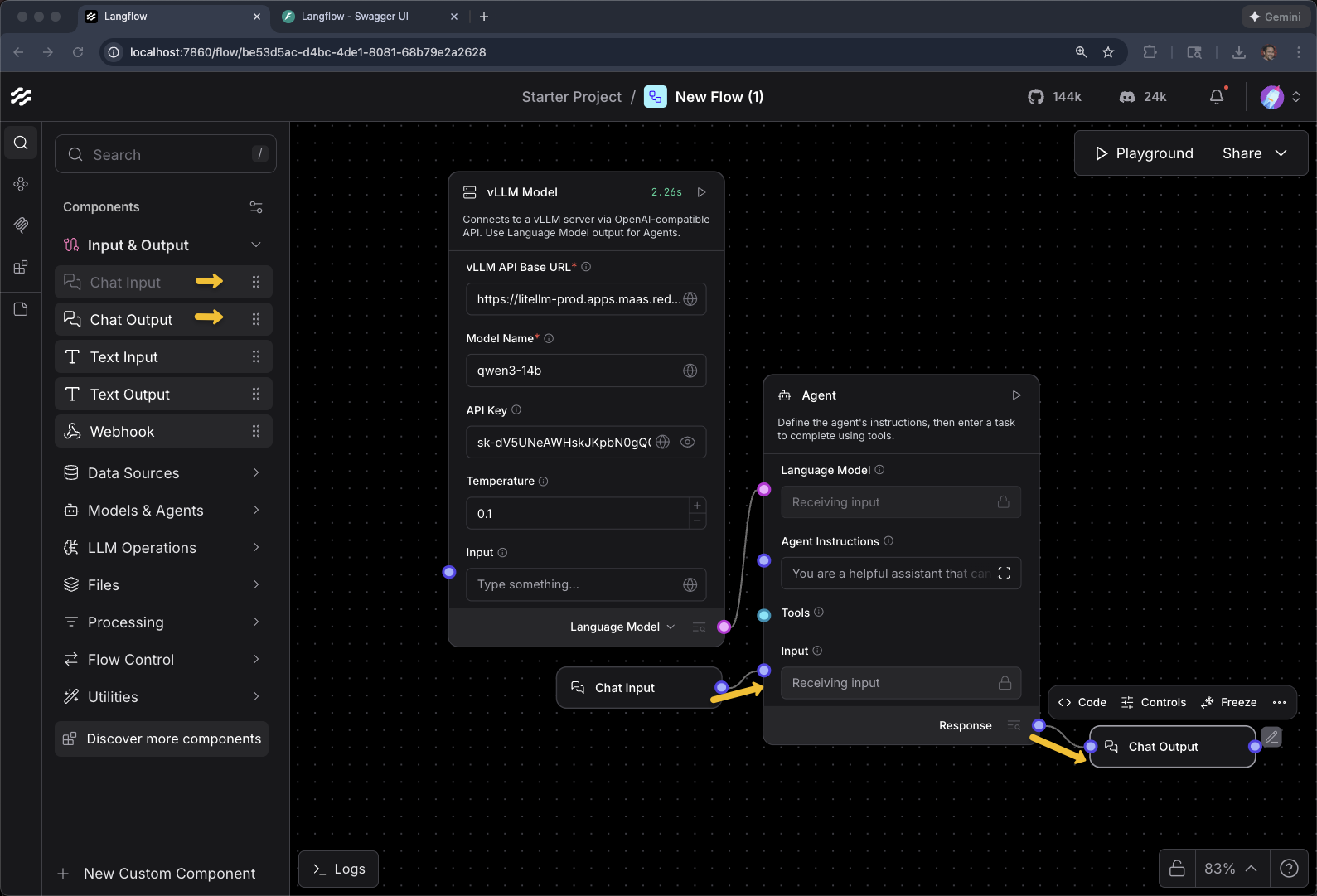
Add Chat Input and Chat Output to the Agent
Add MCP Component for Customer
Drag MCP Tools Component to the canvas
Click on Select a server…
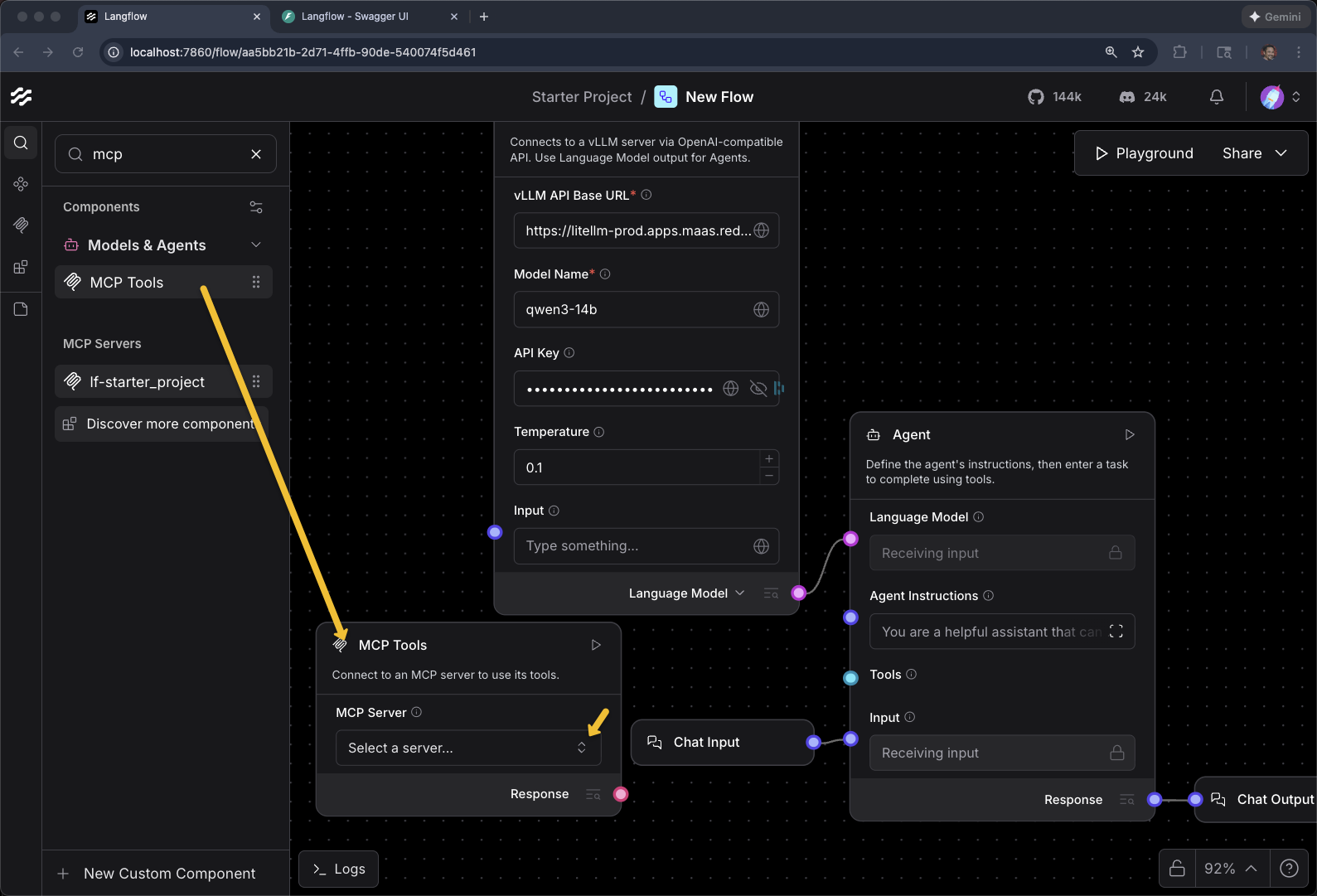
Click + Add MCP Server
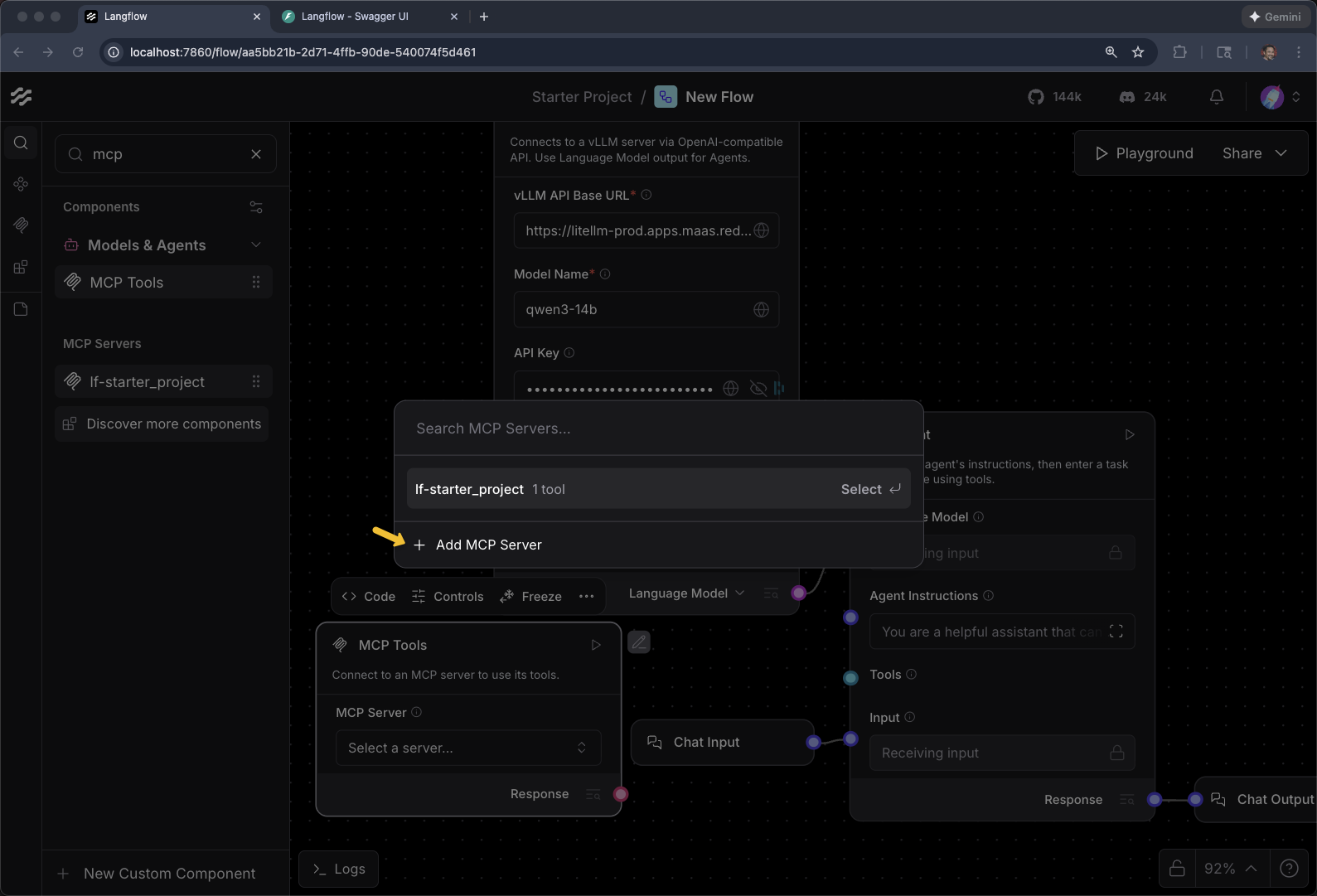
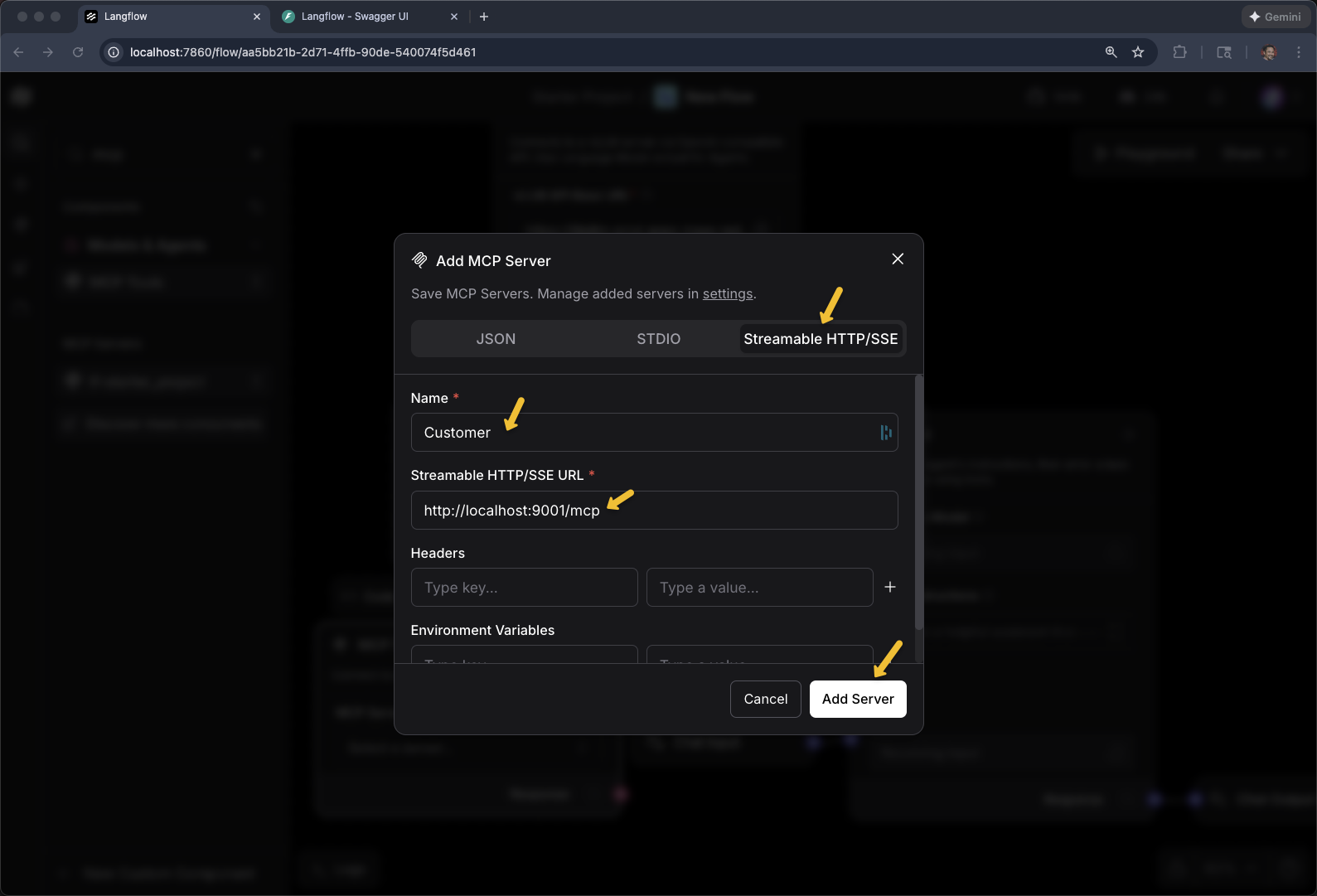
Select Streamable HTTP/SSE
Name: Customer
Streamable HTTP/SSE URL
export CUSTOMER_MCP_SERVER_URL=https://$(oc get routes -l app=mcp-customer -o jsonpath="{range .items[*]}{.status.ingress[0].host}{end}")/mcp
echo $CUSTOMER_MCP_SERVER_URL
Click Add Server
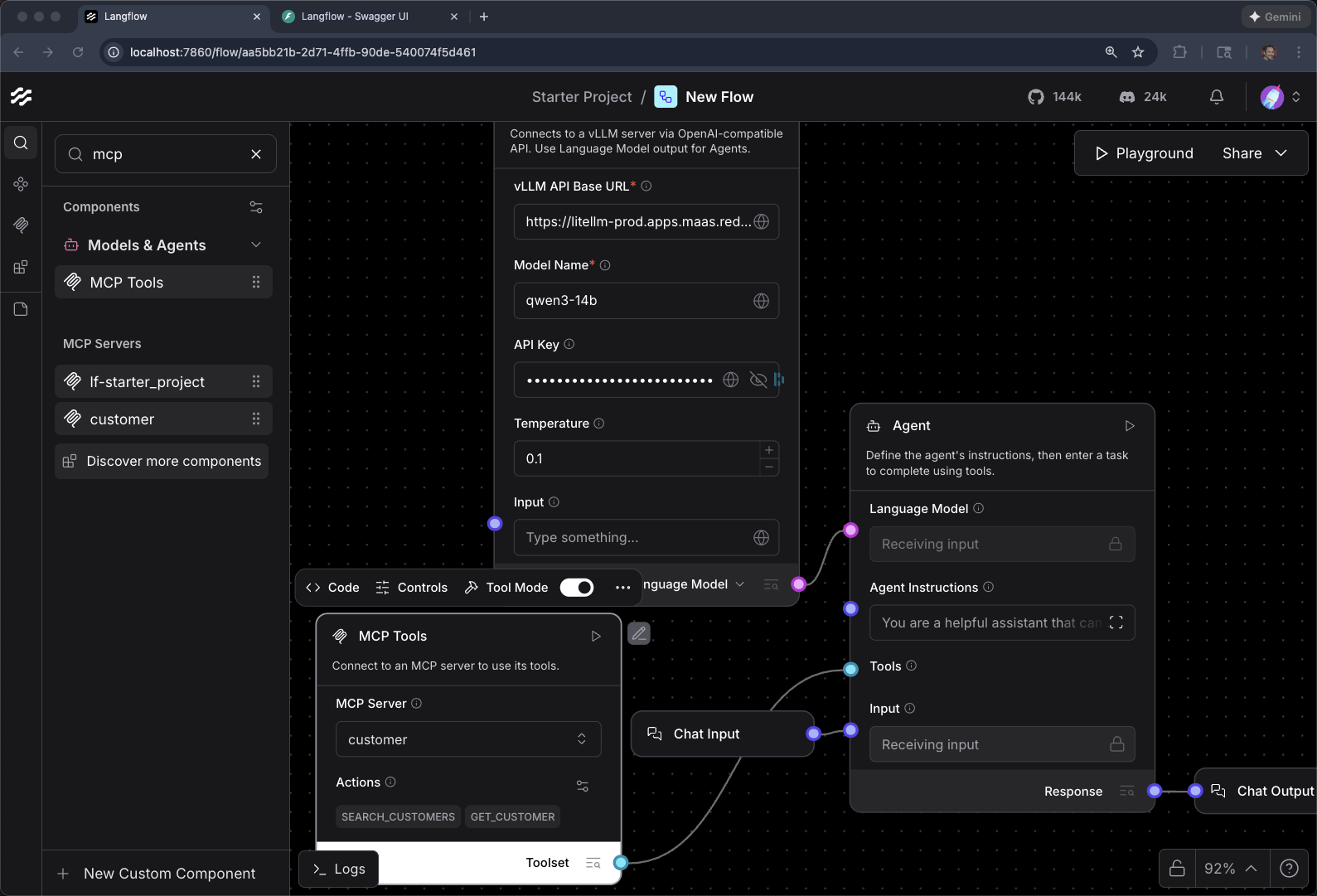
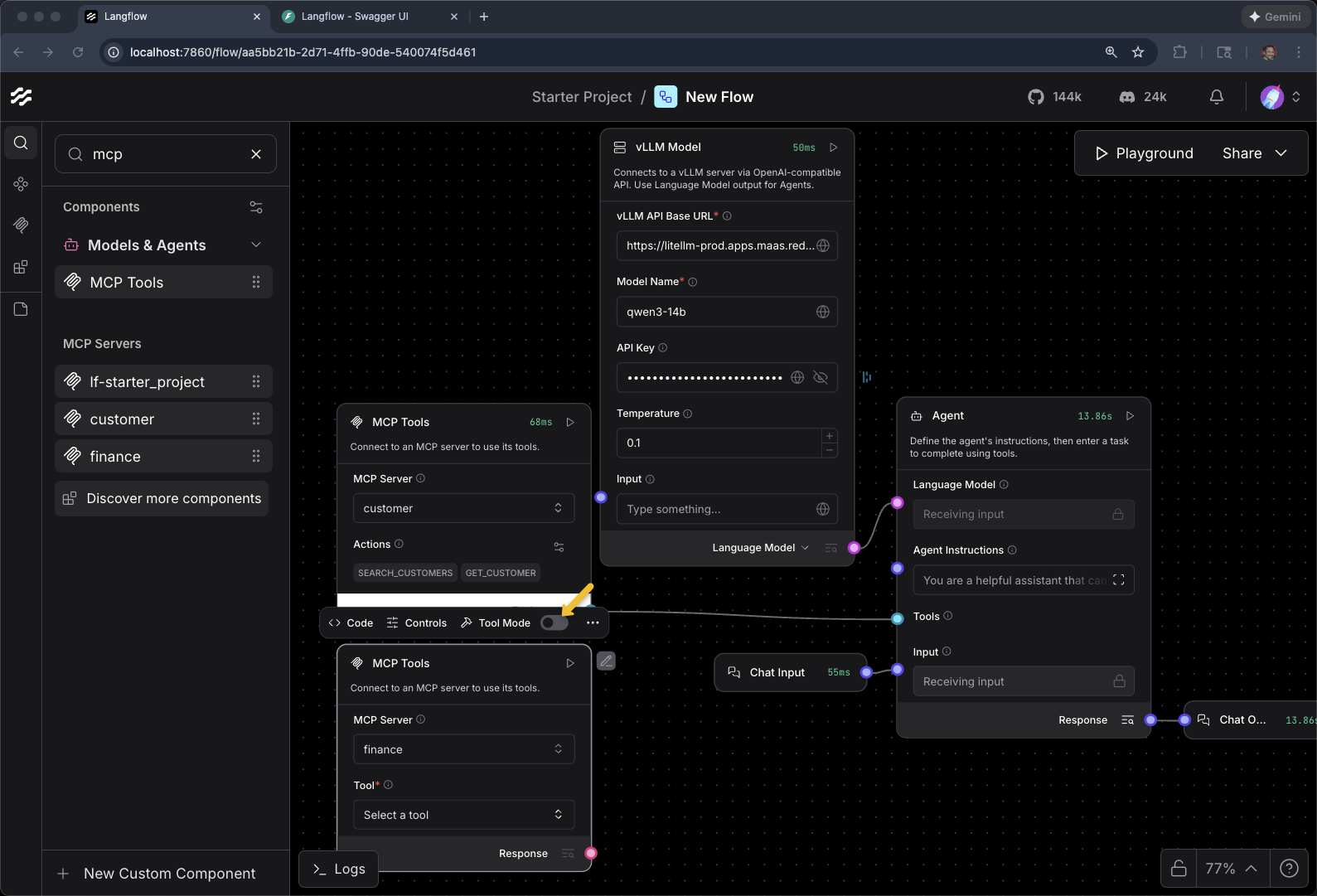
Toggle Tool Mode
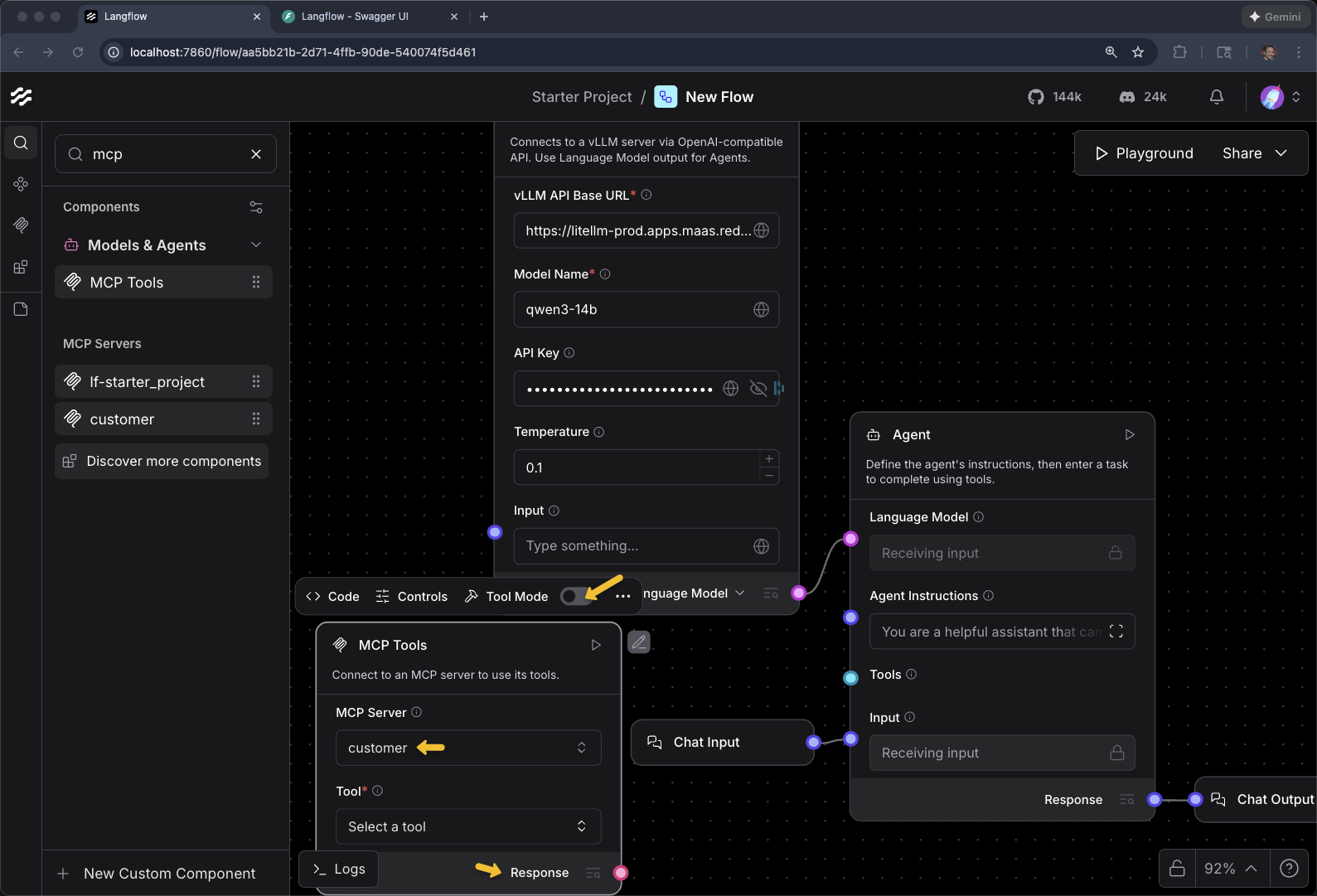
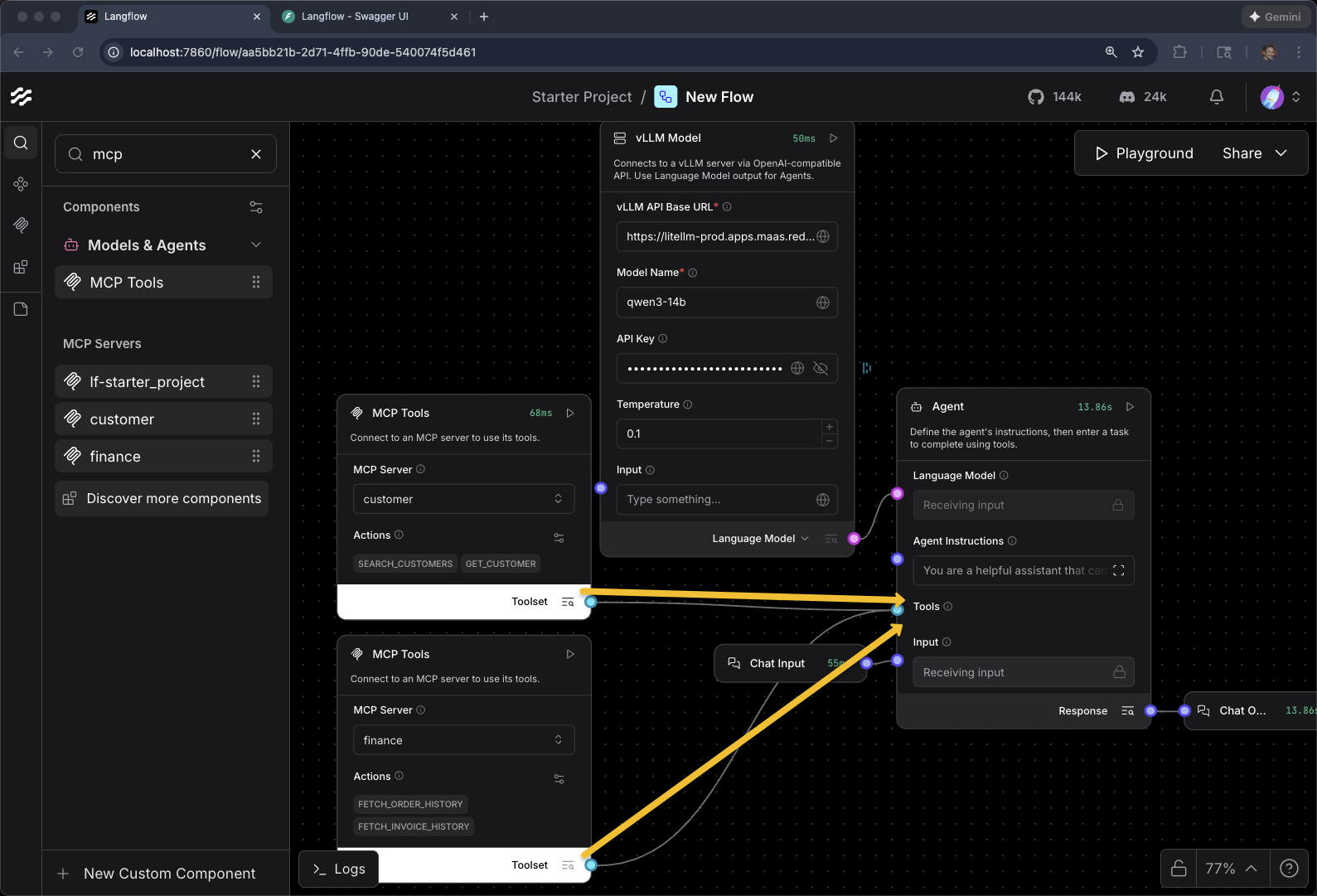
When Response switches to Toolset, you can then connect it to the Agents Tools input
Playground and test with
who does Thomas Hardy work for?Remember, you are dealing with a LLM and it non-determinstic behavior. In some cases, this query MAY respond with:
"Thomas Hardy was an English novelist and poet, best known for his works such as Tess of the d’Urbervilles and Far from the Madding Crowd. He was a prolific writer during the 19th and early 20th centuries. As he passed away in 1928, he does not work for anyone today. If you’re referring to a different person named Thomas Hardy, feel free to clarify!"
You can be more explicit with something like
what about the customer Thomas Hardy?Keep going, we will work on this behavior in a bit.
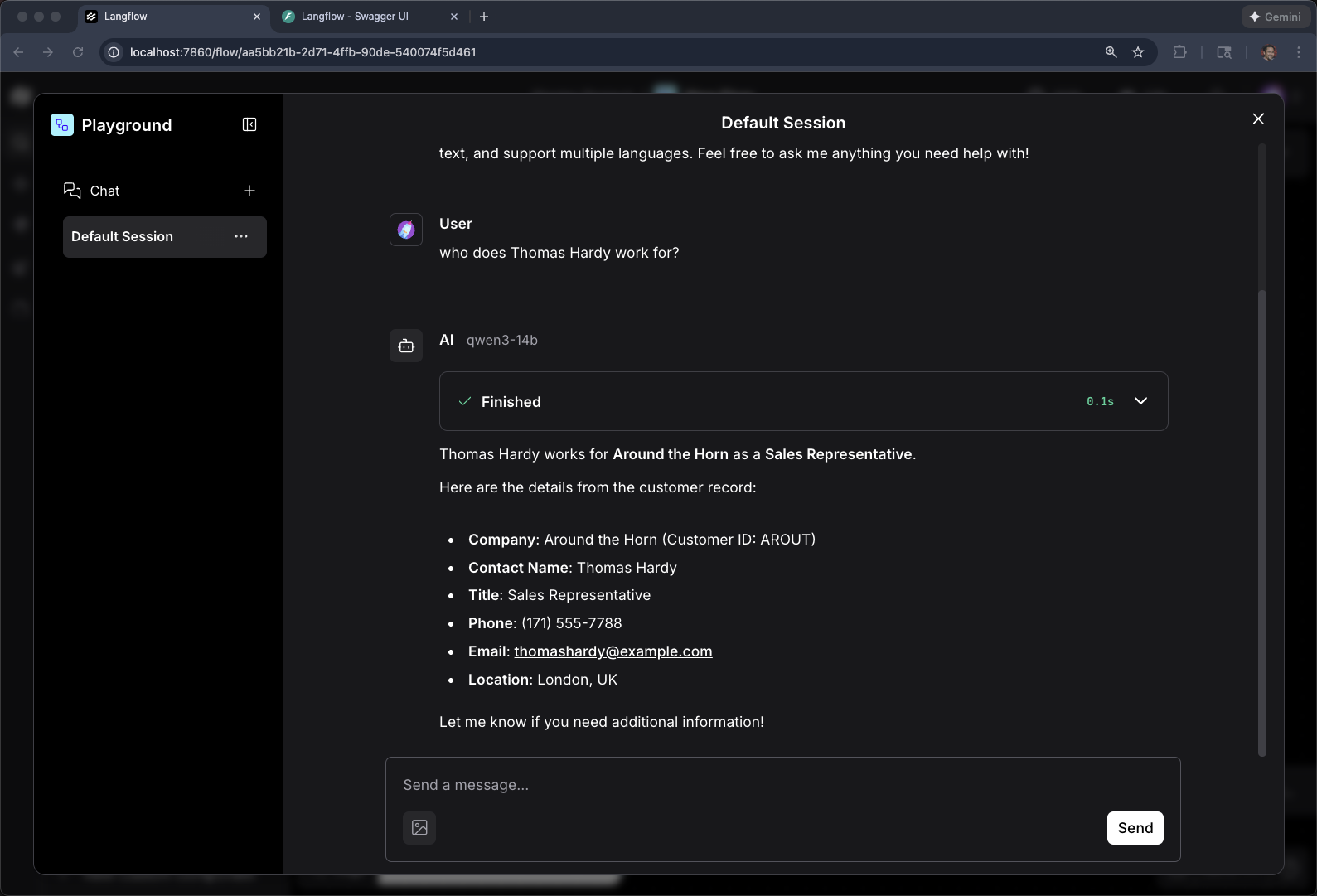
|
Why did the agent confuse the customer with the author? Without a system prompt, the agent has no context that "Thomas Hardy" refers to a customer record. The LLM defaults to its training data, which knows Thomas Hardy as a famous English novelist. This demonstrates why system prompts are essential for domain-specific agents — you’ll fix this behavior later in the module by adding agent instructions. |
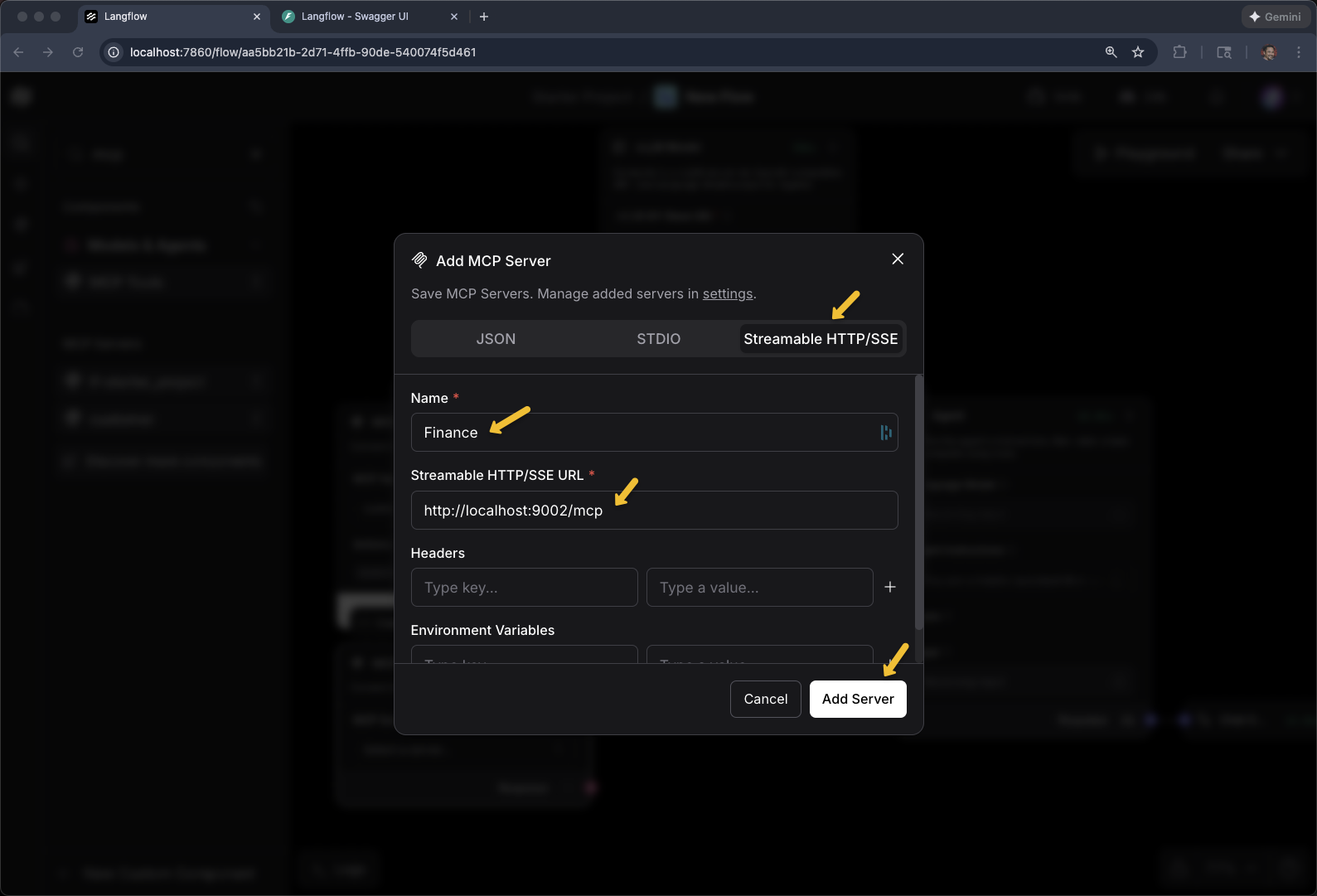
Add MCP Component for Finance
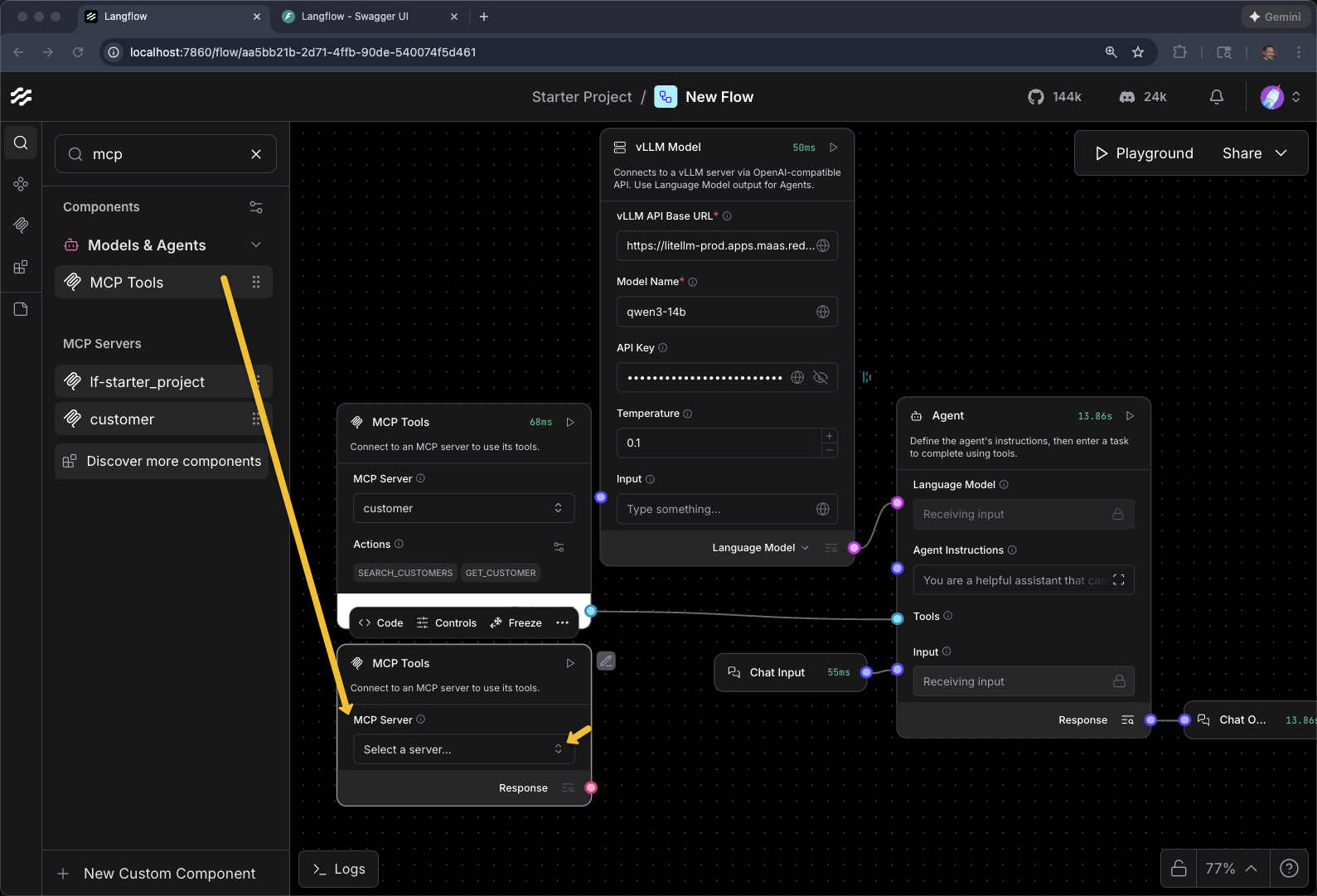
+ Add MCP Server
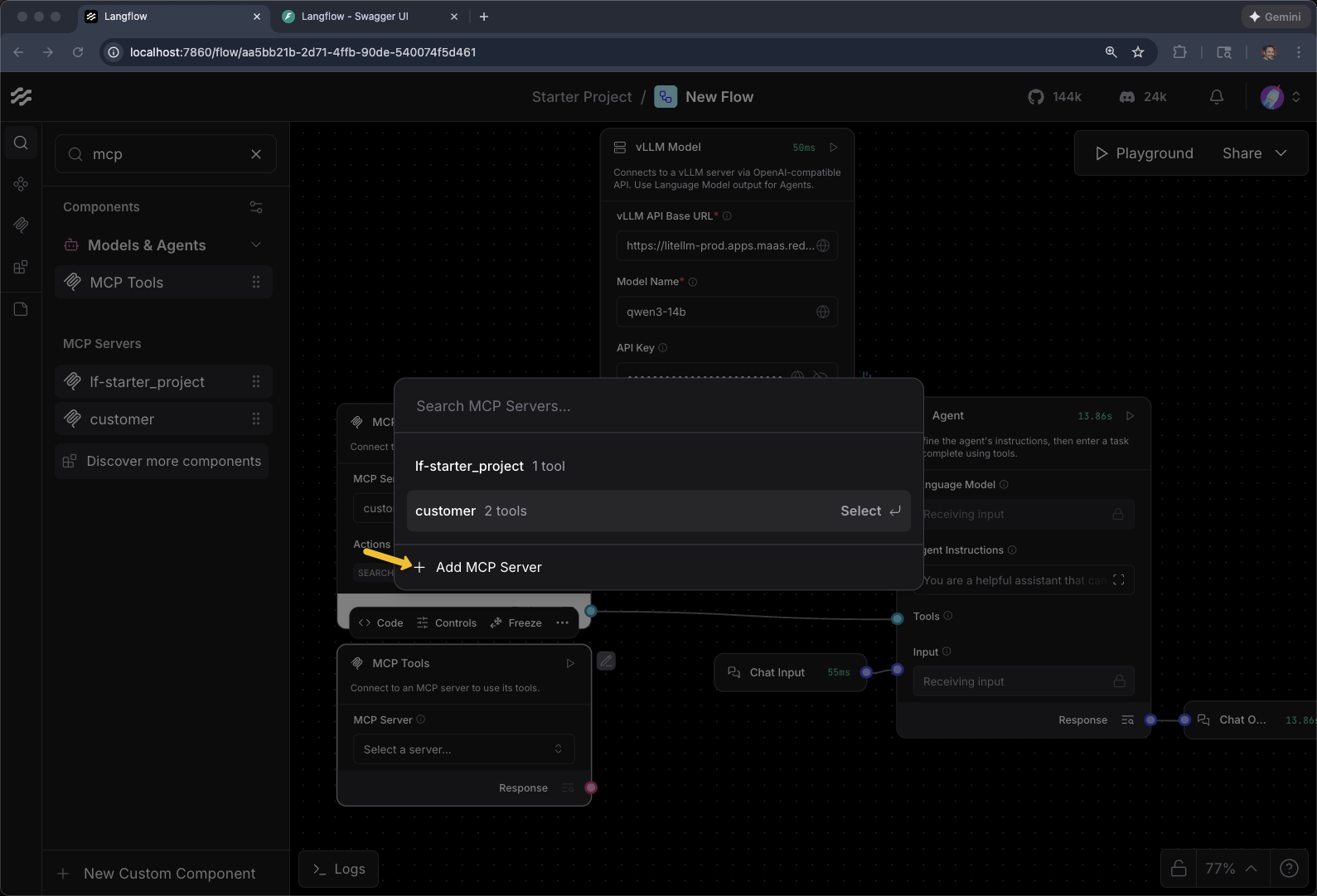
Select Streamable HTTP/SSE
Name: Finance
Streamable HTTP/SSE URL
export FINANCE_MCP_SERVER_URL=https://$(oc get routes -l app=mcp-finance -o jsonpath="{range .items[*]}{.status.ingress[0].host}{end}")/mcp
echo $FINANCE_MCP_SERVER_URL
Click Add Server
Toggle Tool Mode
Connect MCP Servers to Agent Tools input
What are the orders for Thomas Hardy?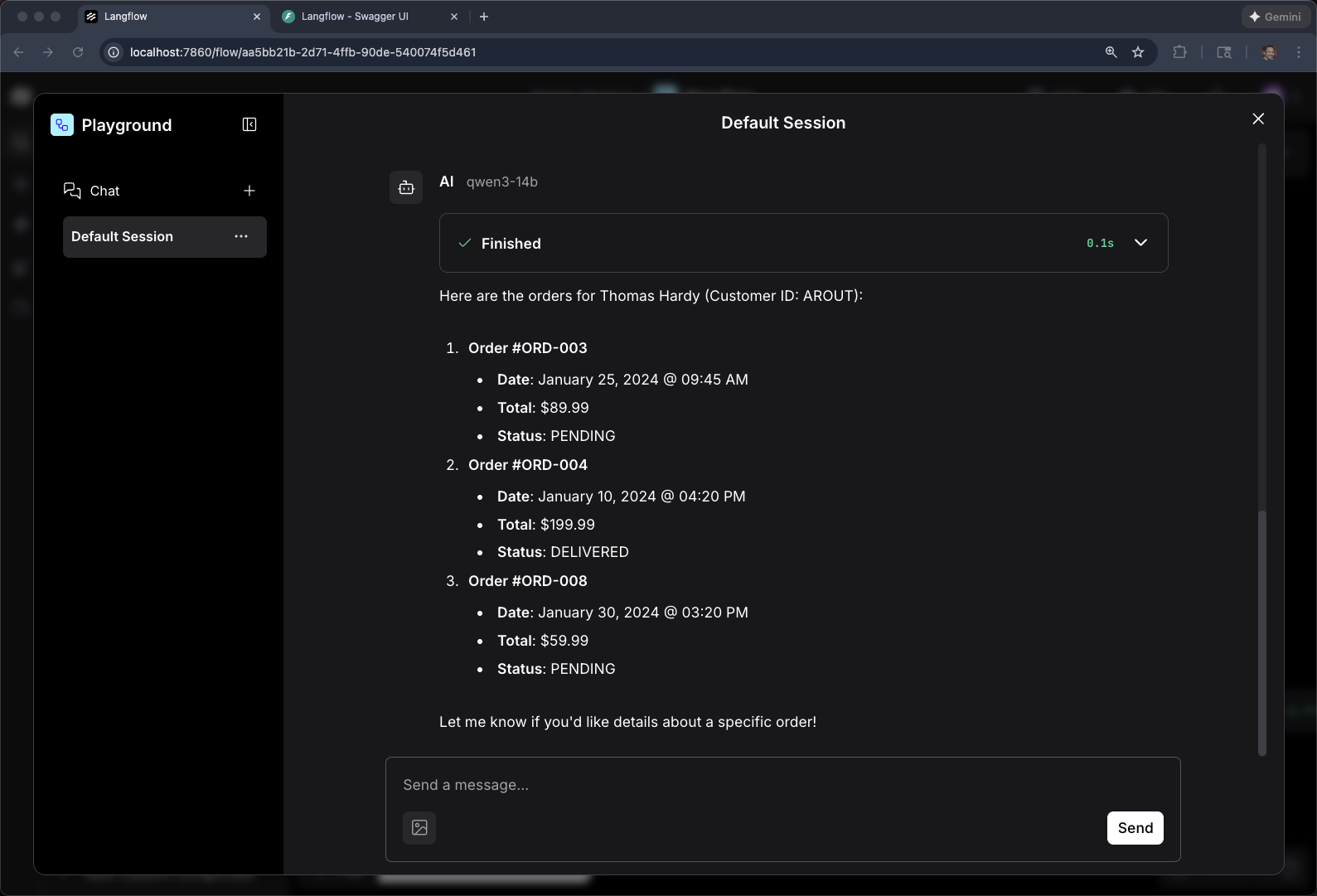
To help the Agent out, especially when using smaller open models, you need a better System Prompt
Add Agent Instructions
You are a helpful customer service assistant.

IMPORTANT: When ANY person's name is mentioned, ALWAYS search for them as a customer first before answering.
IMPORTANT: You MUST use tools to answer questions about customers or orders. Never guess or use general knowledge.

TOOLS AND THEIR EXACT PARAMETERS:
- search_customers(contact_name="Name") - search by customer name
- get_customer(customer_id="ID") - get customer details
- fetch_order_history(customer_id="ID") - get orders
- fetch_invoice_history(customer_id="ID") - get invoices

WORKFLOW for customer questions:
1. Call search_customers(contact_name="<customer name>")
2. Extract customer_id from results
3. Use that customer_id for other queries

Always use tools first. Never answer from general knowledge about people.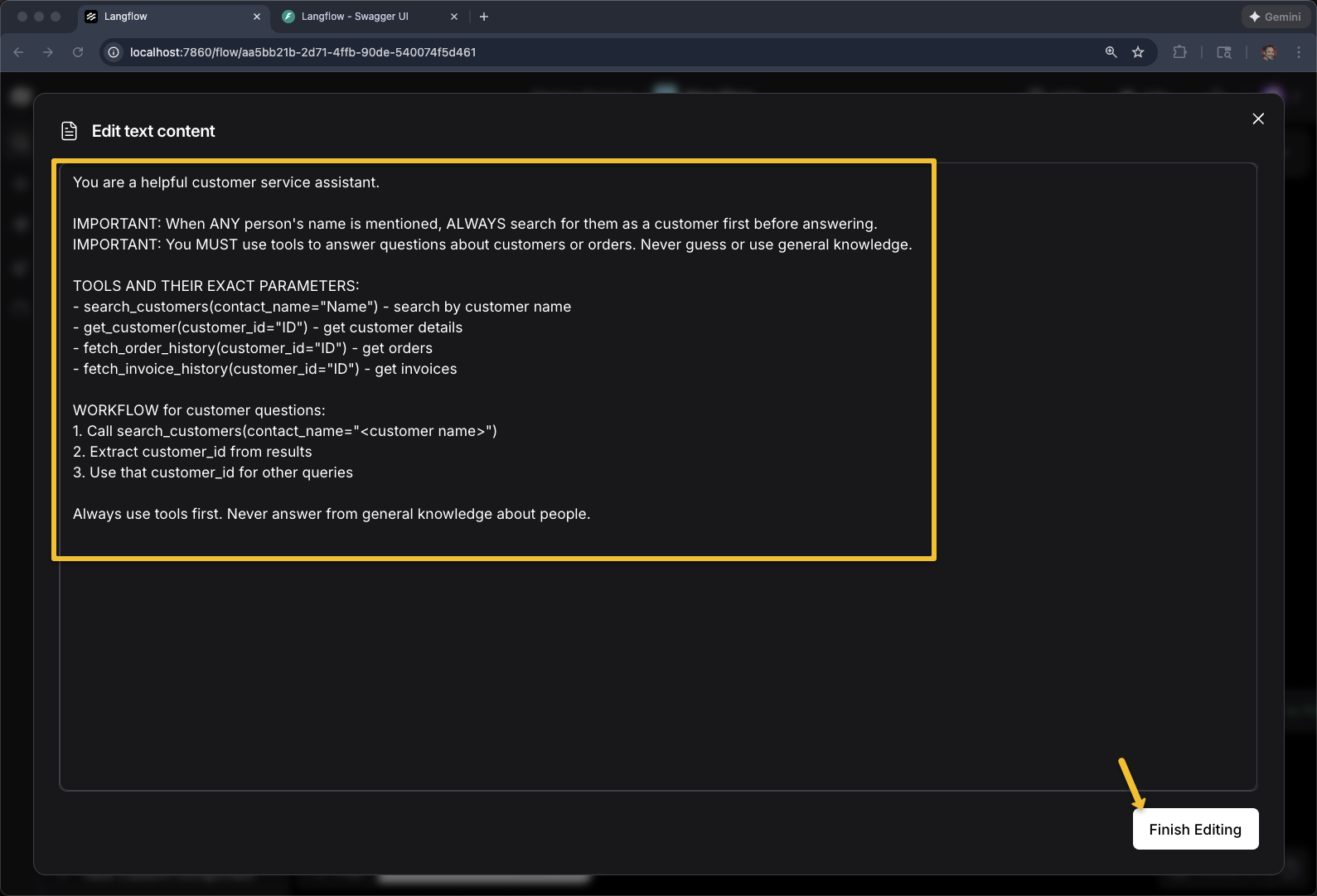
|
Anatomy of a good agent system prompt: This prompt does three things: (1) establishes the agent’s role ("customer service assistant"), (2) sets behavioral rules ("ALWAYS search as a customer first", "MUST use tools"), and (3) documents the available tools with their exact parameter names. Listing tool signatures in the prompt helps smaller models call tools correctly — larger models can usually figure it out from the MCP tool descriptions alone. |
And now go give your agent another round of tests
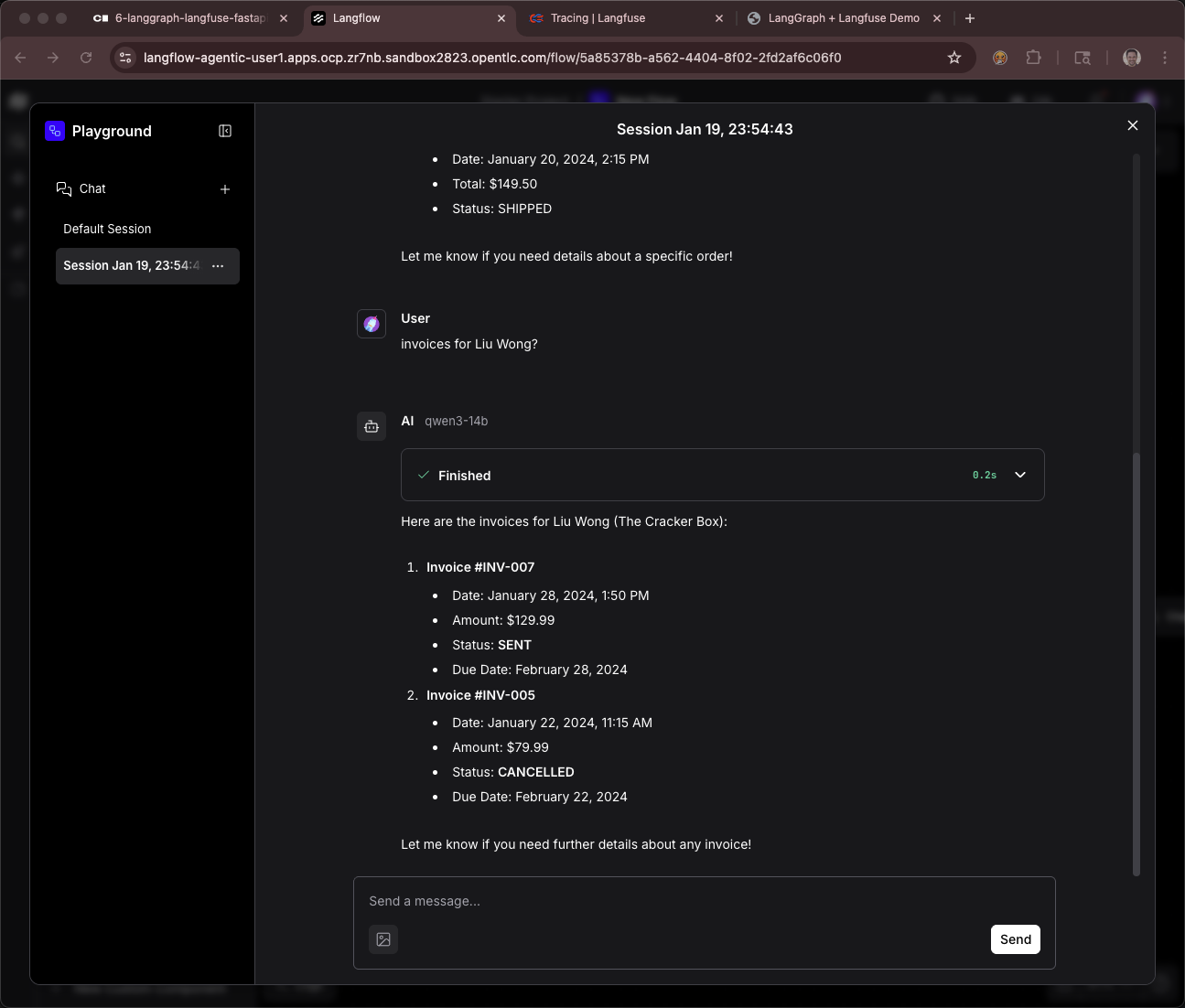
What you’ve accomplished
You’ve successfully built a production-ready agentic AI application using a visual, no-code/low-code approach. Starting with a simple text input/output flow, you progressed to creating a custom vLLM component that connects to your OpenShift-hosted models, integrated multiple MCP servers as business tools (customer and finance data), and crafted effective system prompts to guide agent behavior. This visual workflow is functionally equivalent to the Python-based agents you built earlier in the workshop, but with the added benefits of easier debugging, faster iteration, and a shared visual language that bridges technical and non-technical stakeholders. Langflow demonstrates that sophisticated AI systems—complete with model inference, tool calling, and agentic reasoning—can be composed, tested, and deployed without sacrificing architectural rigor or production readiness. The flow you created can be versioned, exported as JSON, executed via API, and integrated into real enterprise systems, making it a valuable tool for both rapid prototyping and production deployment.