2.4 Deploying the Milvus Vector Database
The second major component of our RAG system is the vector database. For this workshop, we are using Milvus, a powerful open-source database specifically designed for storing and searching vector embeddings at scale.
Our data pipeline will populate this database with vectors generated from the ServiceNow incident tickets. You will now deploy the Milvus application into your project namespace using the same GitOps approach as the mock API.
Applying the ArgoCD Application Manifest for the Milvus Database
You will create the ArgoCD Application resource using the Import YAML feature built into the OpenShift web console.
-
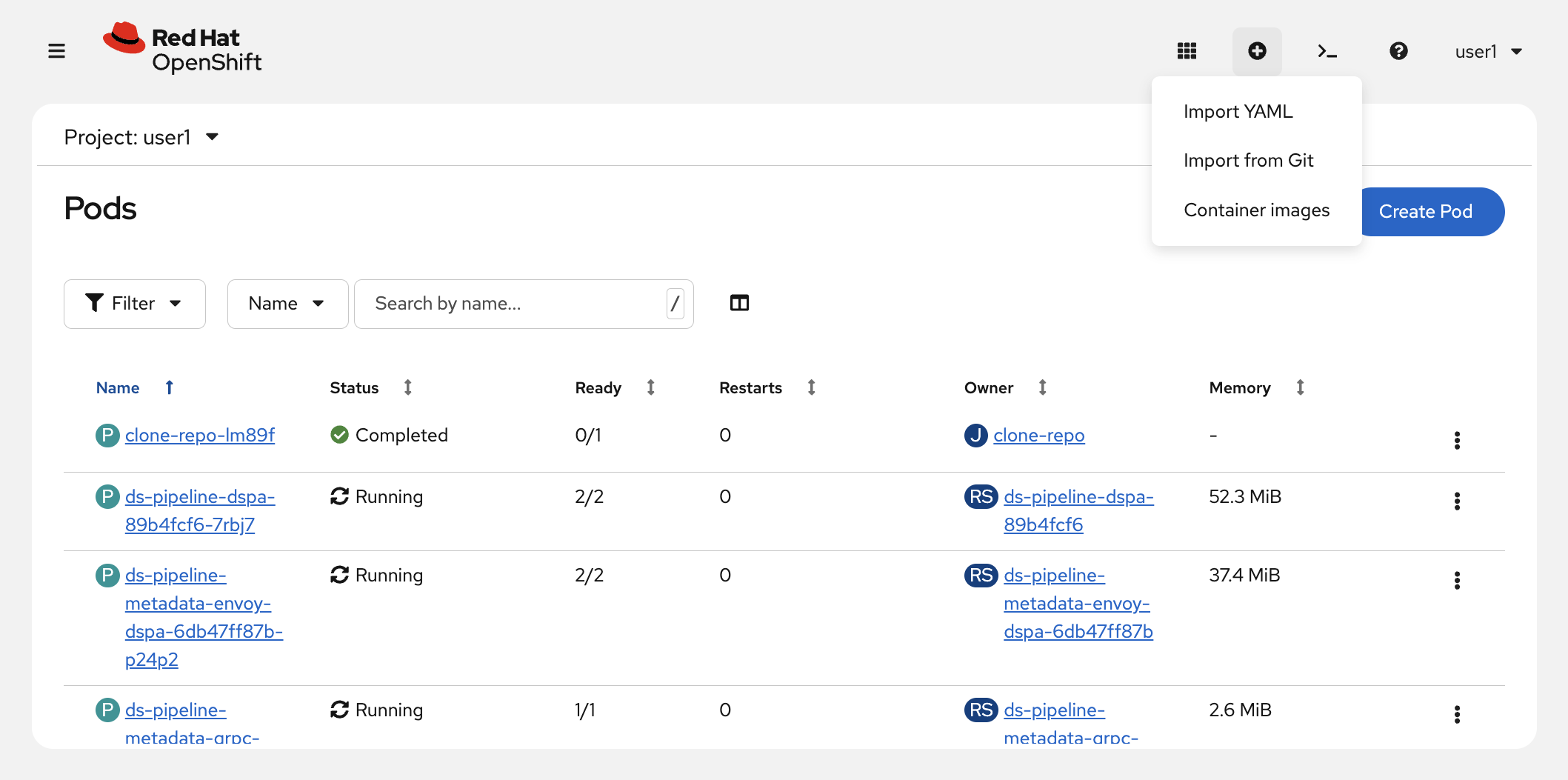
In the OpenShift Web Console, click the + (Import YAML) button in the top-right toolbar.
-
Paste the following manifest into the editor.
ArgoCD Application ManifestapiVersion: argoproj.io/v1alpha1 kind: Application metadata: name: 'userX-milvus' (1) namespace: openshift-gitops spec: project: default source: repoURL: 'https://github.com/cnuland/hello-chris-rag-pipeline.git' path: services/milvus (2) targetRevision: main kustomize: {} destination: server: https://kubernetes.default.svc namespace: 'userX' (3) syncPolicy: automated: prune: true selfHeal: true syncOptions: - CreateNamespace=true - ServerSideApply=true1 A unique name scoped to your account, preventing resource conflicts in the shared cluster. 2 The Kustomize overlay directory within the repository that defines the Milvus deployment and its etcd dependency. 3 The target namespace where ArgoCD will deploy the Milvus workloads. -
Click Create.
You’ll be taken to the newly created Application, which will be in the process of syncing.
|
ArgoCD will immediately begin reconciling the application. Initial synchronization, including pulling the Milvus and etcd container images, typically takes 2–3 minutes. |
Verifying the Deployment
Once ArgoCD has applied the manifest, confirm the pods are healthy from the OpenShift Console.
-
In the OpenShift Console, select the
userXproject from the project dropdown at the top, then navigate to Workloads → Pods in the left-hand menu.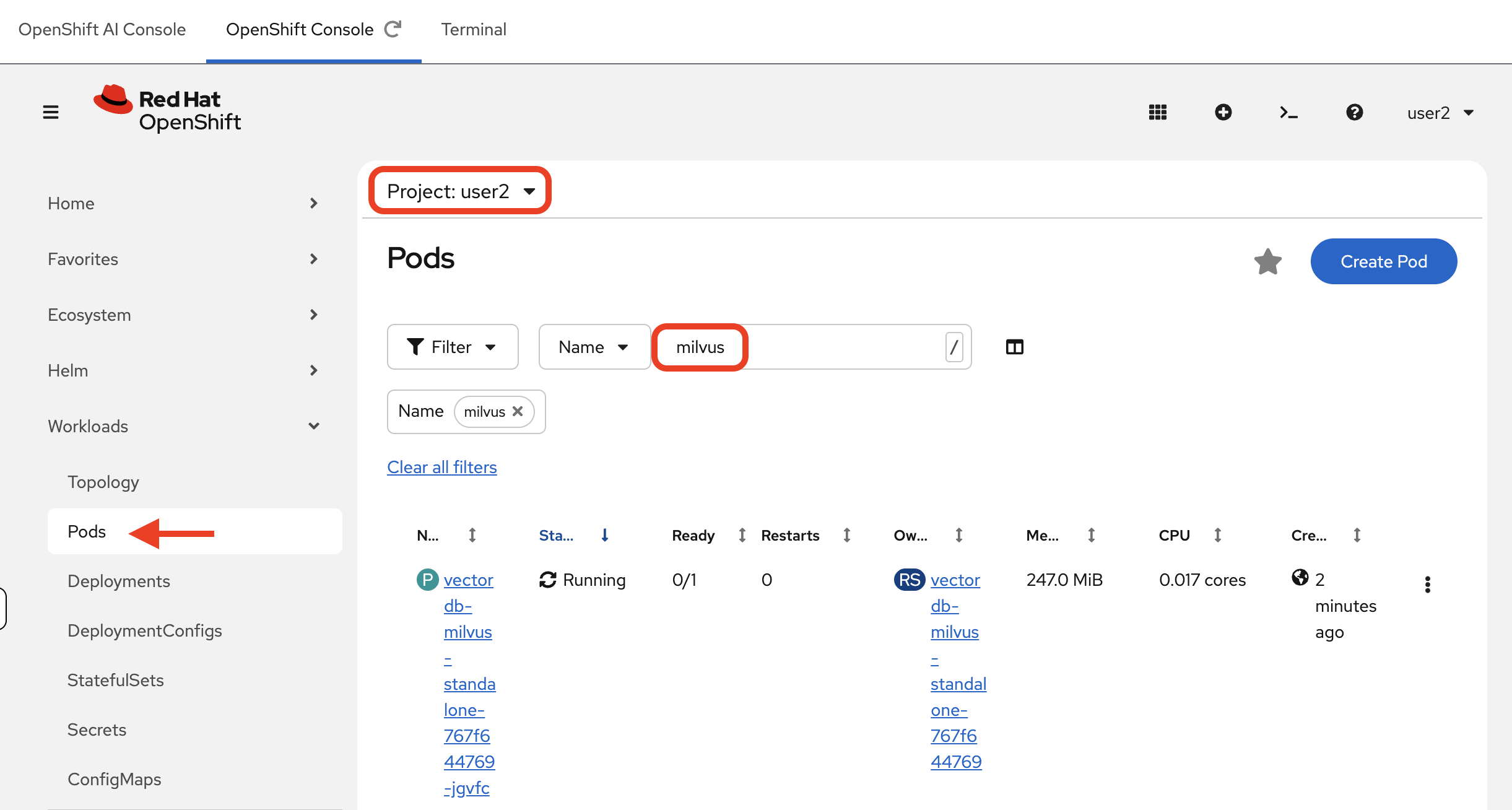
-
Wait until both the
vectordb-etcd-0andvectordb-milvus-standalone-…pods report a Running status with1/1containers ready.NAME READY STATUS RESTARTS AGE mock-servicenow-api-5f6f8b9d6c-xxxxx 1/1 Running 0 10m vectordb-etcd-0 1/1 Running 0 5m vectordb-milvus-standalone-8566db697-xxxxx 1/1 Running 0 4mIf the pods show
ContainerCreatingorPending, the node is still pulling the container images. Refresh the page after 30 seconds.
With Milvus running, we now have our data source (the API) and our data destination (the vector database) ready. The next step is to import the pipeline that connects them.
Summary
-
Deployed Milvus (standalone mode) and its etcd dependency into your namespace via a second ArgoCD
Application -
Verified both the
vectordb-milvus-standaloneandvectordb-etcd-0pods are running and ready -
With the mock API and Milvus both live, the data source and vector store are in place — the pipeline will connect them next