2.6 Creating and Configuring a Pipeline Run
With the pipeline imported, you are now ready to create a "run". A pipeline run is a single execution of the pipeline’s workflow. For this pipeline, you need to provide several parameters so it knows how to connect to the mock API and the Milvus database.
Procedure
-
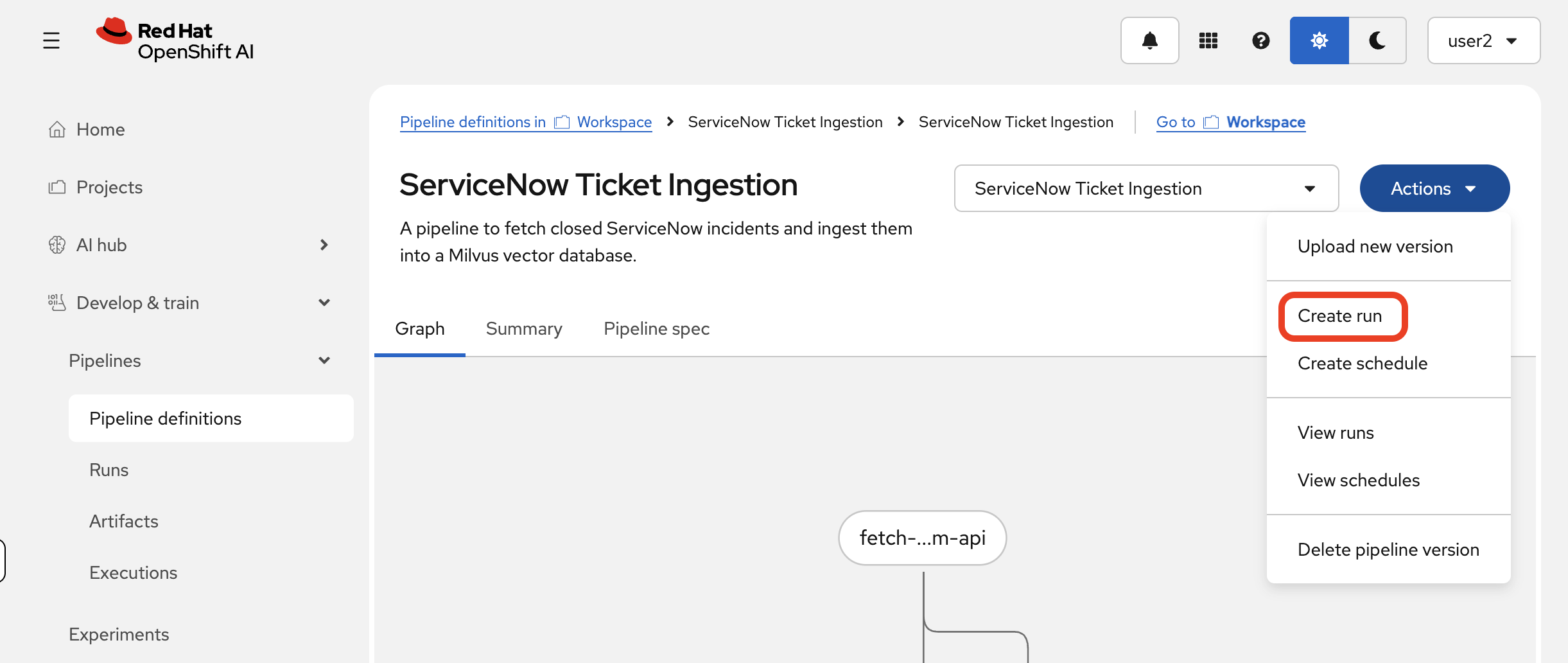
From the pipeline’s details page (where you landed after the import), click the Create run button in the top-right corner.
-
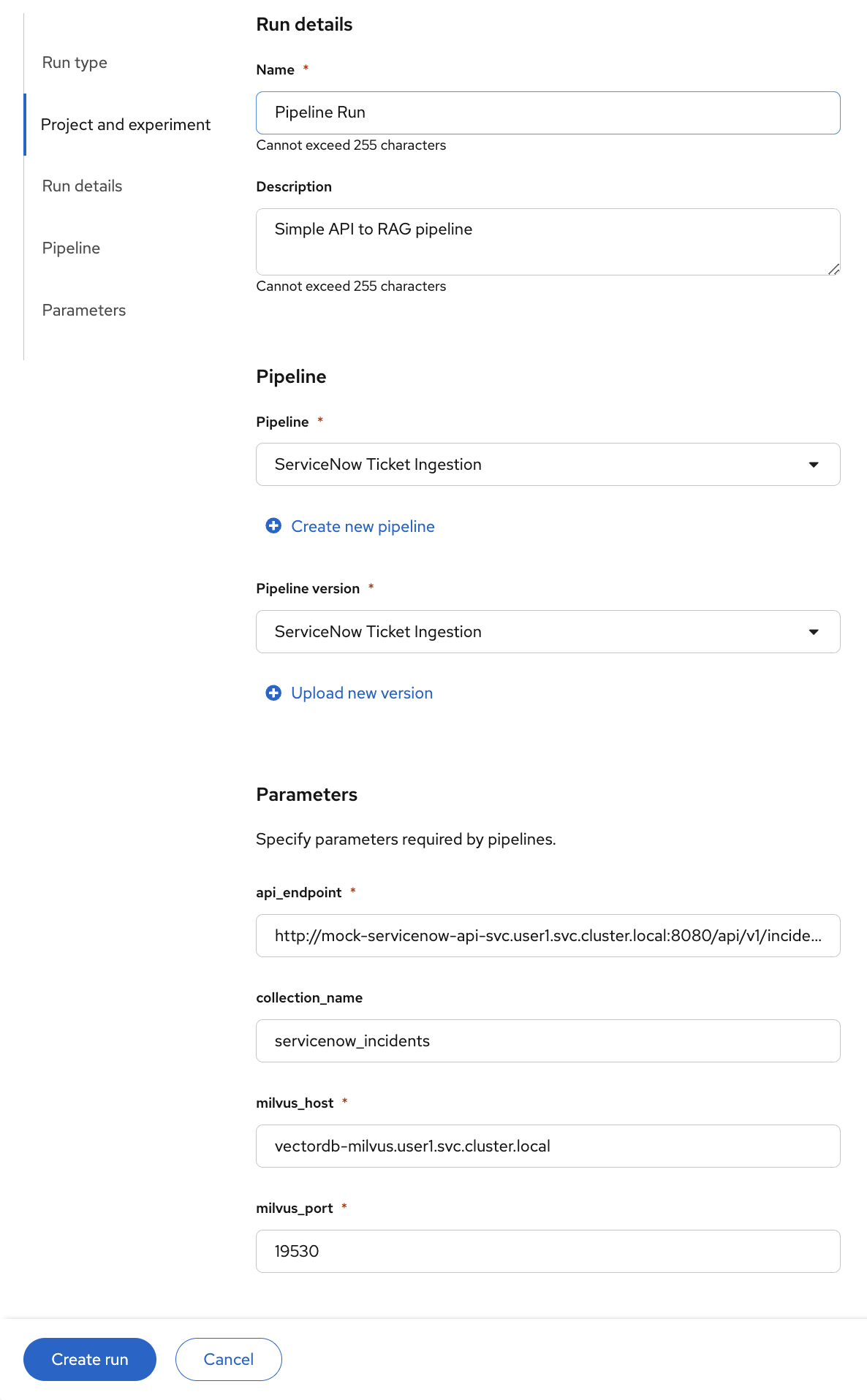
This will open the "Create run" page. First, make sure the correct Pipeline and Pipeline version are selected. If you have completed the Event-Driven PDF Ingestion lab, you will see two pipeline definitions — select ServiceNow Ticket Ingestion.
-
You will need give the run a name (
Pipeline Runin the example below) and description (Simple API to RAG pipeline), but the most important part is the Pipeline parameters section at the bottom. -
You must fill in the following parameters to tell the pipeline how to connect to the other services running in your project. Copy the values below exactly.
-
api_endpoint: The internal URL of the mock API you deployed.http://mock-servicenow-api-svc.userX.svc.cluster.local:8080/api/v1/incidents?state=closed -
collection_name: The name of the collection to be created in Milvus.servicenow_incidents -
milvus_host: The internal service name for the Milvus database.vectordb-milvus.userX.svc.cluster.local -
milvus_port: The gRPC port for the Milvus database.19530
-
-
After filling in all the parameters, the form should look like this:
-
Click the Create Run button to launch the pipeline run.
You will be automatically redirected to a real-time graph view of your running pipeline. Let’s explore how to monitor it in the next section.
Summary
-
Configured runtime parameters (
api_endpoint,milvus_host,milvus_port,collection_name) that wire the pipeline to the services in your namespace -
Created a pipeline run that will fetch incidents, generate vector embeddings, and insert them into Milvus
-
All service endpoints use in-cluster DNS — the same pipeline definition works across namespaces simply by changing the parameters