Ingress & Load Balancing
Duration: 25 minutes
Format: Hands-on ingress configuration
The Scenario
Your apps are deployed and running - but how does external traffic actually reach them? In this module you’ll examine the Ingress Controller, create routes with TLS, and then protect them: rate limiting under load, HTTP-to-HTTPS enforcement, and security headers. You’ll prove each one works by testing before and after.
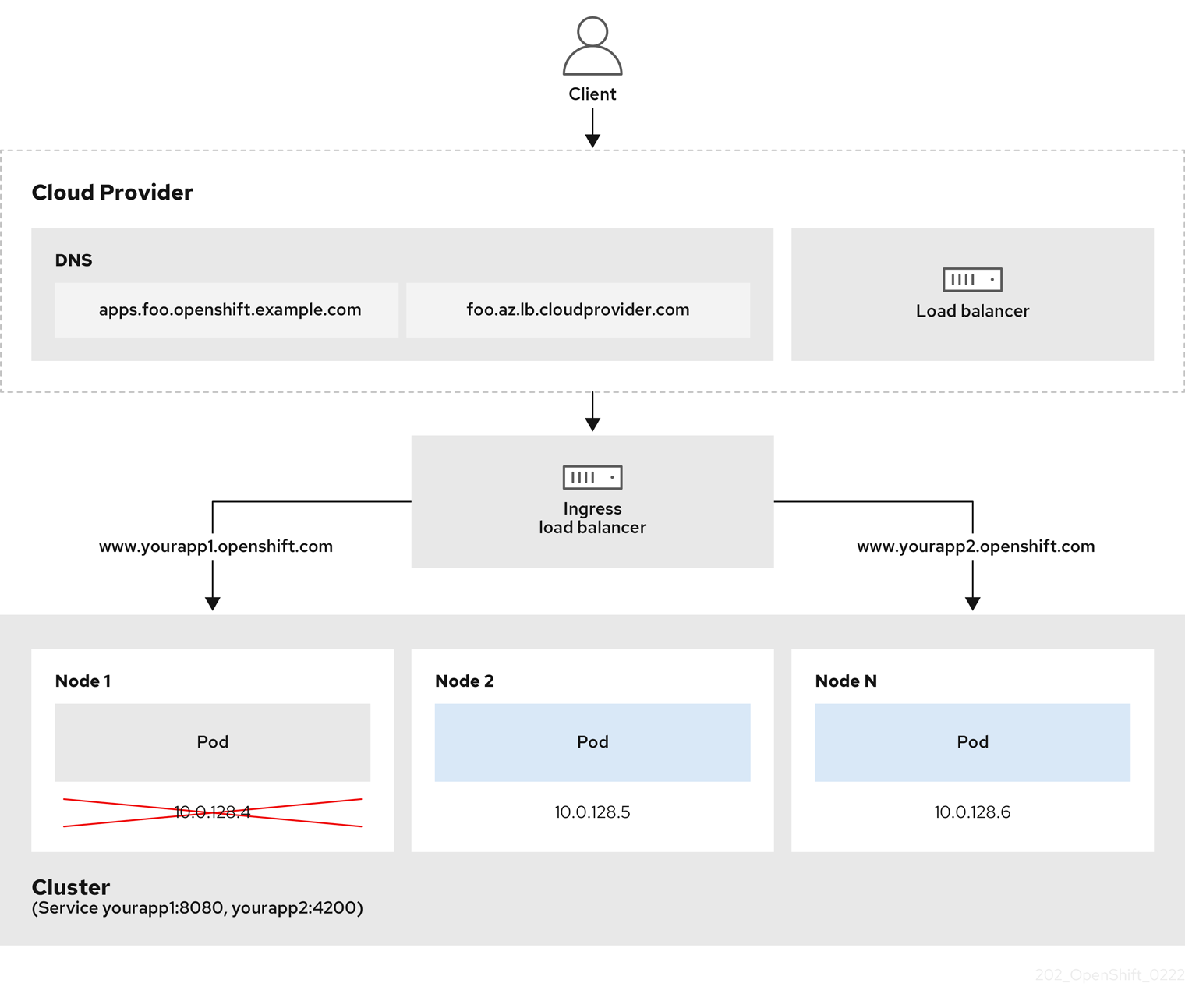
Ingress Controller & Load Balancing
The Ingress Controller (based on HAProxy) handles all external traffic entering the cluster.
View Ingress Controller Configuration
oc get ingresscontroller default -n openshift-ingress-operator -o yaml | head -60Key configuration options:
-
replicas- Number of router pods for HA -
routeAdmission.wildcardPolicy- Whether wildcard routes are allowed -
defaultCertificate- TLS certificate for *.apps domain -
endpointPublishingStrategy- How the router is exposed (HostNetwork, LoadBalancer, NodePort)
View Router Pods
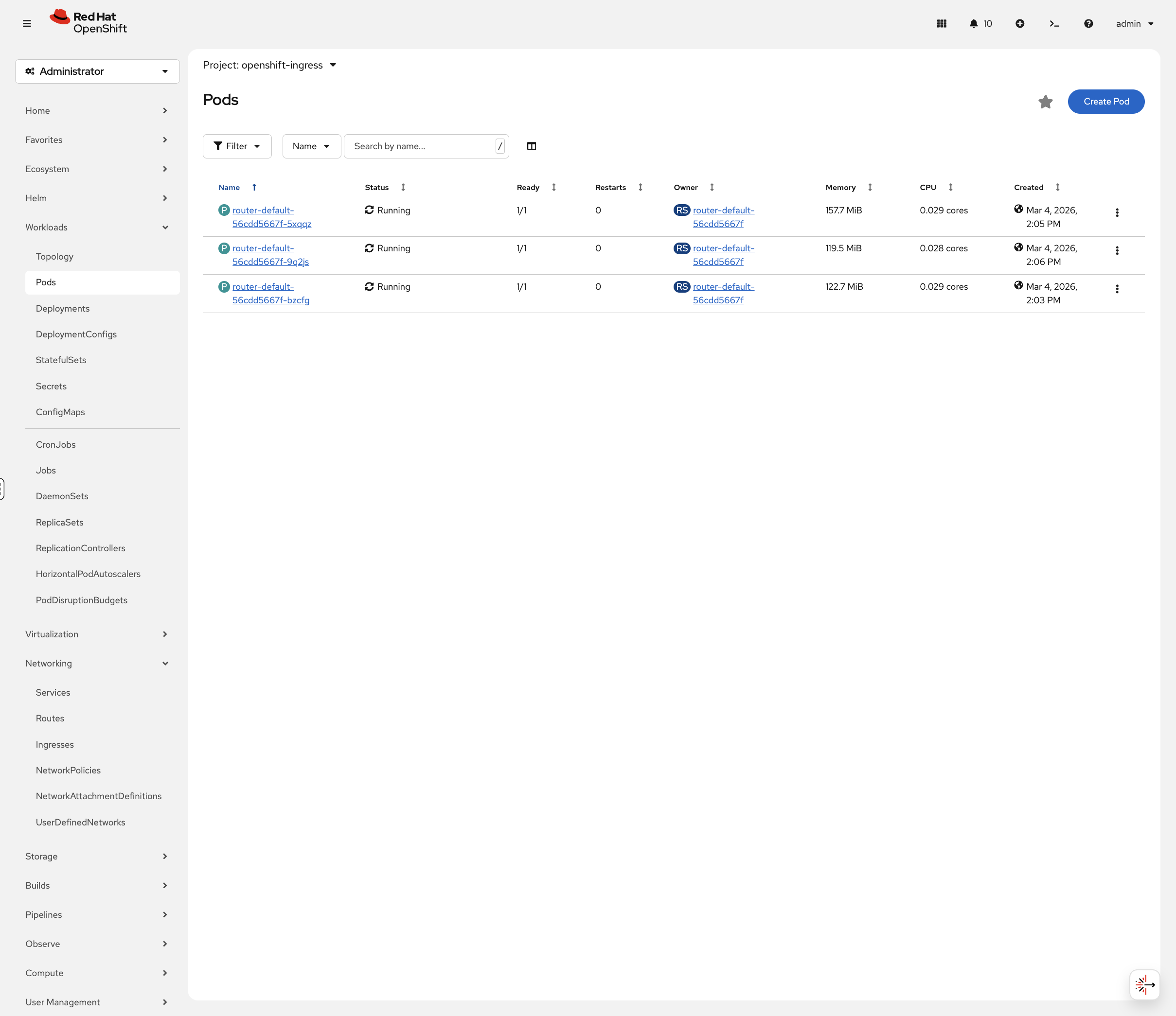
oc get pods -n openshift-ingress -o wideRouter pods handle incoming HTTP/HTTPS traffic. On this cluster they run on the control-plane nodes using HostNetwork, meaning they bind directly to the node’s network interfaces on ports 80 and 443.
You can also view these in the OCP Console at Workloads → Pods. Toggle Show default projects in the project dropdown, then select openshift-ingress:
Check Endpoint Publishing Strategy
oc get ingresscontroller default -n openshift-ingress-operator -o jsonpath='{.status.endpointPublishingStrategy}' | jq . 2>/dev/null || oc get ingresscontroller default -n openshift-ingress-operator -o jsonpath='{.status.endpointPublishingStrategy}' | python3 -m json.toolRoutes: OpenShift’s Ingress Resource
OpenShift Routes expose services externally. They’re more feature-rich than Kubernetes Ingress.
Set Up the Application
This section uses a test application. Run the following to ensure the project and app are ready:
# Wait for namespace to be fully removed if it's still terminating from a previous module
while oc get namespace app-management 2>/dev/null | grep -q Terminating; do
  echo "Waiting for app-management namespace to finish deleting..."
  sleep 5
done
oc new-project app-management 2>/dev/null || oc project app-management
oc get deployment weathernow -n app-management 2>/dev/null || oc new-app --name=weathernow --image=registry.access.redhat.com/ubi9/httpd-24| If you see pod status streaming in the terminal, press Ctrl+C to get your prompt back. |
oc create route edge weathernow --service=weathernow 2>/dev/null || echo "Route already exists"Wait for the pod to be ready:
oc rollout status deployment/weathernow -n app-management --timeout=60s| This may take a minute to complete. Only press Ctrl+C if it has been running for more than 5 minutes. |
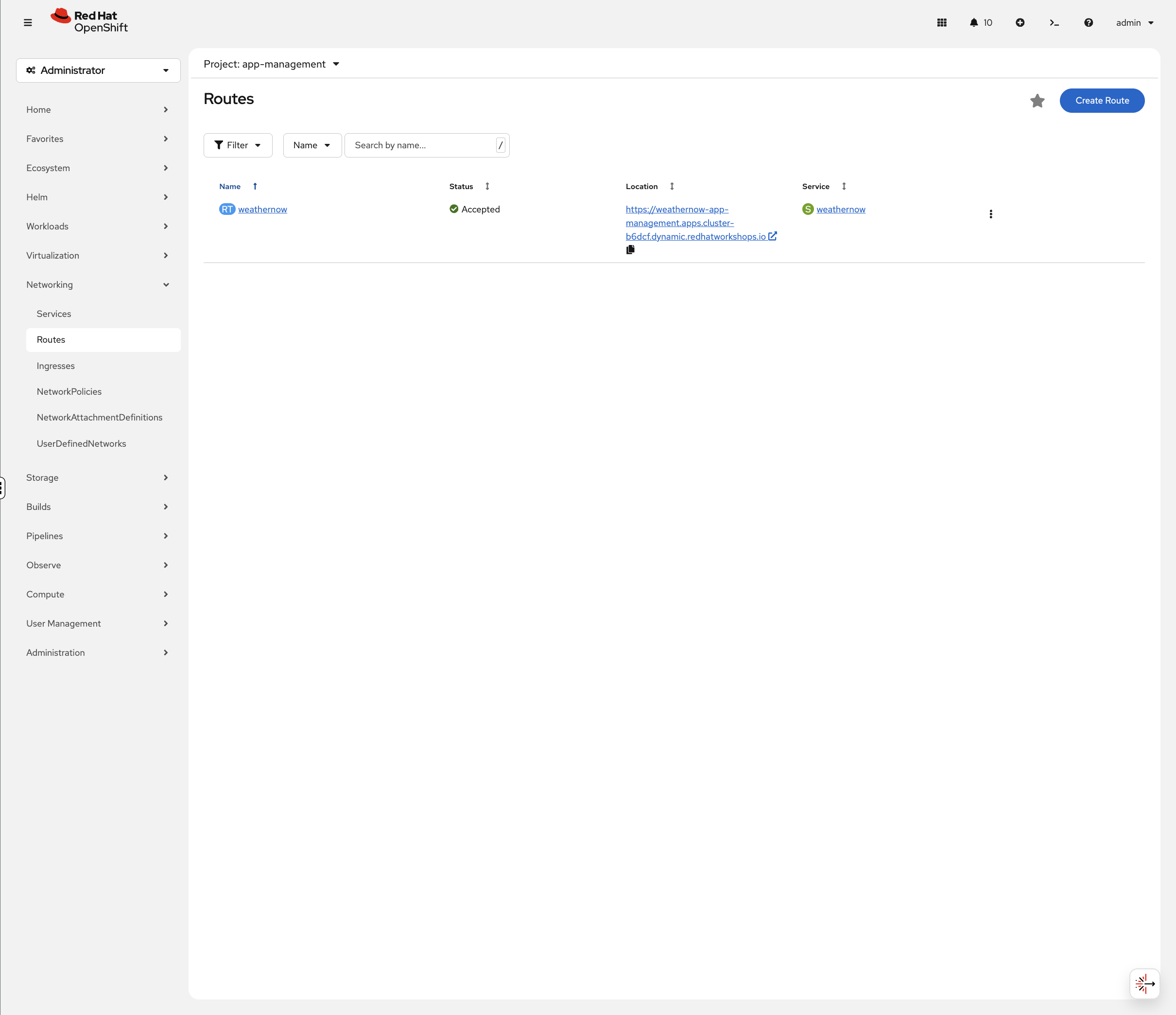
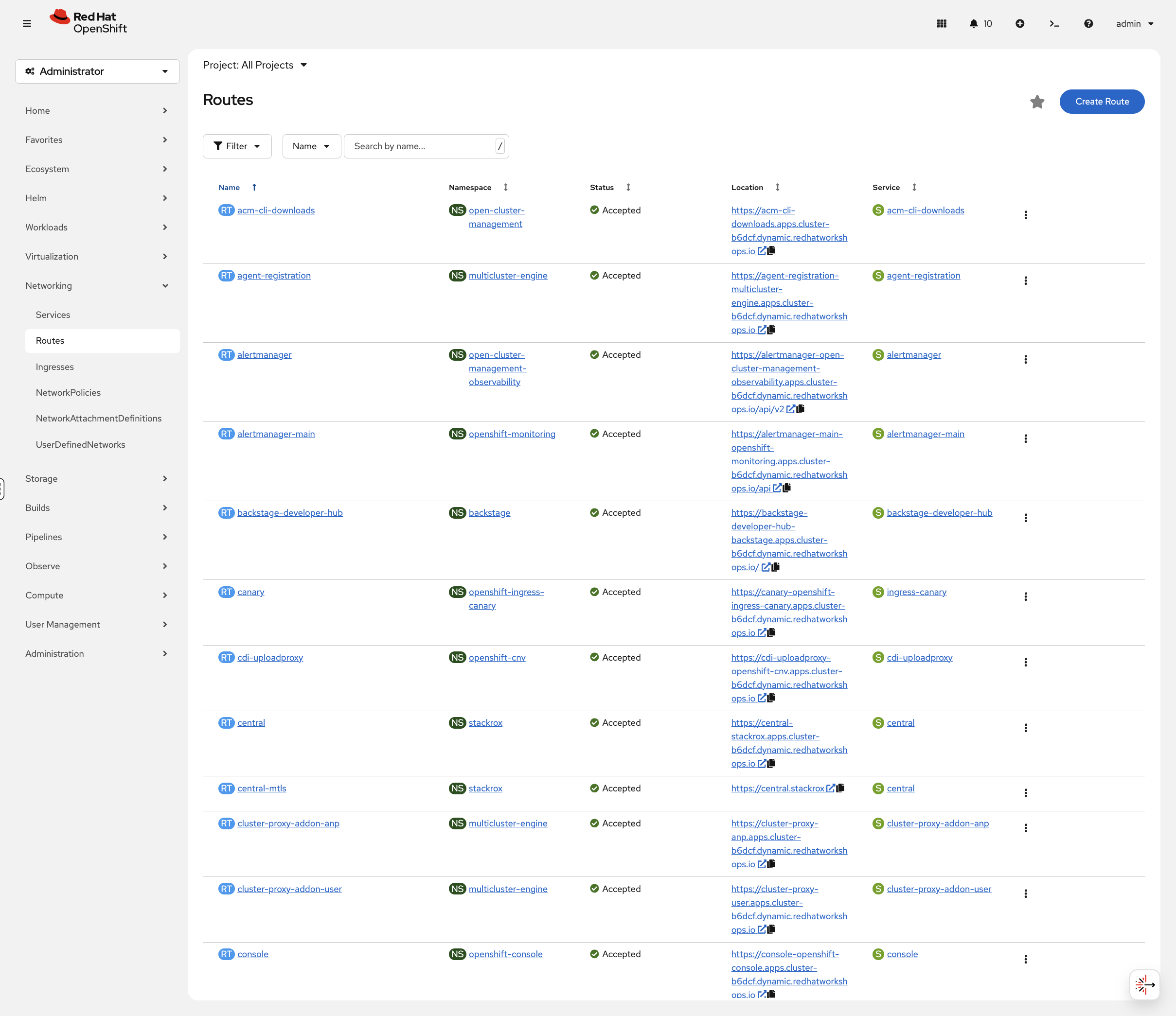
Now let’s examine its networking. In the OCP Console, navigate to Networking → Routes (project: app-management). You’ll see the weathernow route with its status, clickable URL, and target service:
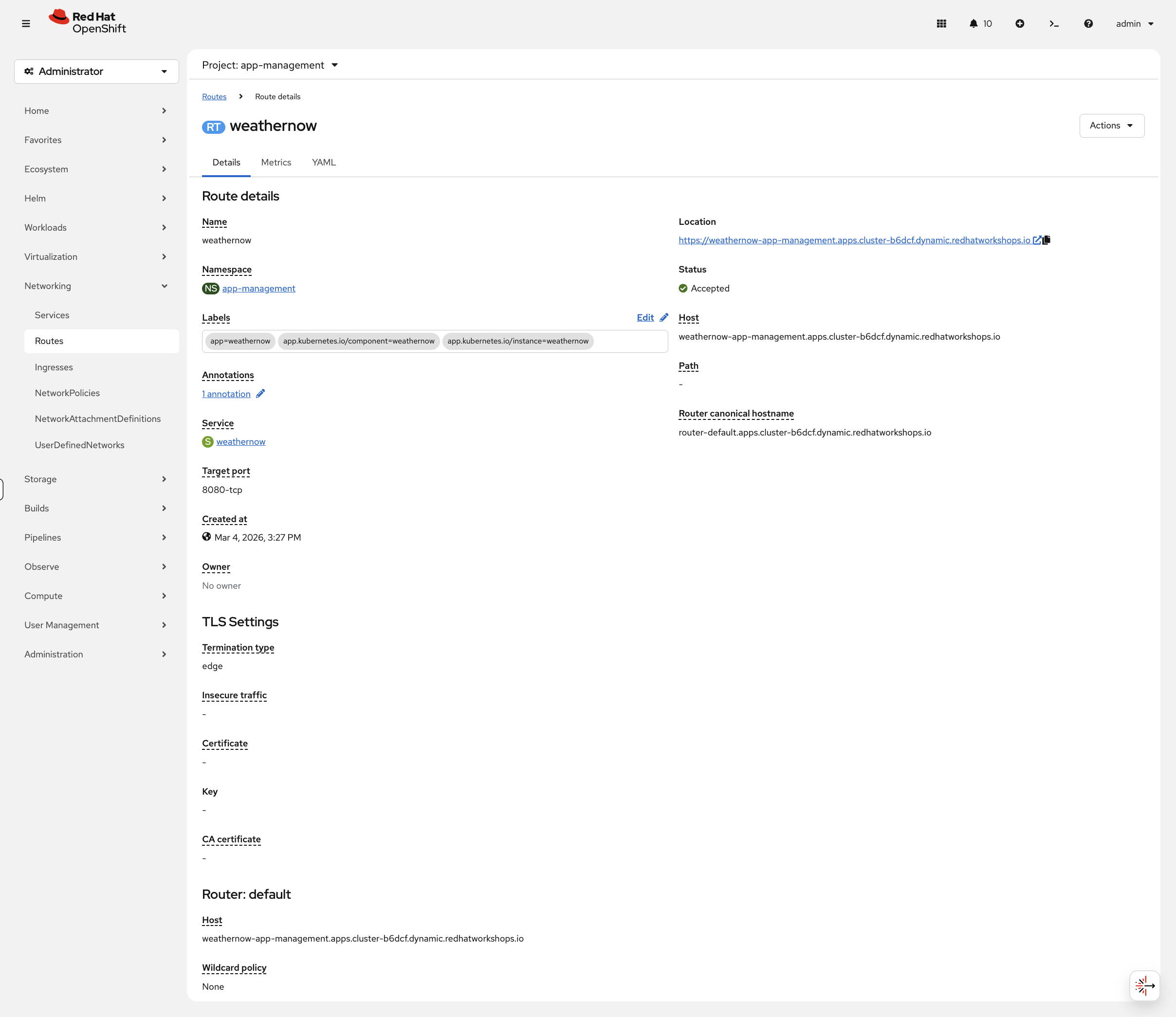
Click the route name to see the full details including TLS settings and router information:
TLS Termination Strategies
OpenShift Routes support three TLS termination types:
| Type | Description | Use Case |
|---|---|---|
edge |
TLS terminates at the router, traffic to pod is HTTP |
Most common. Router handles certificates. |
passthrough |
TLS passes through to the pod unchanged |
Application manages its own certificates |
reencrypt |
TLS terminates at router, new TLS to pod |
End-to-end encryption with router certificate validation |
Examine TLS Configuration
View the TLS settings on the edge route:
oc get route weathernow -o jsonpath='{.spec.tls}' | jq . 2>/dev/null || oc get route weathernow -o jsonpath='{.spec.tls}' | python3 -m json.toolEdge termination means:
-
TLS terminates at the Ingress Controller (HAProxy)
-
Traffic from router to pod is unencrypted HTTP
-
The router uses the cluster’s wildcard certificate
Advanced Configuration
Protect Your Routes
Routes support annotations that control rate limiting, security headers, and HTTP behavior. Let’s apply them and prove they work.
HTTP to HTTPS Redirect
By default, HTTP requests to an edge route get a generic 503 page. In production, you want HTTP to redirect to HTTPS automatically.
Test the current HTTP behavior:
curl -sk -o /dev/null -w "HTTP request: %{http_code}\n" "http://$(oc get route weathernow -o jsonpath='{.spec.host}')"Now enable the redirect:
oc patch route weathernow -n app-management --type=merge \
  -p '{"spec":{"tls":{"insecureEdgeTerminationPolicy":"Redirect"}}}'
sleep 3
ROUTE_HOST=$(oc get route weathernow -o jsonpath='{.spec.host}')
echo "HTTP request (should 302 redirect):"
curl -sk -o /dev/null -w " Status: %{http_code} → %{redirect_url}\n" "http://$ROUTE_HOST"
echo "Following the redirect:"
curl -skL -o /dev/null -w " Status: %{http_code}\n" "http://$ROUTE_HOST"The 302 confirms HTTP is redirecting to HTTPS. The 403 after following the redirect is the app’s normal response (the default httpd test page returns 403 because there’s no custom content deployed). The important thing is the redirect itself - HTTP traffic is no longer served unencrypted.
The three options for insecureEdgeTerminationPolicy:
-
Redirect - HTTP 302 to HTTPS (recommended)
-
None - reject HTTP entirely (503)
-
Allow - serve content over HTTP too (not recommended)
HSTS (HTTP Strict Transport Security)
HSTS tells browsers to always use HTTPS - even if the user types http://. This prevents downgrade attacks.
Check the current response headers - you should see No HSTS header because we haven’t enabled it yet:
curl -sk -D - "https://$(oc get route weathernow -o jsonpath='{.spec.host}')" 2>&1 | grep -i strict || echo "No HSTS header"Now apply HSTS:
oc annotate route weathernow -n app-management \
  haproxy.router.openshift.io/hsts_header="max-age=31536000;includeSubDomains" --overwrite
sleep 3
curl -sk -D - "https://$(oc get route weathernow -o jsonpath='{.spec.host}')" 2>&1 | grep -i strictThe strict-transport-security header is now in every response. Browsers that see this will refuse to use HTTP for this domain for one year (max-age=31536000).
Rate Limiting Under Load
Apply rate limiting to restrict concurrent connections:
oc annotate route weathernow -n app-management \
  haproxy.router.openshift.io/rate-limit-connections=true \
  haproxy.router.openshift.io/rate-limit-connections.concurrent-tcp=2 \
  haproxy.router.openshift.io/rate-limit-connections.rate-http=10 \
  --overwrite
The annotations are set - but do they actually work? Let’s prove it. Send 20 concurrent requests:
echo "=== With rate limiting (max 2 concurrent) ==="
ROUTE_HOST=$(oc get route weathernow -o jsonpath='{.spec.host}')
sleep 5
RESULTS=""
for i in $(seq 1 20); do
  curl -sk -o /dev/null -w "%{http_code}\n" "https://$ROUTE_HOST" &
done
wait 2>/dev/null| If the output hangs, press Ctrl+C to get your prompt back. |
You’ll see a mix of 403 (request reached the app) and 000 (connection dropped by HAProxy before reaching the app). The 000 responses prove the router is dropping connections beyond the concurrent limit.
The exact ratio of 403 to 000 responses will vary between runs depending on timing and system load.
|
Now remove rate limiting and try the same test:
oc annotate route weathernow -n app-management \
  haproxy.router.openshift.io/rate-limit-connections- \
  haproxy.router.openshift.io/rate-limit-connections.concurrent-tcp- \
  haproxy.router.openshift.io/rate-limit-connections.rate-http-
echo "=== Without rate limiting ==="
sleep 5
for i in $(seq 1 20); do
curl -sk -o /dev/null -w "%{http_code}\n" "https://$(oc get route weathernow -o jsonpath='{.spec.host}')" &
done
wait 2>/dev/null| If the output hangs, press Ctrl+C to get your prompt back. |
All 403 - every request reaches the app (the httpd default page returns 403, which is expected). No 000 responses means no connections were dropped. Compare this to the previous test where HAProxy was actively dropping connections - that’s the difference one annotation makes.
Ingress Controller Scaling
The ingress controller can be scaled by changing spec.replicas on the IngressController CR. On cloud platforms with LoadBalancer services, adding replicas puts more routers behind the external load balancer for higher throughput.
On this compact cluster, one router per node is already the maximum - scaling up would leave pods Pending (anti-affinity prevents two routers on the same node), and scaling down would drop traffic on the node that loses its router.
echo "Current replicas: $(oc get ingresscontroller default -n openshift-ingress-operator -o jsonpath='{.spec.replicas}')"
echo "Router pods:"
oc get pods -n openshift-ingress -o wide
In production cloud environments, you’d scale with:
# Example - not run on this cluster
oc patch ingresscontroller default -n openshift-ingress-operator --type=merge -p '{"spec":{"replicas":5}}'
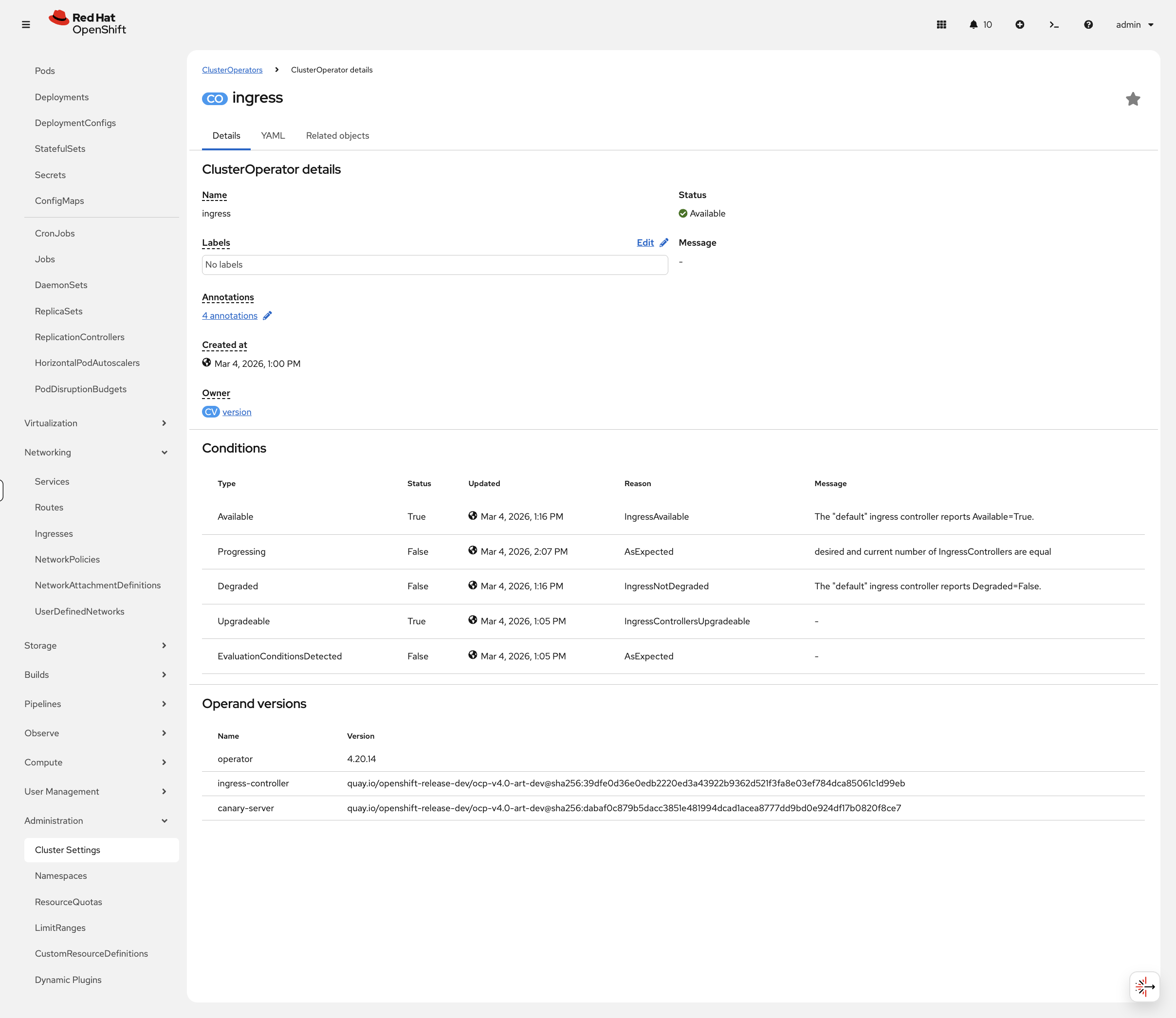
You can view ingress controller health in the console at Administration → Cluster Settings → ClusterOperators, then click ingress:
Cleanup & Summary
# Remove annotations and reset route
oc annotate route weathernow -n app-management \
  haproxy.router.openshift.io/hsts_header- \
  haproxy.router.openshift.io/rate-limit-connections- \
  haproxy.router.openshift.io/rate-limit-connections.concurrent-tcp- \
  haproxy.router.openshift.io/rate-limit-connections.rate-http- 2>/dev/null
oc patch route weathernow -n app-management --type=merge \
  -p '{"spec":{"tls":{"insecureEdgeTerminationPolicy":""}}}' 2>/dev/null
echo "Cleanup complete"
Summary
What you learned:
-
The Ingress Controller (HAProxy) handles external traffic on HostNetwork
-
Routes expose services with TLS termination options (edge, passthrough, reencrypt)
-
insecureEdgeTerminationPolicy: Redirectenforces HTTPS -
HSTS headers prevent browser downgrade attacks
-
Rate limiting protects routes from connection floods - and you proved it works
Key operational commands:
# Check ingress controller
oc get ingresscontroller -n openshift-ingress-operator

# View routes
oc get routes -A

# View router pods
oc get pods -n openshift-ingress -o wide
Additional Resources
-
Ingress Controller: Configuring ingress cluster traffic
-
Route Annotations: Route-specific annotations