Setup & Overview
Duration: 35 minutes
Format: Hands-on demonstration
Let’s Go
You have cluster admin access to a live OpenShift cluster. Let’s make sure everything’s working - click the commands below:
oc whoamiYou should see your admin user.
oc get nodesThree nodes, all Ready.
oc get clusterversionThat’s your cluster version and update channel. You’re in.
About This Workshop
Every ops team hits the same wall with Kubernetes: the cluster is running, but who handles authentication? How do you back up a namespace someone accidentally deleted? What happens when pods crash at 2am and nobody knows where to look?
This workshop lets you answer those questions hands-on. You’ll break things on purpose and fix them, diagnose real failure modes, configure production security, and see what OpenShift looks like when things go wrong (and how fast you can recover).
Your Workshop Interface
Your workshop runs in a split-panel interface:
-
Left panel - Instructions (what you’re reading now)
-
Right panel - Tabbed workspace with your cluster tools
-
Draggable divider - Drag the border between panels to resize
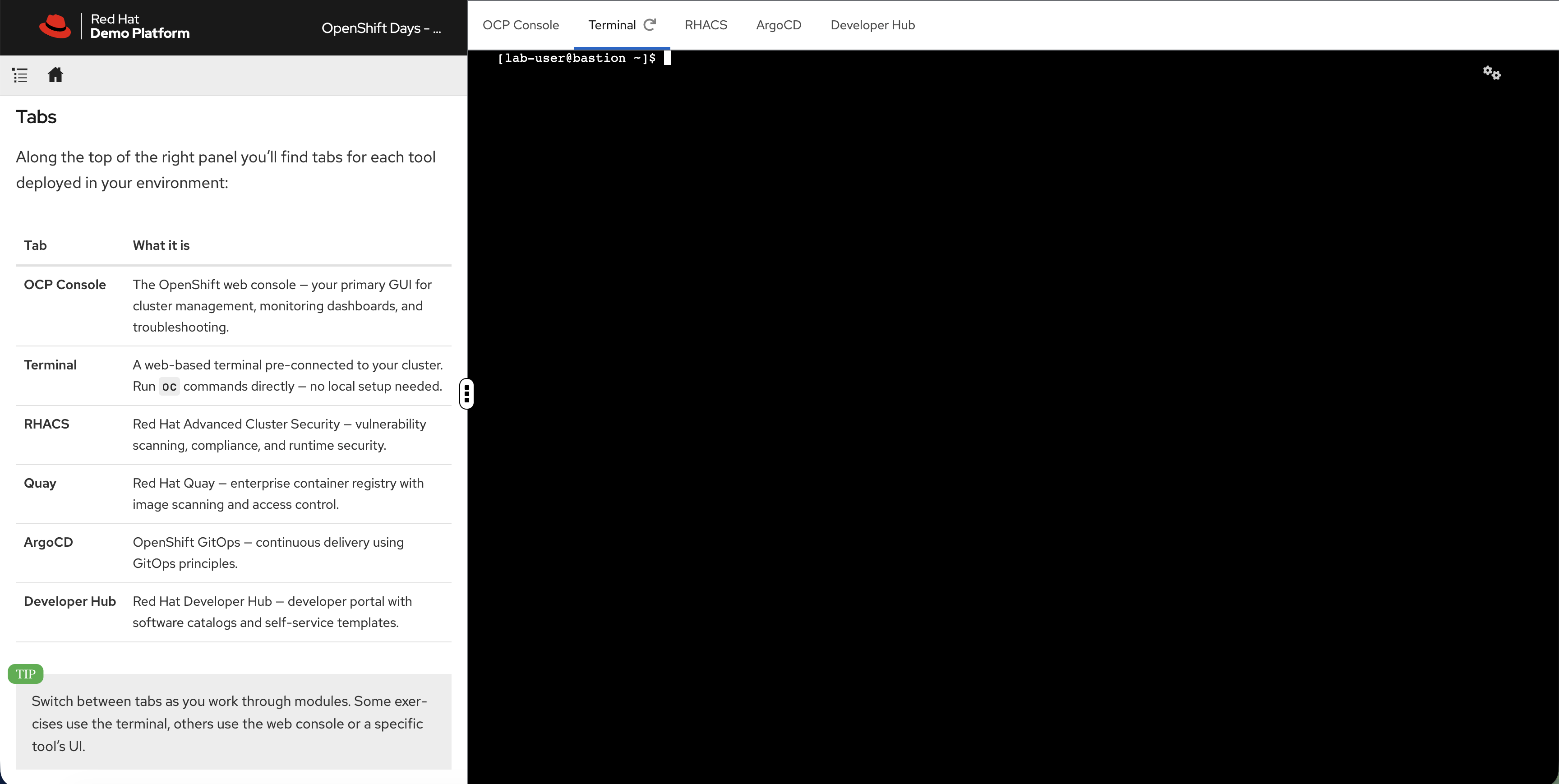
| Tab | What it is |
|---|---|
OCP Console |
The OpenShift web console - cluster management, monitoring dashboards, and troubleshooting. |
Terminal |
A web-based terminal pre-connected to your cluster. Run |
RHACS |
Red Hat Advanced Cluster Security - vulnerability scanning, compliance, and runtime security. |
ArgoCD |
OpenShift GitOps - continuous delivery using GitOps principles. |
Developer Hub |
Red Hat Developer Hub - developer portal with software catalogs and self-service templates. |
| Highlighted command blocks are clickable - they switch to the Terminal tab and execute automatically. |
Modules
|
This workshop is modular. Your session has a specific set of modules - only the ones in the navigation on the left are available. The full catalog covers: |
| Area | What you’ll do |
|---|---|
Platform Fundamentals |
Verify cluster health, check etcd metrics, deploy an app and expose it in 30 seconds |
Application Operations |
Deploy workloads, break a readiness probe on purpose, scale with HPA under real load, configure network policies |
Identity & Access |
Integrate LDAP and OIDC authentication, sync groups, test RBAC by logging in as different users |
Day 2 Operations |
Create alerting rules, set up logging, configure distributed tracing, right-size workloads with VPA |
Advanced Capabilities |
Run a VM alongside containers and live-migrate it, manage multiple clusters with ACM, scan for vulnerabilities with ACS |
Developer Productivity |
Register applications in Developer Hub, see how golden path templates replace ops tickets with self-service |
Exploring the Platform
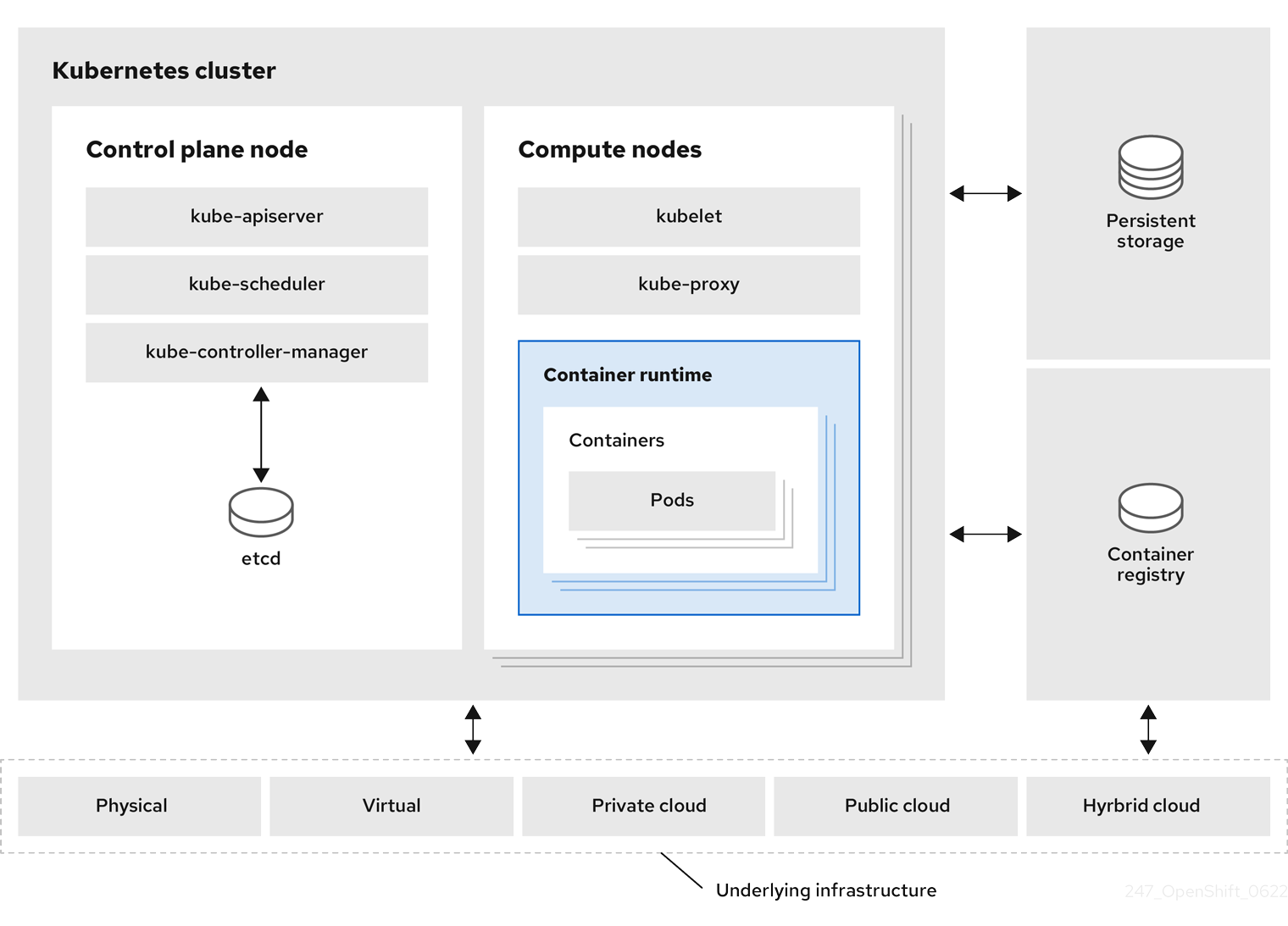
Your cluster is already running with monitoring, a container registry, ingress routing, and a web console - all built in. Let’s see what’s there.
Step 1: Access the Administrator Console
The OpenShift Web Console provides a unified view of your entire cluster.
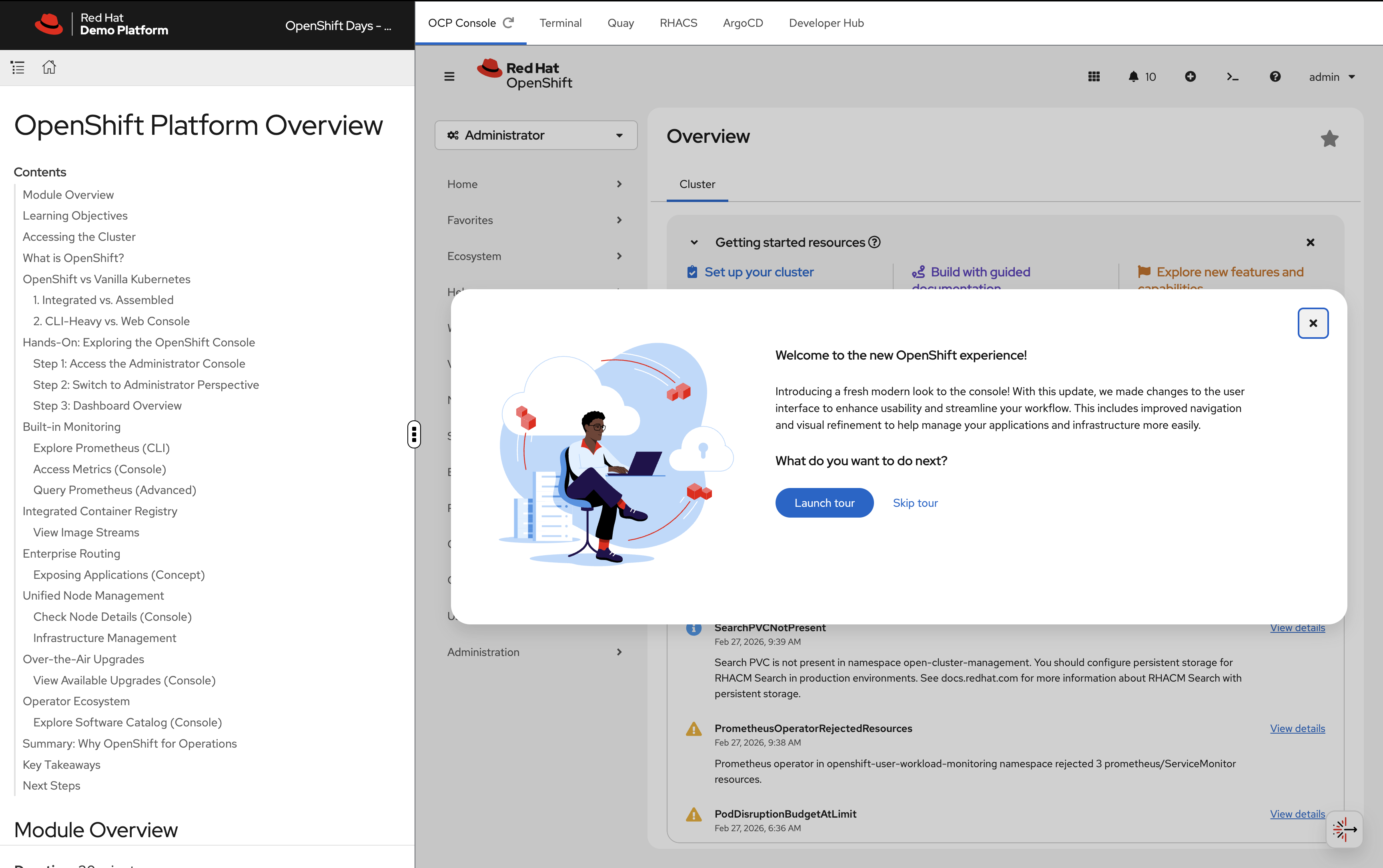
You can access the console in two ways:
-
OCP Console tab - Click the OCP Console tab at the top of this workshop. The console is embedded directly in the workshop interface so you can follow along without switching windows.
-
Separate browser tab - If you prefer a full-screen experience, run this to get the console URL and open it in a new browser tab:
oc whoami --show-console
Login with your credentials:
-
Username:
{openshift_cluster_admin_username} -
Password:
{openshift_cluster_admin_password}
Step 2: Switch to Administrator Perspective
In the top-left corner of the console, you’ll see a perspective switcher dropdown that may show Fleet Management.
Click the dropdown and select Administrator: - Administrator - Fleet Management
Make sure Administrator is selected.
Step 3: Dashboard Overview
Once in the Administrator perspective, you’ll see the Overview dashboard under Home → Overview.
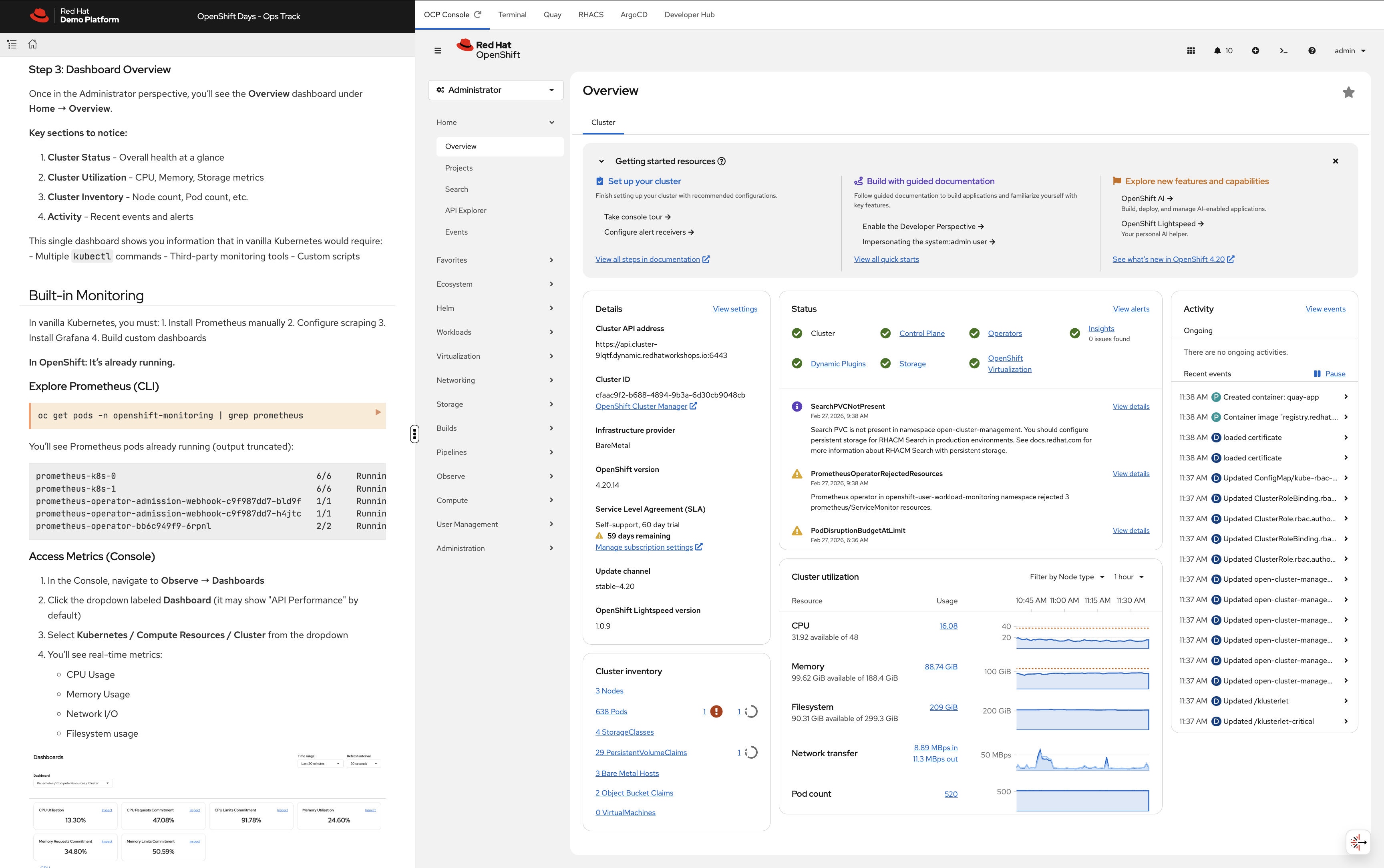
Key sections to notice:
-
Cluster Status - Overall health at a glance
-
Cluster Utilization - CPU, Memory, Storage metrics
-
Cluster Inventory - Node count, Pod count, etc.
-
Activity - Recent events and alerts
This single dashboard gives you cluster health, utilisation, inventory, and recent events - all in one view, with no setup required.
Platform Capabilities
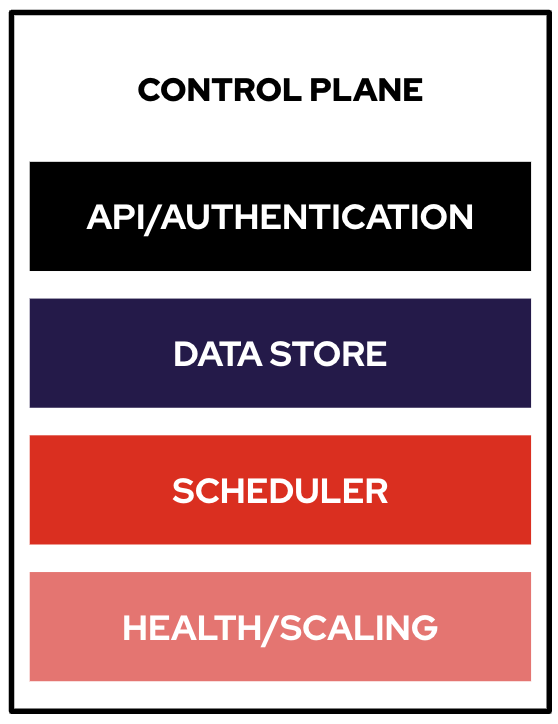
Everything below - monitoring, a container registry, and ingress routing - was running before anyone logged in. Let’s prove it.
Monitoring
Nobody installed Prometheus on this cluster. It’s already running.
Explore Prometheus (CLI)
oc get pods -n openshift-monitoring | grep prometheusYou’ll see Prometheus pods already running (output truncated):
prometheus-k8s-0                                        6/6     Running   0          55m
prometheus-k8s-1                                        6/6     Running   0          55m
prometheus-operator-admission-webhook-c9f987dd7-bld9f   1/1     Running   0          71m
prometheus-operator-admission-webhook-c9f987dd7-h4jtc   1/1     Running   0          71m
prometheus-operator-bb6c949f9-6rpnl                     2/2     Running   0          66m
Access Metrics (Console)
-
In the Console, navigate to Observe → Dashboards
-
Click the dropdown labeled Dashboard (it may show "API Performance" by default)
-
Select Kubernetes / Compute Resources / Cluster from the dropdown
-
You’ll see real-time metrics:
-
CPU Usage
-
Memory Usage
-
Network I/O
-
Filesystem usage
-
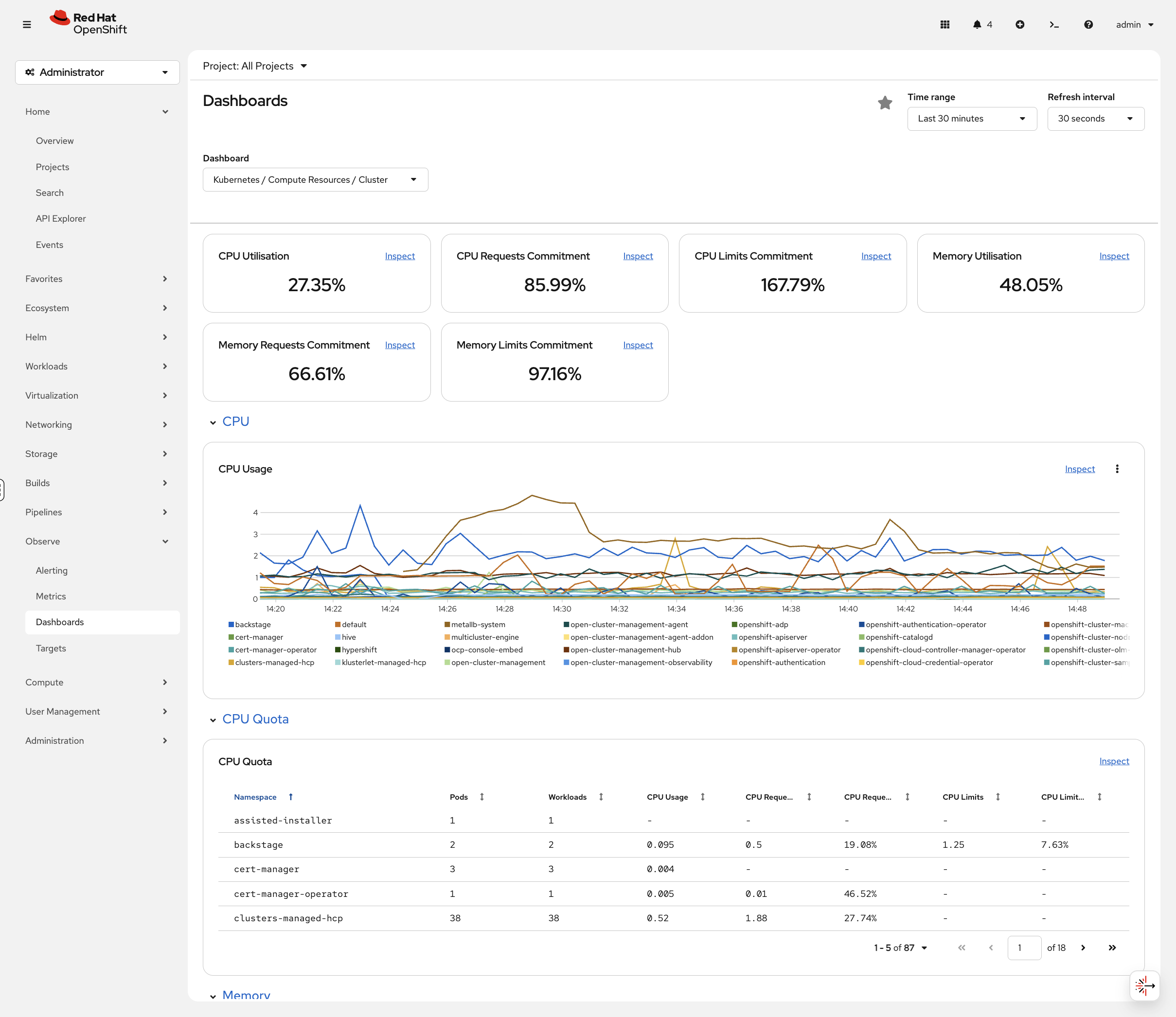
No configuration required. This is built-in.
Query Prometheus (Advanced)
-
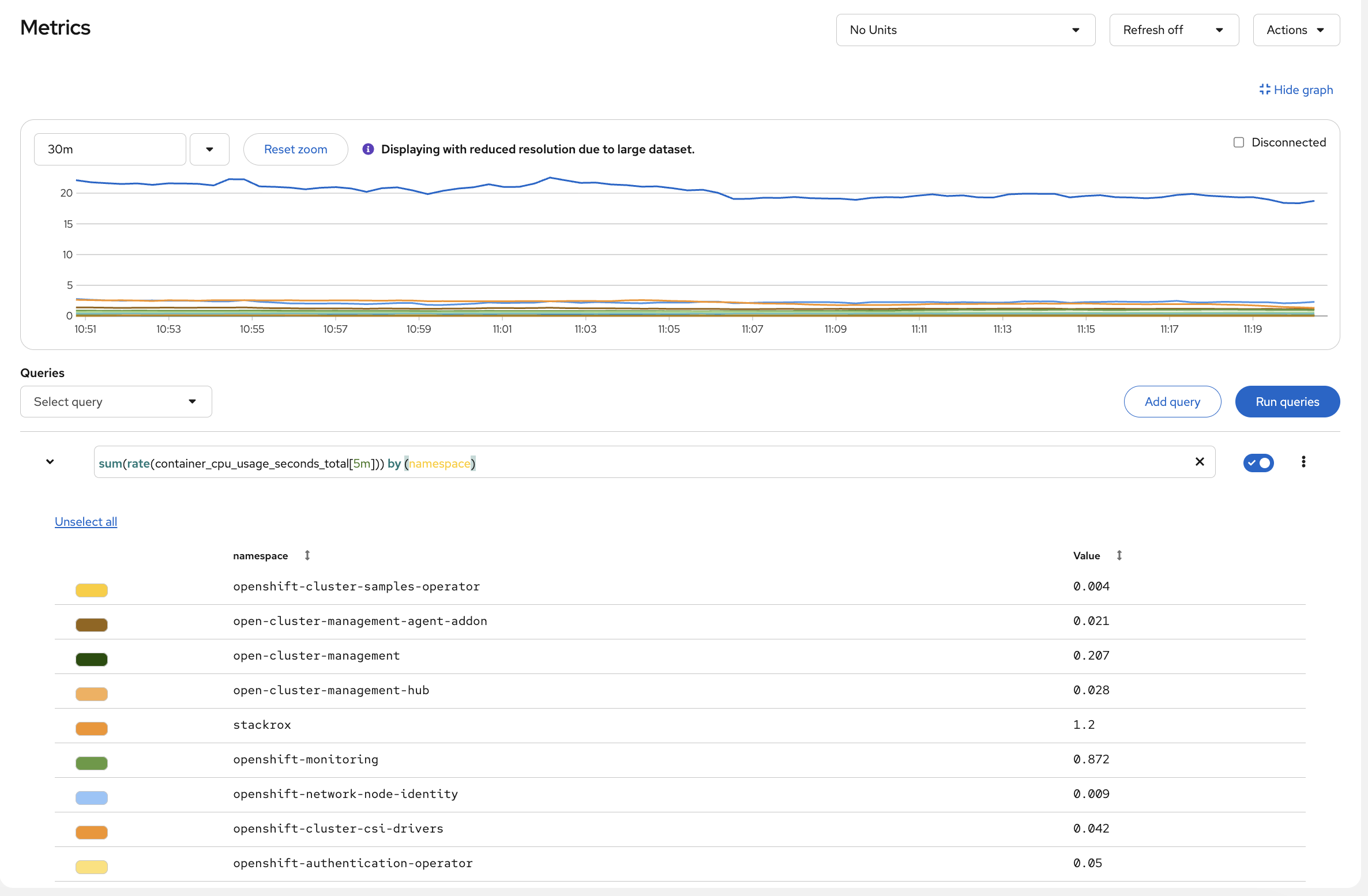
Navigate to Observe → Metrics
-
Try this PromQL query:
sum(rate(container_cpu_usage_seconds_total[5m])) by (namespace) -
Click Run Queries
You’ll see CPU usage broken down by namespace. Look at which namespaces are consuming the most - openshift-monitoring and openshift-etcd are usually at the top because they run the cluster’s own infrastructure. All of this was available the moment the cluster came up.
Container Registry
Did anyone set up an image registry? Let’s check:
oc get pods -n openshift-image-registryOutput (truncated):
NAME                                               READY   STATUS    RESTARTS      AGE
cluster-image-registry-operator-86c45576b9-v8j48   1/1     Running   1 (73m ago)   89m
image-registry-5cd768f9b5-nnrx5                    1/1     Running   0             72m
image-registry-5cd768f9b5-pcnqk                    1/1     Running   0             72m
node-ca-2487m                                      1/1     Running   0             72m
node-ca-5lh4f                                      1/1     Running   0             72m
...
Already running - with authentication, HA replicas, and storage configured. Nobody installed it.
View Image Streams
oc get imagestreams -n openshiftYou’ll see pre-loaded builder images (output truncated):
NAME                   IMAGE REPOSITORY                                                     TAGS
cli                    image-registry.openshift-image-registry.svc:5000/openshift/cli      latest
dotnet                 image-registry.openshift-image-registry.svc:5000/openshift/dotnet   6.0,8.0,9.0,6.0-ubi8,8.0-ubi8,9.0-ubi8...
nodejs                 image-registry.openshift-image-registry.svc:5000/openshift/nodejs   20-minimal-ubi8,20-minimal-ubi9,20-ubi8...
python                 image-registry.openshift-image-registry.svc:5000/openshift/python   3.11-ubi8,3.11-ubi9,3.12-minimal-ubi10...
These are ready to use - no Docker Hub rate limits, no external dependencies.
Routing
Same story with ingress - it’s already there. Check it:
oc get routes -A | head -10You’ll see Routes (OpenShift’s ingress abstraction - output truncated):
NAMESPACE                  NAME                  HOST/PORT
open-cluster-management    acm-cli-downloads     acm-cli-downloads.apps.cluster...
openshift-authentication   oauth-openshift       oauth-openshift.apps.cluster...
openshift-console          console               console-openshift-console.apps.cluster...
openshift-console          downloads             downloads-openshift-console.apps.cluster...
Routes give you HAProxy-based ingress with automatic TLS certs and DNS. OpenShift also supports standard Kubernetes Ingress resources if you prefer.
Try It: Deploy and Expose in 30 Seconds
How fast can you go from nothing to a running app with a public URL? Three commands:
oc new-project quick-demo
oc new-app --name=hello --image=registry.access.redhat.com/ubi9/httpd-24
oc create route edge hello --service=hello
Get the URL and test it:
curl -sk https://$(oc get route hello -n quick-demo -o jsonpath='{.spec.host}') | head -3You should see the httpd test page HTML. That’s a deployed app, with a service, a TLS-terminated route, and automatic DNS - in three commands.
Clean up (runs in the background so we can move on):
oc delete project quick-demo &>/dev/null &Cluster Management
Nodes
Let’s look at what you’re running on:
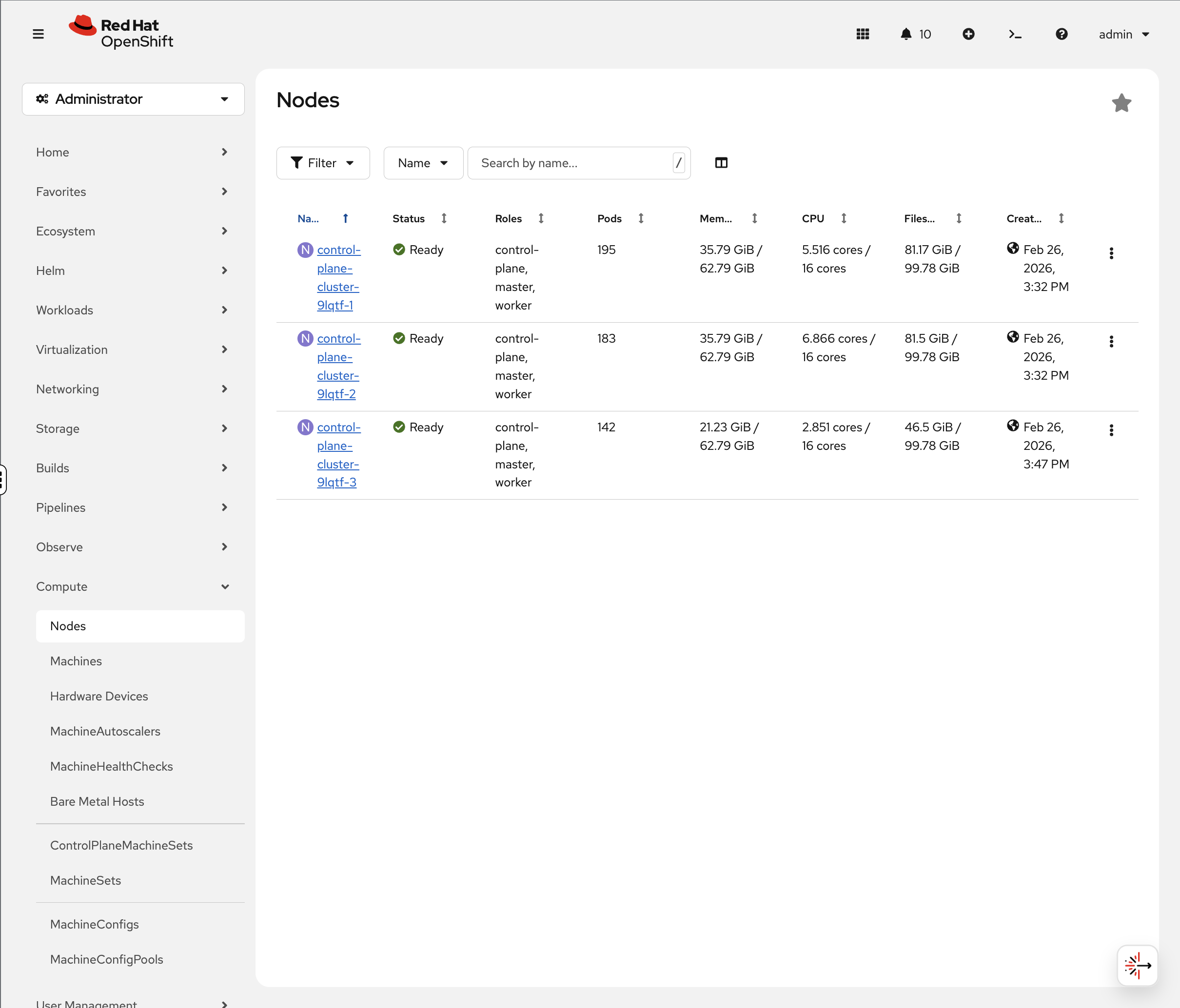
oc get nodesYour environment uses a compact cluster - 3 nodes that serve as both control plane and worker:
NAME                            STATUS   ROLES                         AGE   VERSION
control-plane-cluster-xxxxx-1   Ready    control-plane,master,worker   20h   v1.33.6
control-plane-cluster-xxxxx-2   Ready    control-plane,master,worker   20h   v1.33.6
control-plane-cluster-xxxxx-3   Ready    control-plane,master,worker   20h   v1.33.6
| Node names and count vary by deployment. Production clusters typically have separate control plane and worker nodes. This workshop uses a compact topology where all nodes serve both roles. |
Check Node Details (Console)
-
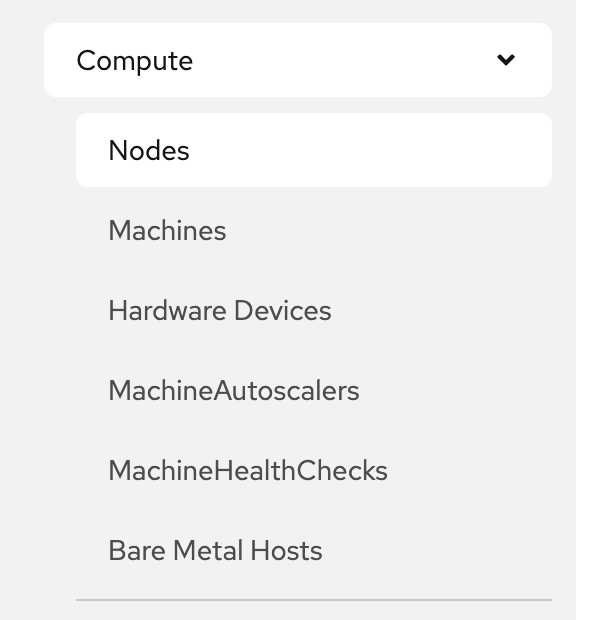
Navigate to Compute → Nodes
-
Click on any node
-
The Overview tab immediately shows you:
-
Active alerts - you’ll likely see alerts like
KubeCPUOvercommitorKubeMemoryOvercommitat the top. These fire when the total CPU/memory limits of all pods on the node exceed the node’s capacity. This means if every pod tried to burst to its maximum simultaneously, the node couldn’t handle it and would throttle pods.However, look at the Utilization graphs below - actual CPU and memory usage is well within capacity. The difference is important: requests (what’s guaranteed) fit on the node, limits (what pods are allowed to burst to) don’t. In practice, all pods bursting at once rarely happens, especially in a workshop environment. In production, you’d either right-size your limits, add nodes, or accept the overcommit if your workloads don’t burst together.
-
Utilization graphs - CPU, Memory, Filesystem, and Network over time. Compare "available" to actual usage - that tells you the real capacity story, not the theoretical limits.
-
Pod count - how many pods are running on this node.
-
-
Click the Pods tab to see every pod on that node with its CPU and memory usage.
Active alerts, utilization graphs, and per-pod resource usage are all in one console view - no SSH to nodes required.
MachineSets - Automated Infrastructure Scaling
OpenShift uses MachineSets to automate infrastructure scaling. On cloud platforms (AWS, Azure, GCP), MachineSets manage worker nodes across availability zones - you can scale up by changing a replica count rather than manually provisioning machines.
When ACM is installed, machinesets exists in two API groups (Cluster API and OpenShift Machine API). We use the full resource name machinesets.machine.openshift.io to target OpenShift’s Machine API.
|
oc get machinesets.machine.openshift.io -n openshift-machine-apiYour compact cluster has a single MachineSet scaled to 0 - all 3 nodes serve as both control plane and worker, so no separate worker machines are needed:
NAME                           DESIRED   CURRENT   READY   AVAILABLE   AGE
cluster-xxxxx-worker-0         0         0                             20h
In a production cloud deployment, you’d see multiple MachineSets (one per availability zone) with active worker replicas that can be scaled up or down.
You can see this in the console at Compute → MachineSets:
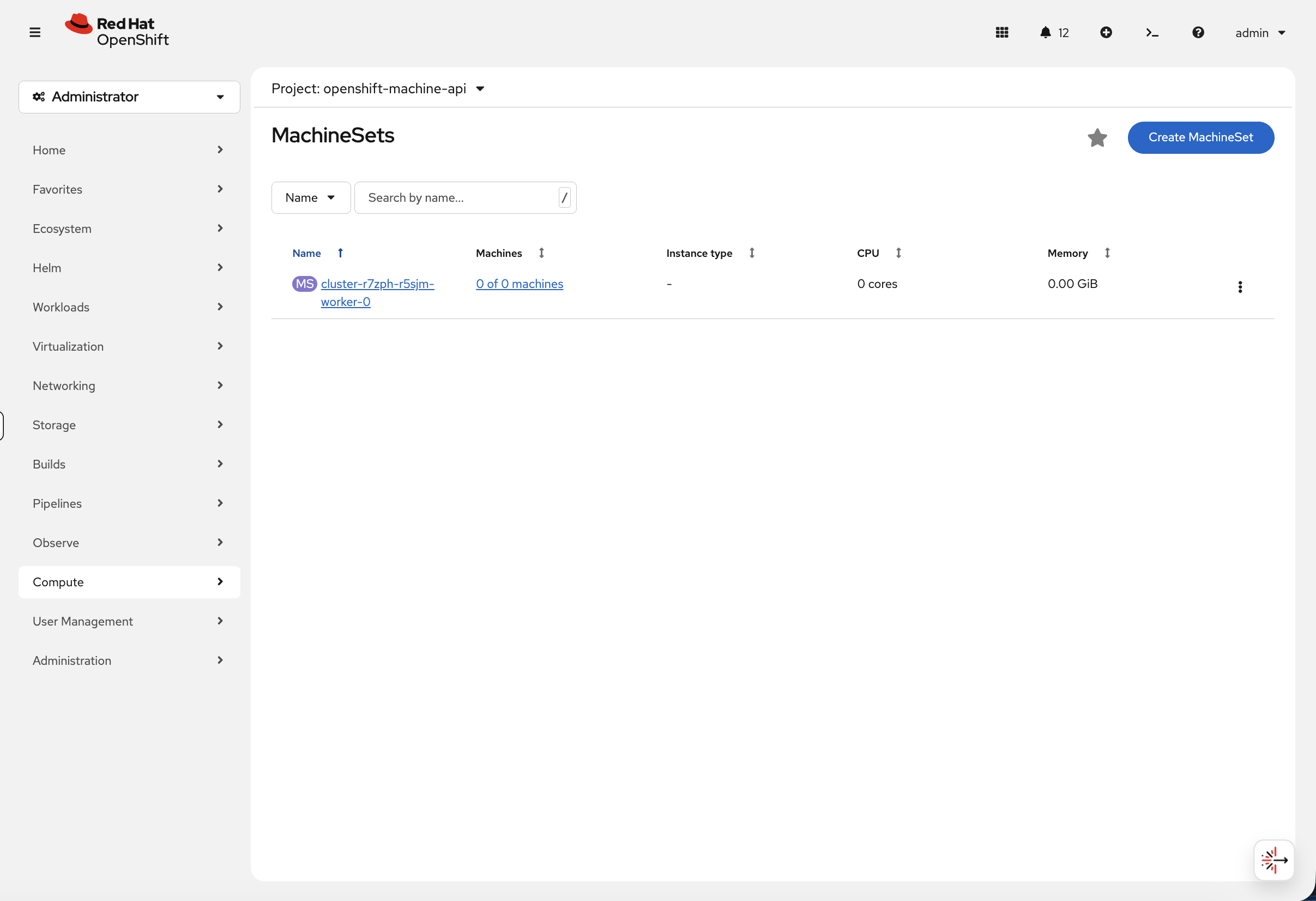
In a production cluster, this view shows the machine count, instance type, CPU, and memory for each MachineSet - and you can scale directly from the console by editing the desired count.
You can also view the machine resources:
oc get machines.machine.openshift.io -n openshift-machine-apiThis shows the underlying compute instances that OpenShift is managing.
Scaling Workers
To add another worker node, simply scale the MachineSet:
# Example - scales a zone from 0 to 1 worker
oc scale machineset.machine.openshift.io <machineset-name> --replicas=1 -n openshift-machine-api
OpenShift automatically provisions a compute instance, configures it, and joins it to the cluster - one command to scale your infrastructure.
| This workshop environment runs on bare metal without spare hosts available, so scaling is shown as an example rather than a live exercise. On cloud platforms (AWS, Azure, GCP), the Machine API provisions new instances automatically. |
Over-the-Air Upgrades
Check the cluster version:
oc get clusterversionOutput:
NAME      VERSION   AVAILABLE   PROGRESSING   SINCE   STATUS
version   4.x       True        False         32m     Cluster version is 4.x
View Available Upgrades (Console)
-
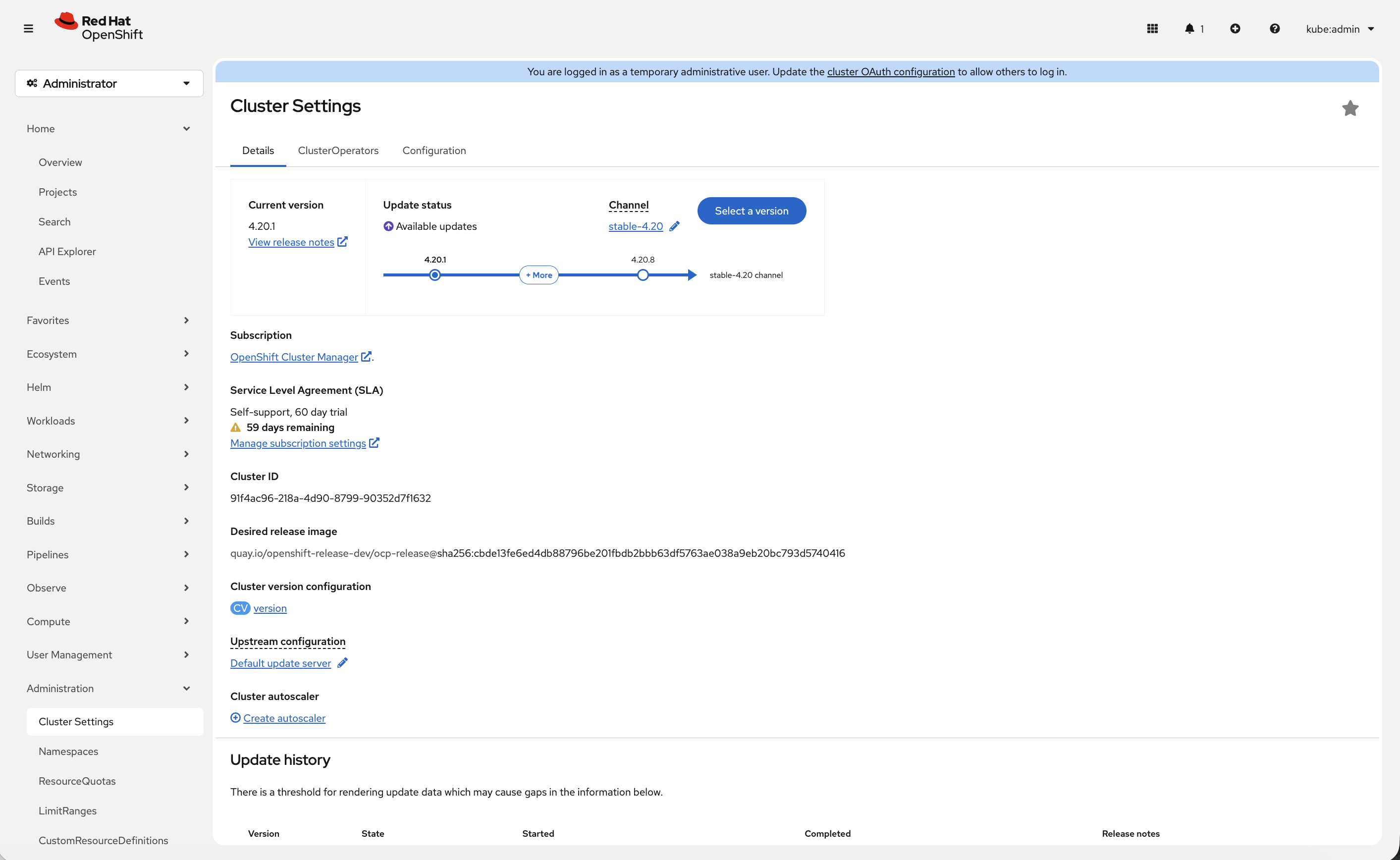
Navigate to Administration → Cluster Settings
-
Click Select a version button (if available)
-
See available upgrade paths
| If your cluster shows Update status: Up to date, the Select a version button will not appear. This means your cluster is already running the latest available version in its update channel. |
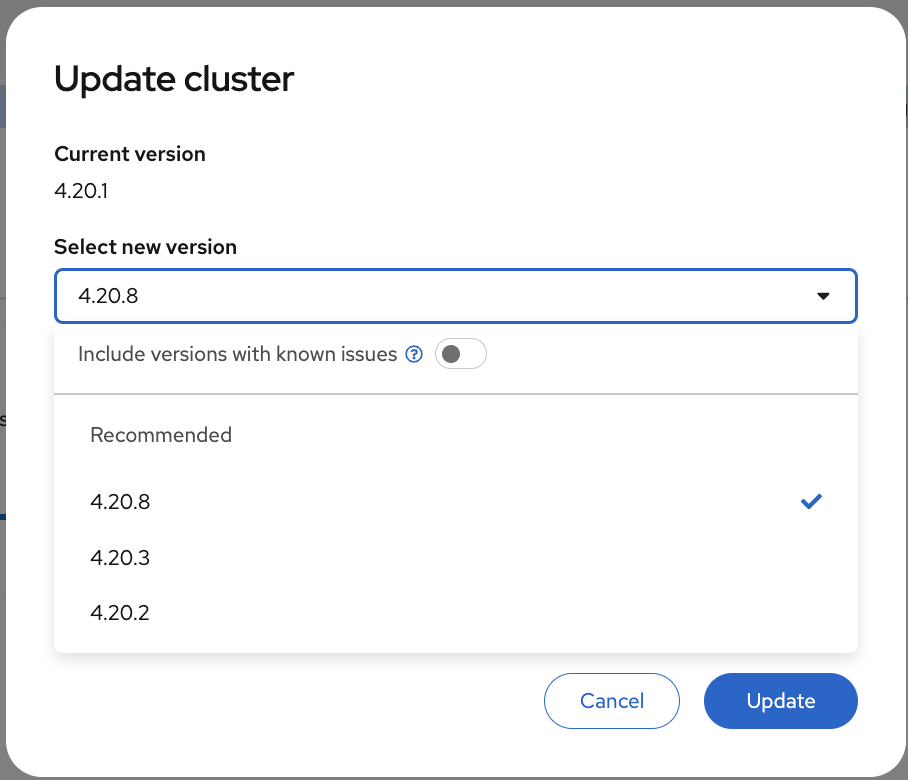
OpenShift handles upgrades automatically:
-
Rolling upgrades of control plane
-
Automated worker node updates
-
Rollback capability
-
Zero-downtime upgrades
Operator Ecosystem
Need to add something to the cluster? See how many operators are available right now:
oc get packagemanifests -n openshift-marketplace | wc -lHundreds. All certified and ready to install.
Explore Software Catalog (Console)
-
Navigate to Ecosystem → Software Catalog
-
You may need to select a project from the dropdown - if one is not already selected, choose default
-
You’ll see the unified software catalog with categories on the left:
-
AI/Machine Learning - Red Hat OpenShift AI, Open Data Hub
-
CI/CD - Red Hat OpenShift GitOps, Red Hat OpenShift Pipelines
-
Database - Red Hat AMQ Streams (Kafka)
-
Security - Red Hat Advanced Cluster Security
-
Storage - Red Hat OpenShift Data Foundation
-
Integration & Delivery - Red Hat Integration, Red Hat Service Mesh, Red Hat Serverless
-
And many more…
-
-
Filter by Type and select Operators to see the full list of available operators
-
Feel free to click any operator tile to browse its details - this is just for exploration, no need to install anything
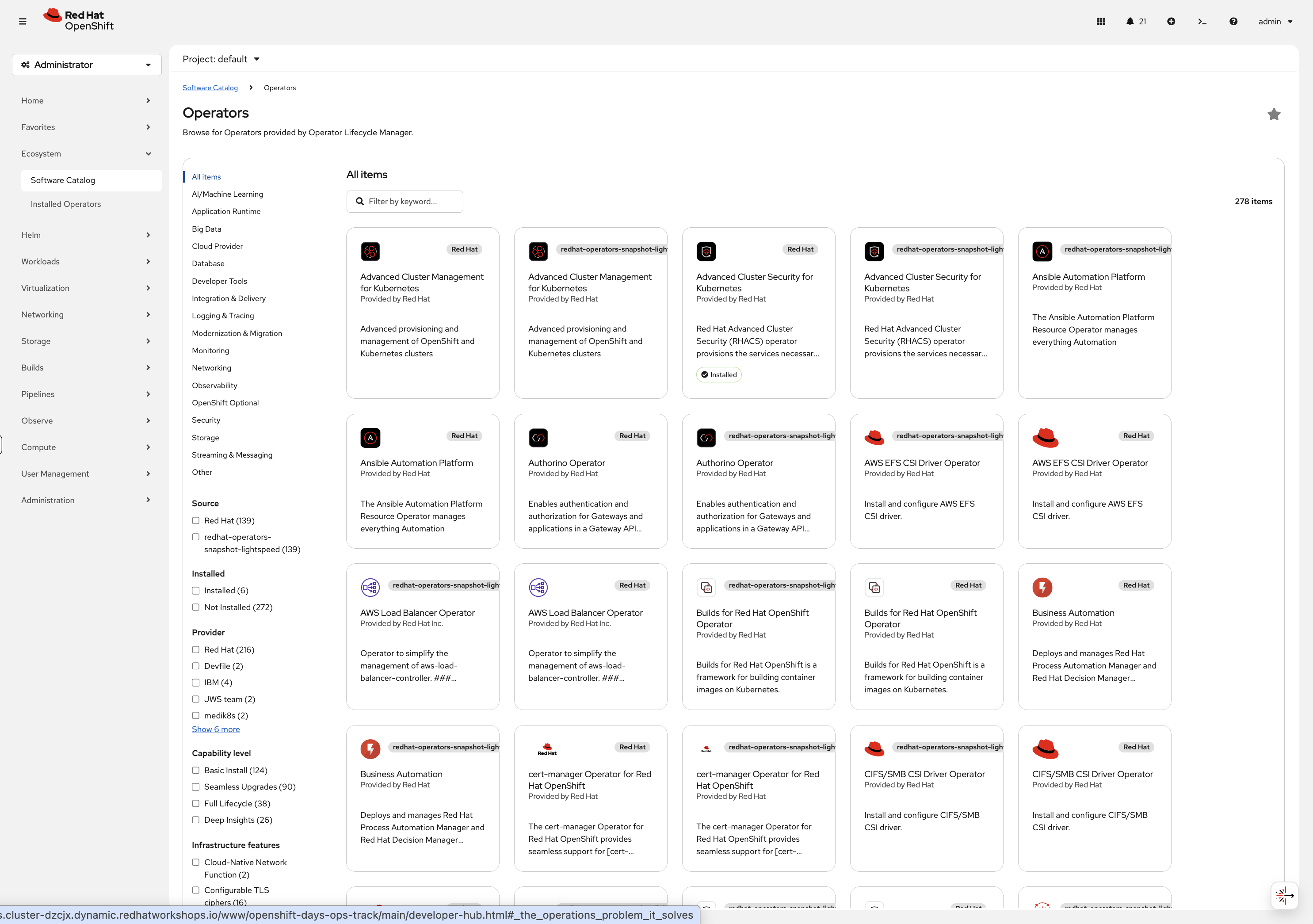
Browse the tiles, click into anything that looks interesting - this is your cluster, explore it.
What’s Next
You’ve seen what’s running out of the box - monitoring, registry, routing, node management, upgrades, and a catalog of operators ready to install. None of it required setup.
The rest of this workshop goes deeper. Select the next module from the navigation to start working with it hands-on.