Ingress & Load Balancing
Module Overview
Duration: 25 minutes
Format: Hands-on ingress configuration
Audience: Platform Engineers, Network Administrators, Operations Teams
Narrative Context:
Your cluster is running applications. Now you need to understand how external traffic reaches your applications and how to configure load balancing, TLS termination, and advanced protection features.
Learning Objectives
By the end of this module, you will be able to:
-
Configure and troubleshoot the Ingress Controller
-
Create Routes with different TLS termination strategies
-
Configure rate limiting and IP-based access control
-
Understand load balancing options (Services, Ingress)
-
Scale the ingress controller
Ingress Controller & Load Balancing
The Ingress Controller (based on HAProxy) handles external traffic entering the cluster. It’s how users reach your applications.
View Ingress Controller Configuration
oc get ingresscontroller default -n openshift-ingress-operator -o yaml | head -60Key configuration options:
-
replicas- Number of router pods for HA -
routeAdmission.wildcardPolicy- Whether wildcard routes are allowed -
defaultCertificate- TLS certificate for *.apps domain -
endpointPublishingStrategy- How the router is exposed (HostNetwork, LoadBalancer, NodePort)
View Router Pods
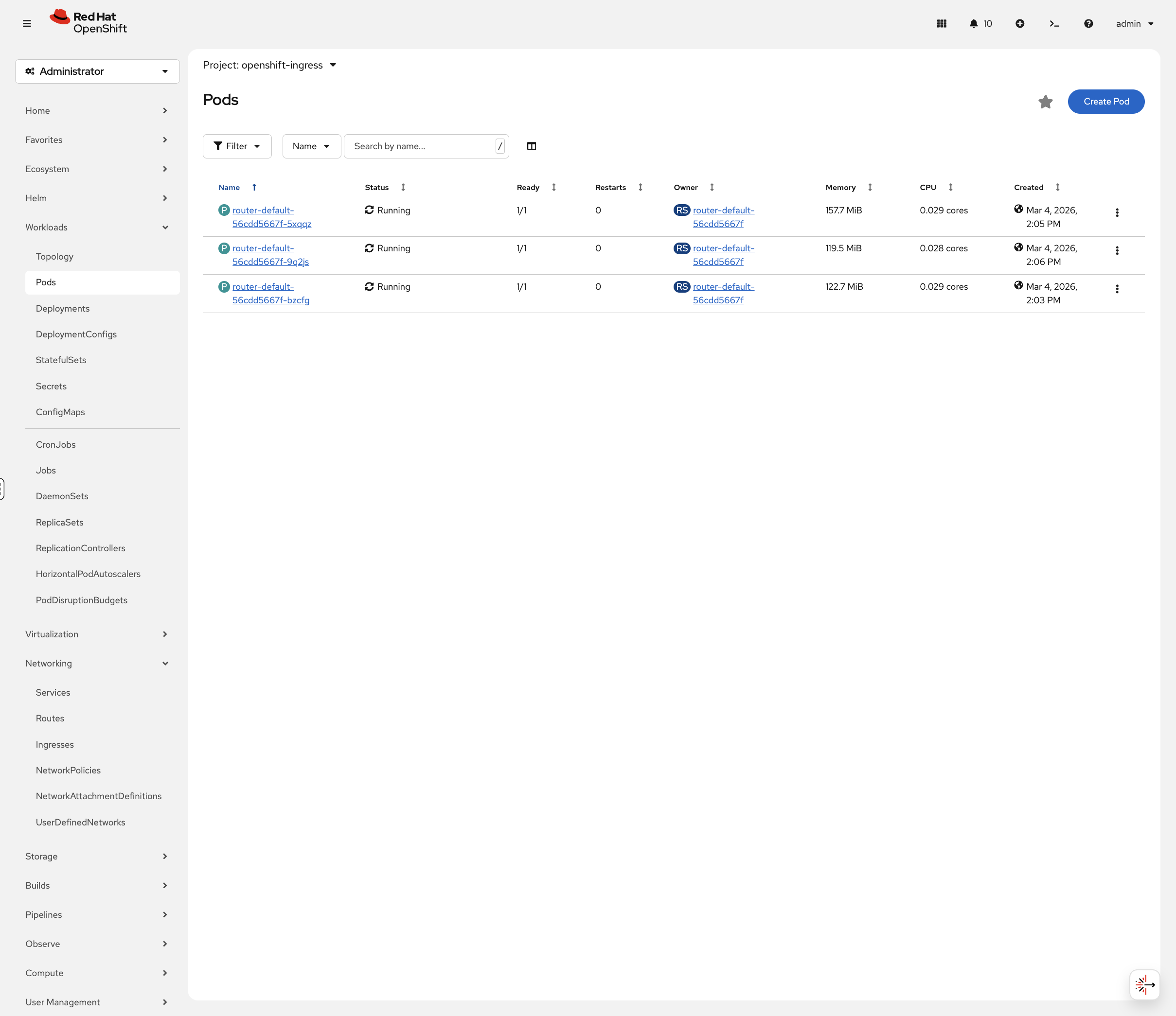
oc get pods -n openshift-ingress -o wideRouter pods handle incoming HTTP/HTTPS traffic. On this cluster they run on the control-plane nodes using HostNetwork, meaning they bind directly to the node’s network interfaces on ports 80 and 443.
You can also view these in the OCP Console at Workloads → Pods. Toggle Show default projects in the project dropdown, then select openshift-ingress:
View Ingress Service
oc get svc -n openshift-ingressThe ingress service varies by platform:
-
HostNetwork (this cluster):
router-internal-defaultservice with ClusterIP — routers bind directly to node IPs -
Cloud platforms:
router-defaultservice with LoadBalancer type and external IP -
Bare metal: Typically NodePort or MetalLB LoadBalancer
Routes: OpenShift’s Ingress Resource
OpenShift Routes expose services externally. They’re more feature-rich than Kubernetes Ingress.
Set Up the Application
This section uses the weathernow application. Run the following to ensure the project and app are ready:
oc new-project app-management 2>/dev/null || oc project app-managementoc get deployment weathernow -n app-management 2>/dev/null || oc new-app --name=weathernow --image=registry.access.redhat.com/ubi9/httpd-24oc create route edge weathernow --service=weathernow 2>/dev/null || echo "Route already exists"Wait for the pod to be ready:
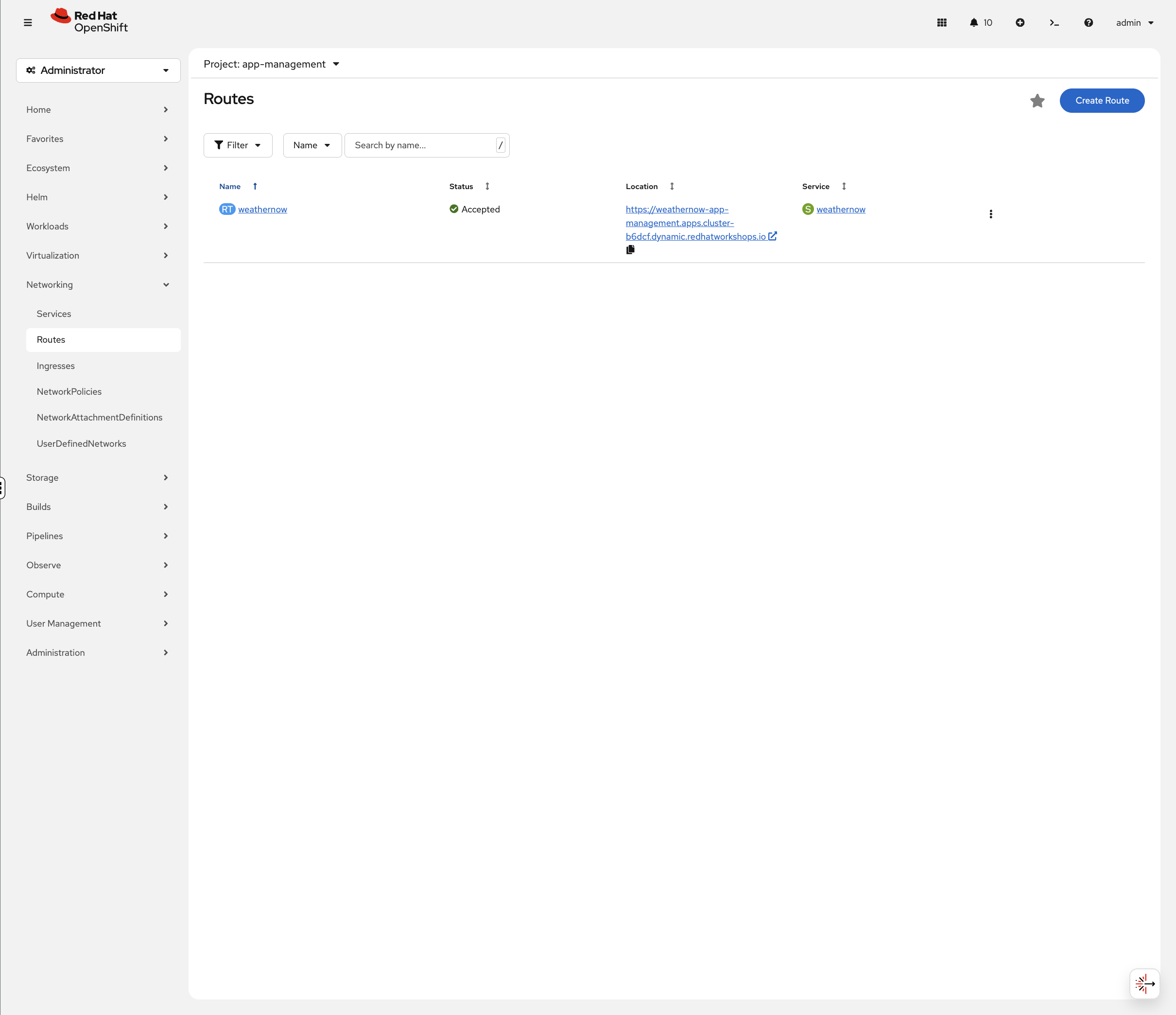
oc rollout status deployment/weathernow -n app-management --timeout=60sNow let’s examine its networking. In the OCP Console, navigate to Networking → Routes (project: app-management). You’ll see the weathernow route with its status, clickable URL, and target service:
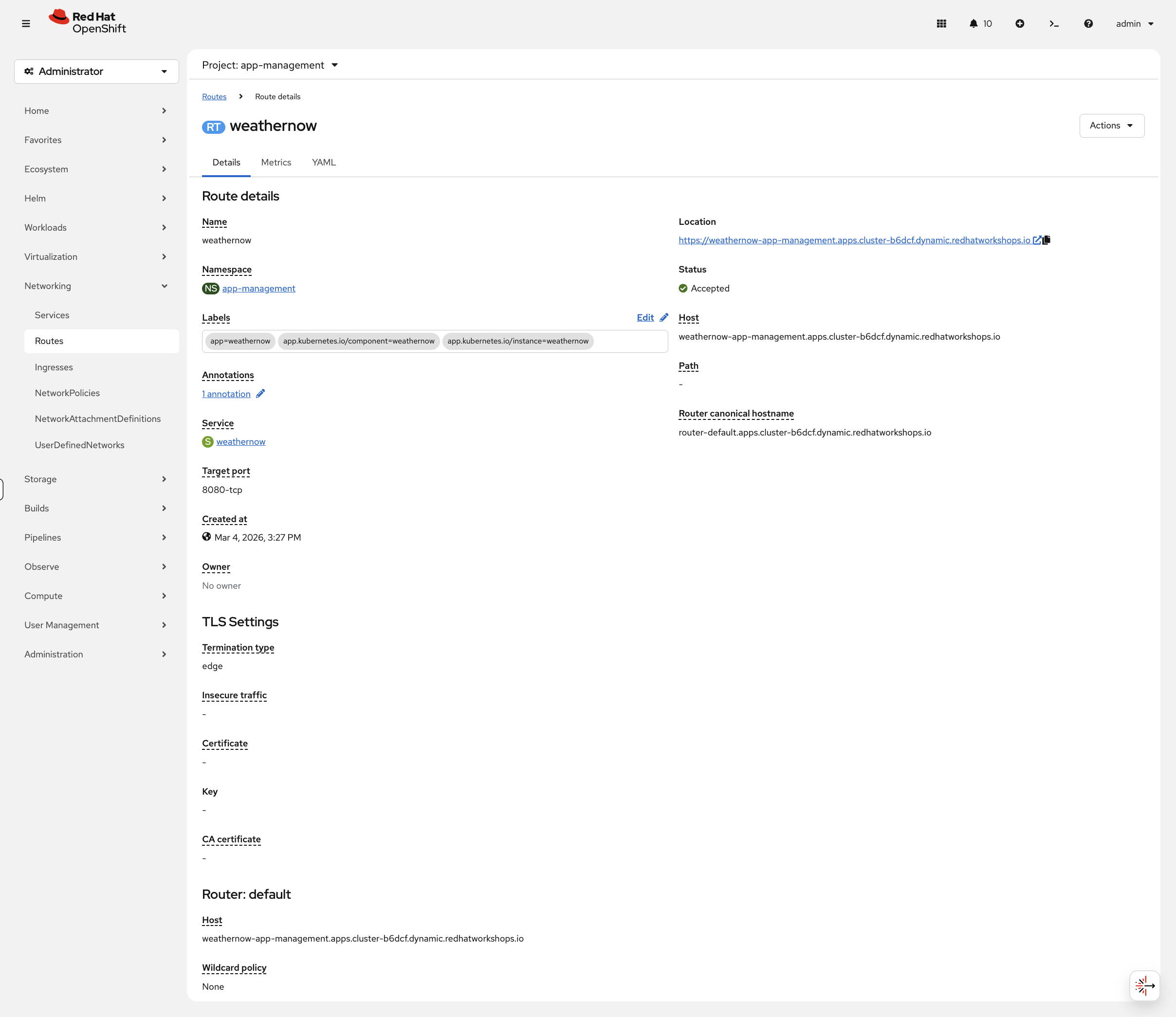
Click the route name to see the full details including TLS settings and router information:
TLS Termination Strategies
OpenShift Routes support three TLS termination types:
| Type | Description | Use Case |
|---|---|---|
edge |
TLS terminates at the router, traffic to pod is HTTP |
Most common. Router handles certificates. |
passthrough |
TLS passes through to the pod unchanged |
Application manages its own certificates |
reencrypt |
TLS terminates at router, new TLS to pod |
End-to-end encryption with router certificate validation |
Examine TLS Configuration
View the TLS settings on the edge route:
oc get route weathernow -o jsonpath='{.spec.tls}' | python3 -m json.toolEdge termination means:
-
TLS terminates at the Ingress Controller (HAProxy)
-
Traffic from router to pod is unencrypted HTTP
-
The router uses the cluster’s wildcard certificate
Route Annotations for Advanced Features
Routes support annotations for rate limiting, timeouts, and more:
Common annotations:
-
haproxy.router.openshift.io/timeout- Backend timeout -
haproxy.router.openshift.io/rate-limit-connections- Connection rate limiting -
haproxy.router.openshift.io/ip-whitelist- IP-based access control
Apply Rate Limiting
oc annotate route weathernow -n app-management \
  haproxy.router.openshift.io/rate-limit-connections=true \
  haproxy.router.openshift.io/rate-limit-connections.concurrent-tcp=50 \
  haproxy.router.openshift.io/rate-limit-connections.rate-http=100 \
  --overwrite
Verify the annotations were applied:
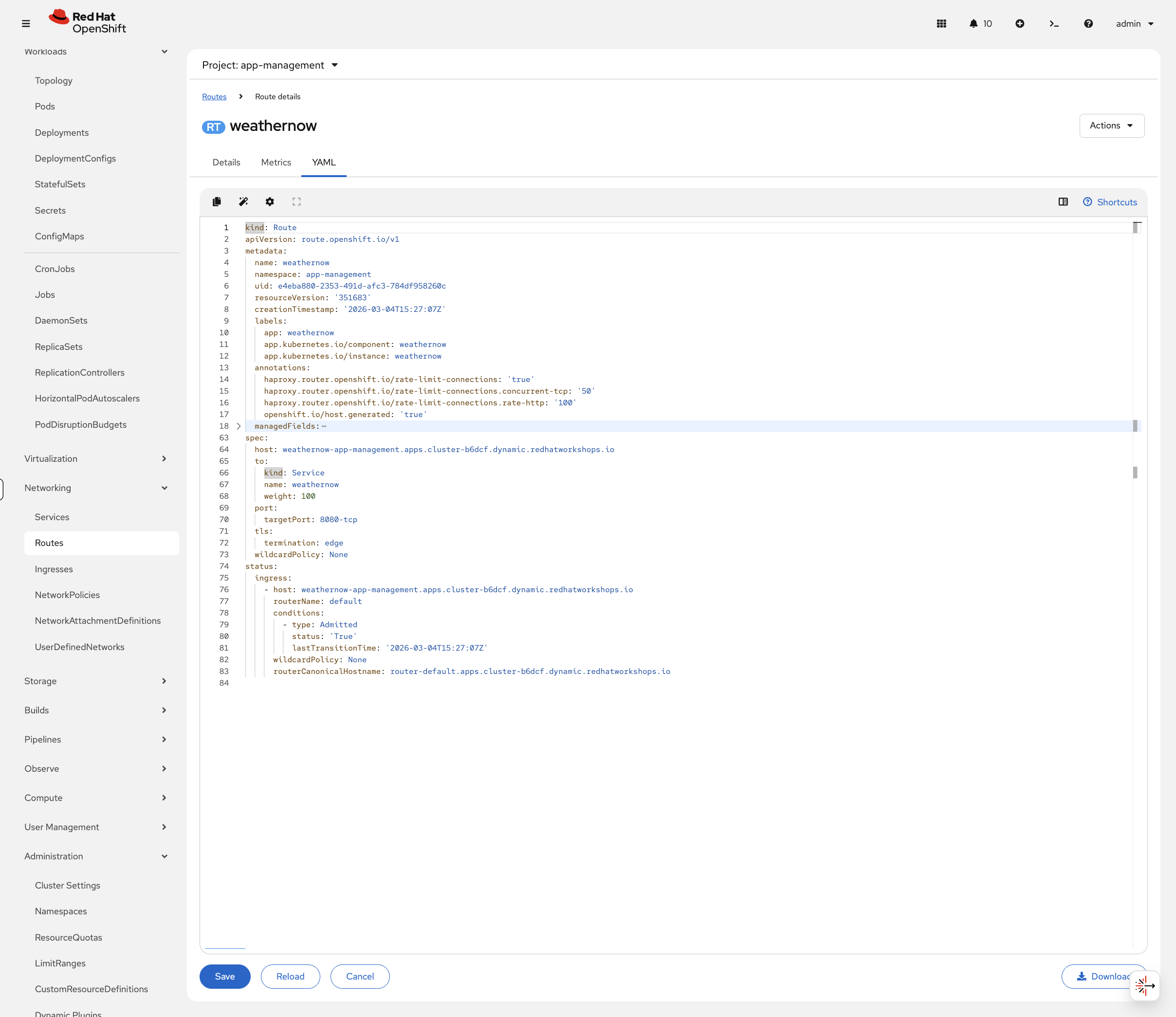
oc get route weathernow -n app-management -o jsonpath='{.metadata.annotations}' | python3 -m json.tool | grep rate-limitYou can also see the annotations in the console. Navigate to Networking → Routes (project: app-management), click weathernow, then the YAML tab:
View Existing Routes Across Cluster
oc get routes -A | head -20Notice different termination types: edge, passthrough, reencrypt.
In the OCP Console, navigate to Networking → Routes (select All Projects) to see all routes across the cluster:
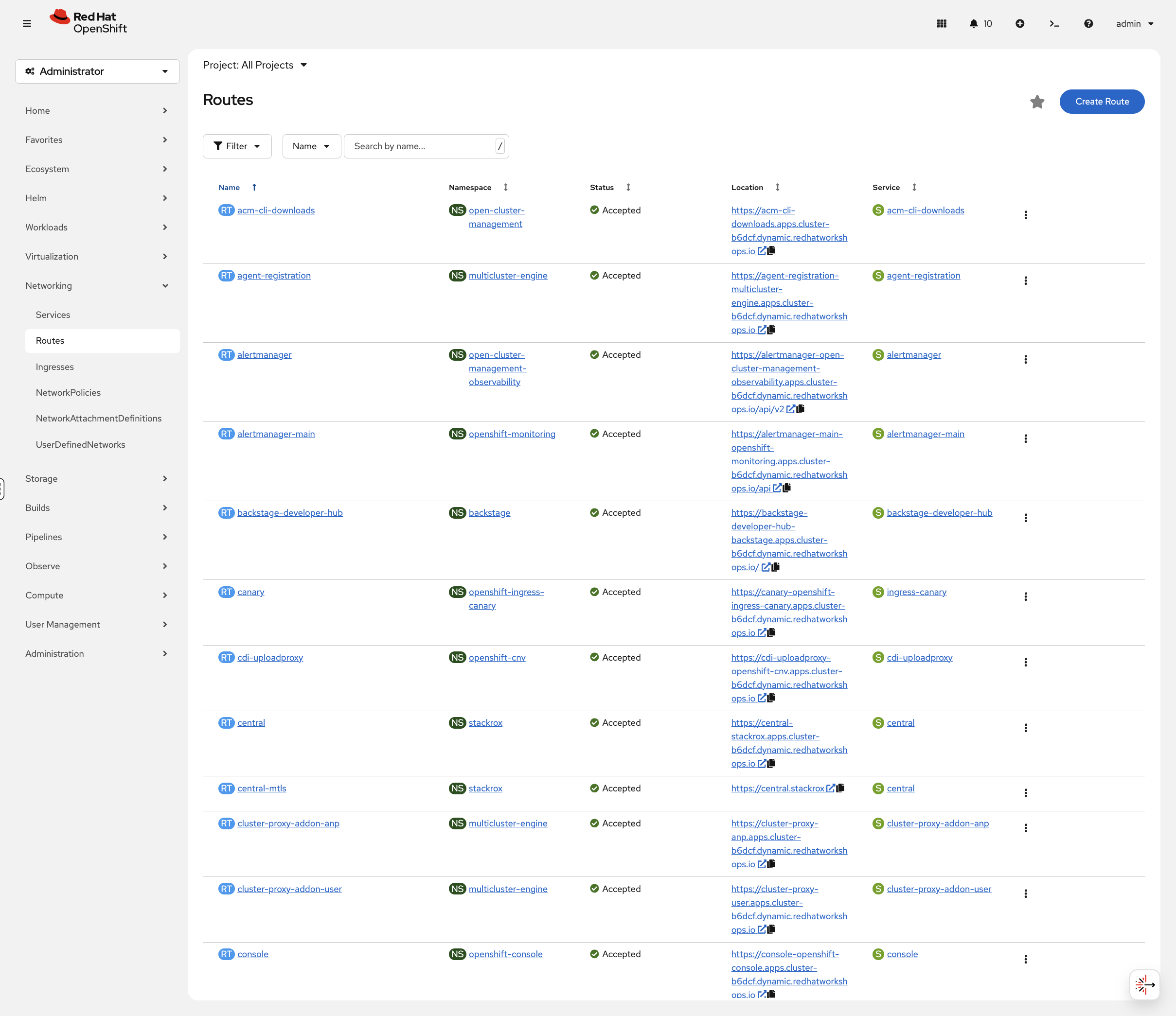
The console shows each route with its status, clickable URL, and target service — you can test routes directly from the console without needing curl.
Services: Internal Load Balancing
OpenShift Services provide internal load balancing and service discovery.
Service Types
| Type | Description | Access |
|---|---|---|
ClusterIP |
Internal IP only |
Inside cluster only |
NodePort |
Port on every node |
External via node IP:port |
LoadBalancer |
Cloud/MetalLB external IP |
External via dedicated IP |
View the Ingress Service
Examine how the ingress controller is exposed on this cluster:
oc get svc -n openshift-ingress -o wideOn this cluster, you’ll see router-internal-default with ClusterIP type because the ingress controller uses HostNetwork — it binds directly to the node’s network interfaces rather than going through a separate LoadBalancer service. On cloud platforms, you’d see a router-default service with LoadBalancer type instead.
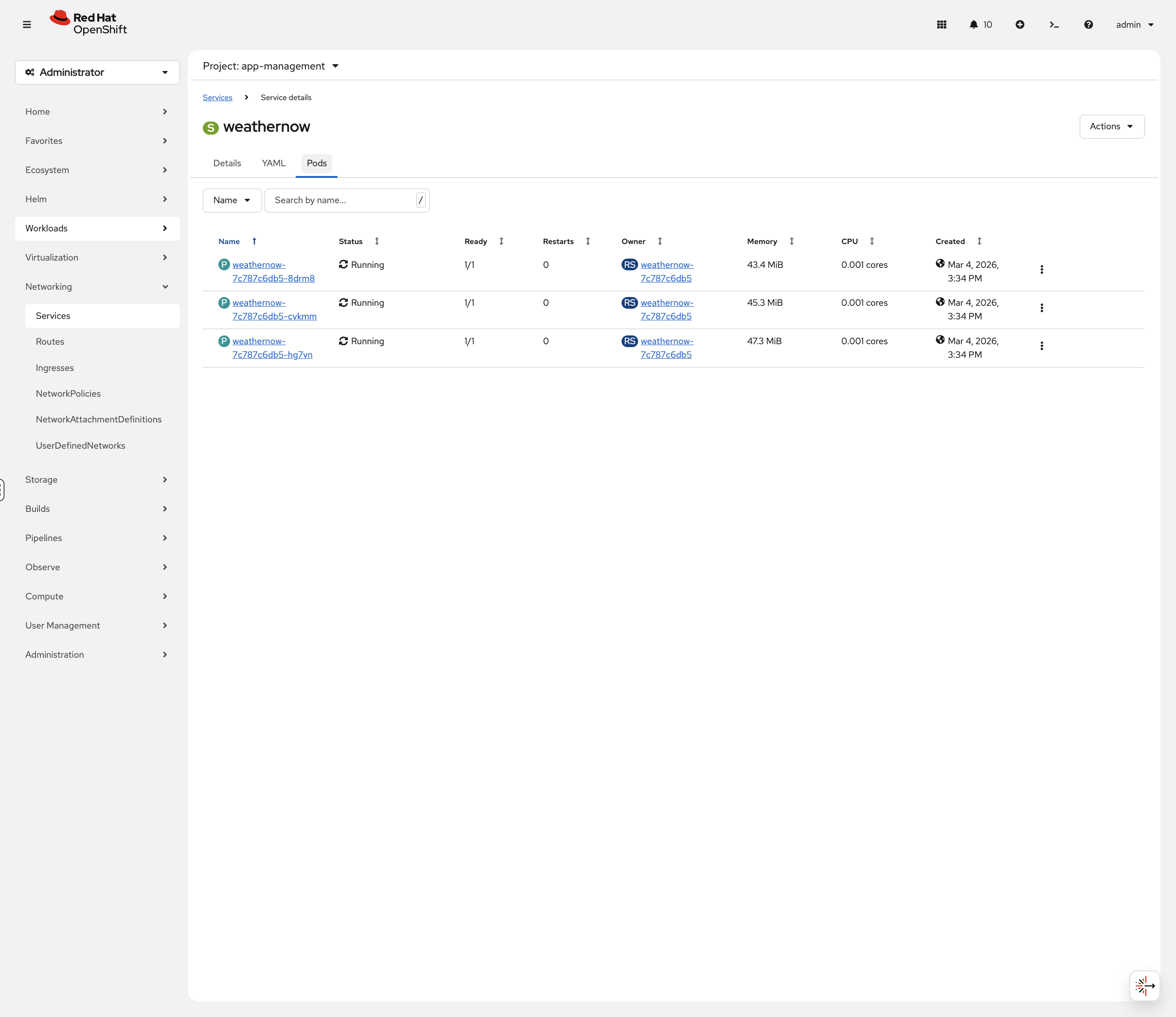
In the console, navigate to Networking → Services (project: app-management) and click weathernow. The Pods tab shows all backend pods with their status, memory, and CPU usage:
Ingress Controller Scaling
The ingress controller can be scaled to run more router pods for higher availability and throughput.
Check Current Replicas
oc get ingresscontroller default -n openshift-ingress-operator -o jsonpath='{.spec.replicas}'oc get pods -n openshift-ingressScale Ingress Controller
Let’s scale the ingress controller up to see how OpenShift adds router capacity:
oc patch ingresscontroller default -n openshift-ingress-operator --type=merge -p '{"spec":{"replicas":4}}'Watch the new router pod come up:
oc get pods -n openshift-ingress -wPress Ctrl+C when you see 3 pods running.
View Ingress Controller Status
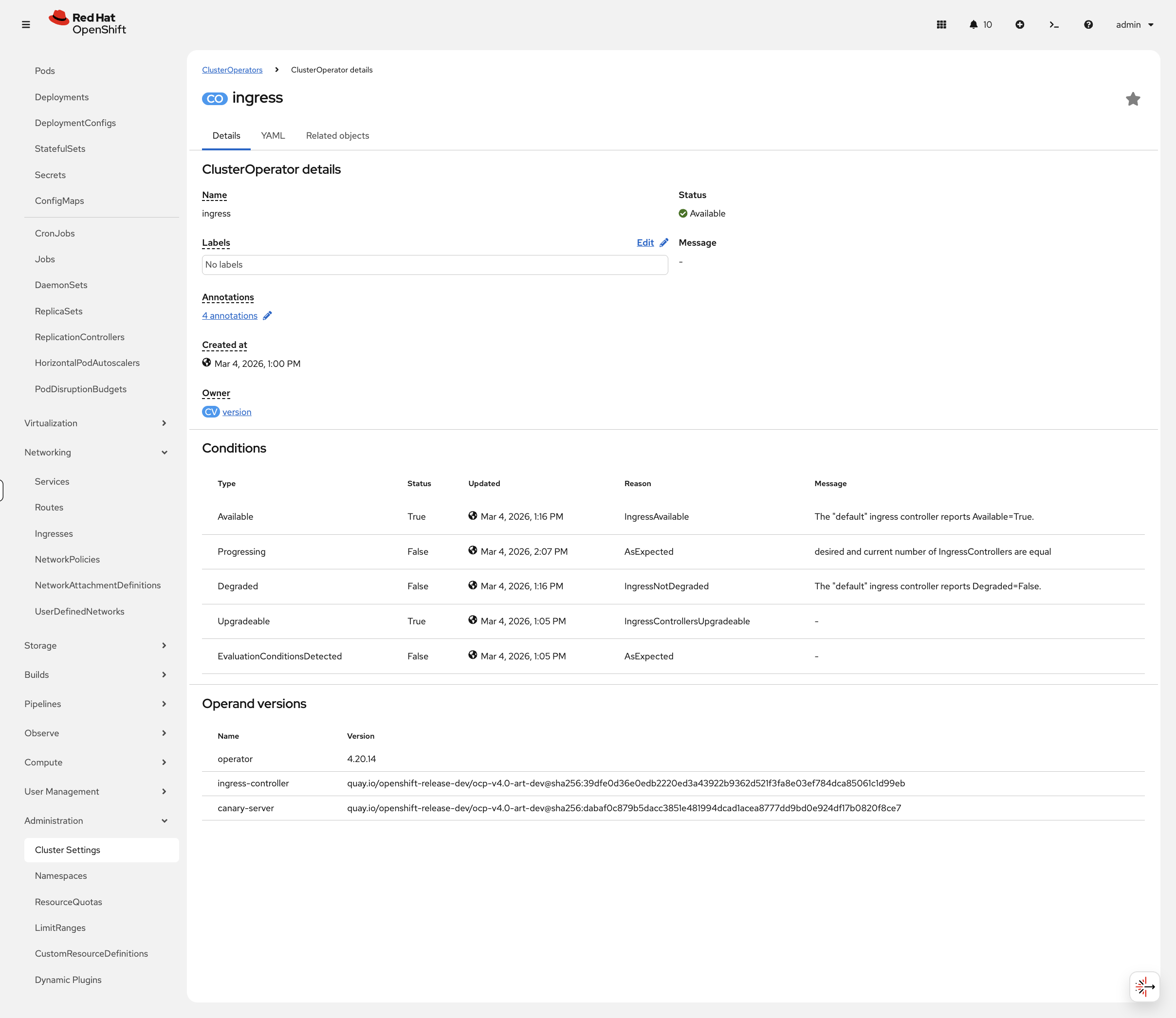
oc get ingresscontroller default -n openshift-ingress-operator -o jsonpath='{.status.conditions}' | python3 -m json.toolThe console provides a cleaner view of these conditions. Navigate to Administration → Cluster Settings → ClusterOperators, click ingress, and view the Conditions table:
Cleanup
# Scale ingress controller back to 3 replicas
oc patch ingresscontroller default -n openshift-ingress-operator --type=merge -p '{"spec":{"replicas":3}}'

# Remove rate limiting annotations
oc annotate route weathernow -n app-management \
  haproxy.router.openshift.io/rate-limit-connections- \
  haproxy.router.openshift.io/rate-limit-connections.concurrent-tcp- \
  haproxy.router.openshift.io/rate-limit-connections.rate-http-

echo "Cleanup complete"
Summary
What you learned:
-
The Ingress Controller (HAProxy) handles external traffic
-
Routes expose services with TLS termination options (edge, passthrough, reencrypt)
-
Route annotations provide rate limiting and IP-based access control
-
Services provide internal load balancing
-
Ingress controller scaling for high availability
Key operational commands:
# Check ingress controller
oc get ingresscontroller -n openshift-ingress-operator

# View routes
oc get routes -A

# View ingress service
oc get svc -n openshift-ingress
Additional Resources
-
Ingress Controller: Configuring ingress cluster traffic
-
Route Annotations: Route-specific annotations