Ansible Workshop - Ansible for Red Hat Enterprise Linux
This is documentation for Ansible Automation Platform 2.6
If you’re new to Ansible Automation, this workshop consists of two parts: 1) starting with the basic fundamentals and 2) applying what you’ve learned to implement Ansible automation controller to your enterprise use cases. You’ll start off by writing your first Ansible playbook, work on Jinja templates, and implement higher-level Ansible roles. Next you’ll get started on automation controller, understand inventory and credential management, projects, job templates, surveys, workflows and more.
After finishing this lab you are ready to start using Ansible for your automation requirements.
Workshop Overview
The exercises are self explanatory and guide the participants through the entire lab. All concepts are explained when they are introduced. All work is performed in the provided lab environment (no local installs). Early exercises use ansible-playbook; Ansible Navigator is introduced in Exercise 1.6 and is already available in the lab.
Time Planning
The time required to do the workshops strongly depends on multiple factors: the number of participants, how familiar those are with Linux in general and how much discussions are done in between.
Having said that, the exercises themselves should take roughly 4-5 hours. The first section is slightly longer than the second one.
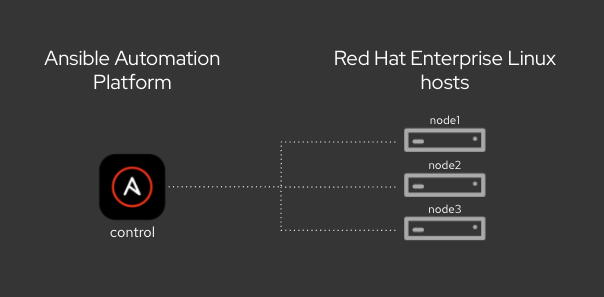
Your Lab Environment
You’ll work in a pre-configured environment with the following hosts:
| Role | Inventory Name |
|---|---|
Ansible Control Host |
control |
Managed Host 1 |
node01 |
Managed Host 2 |
node02 |
Managed Host 3 |
node03 |
Section 1 - Command-line Ansible Exercises
|
Early exercises (1.1–1.5) use |