Model Catalog and Deployment
Lenora depends on language models for every conversation, reasoning step, and tool decision. That’s why we are starting from the model. First, we’ll get the experience of model serving, look into what kind of options we have for self-hosted inference, and then look into governance and access control for the model. The model is the intelligence layer of the platform, and it is the foundation for every other section in this workshop.
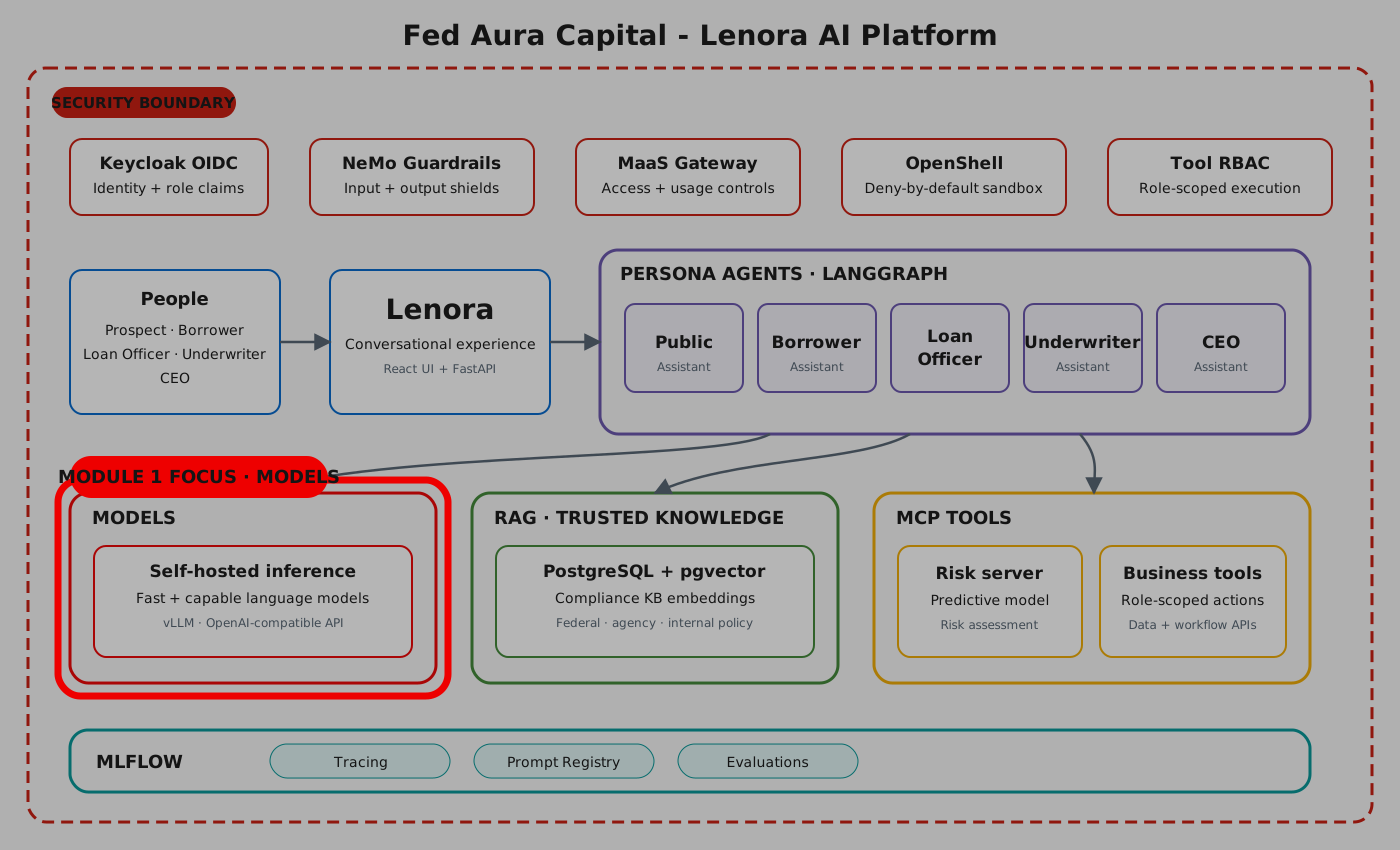
You will browse the Red Hat OpenShift AI Model Catalog, deploy models, scale inference with llm-d, and learn about the Models as a Service concept.
Estimated time: 25 minutes
Learning Objectives
By the end of this section, you will be able to:
-
Navigate the RHOAI Model Catalog and identify validated models
-
Deploy an LLM on CPU and use Gen AI Playground to interact with the model
-
Deploy the same model with llm-d distributed inference
-
Access the deployed model through Models as a Service (MaaS) and observe usage in the dashboard
Exercise 1: Explore the Model Catalog
Red Hat AI comes with a curated set of models that are ready for production use. Before deploying anything, you can check what models are available and how to evaluate them. Let’s explore the Model Catalog and learn how to identify the right model for your use case.
-
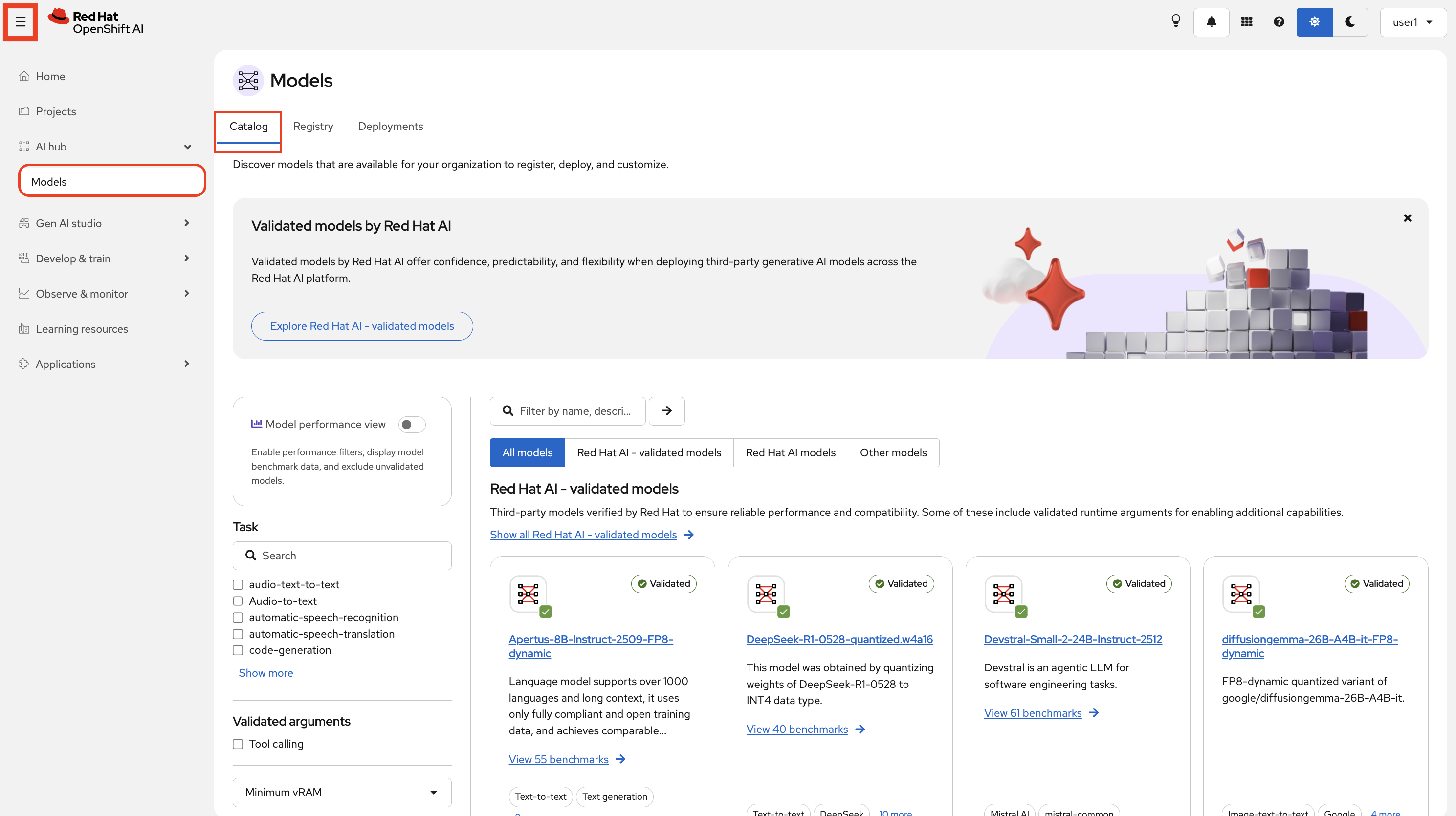
Navigate to the OpenShift AI Dashboard by clicking on the RHOAI Console tab. On the left menu, select AI Hub > Models:
-
Look at the tags on the model cards. There are two types of certified models:
-
Red Hat AI models - fully supported by Red Hat with legal indemnification included
-
Validated Models - third-party models verified by Red Hat to ensure reliable performance and compatibility on OpenShift AI
-
-
Click on any model to open its model card. Notice what information is available:
-
Description and tags - what the model is for, its size, and its architecture
-
License and documentation - the terms under which you can use and distribute the model
-
Performance insights - Red Hat benchmarks this model on different hardware across common use cases such as chatbot, code generation, and document summarization, so you can compare expected throughput and latency before committing to a deployment
-
Safety and security insights - Red Hat tests models for known vulnerabilities, adversarial robustness, and safety issues
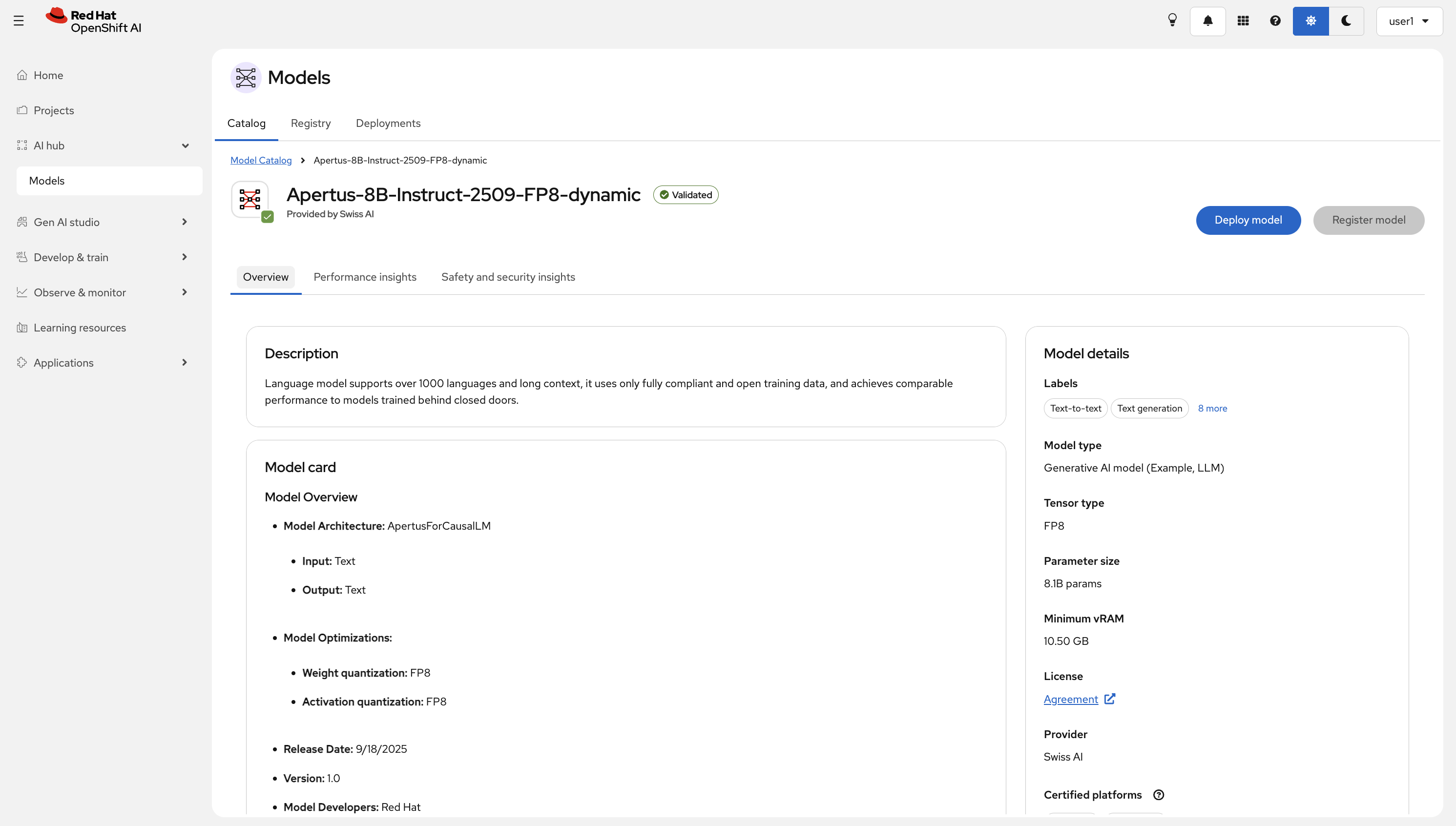
The performance benchmarks on the model card tell you how the model performs on specific hardware profiles. Use these numbers to size your deployment before you provision GPU capacity.
-
-
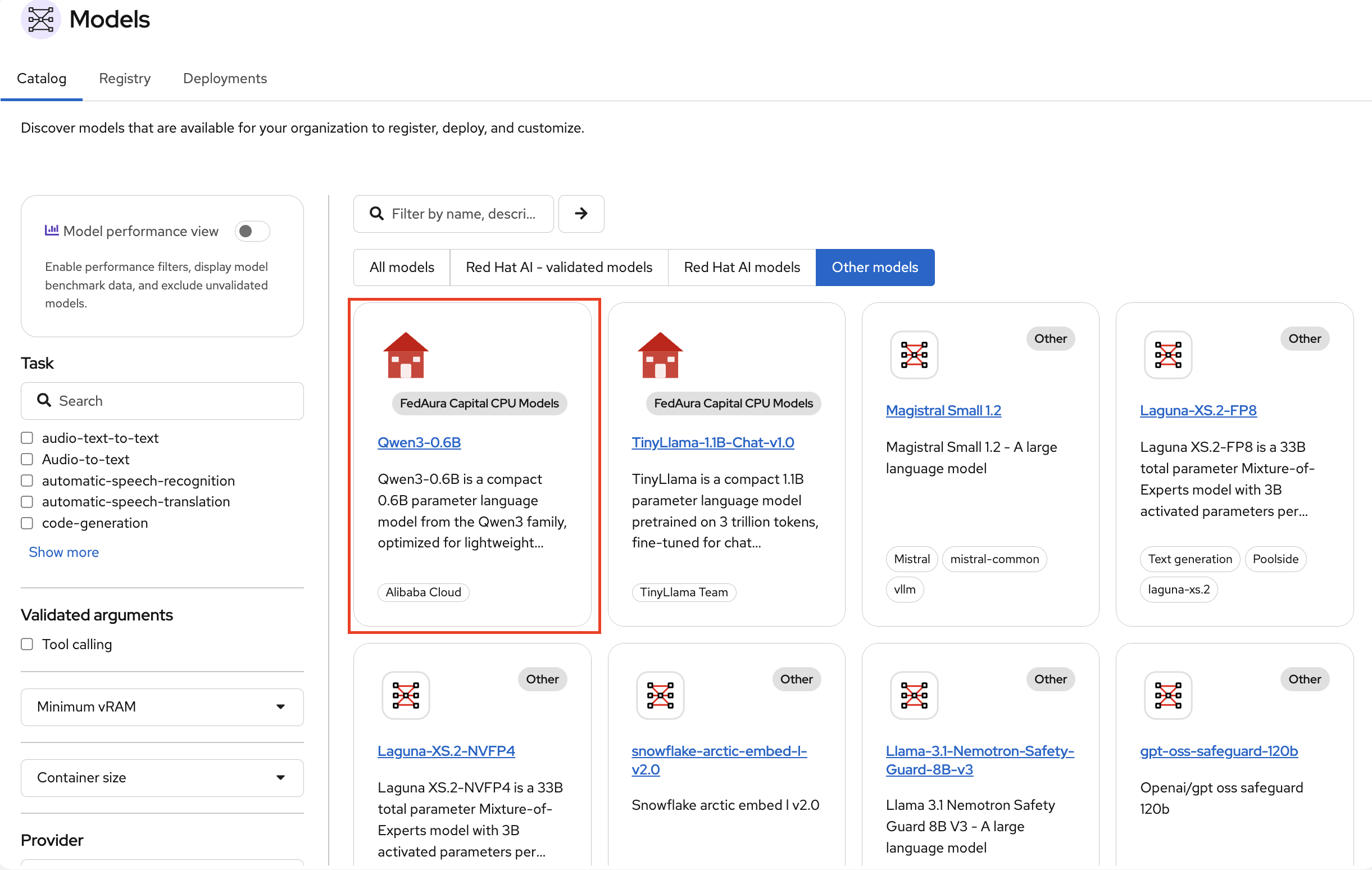
Go back to the Catalog and select the Other Models tab. This tab shows guardian models, embedding models, and the models that the organization has added to the catalog.
-
Locate the model called Qwen3 0.6B under Other Models tab. This is a small open-source language model (0.6 billion parameters) that Fed Aura Capital has added to the catalog. It is compact enough to run on CPU, which makes it a good choice for a quick hands-on deployment without requiring a GPU.
What’s in the catalog?
Before moving on, take a moment to understand what you just saw:
-
The Model Catalog is not just a list of downloads. It is a governed library where each model carries metadata about its origin, license, hardware requirements, and Red Hat validation status
-
When Fed Aura Capital’s platform team adds a new model, it appears in Other Models