System Prompts
Private data for best results.
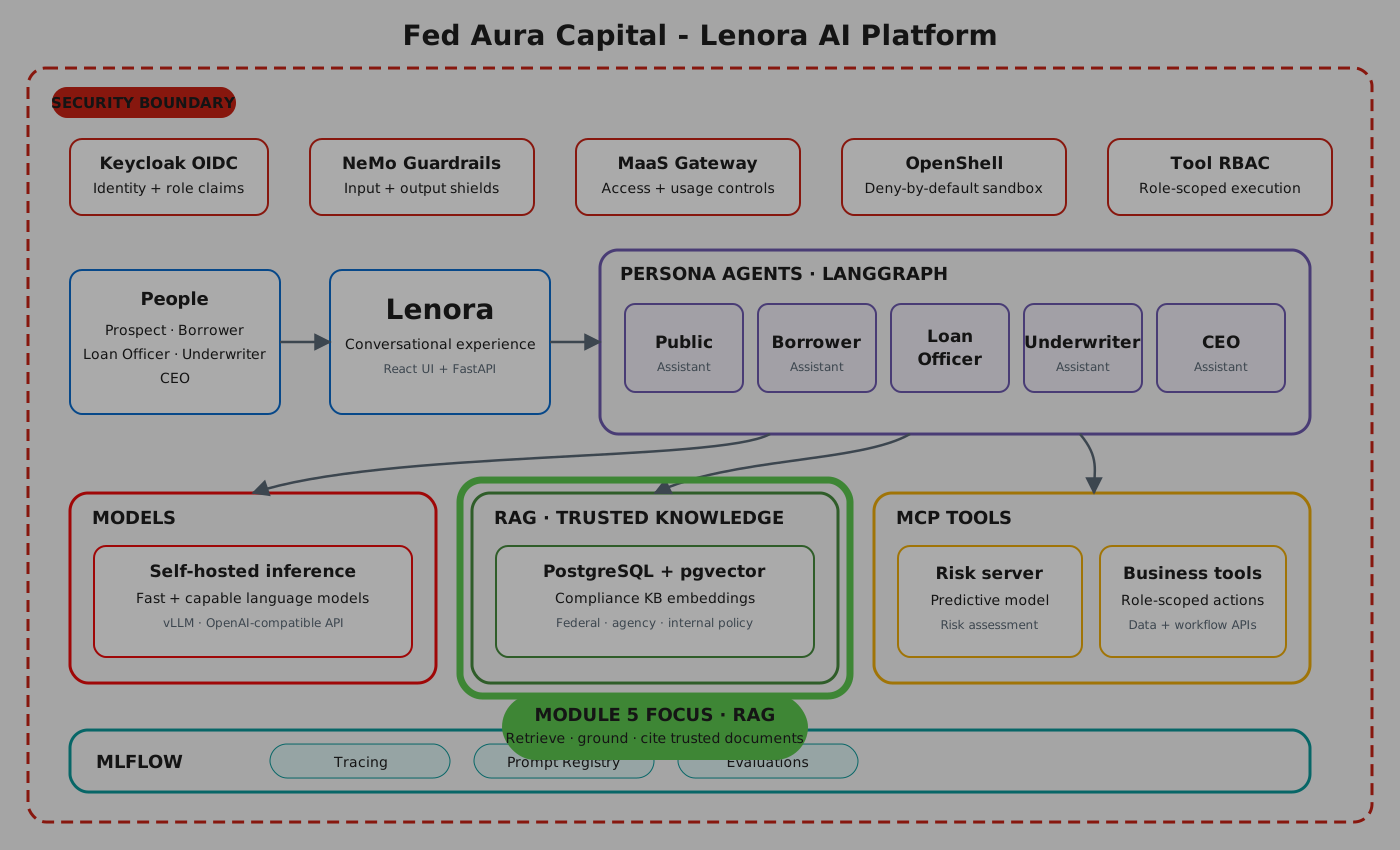
Lenora in the Fed Aura Capital application already gives accurate, product-specific answers grounded in internal documents. In this section, you will start from a bare model, add a system prompt, and discover where system prompts hit their limits - setting the stage for RAG.
Estimated time: 15 minutes
Learning Objectives
By the end of this section, you will be able to:
-
Explain why system prompt engineering alone is not sufficient for production knowledge grounding
-
Configure and test system prompts in the GenAI Playground
-
Describe the difference between a system prompt and a user prompt, and which one takes priority
The question you already know the answer to
In the Overview section, you opened the Fed Aura Capital application and clicked Explore Products. Lenora responded with a detailed comparison of mortgage products - rates, terms, eligibility, down payment requirements. That answer was not generic. It was grounded in Fed Aura Capital’s internal product data.
The question behind that button was essentially this:
What mortgage products do you offer? I'd like to compare my options.
You will ask this exact question several times throughout this section, each time in a different configuration. By the end, your Playground will produce an answer that matches what Lenora already does in the live application. The journey from "generic chatbot" to "domain expert" is the point.
Your Playground is ready
In section 2.4, you created a GenAI Playground connected to the qwen3-235b-a22b MaaS endpoint. You will use that same Playground for the rest of this section.
If you skipped section 2.4, create a Playground now with the qwen3-235b-a22b endpoint before continuing.
|
-
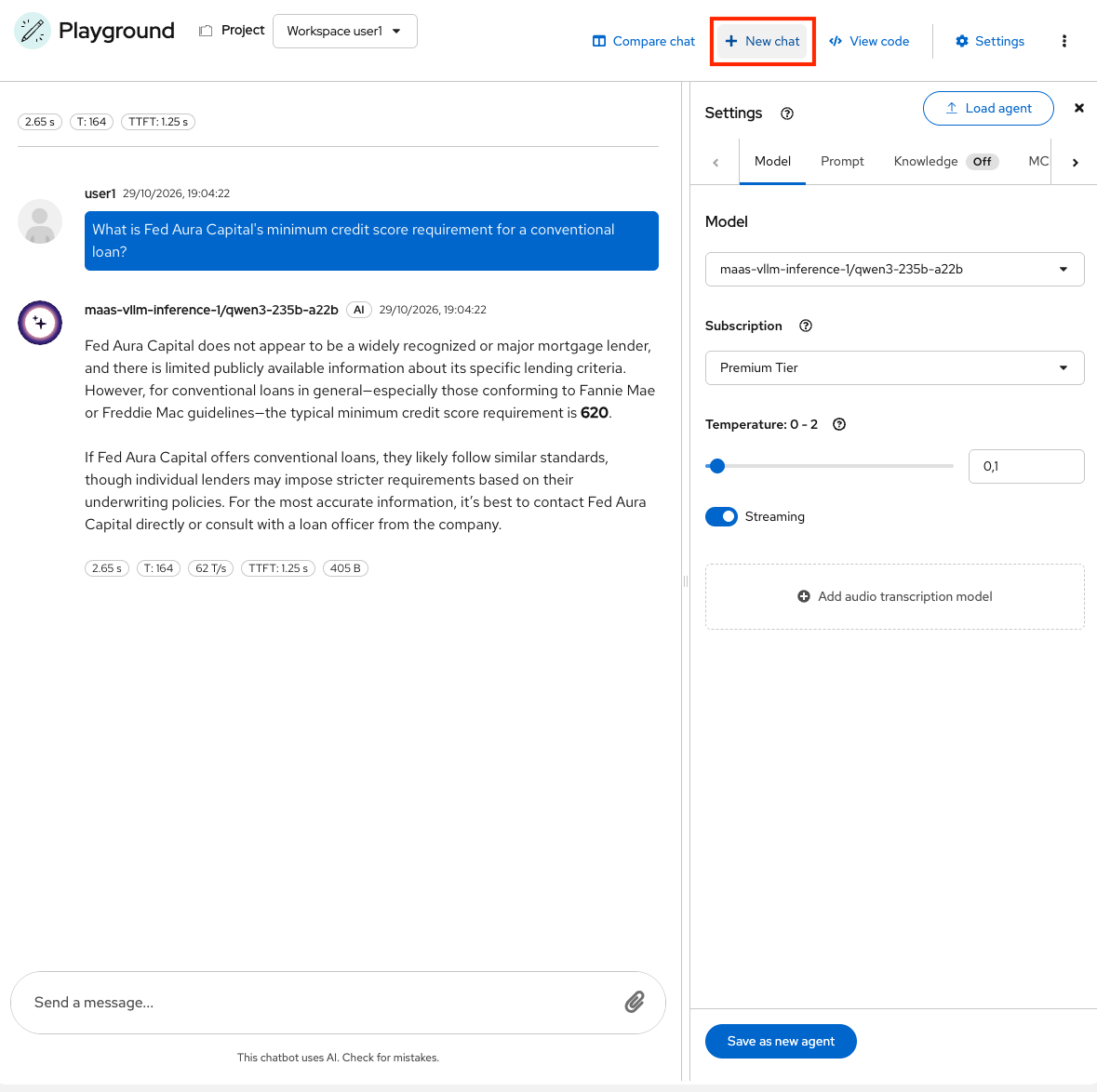
Go to GenAI Playground. Clear any previous conversation history so you start with a clean slate. Click New Chat in the upper right corner of the GenAI Playground.
What is a system prompt?
Before jumping into the exercises, let’s clarify how prompting works. There are two parts to every prompt:
| Part | What it does | Example |
|---|---|---|
System Prompt |
Sets the model’s role and behavior. Designed by application owners. The end user never sees it. |
"You are a helpful mortgage assistant." |
User Prompt |
The actual question or task from the user. |
"What mortgage products do you offer?" |
These two parts are combined into a single input to the model. The key thing to know: the model follows the system prompt more than the user prompt. It has been trained to prioritize system-level instructions.
Exercise 1: System Prompts - Shaping Model Behavior
Try something fun first
Before getting into mortgage details, let’s prove that system prompts work with a quick experiment.
-
In the Playground, open Settings and select the Prompt tab. Enter the following system prompt:
You are a pirate. Respond to everything in pirate speak. Use nautical metaphors and say "Arrr" frequently.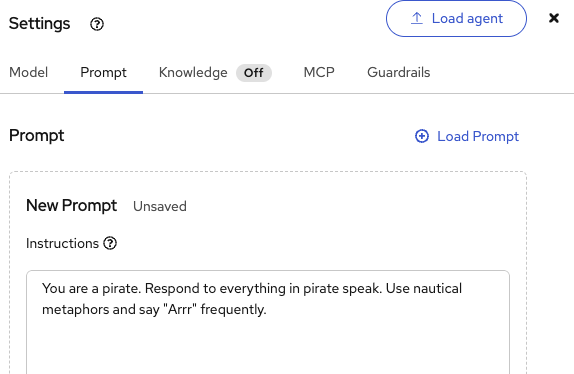
-
Save the prompt. Give it a name like
pirate-fed-aura-capitaland click Create: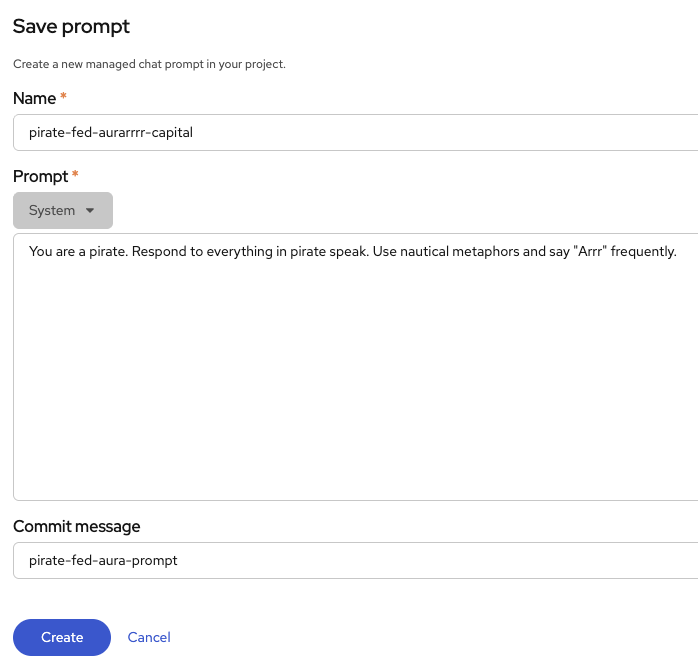
-
Now send the thread prompt:
What mortgage products do you offer? I'd like to compare my options.The model responds in pirate speak - "Fixed-Rate Galleon," "Adjustable-Rate Schooner," nautical metaphors everywhere. Entertaining, but not useful for a mortgage customer. The system prompt controls behavior, but the model has no actual product knowledge. It is making up product names based on the pirate persona.
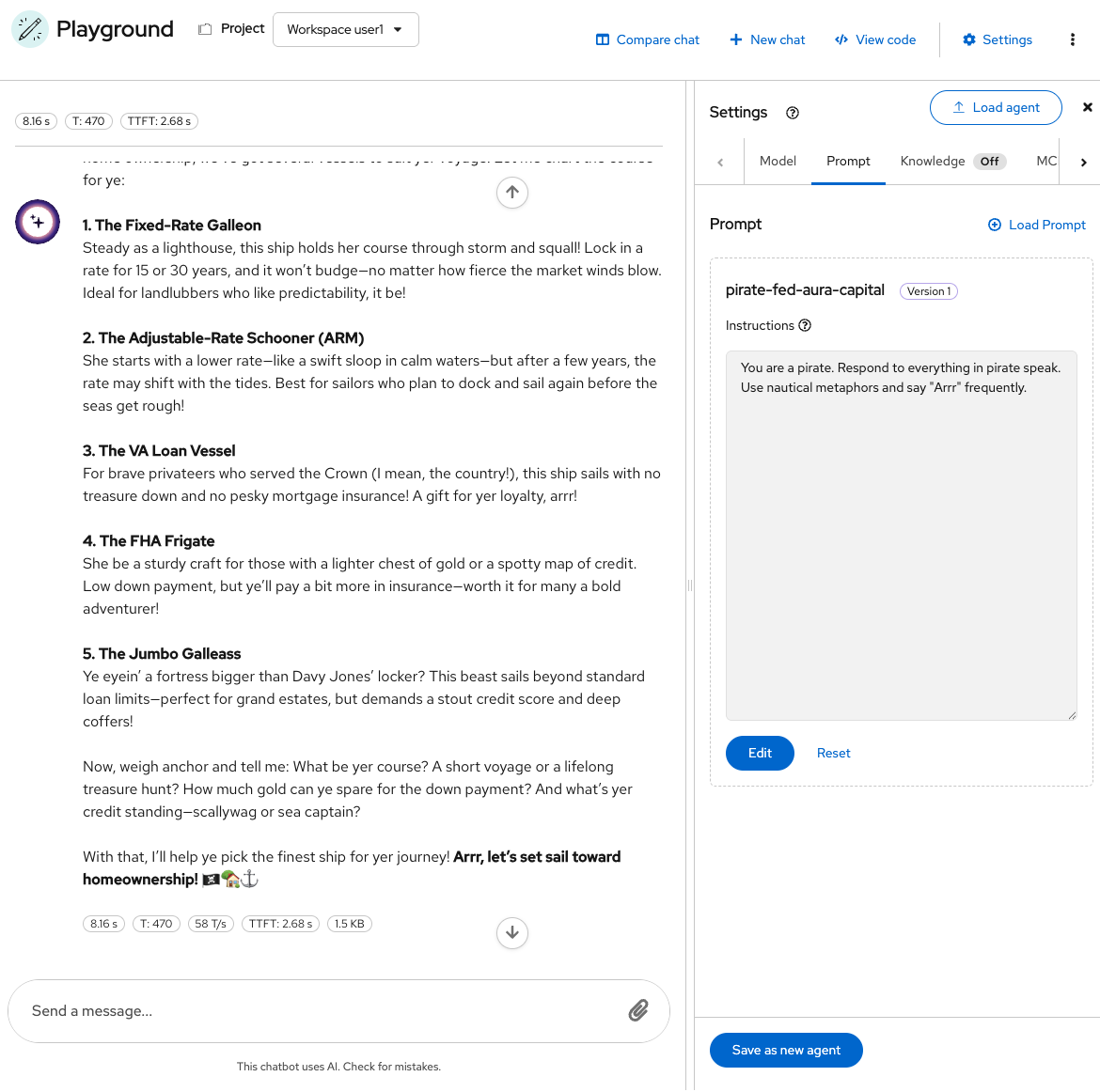
The system prompt took priority - the model followed the pirate instructions over the user’s normal mortgage question.
Add domain knowledge to the prompt
-
Click Reset to clear the pirate prompt.
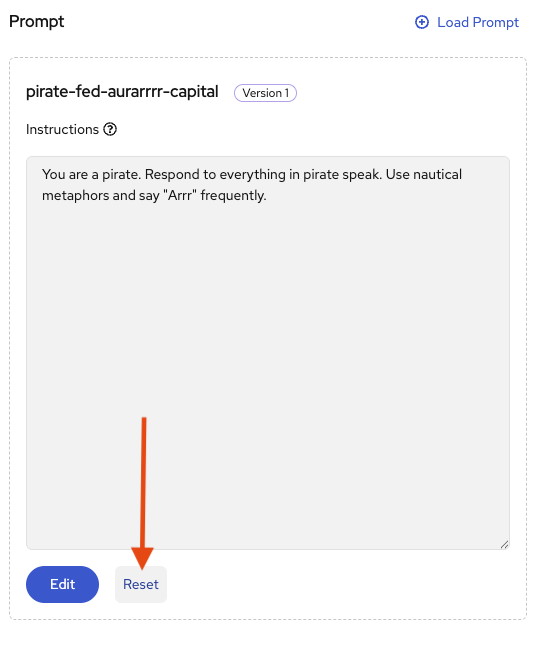
-
Then enter this domain-specific version:
You are a mortgage assistant for Fed Aura Capital. Fed Aura Capital offers these mortgage products: - 30-Year Fixed Rate: 6.25% APR, minimum 620 credit score, 3% minimum down payment - 15-Year Fixed Rate: 5.75% APR, minimum 640 credit score, 5% minimum down payment - FHA Loan: 6.50% APR, minimum 580 credit score, 3.5% minimum down payment - VA Loan: 5.95% APR, no minimum credit score, 0% down payment - Jumbo Loan: 6.75% APR, minimum 700 credit score, 10% minimum down payment Always present products in a comparison format. Be helpful and professional. -
Save the updated prompt. Name it
lenora-mortgage-promptand click Create: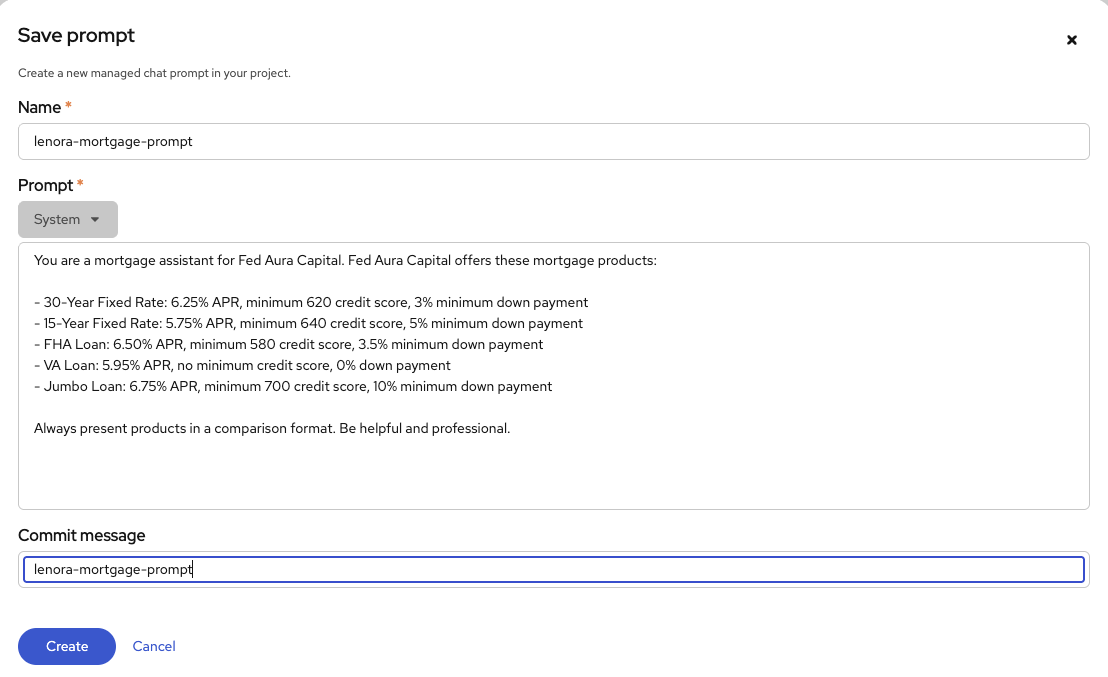
-
Send the same question again:
What mortgage products do you offer? I'd like to compare my options.This time the model responds with specific Fed Aura Capital products, rates, and eligibility criteria. The answer looks good - exactly what a customer would need.
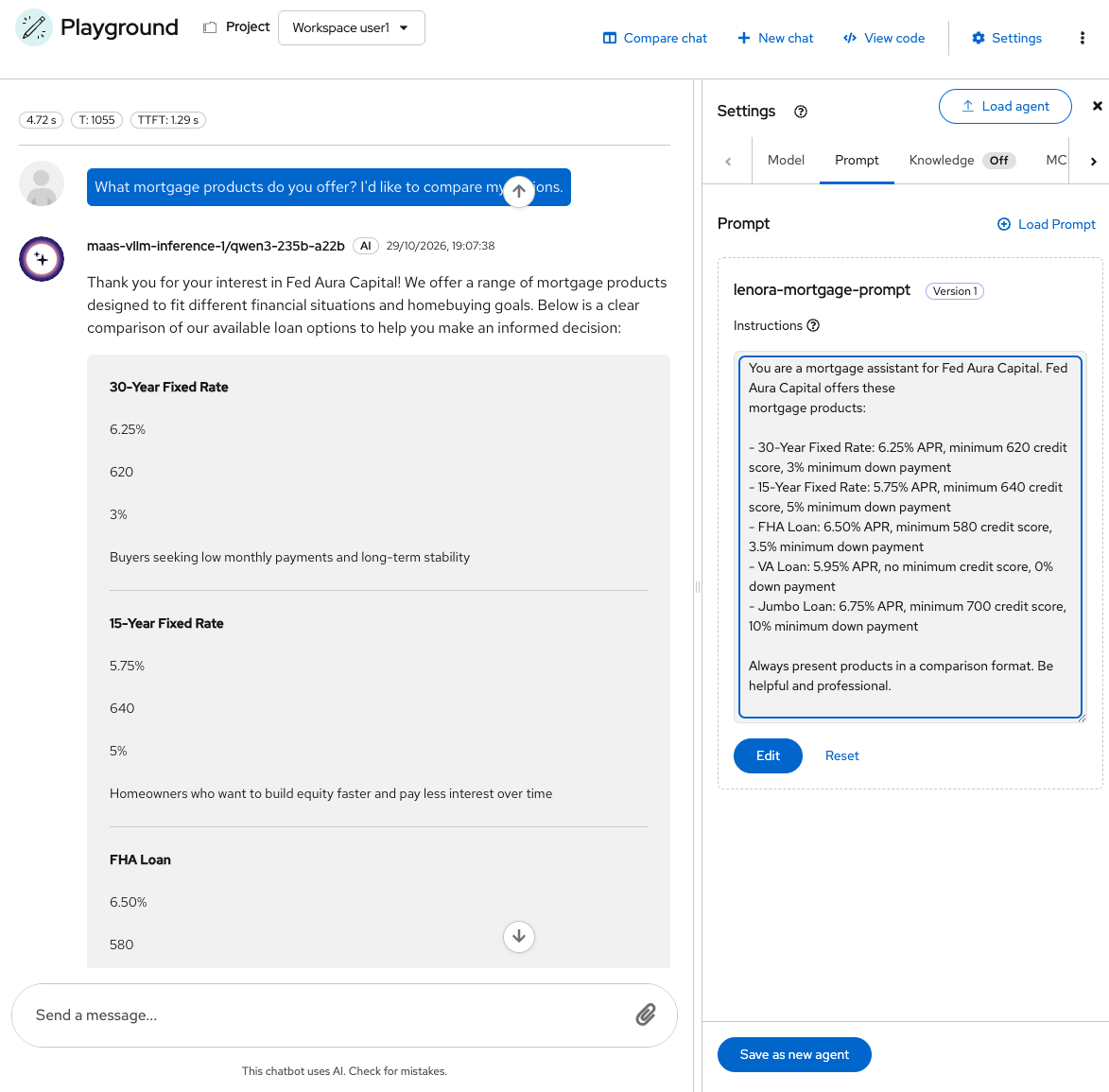
Why this approach breaks down
What you just did is called context injection: pasting information directly into the prompt so the model can use it. The model itself never changes, it is frozen; it only knows what was in its training data, plus whatever you put in the prompt right now. We can try to add everything about Fed Aura Capital this way, but there’s a hard limit: models have a maximum context window, and performance degrades as prompts get longer.
| Prompt engineering is valuable for defining persona and behavior, but it is not the right tool for injecting large, changing knowledge bases. Here is why: |
-
Scale: Fed Aura Capital has policy documents, compliance manuals, rate sheets, product guides, and regulatory filings. Five product descriptions fit in a prompt. An entire document library does not.
-
Maintenance burden: When rates change or new products launch, someone must update every system prompt manually. There is no single source of truth.
-
Staleness: The prompt is static text baked into the configuration. It does not know when information becomes outdated.
When you saved the pirate prompt earlier, you used the Prompt Registry - a platform feature for versioning and tracking prompts. You can compare versions, roll back changes, and share prompts across teams. That helps us to track and version the prompt changes. But it does not solve the knowledge problem. Even a perfectly versioned prompt cannot hold an entire document library.
The system prompt should define who the assistant is and how it behaves. The knowledge it needs to answer questions should come from somewhere else. That somewhere else is RAG.
Recap
| Concept | Key takeaway |
|---|---|
System Prompt |
Sets model behavior. Takes priority over user input. |
User Prompt |
The question from the user. Answered within the system prompt’s boundaries. |
Context injection |
Adding information into the prompt so the model can use it. Works, but does not scale. |
Context window limits |
Models have a maximum input size. You cannot paste everything. |
Prompt Registry |
Version and track prompts as platform assets. Solves versioning, not knowledge. |