AI Safety
Protecting customers and the business starts with who can ask what.
Mortgage lending is one of the most tightly regulated businesses there is. A lender has to prove three things: that it never discriminates, that every affordability decision is based on verified numbers, and that the costs it quotes a borrower are accurate. Regulators audit those claims - and "the AI said it" is not a defense.
So before Lenora goes anywhere near production, the security team has to be confident she cannot be talked into leaking customer data, tricked into skipping a compliance check, or manipulated into saying something the company is liable for.
That confidence does not come from one control. Fed Aura Capital treats agents like zero trust employees: every layer assumes the one in front of it might fail.
-
Who is asking - persona-based access control in the application decides what each user is even allowed to request. That is this section.
-
What is being said - NeMo Guardrails and the Guardrails Orchestrator inspect prompts and responses at the inference boundary, in front of every model they are configured for. Section 5.2.
-
What breaks it - Garak, together with the Chatterbox Labs technology Red Hat acquired, attacks the assistant before real customers can. Section 5.2.
-
Where it runs - OpenShell onboards new agents into an Agent Sandbox that denies everything by default. Section 5.3.
The three rules behind those requirements
| Rule | What it requires |
|---|---|
ECOA - Equal Credit Opportunity Act |
Credit decisions must not discriminate on protected characteristics such as race, sex, religion, national origin, or age. |
ATR/QM - Ability-to-Repay / Qualified Mortgage |
The lender must verify the borrower can actually afford the loan, using documented income and debts rather than estimates. |
TRID - TILA-RESPA Integrated Disclosure |
The rates, fees, and closing costs quoted to a borrower must be accurate and disclosed on a fixed timetable. |
Estimated time: 10 minutes
Learning Objectives
By the end of this page, you will be able to:
-
Observe how persona-based access controls what information the AI assistant reveals
-
Read a trace and tell an authorized request from a refused one by the spans it contains
Across the rest of section 5, you will also:
-
Test input and output guardrails (NeMo Guardrails + Guardrails Orchestrator) against prompt injection, harmful content, and competitor mentions
-
Review Garak adversarial test results and interpret pass/fail evidence
-
Connect to an OpenShell Agent Sandbox running deny-by-default policies
-
Use policy enforcement to block data exfiltration from a sandboxed agent
-
Examine security traces in MLflow across all three defense layers
Exercise 1: Ask a Question as the CEO
The Fed Aura Capital app assigns different capabilities depending on who logs in. The CEO persona has access to portfolio health, pipeline metrics, and officer performance. Start by seeing what Lenora reveals to a fully authenticated executive.
You will need two tabs from section 1.4 for this page: the Fed Aura Capital App and the OpenShift AI Dashboard, with your workshop project selected.
-
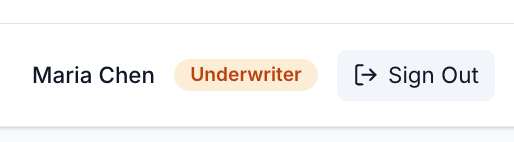
Navigate to the Mortgage AI App tab. You are still signed in as the Underwriter from section 4.1, so click Sign Out first:
-
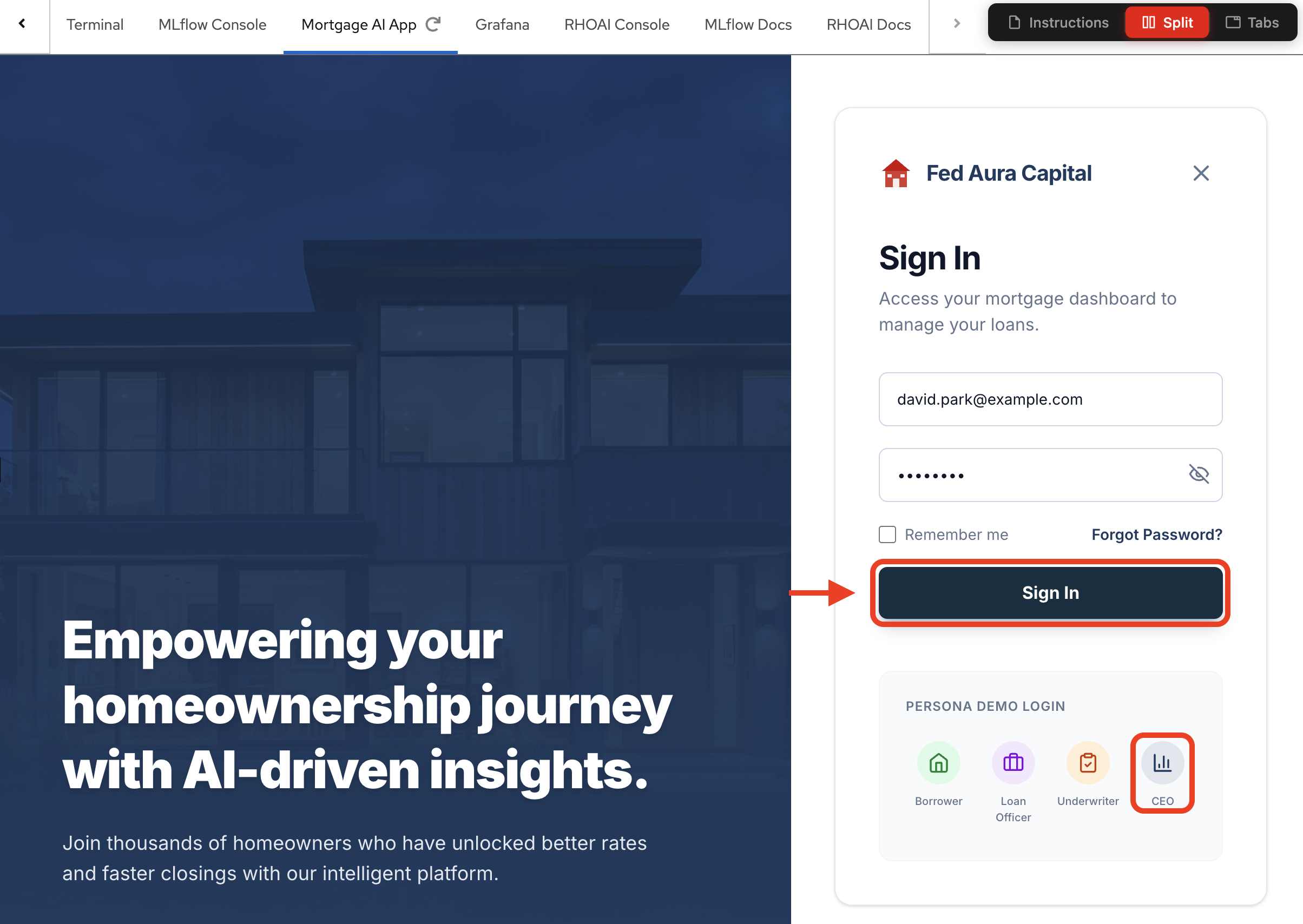
Click Sign In and select the CEO persona (David Park):
-
Confirm you are signed in as the CEO. The header shows the active persona:

-
In the Your Assistant chat panel, ask:
Show me the current pipeline status -
Observe the response. Lenora returns a detailed operational breakdown - active and closed application counts, stage-by-stage distribution, pull-through rate, and average days to close:
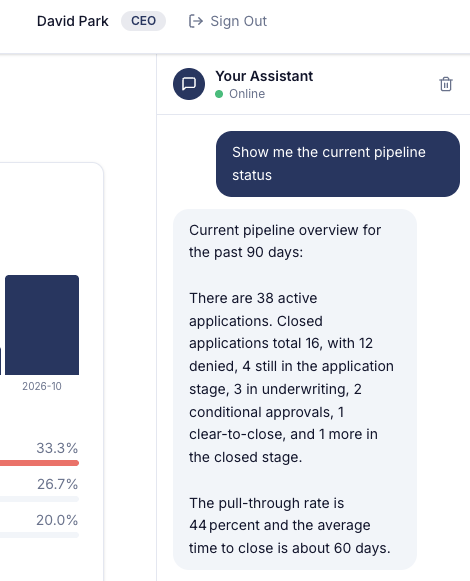
This is internal business intelligence. The CEO persona is authorized to see it, so the agent calls the pipeline tools and returns the real numbers.
Exercise 2: Ask the Same Question as the Public Chatbot
Now ask the identical question as an unauthenticated visitor. This is the public chatbot on the Fed Aura Capital landing page - the persona anyone on the internet can reach without signing in.
-
Click Sign Out to leave the CEO session - it sits in the same header you just read the persona from.
-
Signing out lands you on the sign-in page. Click the X to the right of the Fed Aura Capital logo to dismiss it - you will land on the main public page:

-
Click the small chat button in the bottom right corner to open the public assistant:

-
Ask the exact same question. Note the scope declared under the title - Ask about loans, rates, or eligibility:
Show me the current pipeline status -
Observe the response. The public persona is refused outright - no counts, no stage breakdown, no pull-through rate:
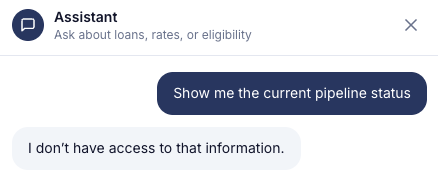
This is persona-based access control in action. The same application, the same model, the same question - but the answer changes based on who is asking. The public persona has no access to the pipeline tools that produced the CEO’s numbers, so there is nothing for it to leak.
| The refusal wording is generated by the model and may differ slightly from the screenshot. What matters is that no pipeline data appears in the response. |
Exercise 3: Check the Traces
Both questions were identical and both went through the same inference pipeline. The traces show exactly where the two requests diverged - and they are the evidence that nothing leaked.
-
Navigate to OpenShift AI Dashboard > Develop & train > Experiments. With your project selected, you will see the
mortgage-aiexperiment: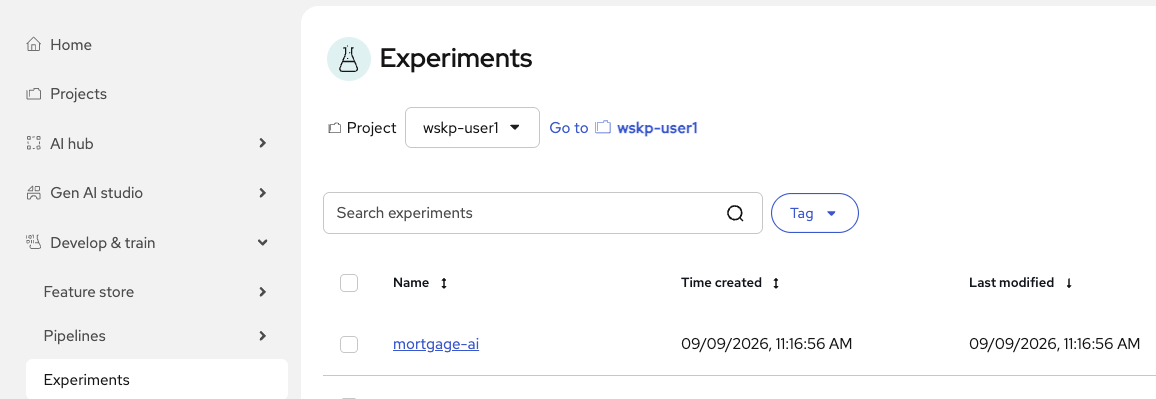
-
Click mortgage-ai. The experiment opens on the GenAI tab. In the left sidebar, under Observability, select Traces:
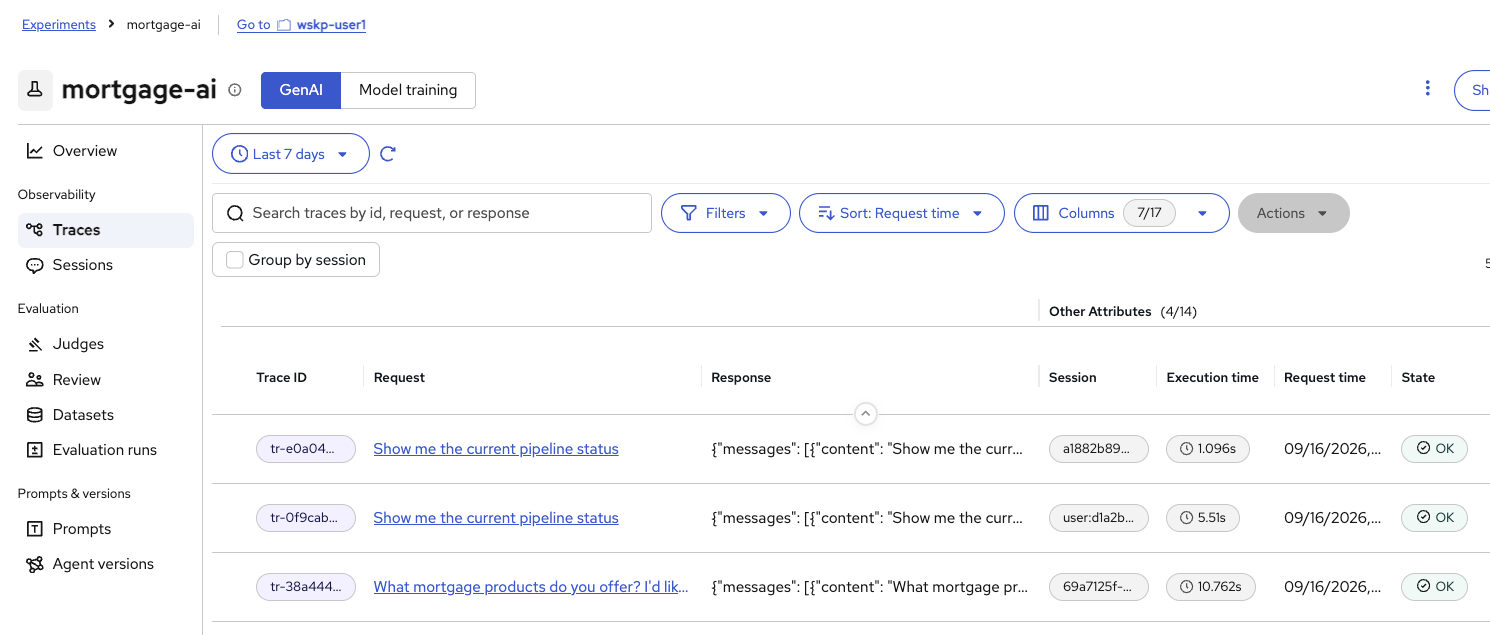
-
Find the two traces whose Request is
Show me the current pipeline status- one from the CEO session, one from the public session. Tell them apart by the Session column: the CEO request carries an authenticated session, prefixeduser:, while the public request has an anonymous session ID.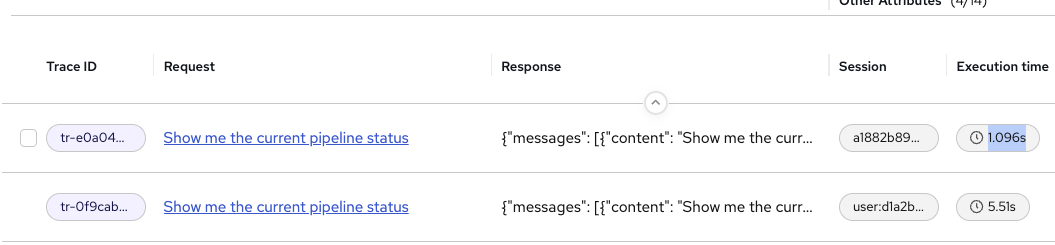
Their Execution time differs by several seconds as well - the CEO request is normally the slower of the two, for a reason that becomes clear in a moment.
If you retried a step earlier you may have more than two matching traces. Take the most recent pair. -
Open the CEO request - the one with the
user:session. The Summary tab lists the request inputs, includinguser_email, so you can confirm you opened the CEO trace and not the public one: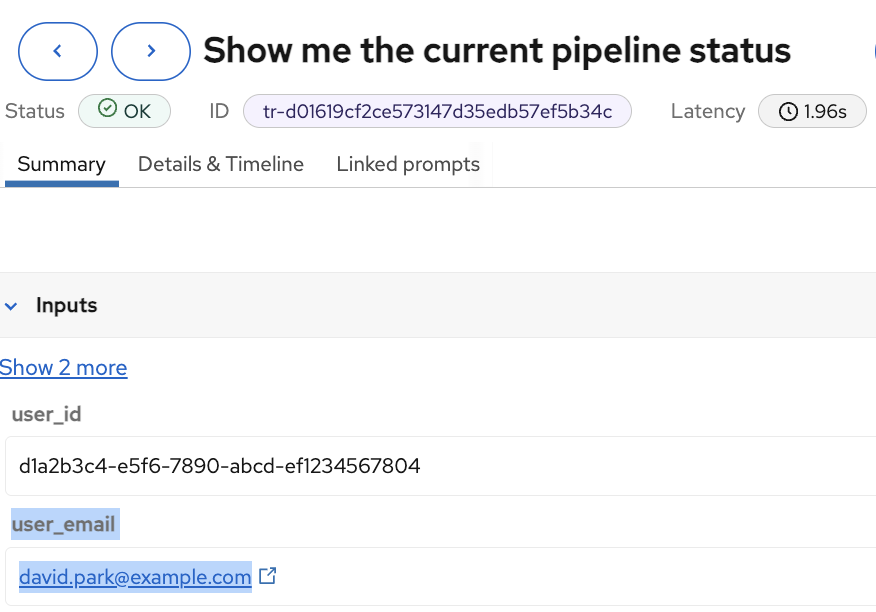
-
Select the Details & Timeline tab and read the trace breakdown:
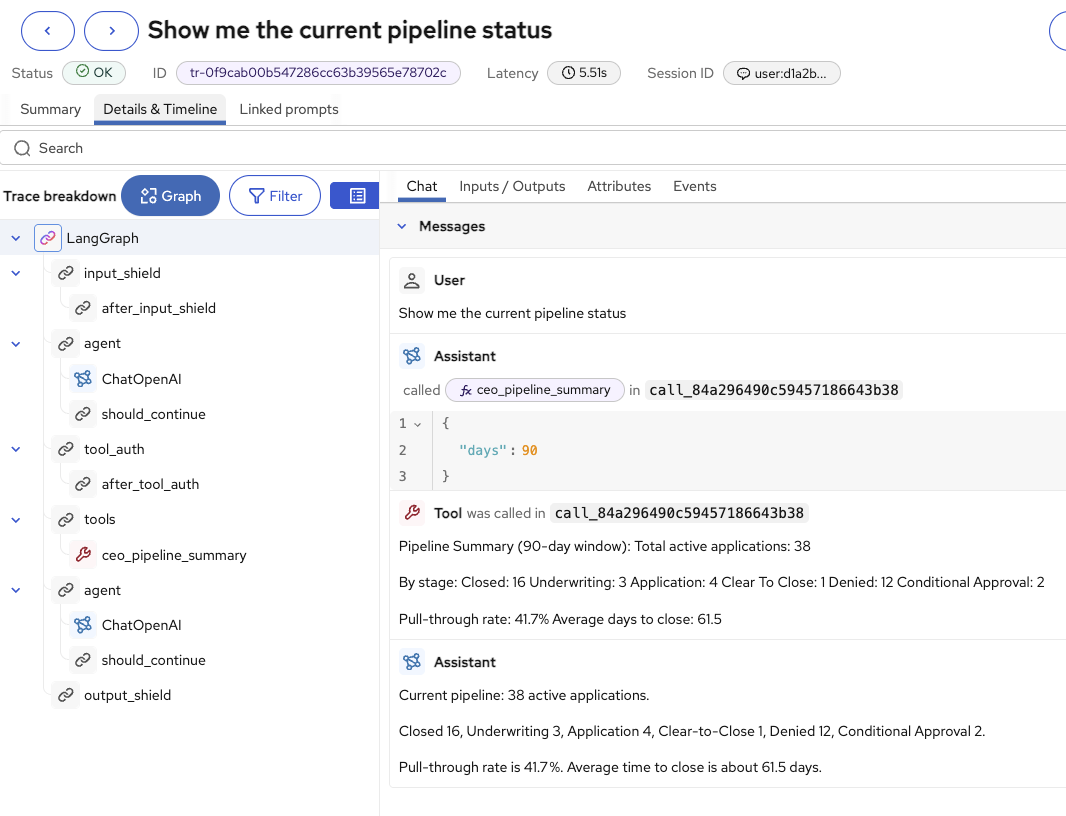
LangGraph
├── input_shield
│   └── after_input_shield
├── agent
│   ├── ChatOpenAI
│   └── should_continue
├── tool_auth
│   └── after_tool_auth
├── tools
│   └── ceo_pipeline_summary
├── agent
│   ├── ChatOpenAI
│   └── should_continue
└── output_shield
The Chat tab shows the whole exchange: the assistant decided to call
ceo_pipeline_summary, passed it a reporting window, the tool returned the pipeline summary, and the assistant turned those numbers into its answer. Every argument sent and every value returned is recorded. -
Close the trace with the X in the top right, then open the public request - the one with the anonymous session. Read its breakdown:
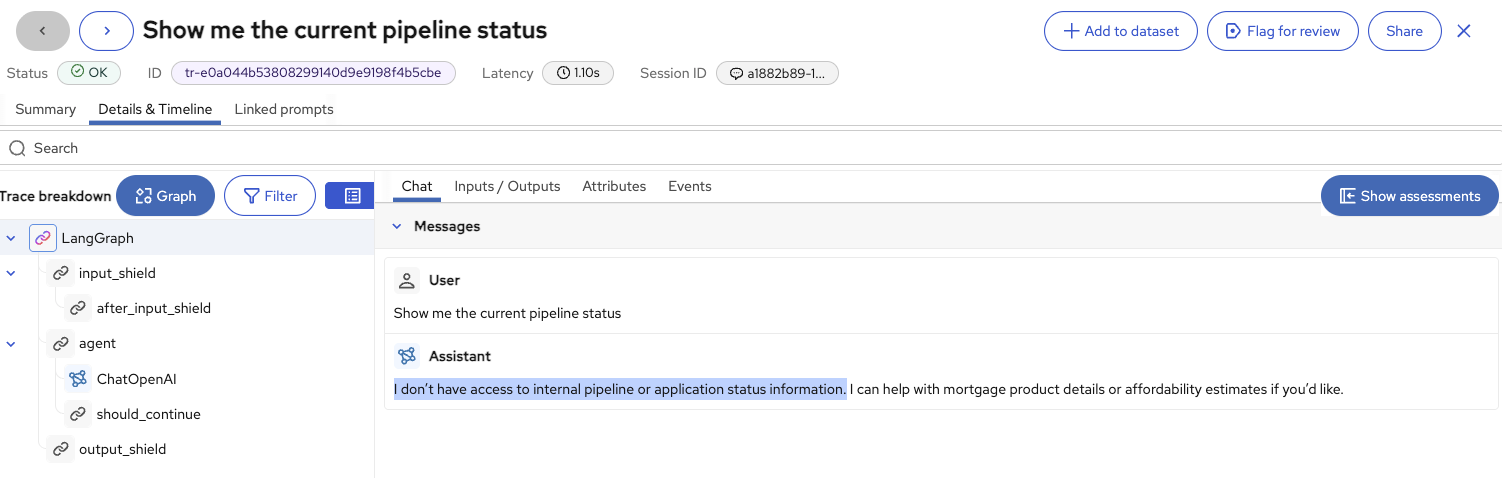
LangGraph
├── input_shield
│   └── after_input_shield
├── agent
│   ├── ChatOpenAI
│   └── should_continue
└── output_shield
The
tool_authandtoolsspans are simply not there. The public agent was never given the pipeline tools, so it had nothing to call, therefore nothing to authorize against - and the Chat tab shows it saying exactly that: "I don’t have access to internal pipeline or application status information." -
That absence is the whole point, and it explains the execution time gap you noticed in step 3. The CEO path spends its extra seconds authorizing and running
ceo_pipeline_summary; the public path returns as soon as the model has declined.
| Trace detail | CEO request | Public request |
|---|---|---|
Session |
Authenticated, |
Anonymous session ID |
Tool authorization |
|
No |
Tools called |
|
None |
Guardrails |
|
|
Result |
Full pipeline breakdown |
Refusal, no internal data |
Notice that the guardrail spans ran on both requests. Persona scoping is a separate layer: it decides which tools the agent is allowed to see in the first place, before any guardrail has to make a judgment call about the output.
| Exact latencies, application counts, and pull-through rates depend on your cluster’s data and will not match the screenshots. What should match is the shape - tool spans present for the CEO, absent for the public request. |
| Traces are the evidence layer. When a regulator or auditor asks "how do you ensure public users cannot access internal information?", this is the answer: a timestamped record showing the tools were never available to the unauthenticated caller, rather than a claim that the model chose not to answer. |