Data Preprocessing & AutoRAG
From clean text to messy enterprise documents.
In the previous section, you uploaded a well-structured product catalog PDF and RAG worked perfectly. Real enterprise data is rarely that clean. This section covers how to preprocess complex documents for RAG and how to automate the entire pipeline.
Estimated time: 5 minutes (plus 12-20 minutes if you run the optional AutoRAG pipeline)
Learning Objectives
By the end of this section, you will be able to:
-
Understand the role of document preprocessing (Docling) in enterprise RAG pipelines
Data Preprocessing and Document Intelligence
The product catalog you uploaded was a well-structured PDF - clean headings, consistent formatting, and ready for chunking. That made RAG straightforward.
But look at what a real Fed Aura Capital internal document looks like. Open the Fed Aura Capital Internal Underwriting Policies PDF and scroll through it:
Alternatively you can download the PDF if it doesn’t open in your browser.
+ image::module5-docling-example-page1.png[Internal Underwriting Policies page 1 - DTI limits section with bar chart showing ratios by loan type,link=self,window=blank,width=600]
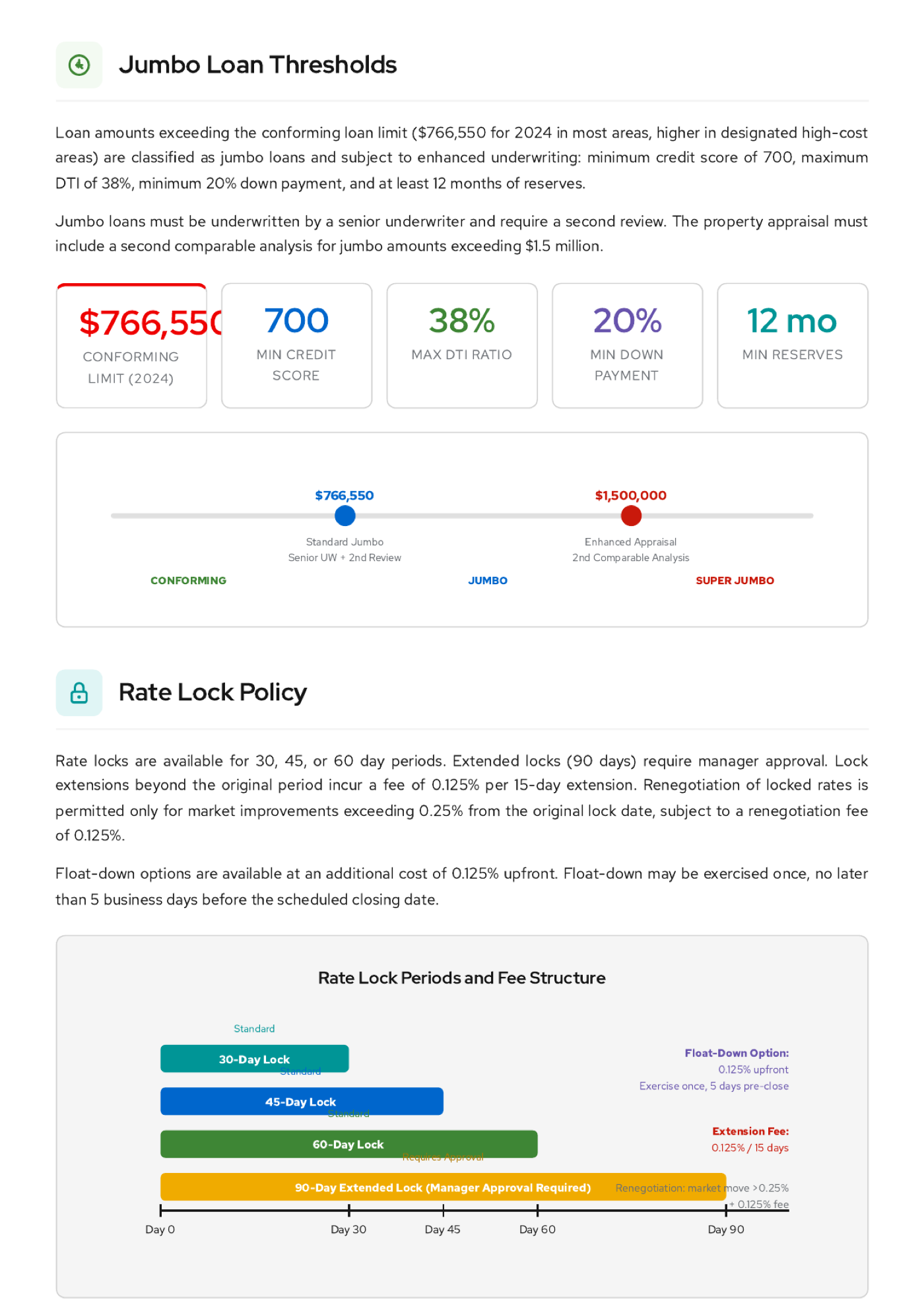
Charts, infographic cards, timeline diagrams, color-coded escalation flows. If you uploaded this PDF to the Playground as-is, RAG would chunk the raw text - but the visuals would be lost or garbled. The model would miss that the conventional DTI limit is 40%, that jumbo loans need 12 months of reserves, or that a 90-day rate lock requires manager approval.
LLMs are text-in, text-out systems. Before a model can reason about a chart in a PDF, that chart needs to be converted to structured text. This is where document preprocessing comes in.
Docling: Document intelligence for RAG
Docling uses vision models and layout analysis to understand document structure - it identifies text blocks, tables, figures, and charts, then converts them into structured text that preserves semantic meaning.
With the internal policies PDF, Docling converts the DTI bar chart into "Conventional: 40%, FHA Front-end: 31%, FHA Back-end: 43%", the jumbo infographic into "$766,550 conforming limit, 700 min credit score, 38% max DTI", and the rate lock timeline into "30/45/60-day standard locks, 90-day extended lock requires manager approval." Without Docling, those visuals would be invisible to the model. With Docling, they become retrievable facts.
| Explore document preprocessing with Docling in this interactive demo: Docling Arcade Demo |
Enterprise document formats Docling handles (click to expand)
| Format | Challenge |
|---|---|
PDF with tables |
Tables must be linearized or converted to structured text while preserving row-column relationships |
Scanned PDFs |
OCR is required before any text extraction can happen |
PDFs with charts and diagrams |
Visual data must be described in text form so the model can reason about trends, thresholds, and workflows |
PowerPoint |
Slides contain mixed text, images, and layouts that need to be separated and processed individually |
HTML |
Boilerplate navigation and ads must be stripped while preserving the semantic content structure |
Before and After: The Four Configurations
Across the previous sections, you asked the same question in four configurations. Here is how each one performed:
| Dimension | No Prompt | System Prompt Only | RAG Only | RAG + Global Prompt |
|---|---|---|---|---|
Knowledge Source |
Model training data |
Hardcoded in prompt text |
Retrieved from documents |
Retrieved from documents |
Accuracy |
Generic, may hallucinate |
Correct only if prompt is current |
Grounded in source documents |
Grounded in source documents |
Persona & Style |
None |
Defined by prompt |
None |
Consistent with Lenora |
Maintenance |
None |
Manual prompt updates |
Upload new documents |
Upload documents + version prompts |
Scalability |
N/A |
Limited by token window |
Scales with document volume |
Scales with document volume |
Optional: AutoRAG Pipeline
| The AutoRAG pipeline takes 12 to 20 minutes to complete. This section is optional and intended for participants who want to explore the automated pipeline approach. |
The Playground’s RAG toggle is a manual workflow - you upload files one at a time and the system processes them on the spot. This works for experimentation, but production RAG systems need to handle hundreds of documents, update automatically when new files arrive, and manage chunking and embedding parameters at scale.
AutoRAG is an automated optimization system in Red Hat OpenShift AI that finds the best RAG configuration for your documents. You provide documents and test data, and AutoRAG tests different combinations of chunking, embedding, retrieval, and generation settings. Each combination produces a RAG pattern with evaluation scores. AutoRAG ranks patterns on a leaderboard and generates Jupyter notebooks that you can use to run the best pattern.
Create an AutoRAG optimization run
-
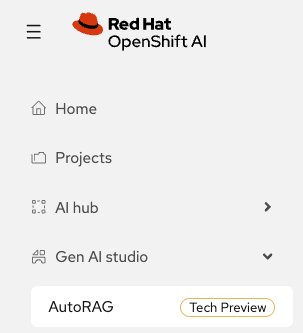
In the OpenShift AI dashboard, expand Gen AI studio in the left sidebar and click AutoRAG:
-
Click Create run. Enter the following details and click Next:
-
Name:
fed-aura-autorag -
Description:
Fed Aura Capital AutoRAG -
Open GenAI Stack connection: select
fed-aura-ogx-connection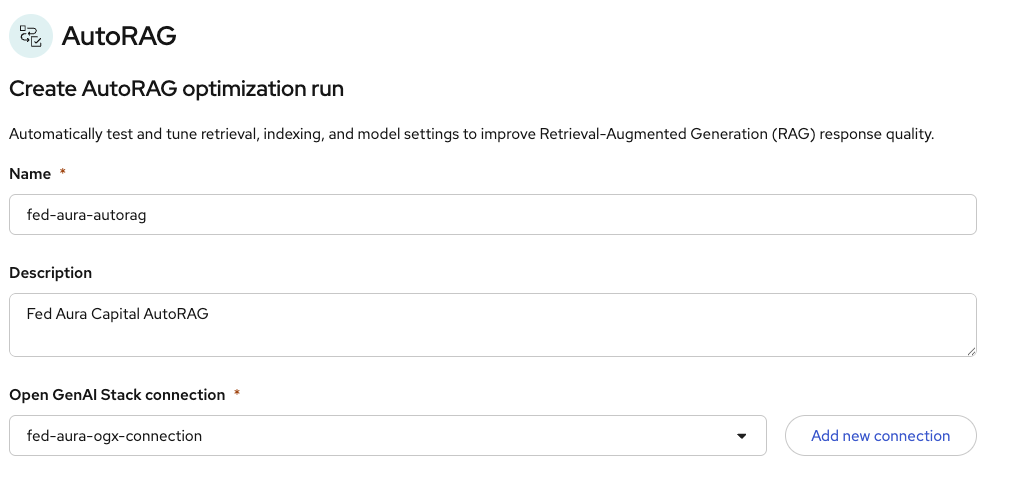
-
-
In the Knowledge setup section, select
autoragas the S3 connection. Click Select file or folder and then Browse bucket: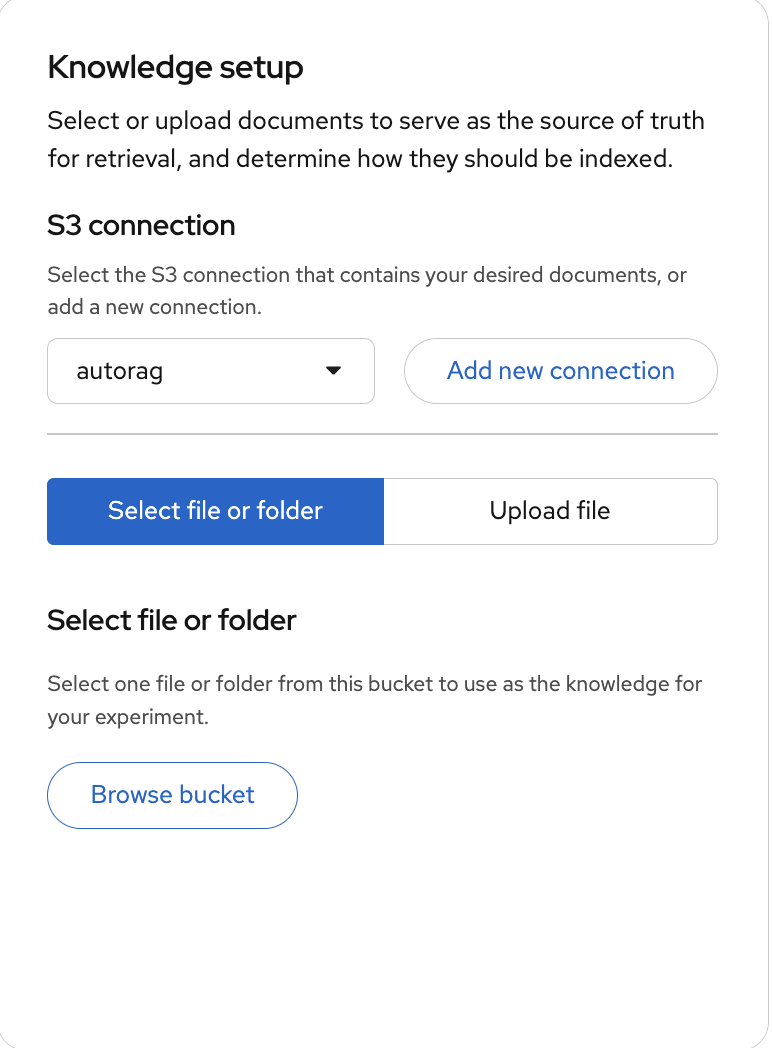
-
Select the
docsfolder from the bucket. This folder contains the Fed Aura Capital documents that AutoRAG will index and use for retrieval: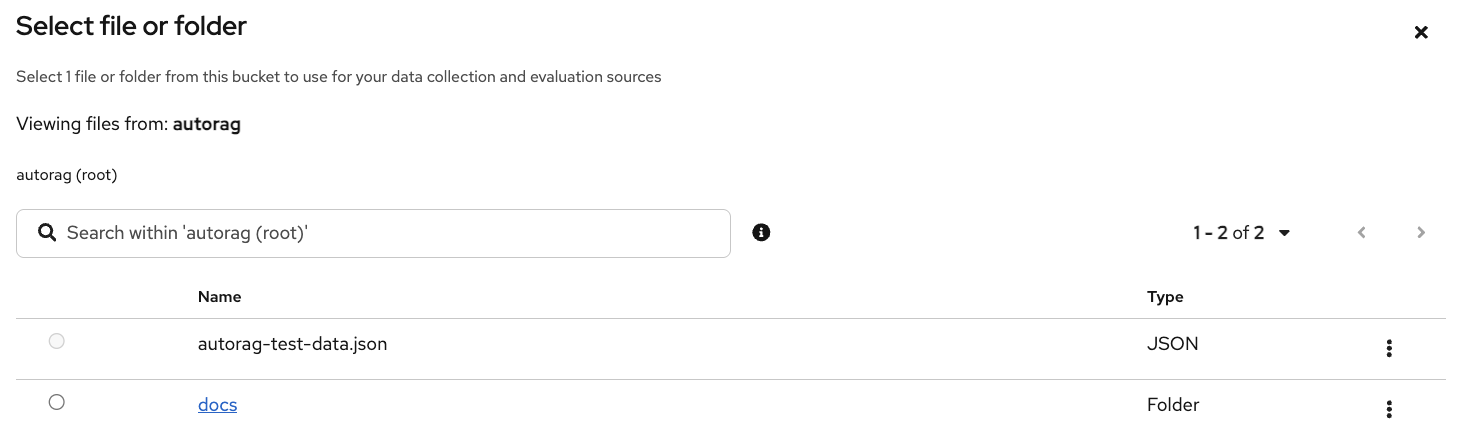
-
Under Configure details, set the Vector I/O provider to
pgvector (remote Pgvector). This is the same PostgreSQL vector database used by the Playground RAG:
-
For the Evaluation dataset, click S3 to browse the bucket:
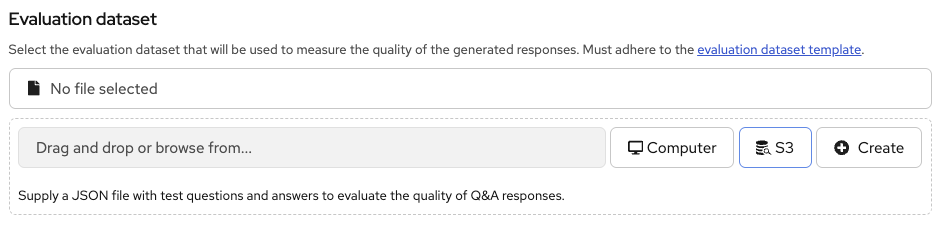
Select
autorag-test-data.json. This file contains test questions and expected answers that AutoRAG uses to evaluate each RAG configuration: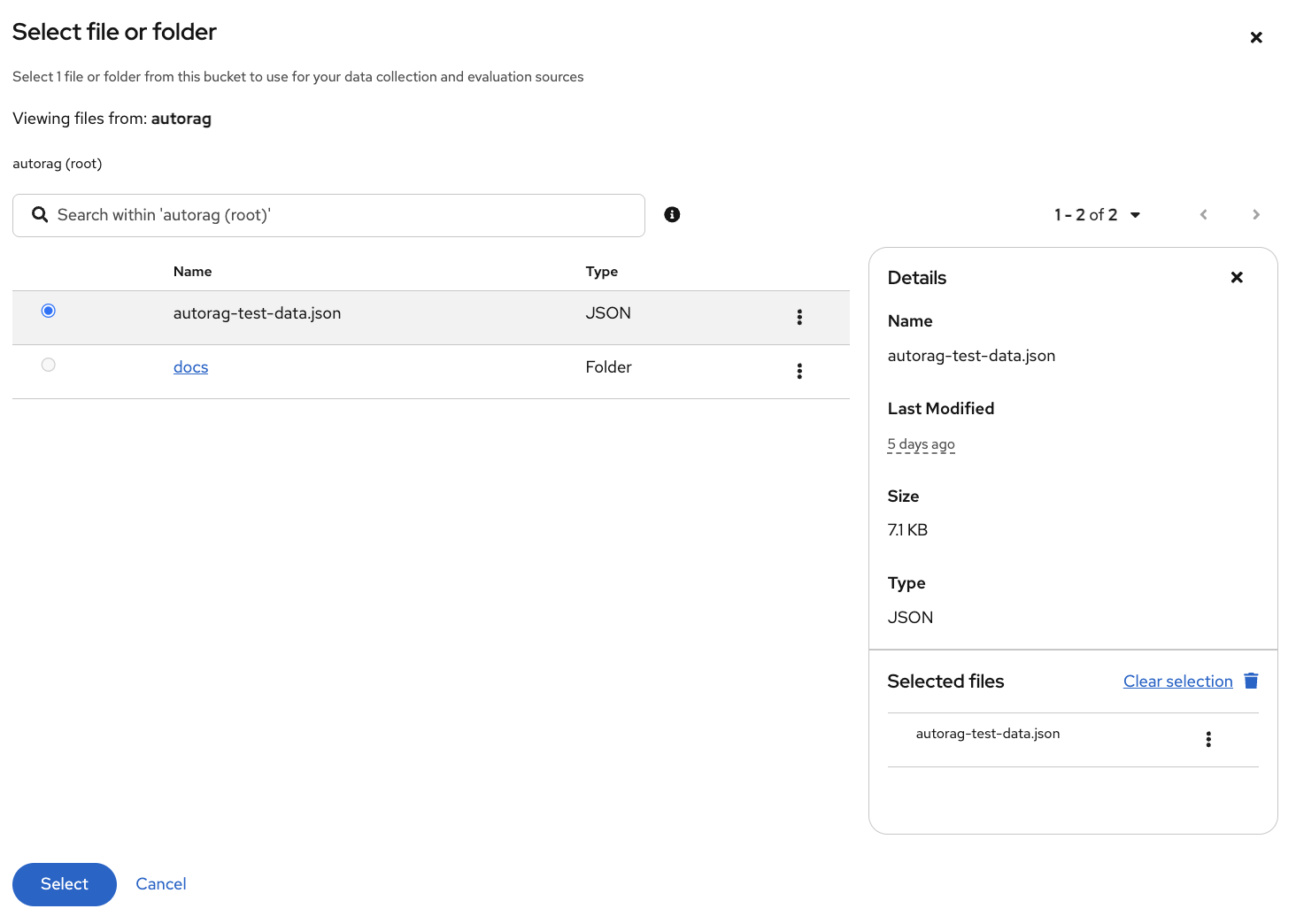
Note: If you’d like to see the content of the test data file, check here.
-
Leave the Optimization metric as
Overall scoreso we evaluate both faithfulness and correctness. -
Change Maximum RAG patterns to
4(default is 8). This reduces the number of configurations AutoRAG tests, which speeds up the run. Leave all other settings at their defaults (optimization metric: Answer faithfulness). -
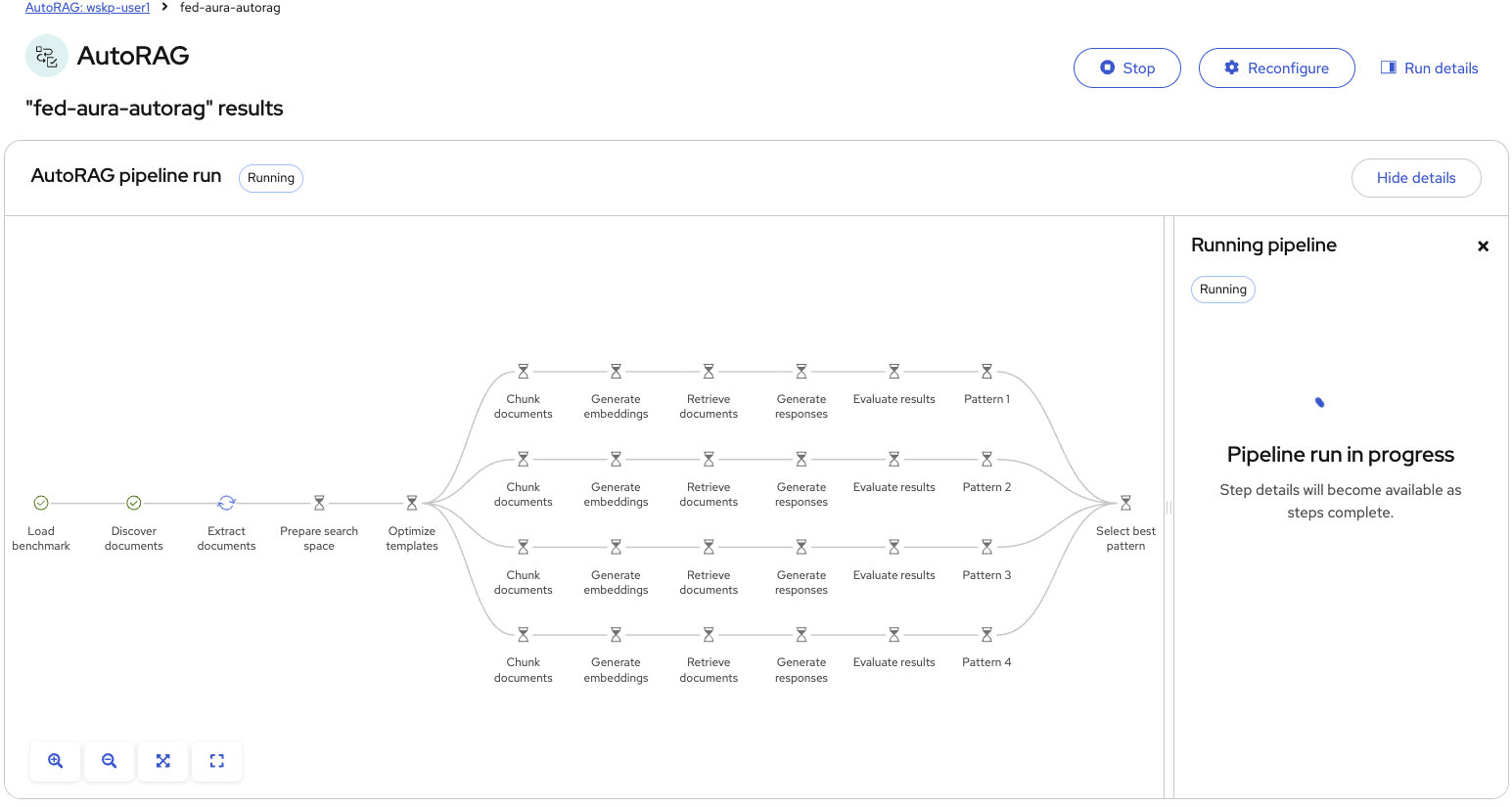
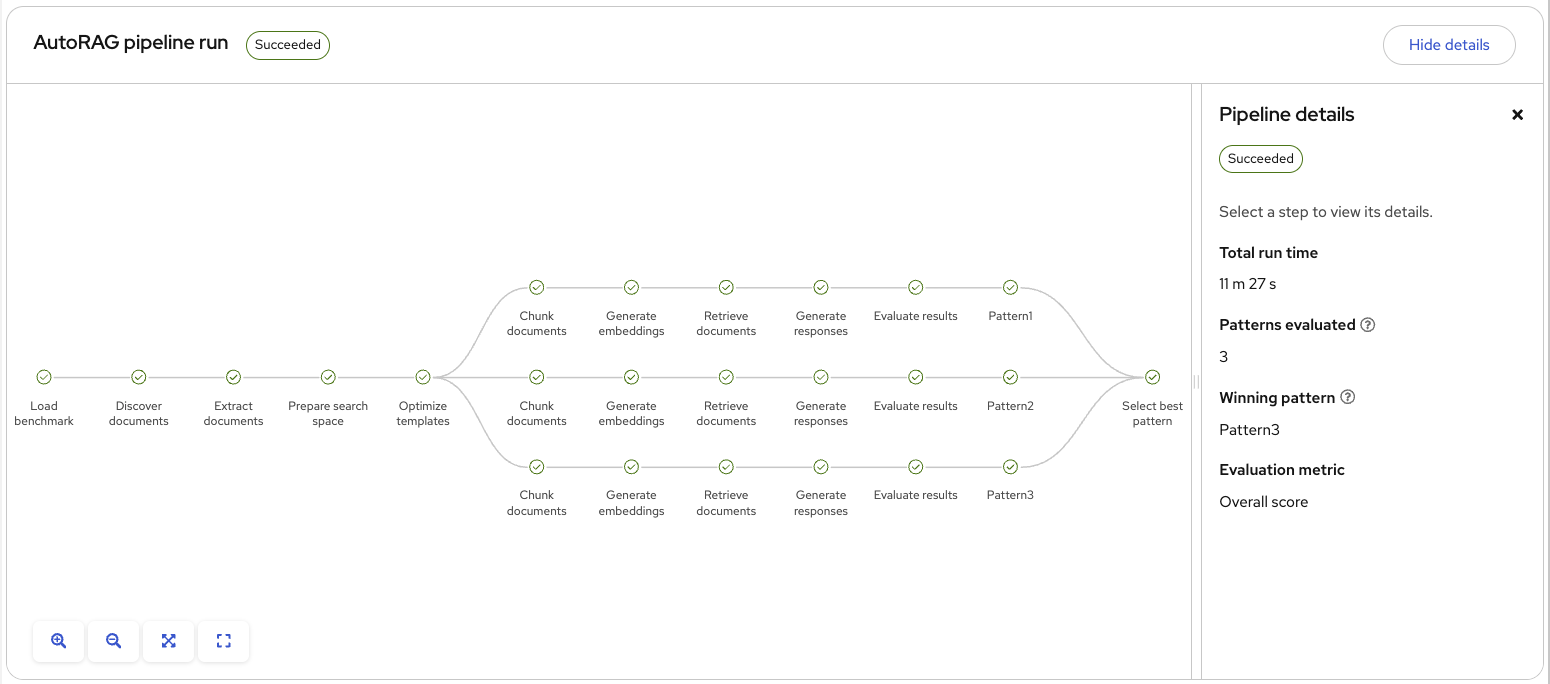
Click Create run. The pipeline starts in Preparing status. After a few minutes, refresh the page and click Hide details / Show details to see the pipeline DAG. Each of the 4 patterns runs through the full RAG pipeline - chunking, embedding, retrieval, generation, and evaluation:
-
Wait for the pipeline to complete (up to 20 minutes). When finished, the status changes to Succeeded and the right panel shows the results - total run time, number of patterns evaluated, the winning pattern, and the evaluation metric:
| AutoRAG tests combinations of chunking sizes (1024, 2048), chunk overlap (128, 256), retrieval methods (vector, hybrid), and number of chunks retrieved (3, 5, 10) against the foundation and embedding models available on your OGX instance. |
What AutoRAG tests and how to read the results (click to expand)
Each RAG pattern is a unique combination of settings that AutoRAG evaluates. The results appear on a leaderboard ranked by three metrics:
| Metric | What it measures |
|---|---|
Answer faithfulness |
Whether the answer uses information from retrieved documents rather than hallucinating. High faithfulness means the model stays grounded. |
Answer correctness |
Whether the answer matches the expected answers from your test data. High correctness means the RAG system produces accurate results. |
Context correctness |
Whether the retrieval step finds relevant documents. High context correctness means the right chunks are being retrieved. |
After the run completes, you can click any pattern to see its configuration details, per-question scores, and sample Q&A responses. You can also select Try this pattern to test it interactively in a chat panel.
Section Summary
What You Accomplished
-
Tested system prompts for injecting domain knowledge and discovered their limits - token window, maintenance burden, staleness
-
Enabled RAG in the GenAI Playground and uploaded Fed Aura Capital’s product catalog
-
Verified that RAG-grounded responses contain accurate, document-backed facts
-
Combined RAG with Fed Aura Capital’s global system prompt to reproduce Lenora’s production behavior
-
Learned how Docling handles enterprise document preprocessing for RAG pipelines
Key Takeaways
-
System prompts define behavior and persona but are not the right tool for large, changing knowledge bases
-
RAG grounds model responses in retrieved documents, providing current, organization-specific answers traceable to source text
-
A production AI assistant combines RAG (for facts) with a tuned system prompt (for persona and style)
-
Enterprise RAG pipelines require document preprocessing to handle PDFs, images, tables, and other complex formats
-
Knowledge updates happen in minutes (upload a new document) instead of days or weeks (retrain the model)