Dependency Injection
In the previous step you created a basic RESTful Java application with Quarkus. In this step we’ll add a custom bean using dependency injection (DI). Quarkus DI solution is based on the Contexts and Dependency Injection for Java 2.0 specification.
Add Custom Bean
Let’s modify the application and add a companion bean.
-
In the IDE, right-click on the
org.acme.people.servicepackage in the project browser and select New File….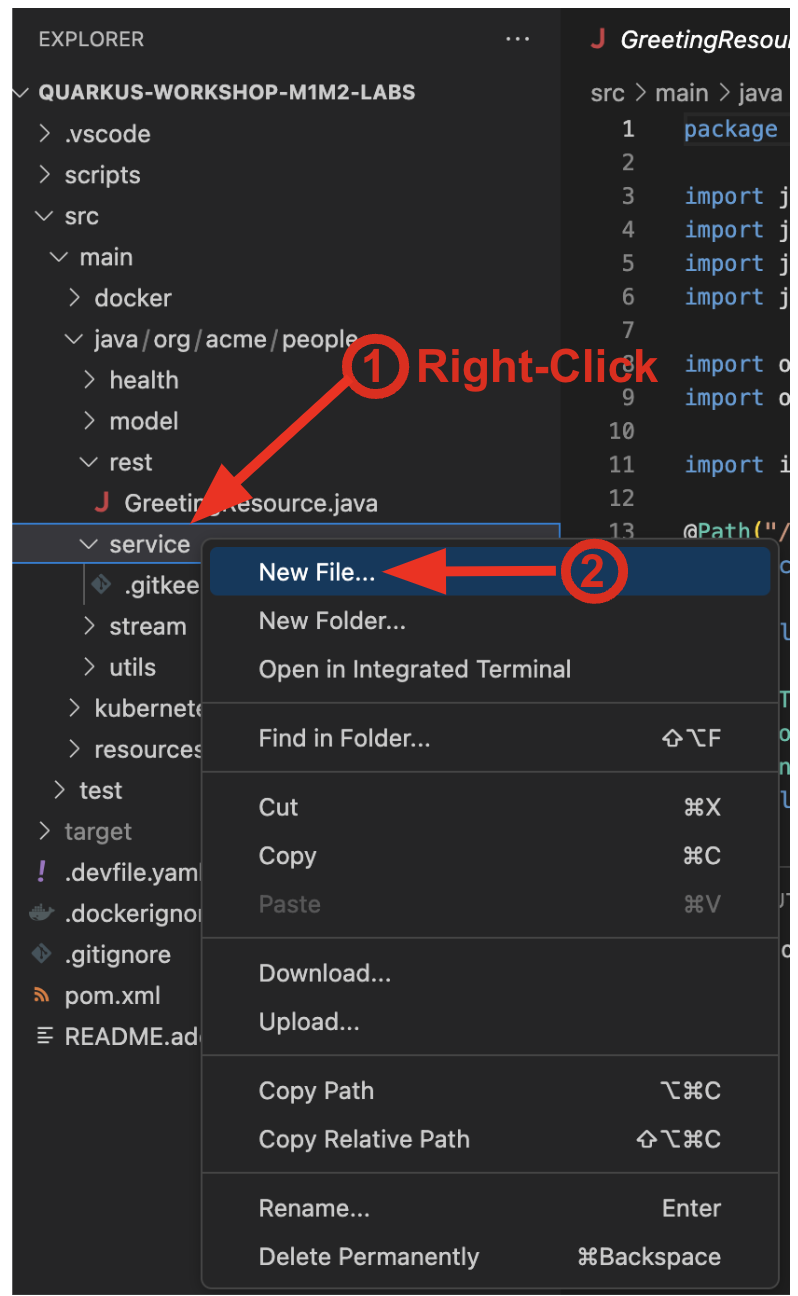
-
Name the file
GreetingService.java.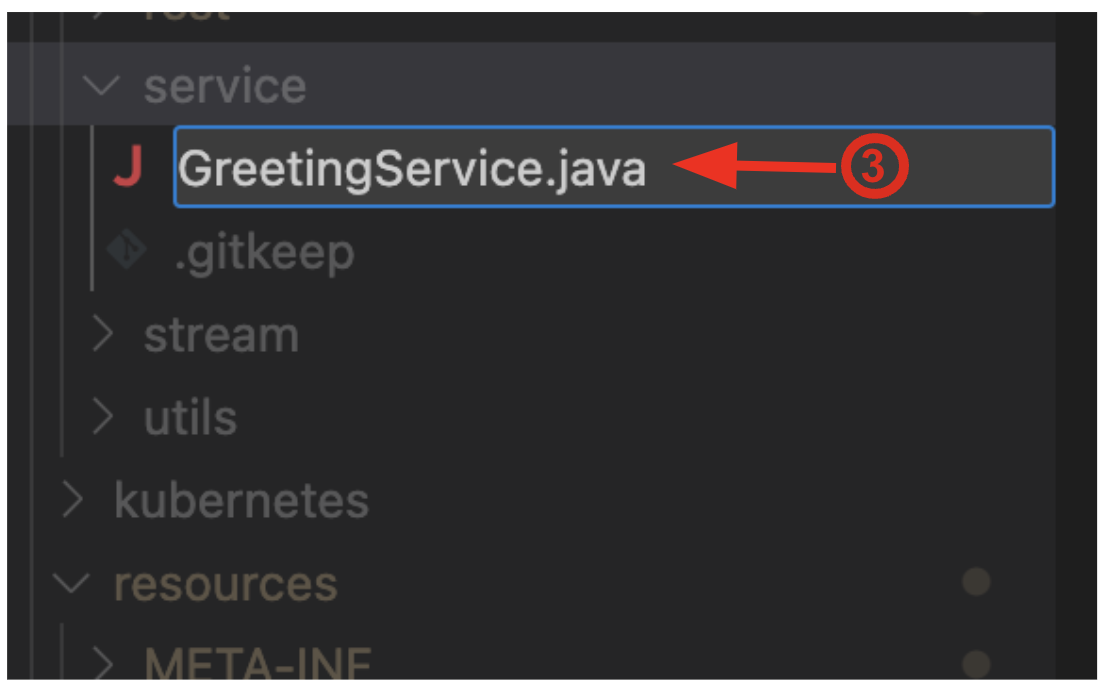
-
Next, replace the below code into the class:
package org.acme.people.service; import jakarta.enterprise.context.ApplicationScoped; @ApplicationScoped public class GreetingService { public String greeting(String name) { return "hello " + name; } } -
This is an injectable bean that implements a
greeting()method returning a stringhello <name>(where<name>is a parameter). -
Next, open the existing
GreetingResource.javafile (in theorg.acme.people.restpackage) and add a new field and method above the existinghellomethod:@Inject GreetingService service; @GET @Produces(MediaType.TEXT_PLAIN) @Path("/greeting/{name}") @NonBlocking public String greeting(@PathParam("name") String name) { return service.greeting(name); } -
This will cause our new
GreetingResourceclass to be instantiated and injected as theservicefield, and then the methodgreetingaccesses this service to return the name. -
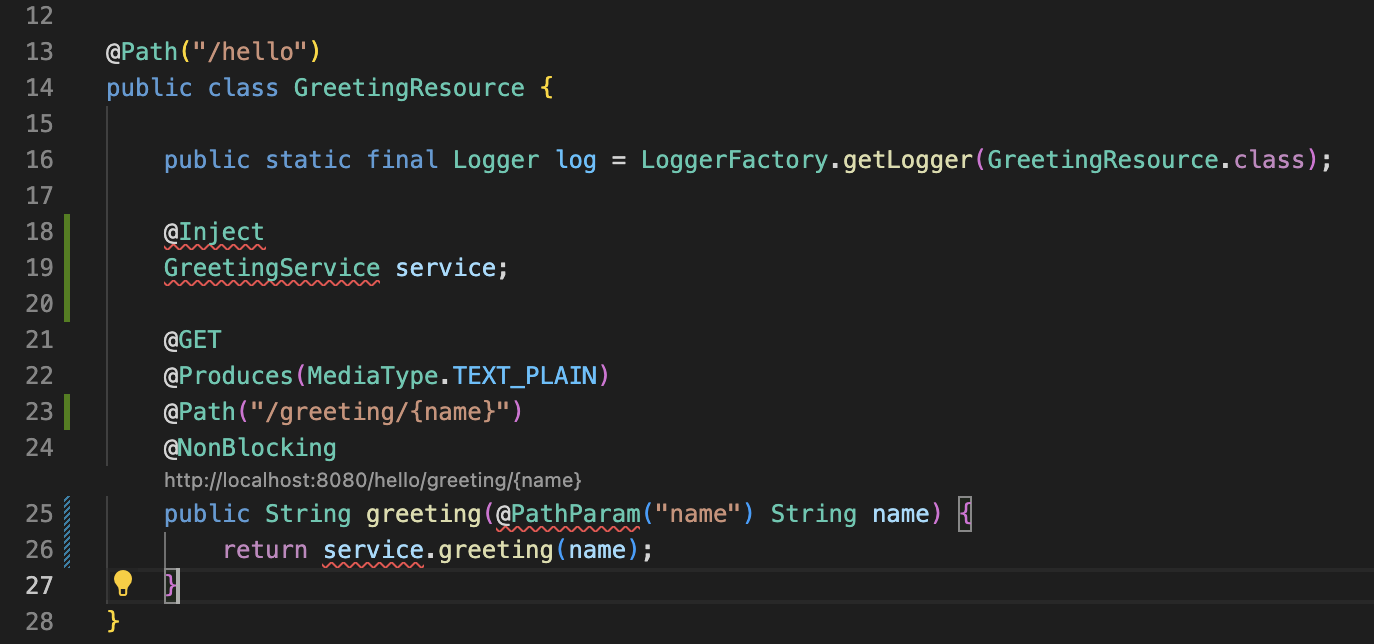
You will get red error squigglies when you paste this code due to missing import statements:
-
Add the necessary imports below the existing
importstatements near the top of the file:import jakarta.inject.Inject; import org.acme.people.service.GreetingService; import jakarta.ws.rs.PathParam;If you do not see red squigglies, or you can’t make them disappear, try to close the file and re-open it, or reload your web browser.
Inspect the results
-
Check that the changes work as expected by accessing the
/hello/greeting/quarkuswith curl:curl http://localhost:8080/hello/greeting/quarkusWe are exercising our new bean using the /hello/greeting/quarkusendpoint, and you should seehello quarkus. In this case, the hostname is the hostname from the pod the app is running on within Kubernetes and will change later on.