Cloud Native
In this step we will package the application as a Linux Container image, and deploy it to Kubernetes, and add a few features common to cloud native apps that you as a developer will need to handle. We’ll use OpenShift 4 as our deployment target, which is a distribution of Kubernetes from Red Hat.
Health Probes
Quarkus application developers can utilize the MicroProfile Health specification to write HTTP health probes for their applications. These endpoints by default provide basic data about the service however they all provide a way to customize the health data and add more meaningful information (e.g. database connection health, backoffice system availability, etc).
|
There are of course a category of issues that can’t be resolved by restarting the container. In those scenarios, the container never recovers and traffic will no longer be sent to it (which can have cascading effects on the rest of the system, possibly requiring human intervention, which is why monitoring is crucial to availability). |
Add Extension
Let’s build a simple REST application endpoint exposes MicroProfile Health checks at the /health endpoint according to the specification. It will also provide several other REST endpoints to allow us to dynamically query the health of our Quarkus application.
We’ll need to add a Quarkus Extension to enable this feature in our app. Fortunately, adding a Quarkus extension is super easy. We’ll cover extensions in more depth in other sections of this workshop but for now, open a Terminal and execute the following command to add the extension to our project’s pom.xml:
mvn quarkus:add-extension -Dextensions="smallrye-health"You should get:
[INFO] [SUCCESS] ✅ Extension io.quarkus:quarkus-smallrye-health has been installedThis will add the extension below to your pom.xml:
<dependency>
    <groupId>io.quarkus</groupId>
    <artifactId>quarkus-smallrye-health</artifactId>
</dependency>
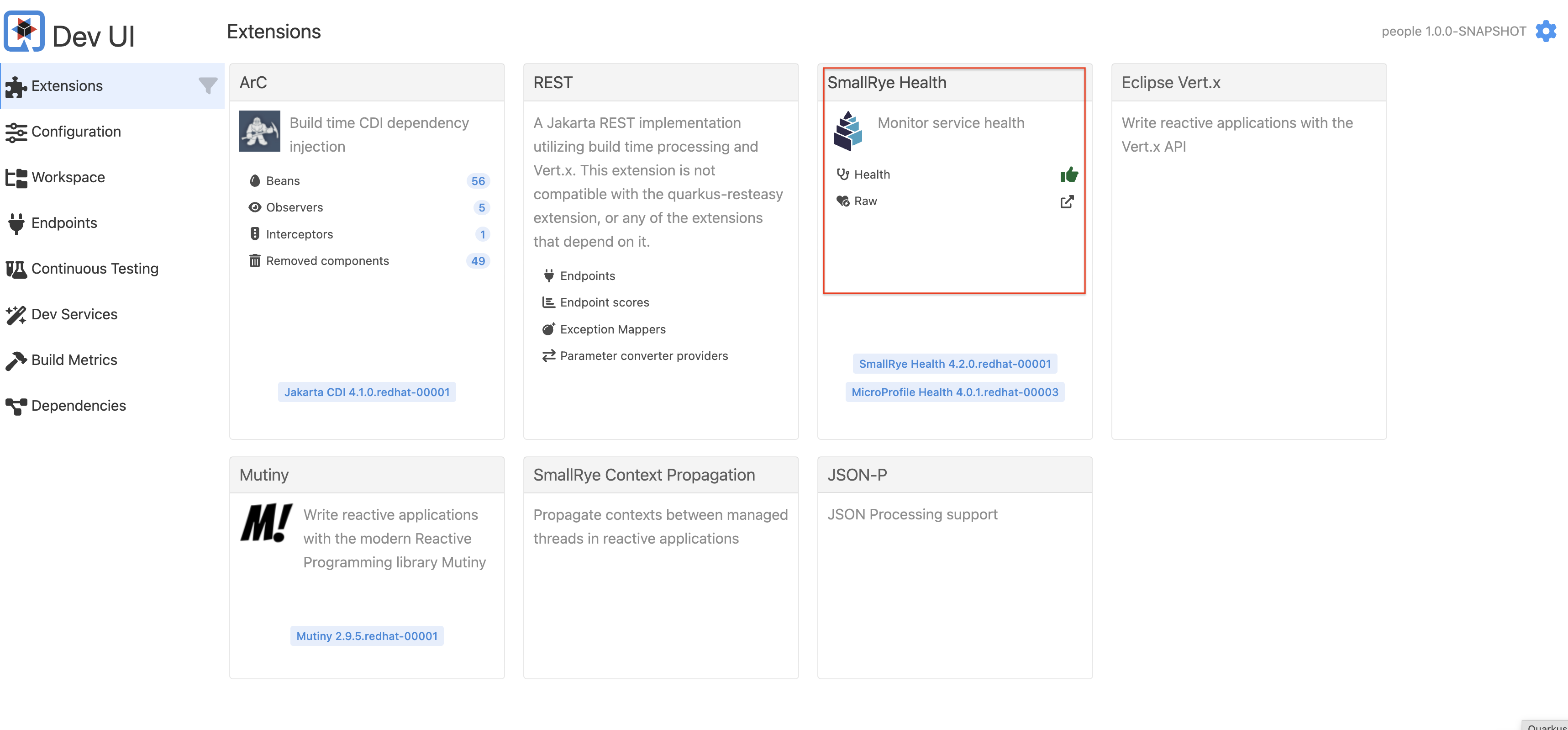
When you go back to Dev UI, you will see a new SmallRye Health extension:
With no code, Quarkus still provides a default health check which may be enough for you if all you need is to know the app started. Try to access the /health/ready endpoint on the Terminal:
curl http://localhost:8080/q/health/readyYou’ll see:
{
    "status": "UP",
    "checks": [
    ]
}
This default health check will return success as long as the app is running - if it crashes, the health check will of course fail.
Add a probe
We can now implement a better Health Check using the MicroProfile APIs. Create a new Java class - org.acme.people.health.SimpleHealthCheck (hint: right-click on the org.acme.people.health package and select New > File and name it SimpleHealthCheck.java). In this file, implement the health check (you can copy/paste this code):
package org.acme.people.health;

import org.eclipse.microprofile.health.HealthCheck;
import org.eclipse.microprofile.health.HealthCheckResponse;
import org.eclipse.microprofile.health.Readiness;

import jakarta.enterprise.context.ApplicationScoped;

@ApplicationScoped
@Readiness
public class SimpleHealthCheck implements HealthCheck {

    @Override
    public HealthCheckResponse call() {
        return HealthCheckResponse.named("Simple health check").up().build();
    }
}
As you can see health check procedures are defined as implementations of the HealthCheck interface which are defined as CDI beans with the either the @Readiness or @Liveness annotation. HealthCheck is a functional interface whose single method call returns a HealthCheckResponse object which can be easily constructed by the fluent builder API shown above. This simple example will serve as our Readiness probe.
|
There are two types of probes in Quarkus apps (and Kubernetes):
Readiness and liveness probes can be used in parallel for the same container. Using both can ensure that traffic does not reach a container that is not ready for it, and that containers are restarted when they fail. There are various Configuration Parameters you can set, such as the timeout period, frequency, and other parameters that can be tuned to expected application behavior. |
Thanks to Live Coding mode, simply open a Terminal window and run:
curl http://localhost:8080/q/health/readyThe new health check procedure is now present in the checks array:
{
    "status": "UP",
    "checks": [
        {
            "name": "Simple health check",
            "status": "UP"
        }
    ]
}
Congratulations! You’ve created your first Quarkus health check procedure. Let’s continue by exploring what else can be done with the MicroProfile Health specification.