The Workshop Journey
You’ll play the role of an integration developer at Parasol Insurance. Through the workshop labs you will build the integrations that ingest policy applications, bridge messaging systems for customer support, plug in AI to help agents resolve issues, and add governance on top, all with application integration and connectivity tools.
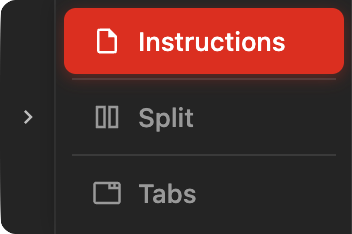
Expand the instructions to full screenFor this module we recommend you expand the instructions frame to full screen. You can do so as follows:
|
Application Connectivity Meets AI
Integration and AI used to be separate concerns. You had your data flows on one side and your AI models on the other. That’s changing. In this workshop they come together in a single platform.
An integration engine handles the data flows: moving data between systems, applying transformations, and orchestrating multi-step processes. A connectivity layer provides secure access to databases that live outside your cluster. An event broker decouples messaging platforms into an event-driven architecture. An AI service puts a large language model at the disposal of your agentic integration flows. And a gateway sits in front of the LLM to enforce authentication and rate-limit token consumption.
You will work with all of these as you progress through the labs.
The Business Scenario
Your company is Parasol Insurance. Customers submit policy applications; the system ingests them, transforms the data, stores it in a database, and generates policy documents. When a customer spots a problem with their policy, they contact support through an instant messaging platform. A human support agent investigates, fixes the issue, and regenerates the policy document.
The challenge: the systems involved don’t talk to each other. The database sits on separate infrastructure. The messaging platforms are disconnected. The support team handles every step manually, jumping between systems to fix issues. There’s no AI in the loop, and no controls around AI even if there were.
Each lab in this workshop tackles one of those gaps.
What You Will Build
The labs follow a story. Each phase solves a problem that sets up the next one.
flowchart LR
    A["Ingest policy\napplications"] -->|"customer spots\na problem"| B["Multi-channel\ncommunication"]
    B -->|"agent needs\nhelp resolving"| C["AI-assisted\nsupport"]
    C -->|"AI usage must\nbe controlled"| D["Govern AI\nconsumption"]

    style A fill:#e8f5e9,stroke:#66bb6a,color:#000
    style B fill:#e3f2fd,stroke:#42a5f5,color:#000
    style C fill:#fff3e0,stroke:#fb8c00,color:#000
    style D fill:#fce4ec,stroke:#ef5350,color:#000
| Hover over each phase in the diagram to learn more. |
The Big Picture
The diagram below shows a very high-level view of the architecture, with the different components and how they interact with each other.
flowchart LR

    chatInner ~~~ Customer
    chatInner ~~~ SupportAgent

    Customer --> Portal -->|"EDI message"| Camel

    Camel --> ServiceInterconnect{{"Service\nInterconnect"}} --> Database

    Camel --- spacer1[" "]

    SupportAgent --- spacer2[" "] --> AgenticCamel <--> ConnectivityLink --> LLM

    AgenticCamel --- spacer1[" "] --> Storage
    AgenticCamel --> ServiceInterconnect

    subgraph chatOuter ["Customer Support Platform"]
        subgraph chatInner [" "]
        direction LR
        ChatCustomer --- |Camel| Kafka --- |Camel| ChatAgent
        end
    end

    chatOuter ~~~ SupportAgent
    chatOuter ~~~ Customer

    Camel@{ img: "../../_images/module-03/common/integration-icon.svg", label: "Camel Integration", pos: "b", h: 80, w: 80, constraint: "on" }
    Customer@{ img: "../../_images/module-03/common/customer-icon.svg", label: "Customer", pos: "b", h: 80, w: 80, constraint: "on" }
    Portal@{ img: "../../_images/module-03/common/shop-icon.svg", label: "Portal", pos: "b", h: 80, w: 80, constraint: "on" }
    Storage@{ img: "../../_images/module-03/common/s3-icon.svg", label: "OpenShift<br>Data Foundation", pos: "b", h: 80, w: 80, constraint: "on" }
    SupportAgent@{ img: "../../_images/module-03/common/agent-icon.svg", label: "Support Agent", pos: "b", h: 80, w: 80, constraint: "on" }
    LLM@{ img: "../../_images/module-03/common/ai-model-icon.svg", label: "MaaS / LLM", pos: "b", h: 80, w: 80, constraint: "on" }
    Database@{ img: "../../_images/module-03/common/database-icon.svg", label: "Database", pos: "b", h: 70, w: 70, constraint: "on" }
    AgenticCamel@{ img: "../../_images/module-03/common/ai-icon.svg", label: "Agentic Camel", pos: "b", h: 80, w: 80, constraint: "on" }
    ConnectivityLink@{ img: "../../_images/module-03/common/guardrail-icon.svg", label: "Connectivity Link", pos: "b", h: 80, w: 80, constraint: "on" }
    ChatCustomer@{ img: "../../_images/module-03/common/customer-icon.svg", label: "Customer", pos: "b", h: 80, w: 80, constraint: "on" }
    ChatAgent@{ img: "../../_images/module-03/common/agent-icon.svg", label: "Support Agent", pos: "b", h: 80, w: 80, constraint: "on" }
    Kafka@{ img: "../../_images/module-03/common/kafka-icon.svg", label: "Kafka", pos: "b", h: 80, w: 80, constraint: "on" }


    style ChatCustomer fill:none,stroke:none
    style ChatAgent fill:none,stroke:none
    style Kafka fill:none,stroke:none
    style chatOuter fill:none,stroke:none
    style chatInner fill:#fce4e4,stroke:#EE0000
    style ServiceInterconnect fill:#f8b4b4,stroke:#EE0000,color:#333
    style Customer fill:none,stroke:none
    style Camel fill:none,stroke:none,font-weight:bold
    style Portal fill:none,stroke:none
    style Storage fill:none,stroke:none
    style spacer1 fill:none,stroke:none,width:1px,height:1px
    style spacer2 fill:none,stroke:none,width:1px,height:1px
    style SupportAgent fill:none,stroke:none
    style LLM fill:none,stroke:none
    style Database fill:none,stroke:none
    style AgenticCamel fill:none,stroke:none
    style ConnectivityLink fill:none,stroke:none
| Each lab includes its own detailed architecture diagram at a more granular level. This one just shows how the pieces fit together end to end. |
Full Technology Stack
Below is the stack of technologies you will interact with along the workshop. Combined, they unlock the potential for agile, scalable integration solutions, enabling seamless orchestration of containerized workflows, resilient data persistence across pipelines, and rapid deployment of event-driven microservices to modernize hybrid cloud architectures with minimal complexity.
-
Red Hat Application Foundations: A set of components engineered to help build, deploy, and operate applications. Among others, it includes the products below you will use in the workshop:
-
Red Hat build of Apache Camel: A versatile toolkit for streamlined application integration that simplifies and standardizes the practices of connecting diverse systems that runs in both Quarkus and Spring Boot runtimes.
-
Red Hat Streams for Apache Kafka: Based on the Apache Kafka project, streams for Apache Kafka offers a distributed backbone that allows microservices and other applications to share data with extremely high throughput and extremely low latency.
-
-
Red Hat OpenShift Dev Spaces: A collaborative Kubernetes-native development solution that delivers OpenShift workspaces and in-browser IDE for rapid cloud application development.
-
Red Hat OpenShift: A unified application development platform that lets you build, modernize, and deploy applications at scale on your choice of hybrid cloud infrastructure.
-
Red Hat OpenShift Data Foundation: Persistent software-defined storage and essential data services integrated with and optimized for Red Hat OpenShift.
-
Red Hat Connectivity Link: A secure and scalable solution for connecting applications across network boundaries, enabling seamless communication between services running in different environments.
-
Red Hat Service Interconnect: A secure connectivity solution that allows applications running in OpenShift to access databases and other services that reside outside the cluster without exposing them to the public network.