Resources

OpenShift Credentials

  • username: username
  • password: user-password

Dev Spaces

Developer Console

Matrix

Rocket.Chat

BGCreated with Sketch.

Tasks to complete

Get Started
BGCreated with Sketch.

Congratulations!

Return to the dashboard to continue your journey.

Go to home

Rocket.Chat platform onboarding


Join your Rocket.Chat room.

  1. Open Rocket.Chat’s web client:

    Click on the link below to open the Login page in Rocket.Chat (opens a new tab).


  2. You will be prompted to enter your credentials, as shown below:
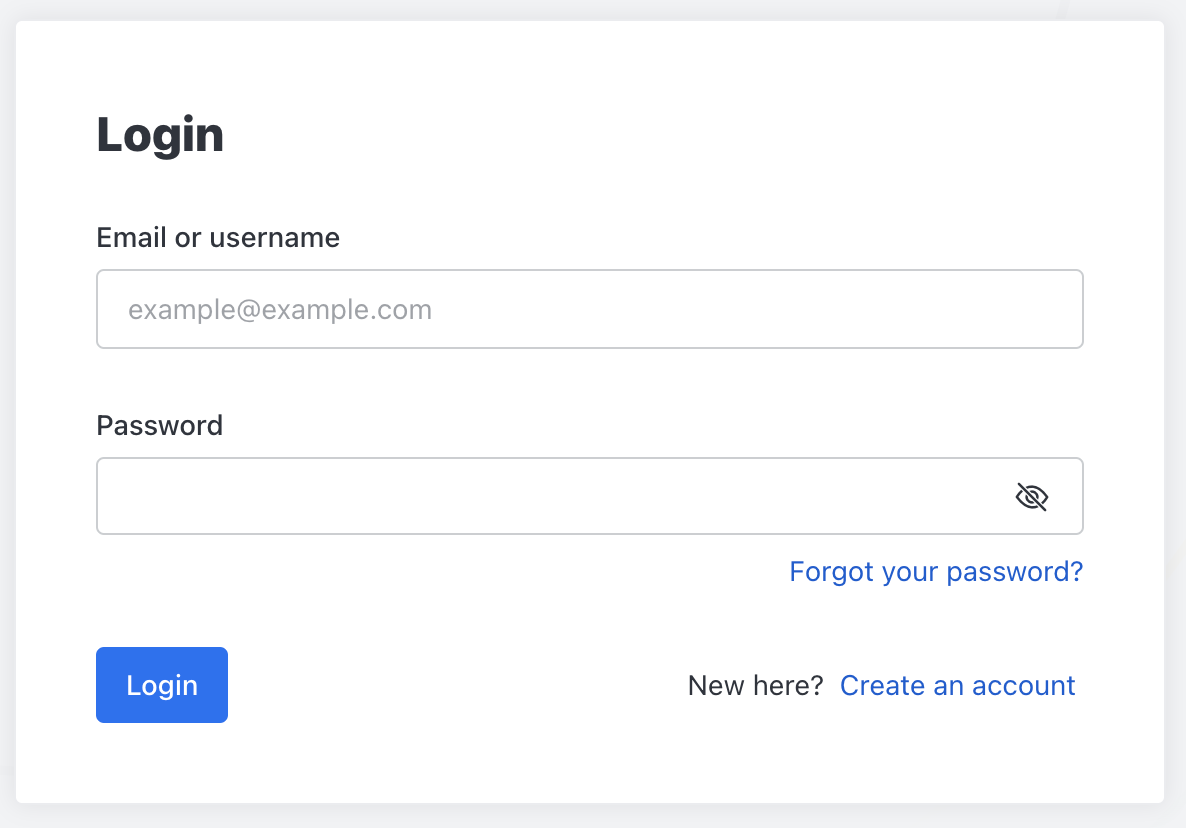
    rchat login credentials

    1. Enter the following:

      • Email or username

        username

      • Password

        /credentials/im

        password

        REPLACE


    2. Then, click "Login"


  3. When you log in, you’ll see your home page in Rocket.Chat, and your room listed in the left panel of your screen, as shown below:
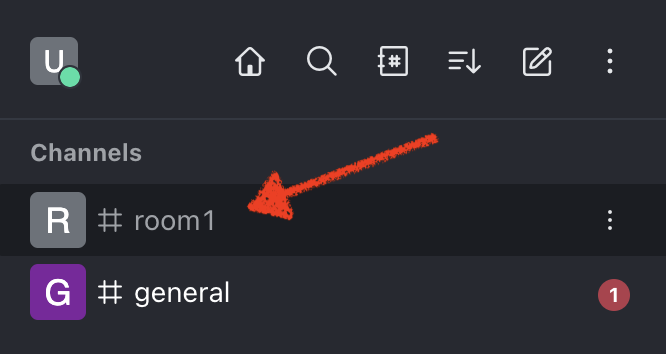
    rchat room


Were you able to join the Rocket.Chat room successfully?