Setup the Lab working folder
|
Close tabs to clean your workspace before starting a new exercise. How to close all tabsFrom your workspace in your Red Hat OpenShift Dev Spaces environment, follow the steps below: Find the menu in the top right corner of the editor and click as follows: 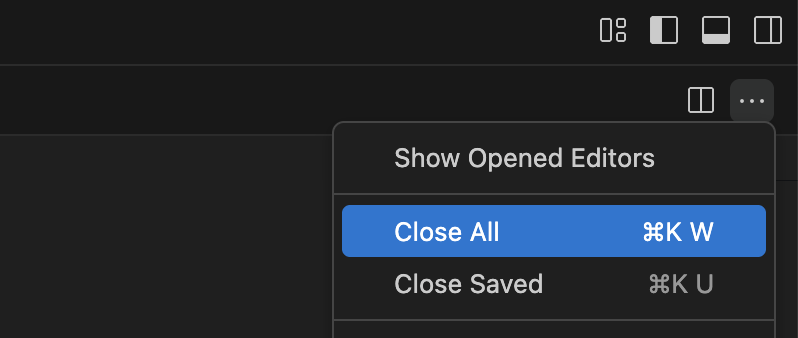
|
-
From your terminal in Dev Spaces:
-
If you have any running processes, stop them with Ctrl+C.
-
Run the following command:
(close any open Camel file tabs first — they may not auto-refresh after running this command)Run the command above anytime to reset the exercise.
Helper commands
-
step N— reset the lab to the beginning of step N -
steps— list all available steps in the lab -
startorrestart— go to the very beginning (equivalent tostep 1) -
ff— fast-forward to the next step -
rw— rewind to the previous step
-
-
-
Check your lab folder
After executing the commands above, have a look in your editor’s tree view to confirm it looks healthy. It should be similar to:
📁 workshop
📁 lab
📁 k2r (Kafka to Rocket.Chat)
⚙ application.properties
! k2r.camel.yamlThe
application.propertiesfile contains pre-configured connection settings for your environment — it’s ready to use. This lets you focus on building the integration logic rather than wiring up configuration.What’s inside?
# Rocket.Chat credentials
rocketchat.token=<your-token>
rocketchat.userid=<your-userid>