Go live on OpenShift
You’ve completed the Kafka to Rocket.Chat flow. To save time, all four flows have been deployed on OpenShift — you’ll now have the chance to test them out and simulate a conversation between customers and support agents.
The diagram below shows the four flows enabling bidirectional communication between customer and support agent:
flowchart LR
    MX -->|"flow 1"| K -->|"flow 2"| RC
    RC -->|"flow 3"| K -->|"flow 4"| MX

    MX@{ img: "../../_images/module-03/common/element-icon.svg", label: "Matrix", pos: "b", h: 100, w: 80, constraint: "on" }
    K@{ img: "../../_images/module-03/common/kafka-icon.svg", label: "Kafka", pos: "b", h: 100, w: 80, constraint: "on" }
    RC@{ img: "../../_images/module-03/m4/rocketchat-icon.svg", label: "Rocket.Chat", pos: "b", h: 100, w: 100, constraint: "on" }

    style MX fill:none,stroke:none
    style K fill:none,stroke:none
    style RC fill:none,stroke:none

    linkStyle 0 stroke:#66bb6a,stroke-width:2px
    linkStyle 1 stroke:#66bb6a,stroke-width:2px
    linkStyle 2 stroke:#ef5350,stroke-width:2px
    linkStyle 3 stroke:#ef5350,stroke-width:2px
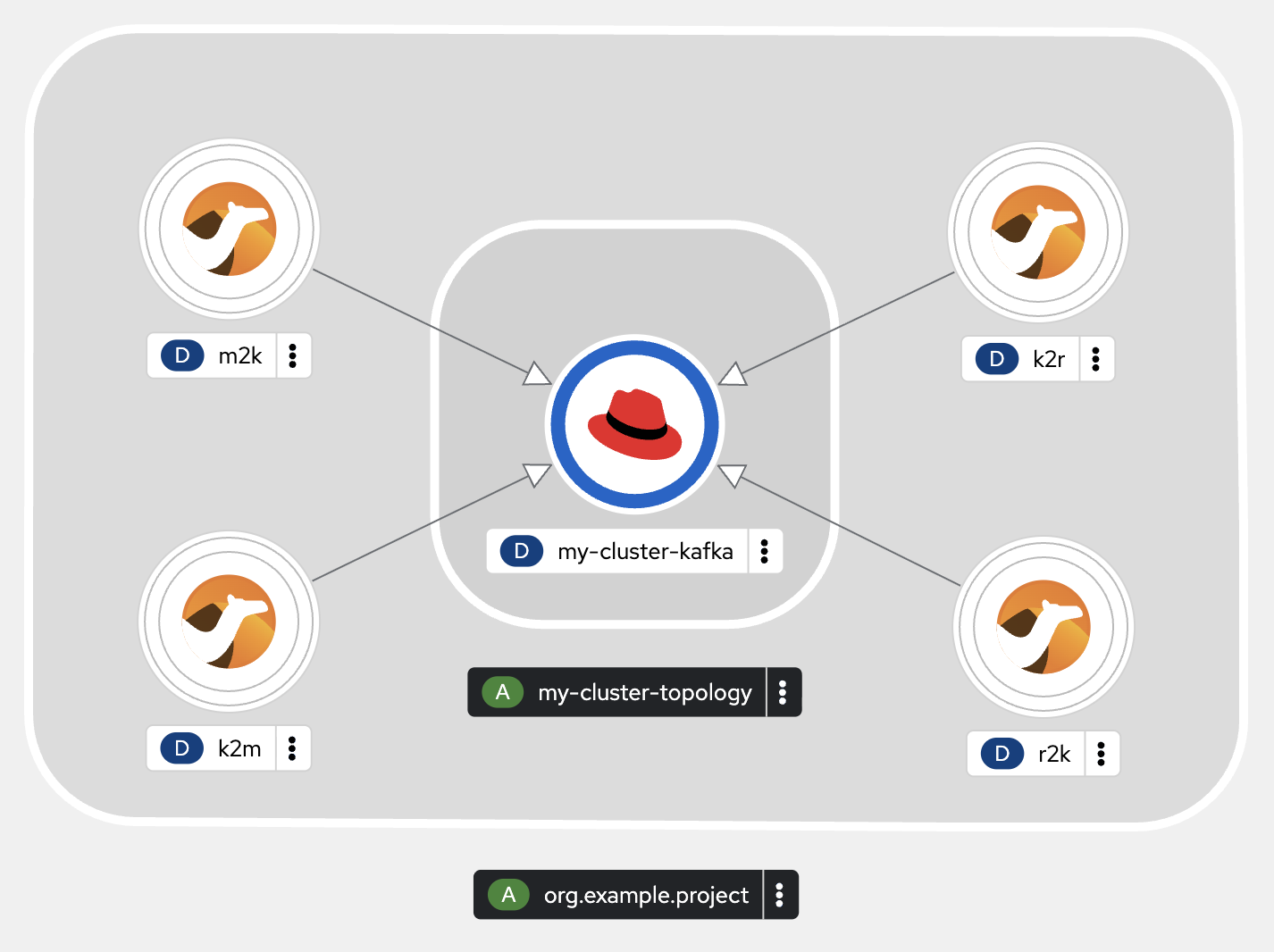
You can see the four pre-deployed flows in the OpenShift Developer Console by opening the Topology view:
-
-
Username:
username -
Password:
user-password
-
The image below shows what you should find — the four Camel integrations (m2k, k2r, r2k, k2m) connected to the central Kafka cluster. Notice the deployments are currently scaled down to zero — they’re not running yet. That’s what you’ll do next.
| Your layout may look different — you can drag and drop the nodes to organise them. |
Start the flows
From your Dev Spaces terminal, scale up all four deployments to start the flows:
What does this command do?
|
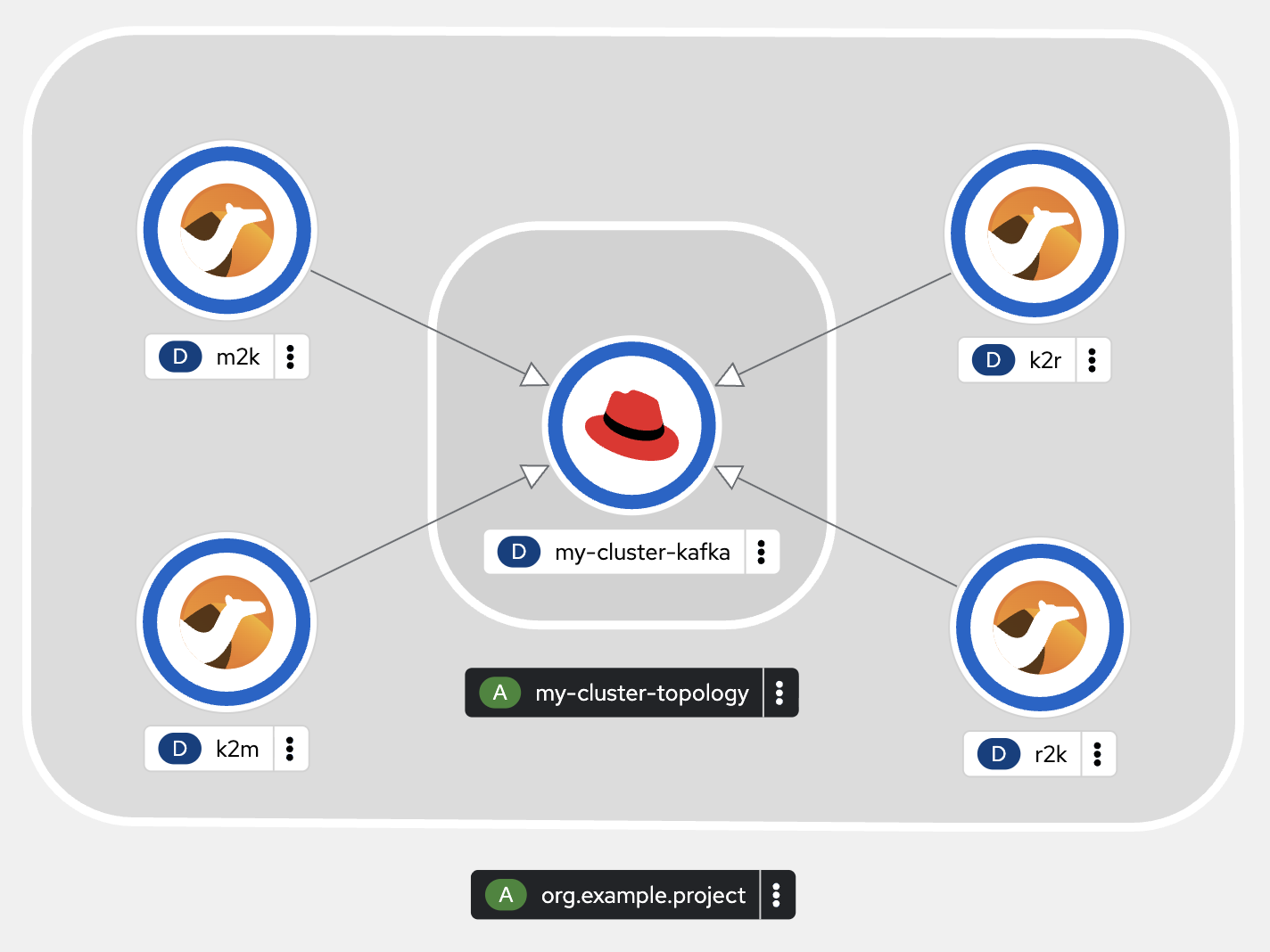
Once all pods are up and running, the Topology view should show blue rings around each deployment:
Test end-to-end
Now that all flows are running, it’s time to simulate a conversation between customer and support agent. Make sure both platforms are open:
-
Matrix platform onboarding — the customer side
-
Rocket.Chat platform onboarding — the support agent side
Let’s simulate a brief exchange between a customer and a support agent(you will impersonate both personas).
-
Customer sends a message — go to your Matrix room and type:
-
Agent responds — go to your Rocket.Chat room, you should see the customer’s message. Reply with:
If all goes well, both platforms should show the full exchange. You should see something similar to:
The communication bridge is in place — customers and support agents can now talk across platforms in real time. But a conversation is only the beginning. The support agent now knows what the customer needs, and it’s time to act on it.
In the next chapter, the agent will turn to an AI-powered agentic system for help — and you’ll build the pieces that allow it to analyse the customer’s problem and start working towards a resolution.