Matrix platform onboarding
Join your Matrix room.
-
Open Matrix’s web client
Click on the link below to open the Login page in Matrix (opens a new tab).
You’ll be presented with a Login page.
-
Login with your credentials
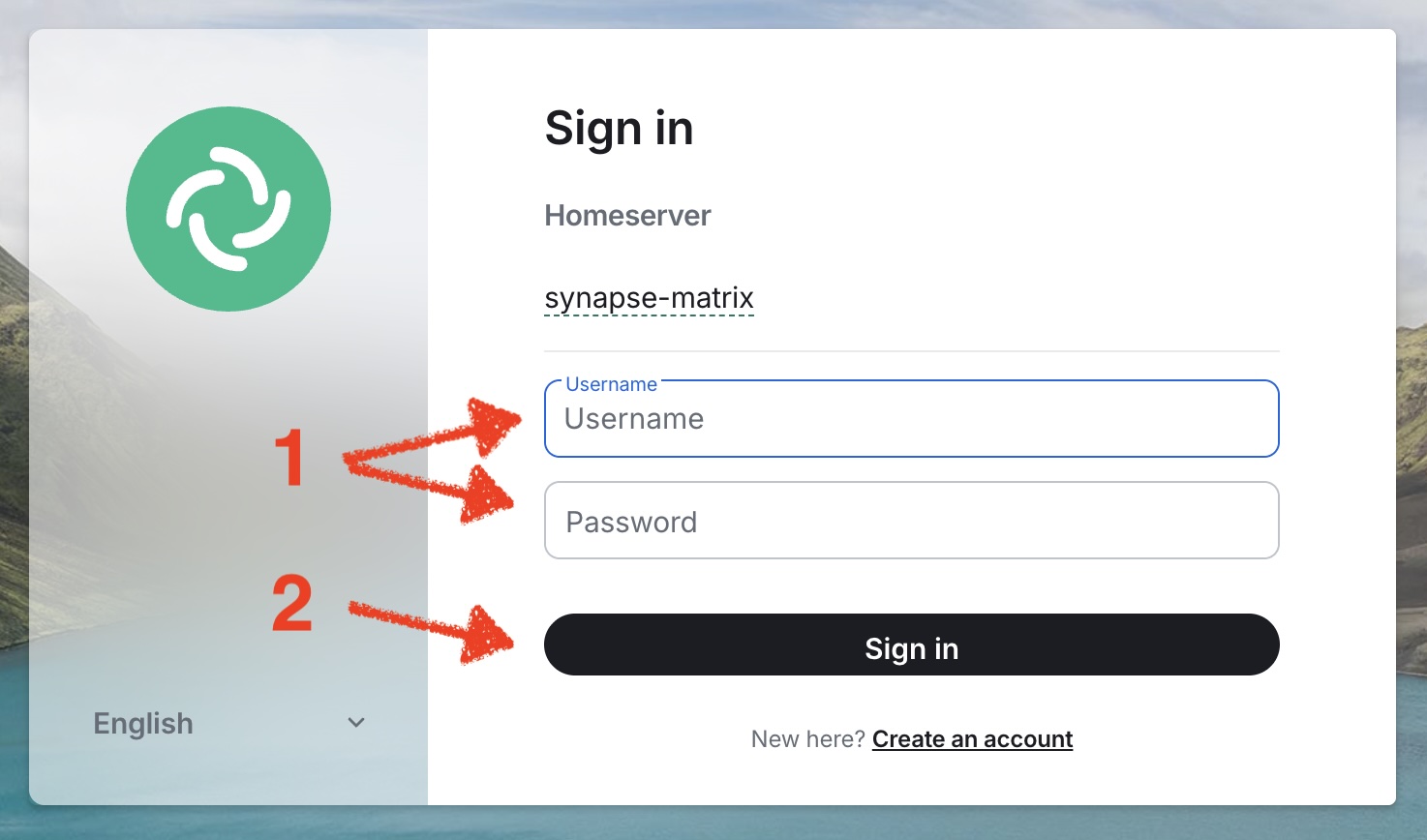
You will be prompted to enter your credentials, as shown below:
-
Enter the following:
-
Username
-
Password
-
-
Then, click "Sign in"
You will be asked to confirm your identity. Enter your password to do so, as shown below:
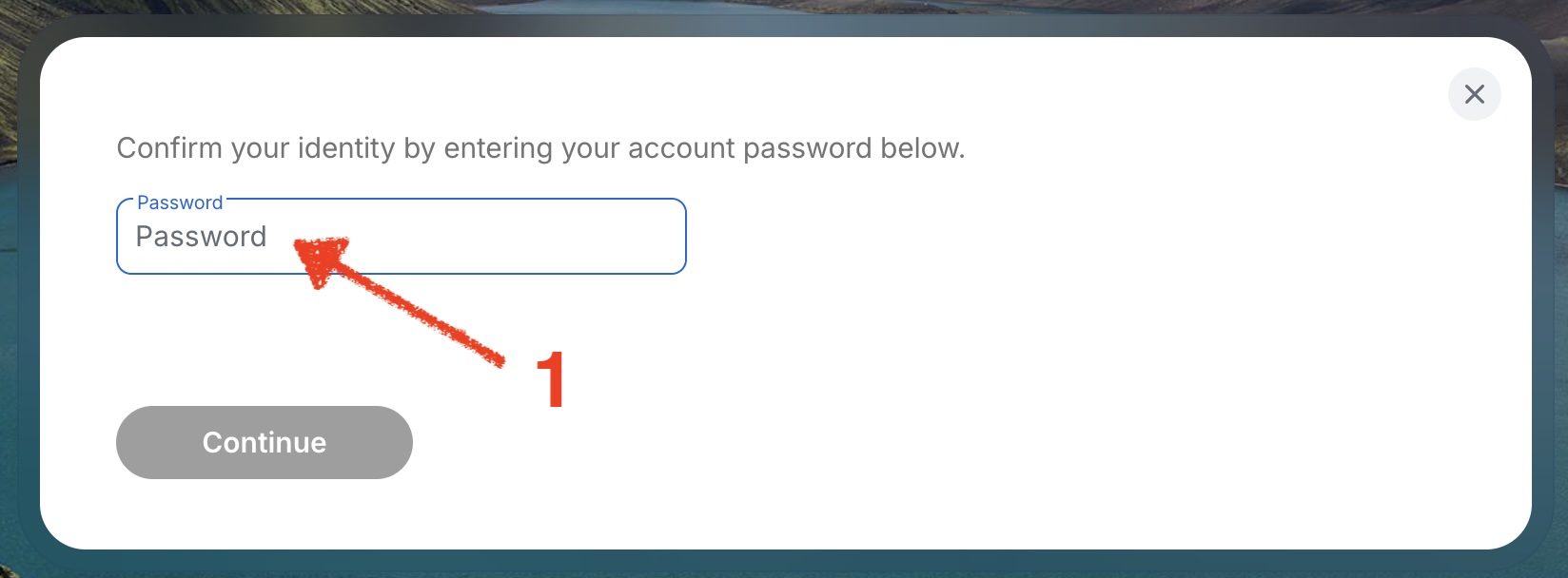
Confirm by clicking on "Continue".
Finally, you’ll notice looking at your Matrix screen, a pending invitation to join your room.
Follow the steps below to accept your invitation: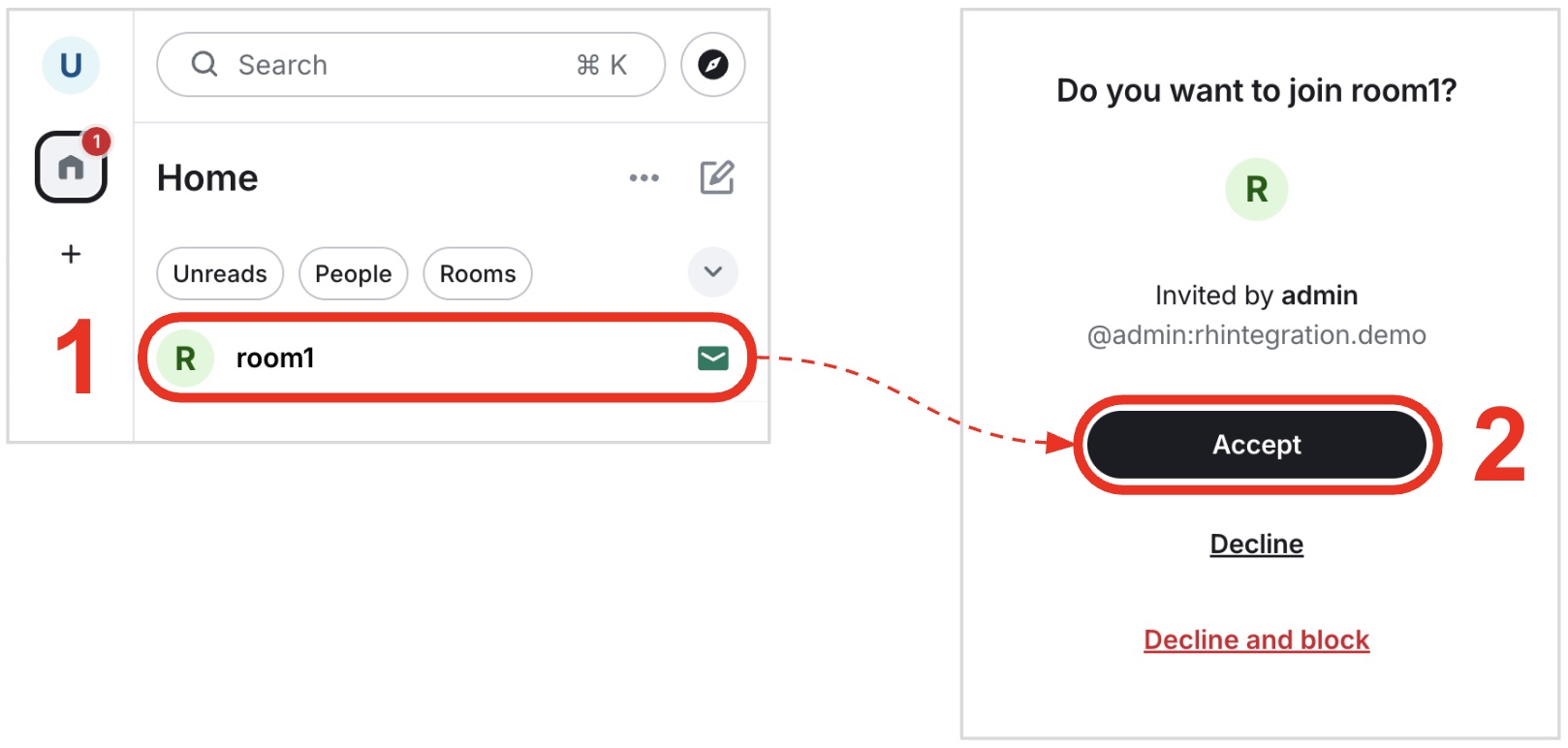
-
Click on your room.
-
And, click on "Accept".
-